¶ Workflow Trigger: Product Completed
The Product Completed Workflow Trigger allows you to start a workflow whenever a customer completes one or a selection of your Membership Products. This can allow you to create any number of follow-up actions to automate your Membership Product completion strategies. This article will give an overview of how to build a workflow using the Product Completed Workflow Trigger
¶ Key Benefits of the Product Completed Workflow Trigger
- Boosted Customer Engagement: Automatically send congratulatory messages, feedback surveys, or recommendations for next steps to maintain customer interest.
- Efficient Follow-Up Processes: Automate repetitive tasks like updating LeadMagicX records and triggering targeted campaigns, saving time and effort.
- Increased Customer Satisfaction: Ensure timely communication and celebrate customer achievements, enhancing loyalty and satisfaction.
- Actionable Insights: Use customer feedback and completion data to inform product improvements and refine marketing strategies.
- Upselling Opportunities: Offer personalized recommendations to encourage customers to explore additional products or services.
¶ Step 1: Start a new workflow or edit an existing one
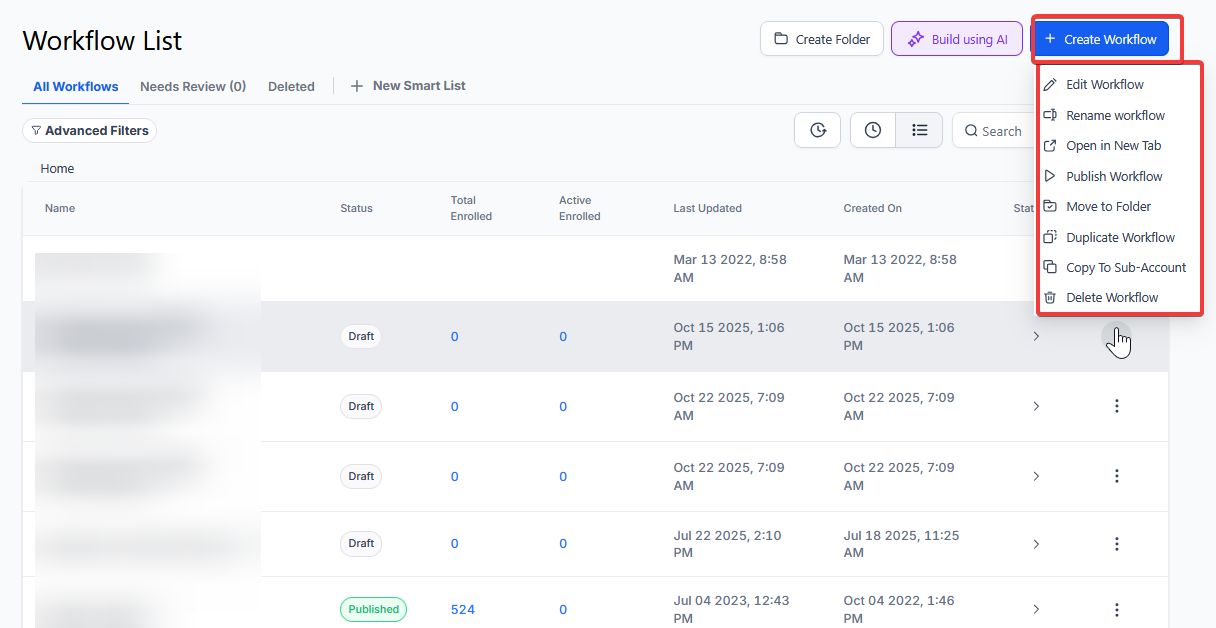
¶ Step 2: Creating and Editing the Trigger
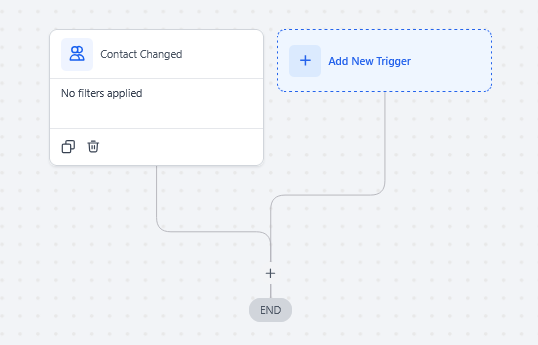
- Click “Add New Workflow Trigger”
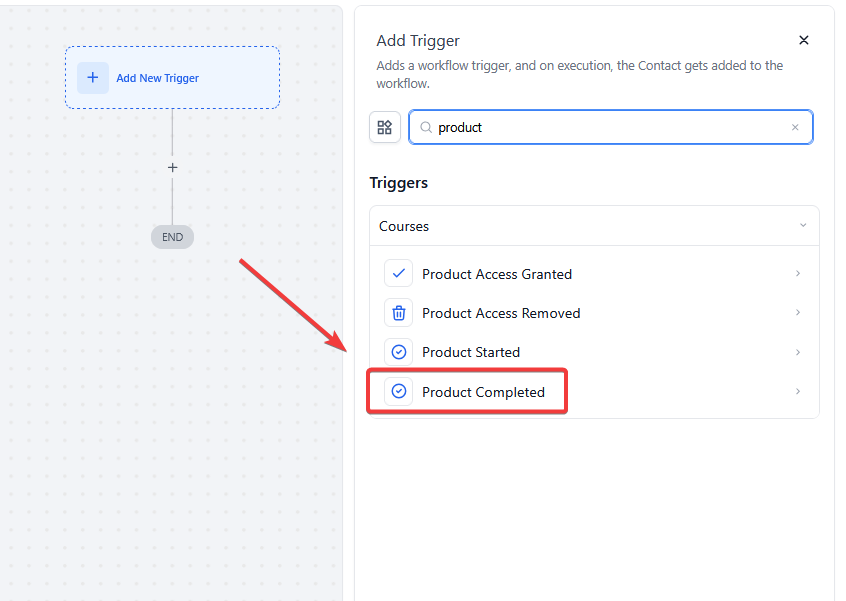
- Select Product Completed in the Courses section of the Workflow Triggers Menu or use the search feature. Once selected, the Trigger setup menu will appear.
- (Optional) You can change the display name of this trigger within the Workflow Builder using the text box under Workflow Trigger Name. Note that this will only affect the display name within the workflow builder. No other content or functionality will be affected by this.
- Press + Add filter to show the Filters section of the Trigger setup menu

- In the first drop-down menu that appears, you can filter by the parameter, Product , which will open an additional drop-down menu with the options Is any of or is none of
- Product > is any of will then allow you to select one or multiple membership courses that you want to trigger this workflow. In this case, any courses NOT selected WILL NOT trigger this workflow
- Product > is none of will then allow you to select one or multiple membership courses to exclude from triggering this workflow. In this case, all membership courses NOT selected WILL trigger this workflow

- You can also add a filter with a Custom Fields parameter which will only allow contacts who have the selected custom field applied to them to be added to this workflow.
- If you choose to leave the Filter section blank (i.e. if you don’t add any filters) then this workflow will be triggered any time any customer completes any of your membership products.

- Press Save Trigger in the bottom right corner of the Trigger setup menu

¶ Step 3: Set up applicable Workflow Action(s). We have multiple articles available to explain the setup of each of the Workflow Actions. Feel free to review our articles on these for more information on setting these up.
Pro Tip: You can use any Workflow Actions to be triggered by the Product Completed trigger or you can leave this workflow without any actions.
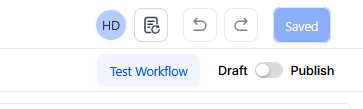
¶ Step 4: Press Save in the top right corner of your browser to save the workflow
- If your Workflow is ready to be enabled, make sure the toggle switch under Save is set to Publish
- Be sure to test your Workflow to make sure it is set up correctly using the Test Workflow button next to the Publish toggle switch.
- For an in-depth overview of Workflow Testing see our article, “Using the Testing Features in Workflows”
Now your workflow is set up and ready to go with the Product Completed Workflow Trigger.
¶ Use Cases for the Product Completed Workflow Trigger
¶ Post-Course Survey and Upsell
Scenario: A learning platform wants to gather feedback from users who complete a course and encourage them to enroll in related courses.
Trigger Setup:
- Trigger: Product Completed
- Filter: Product is “Advanced Marketing Strategies”
Outcome: The workflow sends a congratulatory email with a feedback survey and offers a discount code for a related course, such as “Social Media Marketing Mastery.”
¶ Subscription Renewal Reminder
Scenario: A subscription service wants to notify customers about renewal options after they complete their subscription term.
Trigger Setup:
- Trigger: Product Completed
- Filter: Product is “6-Month Premium Membership”
Outcome: The workflow sends a reminder email with renewal options and incentives, like loyalty discounts or exclusive offers.
¶ LeadMagicX Updates and Team Notifications
Scenario: A sales team needs to be notified when a customer completes a product to discuss follow-up opportunities.
Trigger Setup:
- Trigger: Product Completed
- Filter: Product is “Enterprise Training Module”
Outcome: The workflow updates the customer’s LeadMagicX profile to reflect completion and sends a notification to the sales team.
¶ Event Participation Acknowledgment
Scenario: An event organizer wants to send certificates to attendees who complete a virtual event.
Trigger Setup:
- Trigger: Product Completed
- Filter: Product is “Virtual Summit Access”
Outcome: The workflow sends a thank-you email along with a digital certificate of participation.
¶ Customer Retention Campaign
Scenario: A fitness app wants to retain users who complete a program by recommending new challenges.
Trigger Setup:
- Trigger: Product Completed
- Filter: Product is “30-Day Fitness Challenge”
Outcome: The workflow sends a congratulatory message and suggests advanced challenges with exclusive discounts.
¶ FAQs
Question: What happens if I don’t set any filters?**
**Answer: The workflow will trigger whenever any customer completes any membership product.
Question: Can I apply multiple filters?
Answer: Yes, you can combine different filters to control precisely when the workflow is triggered.
Question: Can this trigger manage multiple products in a single workflow?
Answer: Yes, you can set up the workflow to trigger for multiple products by applying additional filters or using broader criteria such as “Is any of.”
Question: What happens if the same customer completes multiple products?
Answer: The trigger will activate each time a product is completed. You can use conditions or cooldown periods to prevent duplicate actions.
Question: How can I ensure follow-ups are personalized for different products?**
**Answer: You can either create individual workflows for each product or use filters and conditions to customize actions based on the specific product completed.
Question: Can this trigger work with other workflow actions?
Answer: Yes, the Product Completed trigger can be combined with actions like “Send Email” or “Add Tag” to build more comprehensive workflows.
Question: How can I manage incomplete customer information in workflows?**
**Answer: You can add validation conditions in the workflow to check for missing data and trigger alerts for manual updates if necessary.
Question: Why should I test the workflow after setup?**
**Answer: Testing ensures the workflow functions correctly and triggers as expected when a product is completed. Use the Test Workflow button to simulate completions and verify that all actions execute properly.
Question: Does “Product Completed” trigger as soon as the last lesson is finished?
Answer: Yes. The moment a student marks the final lesson of a product as complete, the system recognizes the product as “Completed” and initiates the workflow. This allows you to deliver rewards or certificates at the exact moment of their achievement.
Question: Does changing the “Workflow Trigger Name” affect how the trigger works or what the customer sees?**
**Answer: No. Changing the display name only affects how the trigger is labeled within the Workflow Builder for your own organizational purposes. It does not change the underlying functionality or any content seen by the customer.
Question: Can I use this trigger to automatically send a Certificate of Completion?
Answer: Yes! This is one of the most popular uses for this trigger. You can set the workflow to send an email with a link to a digital certificate or a PDF immediately after the “Product Completed” event is detected.