¶ Workflow Trigger: Number Validation
The Number Validation Workflow Trigger allows you to build a workflow that will be triggered in the event of a validation error occurring with your use of number validation services. This trigger runs based on the number validation response before sending an SMS or making a call. The contact with whom the communication caused an error will be added to this workflow, allowing you to sequence various actions toward the contact as well as internally. This article will give an overview of how to create a workflow using the Number Validation Workflow Trigger.
¶ Step 1: Start a New Workflow or Edit an Existing One
- Navigate to Automation on the left > Workflows at the top and create a new workflow or edit an existing one.
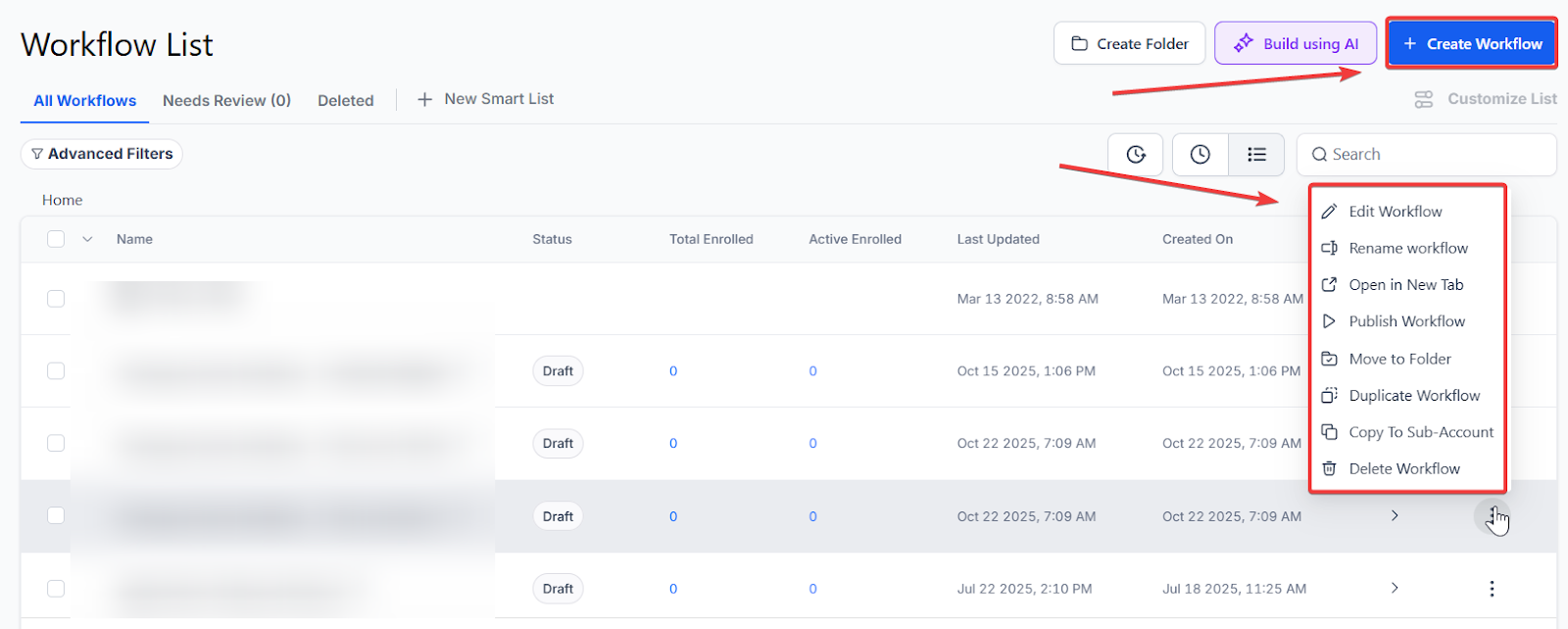
¶ Step 2: Creating and Editing the Trigger
- Click “Add New Workflow Trigger.”
- Select Number Validation in the Events section of the Workflow Triggers Menu or use the search feature. Once selected, the Trigger setup menu will appear.
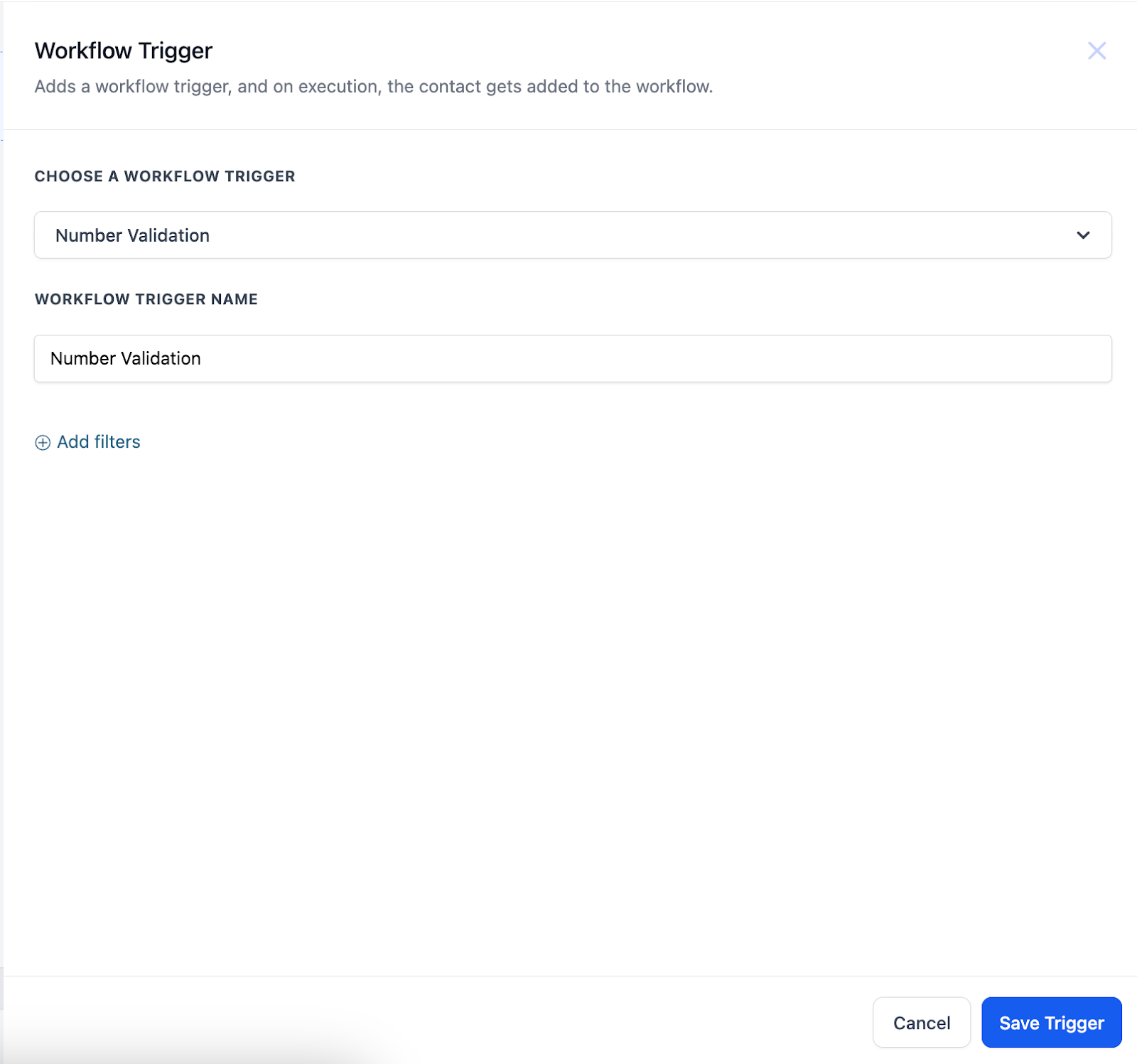
- (Optional) You can change the workflow builder display name of this trigger using the textbox below Workflow Trigger Name. Note that this will only affect the display name within the workflow builder and has no other impact on the content or functionality of this Workflow Trigger.
- Press + Add filters to expand the Filters section of the Trigger setup menu.
- The Error is filter parameter will allow you to select which number validation errors can trigger this workflow. You can select SMS Incapable, Not Valid, or you can choose both.
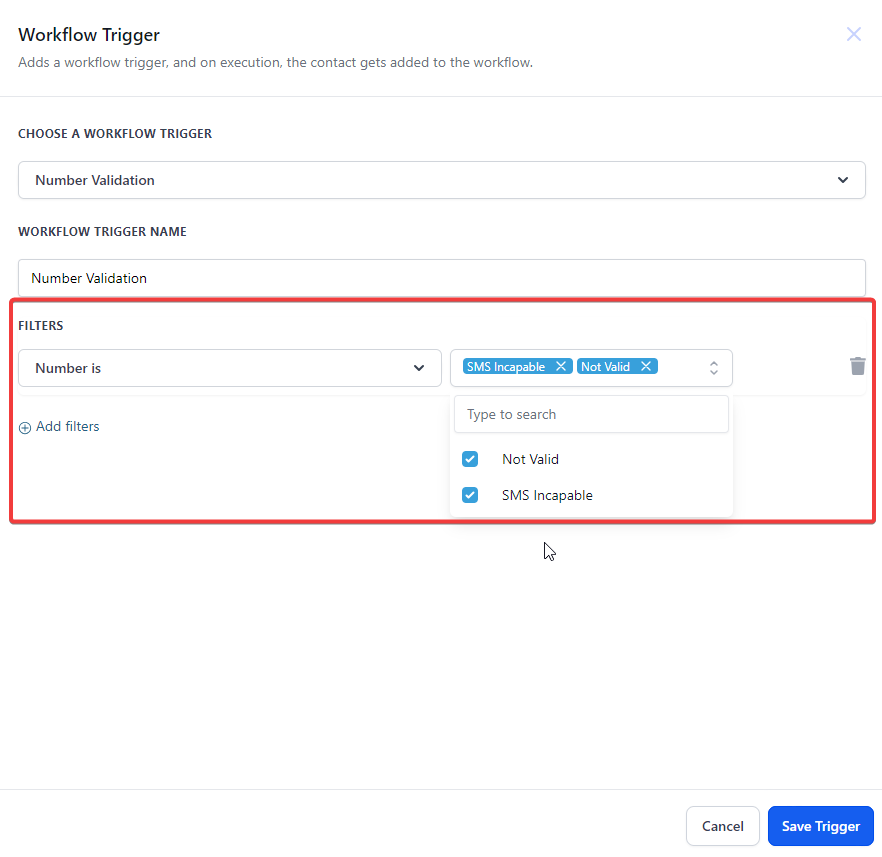
- You can also filter by Custom Fields, which will only allow contacts who meet your selected custom value criteria to be added to this workflow. Custom values are set up elsewhere in your account.
- Press Save Trigger in the bottom right corner of the Trigger setup menu.
¶ Step 3: Set up Applicable Workflow Action(s)
We have multiple articles available to explain the setup of each of the Workflow Actions. Feel free to review our articles on these for more information on setting these up.
Pro Tip: You can use any Workflow Actions to be triggered by the Number Validation trigger, or you can leave this workflow without any actions.
¶ Step 4: Save and Enable Your Workflow
- Press Save in the top right corner of your browser to save the workflow.
- If your workflow is ready to be enabled, make sure the toggle switch under Save is set to Publish.
- Be sure to test your workflow to make sure it is set up correctly using the Test Workflow button next to the Publish toggle switch.
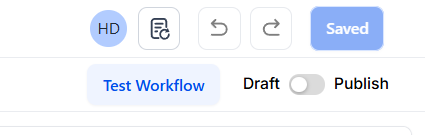
For an in-depth overview of Workflow Testing see our article, “Using the Testing Features in Workflows.”
Now your workflow is set up and ready to go with the Number Validation Workflow Trigger.
¶ FAQs
Question: What types of number validation errors can trigger the workflow?**
**Answer: You can choose between the following error types to trigger the workflow:
- SMS Incapable
- Not Valid
You can also select both options if needed.
Question: Can I filter which contacts are added to the workflow?**
**Answer: Yes, you can use the Custom Fields filter to add only contacts that meet specific criteria to the workflow. These custom values must be set up elsewhere in your account.
Question: Do I need to add Workflow Actions for the trigger to work?**
**Answer: No, you can leave the workflow without any actions. However, adding actions like notifications or follow-up tasks can enhance the workflow’s effectiveness.
Question: How do I ensure my workflow is working correctly?**
**Answer: After saving and publishing your workflow, use the Test Workflow feature to confirm it is functioning as intended. For detailed instructions, refer to the article “Using the Testing Features in Workflows.”
Question: What happens if no contacts meet the trigger conditions?**
**Answer: If no contacts match the selected filters or validation errors, the workflow will not run for any contacts until a matching case occurs
Question: If a contact provides a new, valid number later, will they stay in this workflow?
Answer: Once a contact completes the actions in your Number Validation workflow, they exit. If they update their number and it fails validation again during a future automation, they will be re-added to the workflow to be processed again.
Question: Is it possible to trigger a workflow for both “SMS Incapable” and “Not Valid” numbers at once?
Answer: Yes. In the “Error” filter parameter, you have the flexibility to select one specific error type or choose both to ensure the workflow catches all validation failures.