¶ Workflow Trigger: Lead Created
In affiliate marketing, maintaining engagement and motivation is key to driving success. The “Lead Created” trigger provides an automated solution to engage affiliates as soon as they generate a lead. This article explores how the feature works, its advantages, and how it can help you streamline communications and improve affiliate performance.
Key Features and Benefits:
- Instant Affiliate Engagement: The “Lead Created” trigger automatically launches workflows when an affiliate generates a lead, ensuring immediate communication.
- Personalized Communication: Send tailored messages, such as “Congrats!” emails, to affiliates upon lead generation, which keeps them motivated.
- Campaign-Specific Targeting: With the optional campaign filter, you can apply the trigger to all campaigns or narrow it down to specific campaigns for a more focused approach.
- Improved Affiliate Performance: Prompt affiliates to take further action on their leads, such as nurturing or converting them, which can lead to higher success rates.
How to Use the “Lead Created” Trigger:
1. Create a New Workflow:
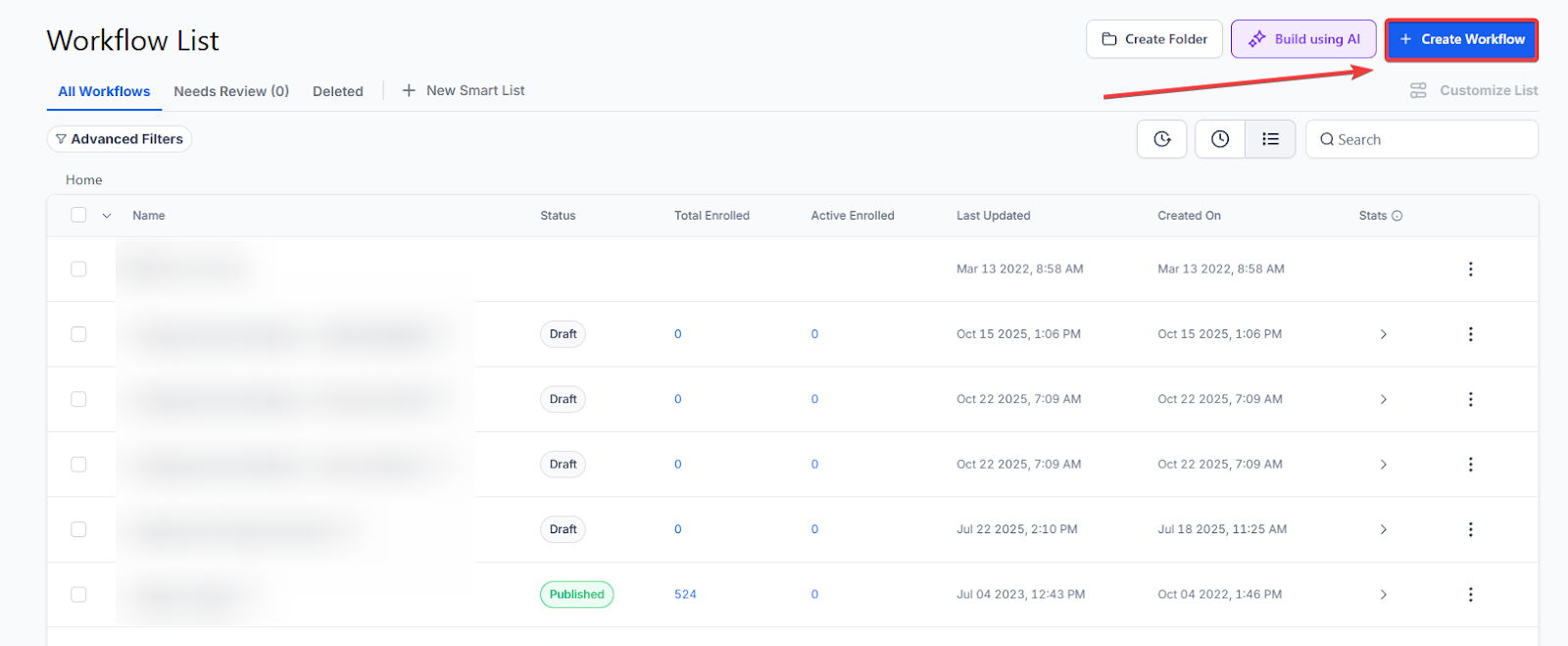
- Go to Automation on the left > Workflows section at the top, and click on + Create Workflow.
2. Set the Trigger:
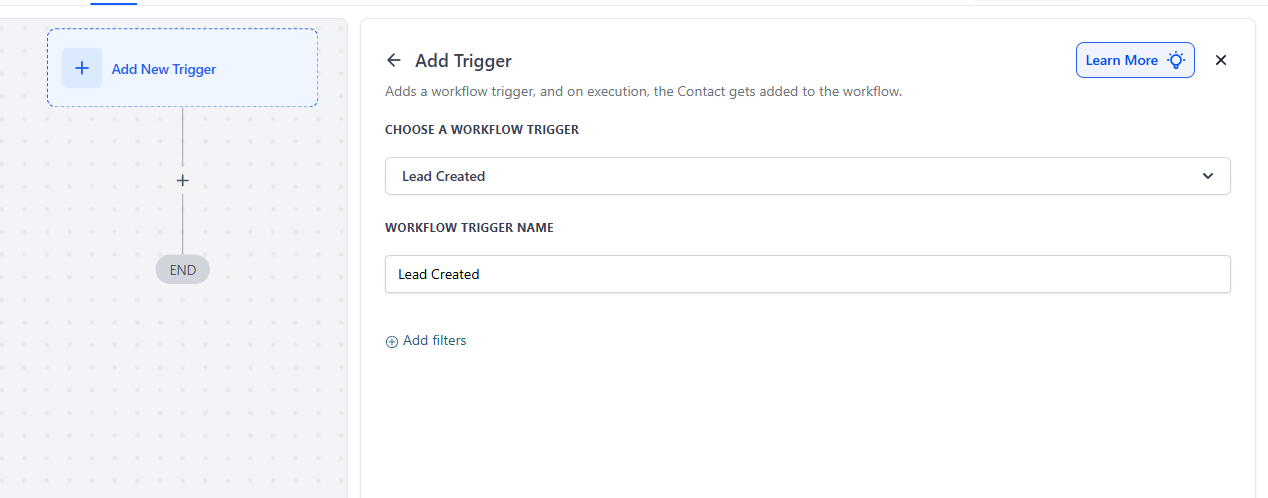
- Choose Lead Created as the trigger for the workflow.
3. Optional Campaign Filter:
- If needed, apply a Campaign Filter to target specific campaigns. This can help you send targeted communications based on the campaign an affiliate is working on.
4. Add an Action:
- Choose an action like Send Email or Internal Notification to keep your team or affiliates informed.
5. Customize Your Message:
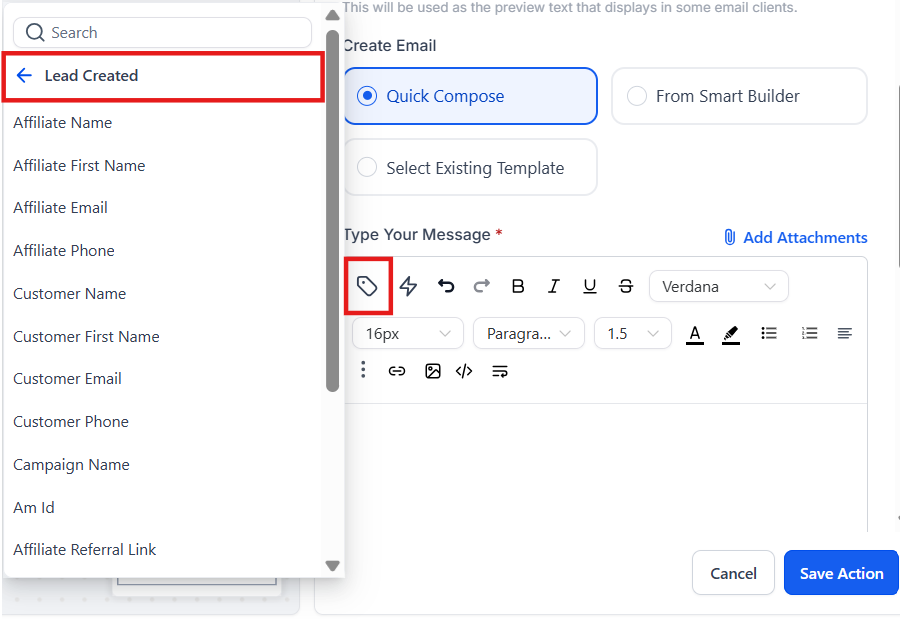
- While drafting your email or notification, use custom values from the “Lead Created” section to personalize your communication.
6. Save Your Changes:
- Once your workflow is set up, save your changes, and your automations will be live.
Pro Tips:
- Personalize for Engagement: Use custom values to personalize emails. Including the affiliate’s name or lead details can make the message feel more tailored and impactful.
- Track Engagement: Keep an eye on affiliate responses to see how effective your communications are. Adjust your messages if necessary to ensure higher engagement.
FAQs
Question: What is the “Lead Created” trigger used for?****
Answer: The “Lead Created” trigger is used to launch workflows automatically when an affiliate generates a new lead, enabling immediate and personalized communication.
Question: Can I apply the “Lead Created” trigger to specific campaigns only?****
Answer: Yes, you can use the optional campaign filter to target specific campaigns or apply the trigger to all campaigns.
Question: What types of actions can I add to the workflow?****
Answer: You can add actions such as sending an email, internal notifications, or other custom actions depending on your needs.
Question: Can I personalize the message sent to affiliates?****
Answer: Yes, you can use custom values from the “Lead Created” section to personalize your messages, making them more relevant to each affiliate.
Question: Why is this trigger important for affiliate marketing?****
Answer: This trigger helps improve affiliate motivation and performance by providing real-time notifications and engagement, ensuring affiliates are informed and encouraged to act on their leads.
Question: What happens if a lead is generated but the affiliate is currently “Inactive”?
Answer: Generally, if an affiliate is marked as inactive or suspended in your system, the attribution may not occur. If the lead isn’t successfully tied to an active Affiliate ID at the moment of creation, the workflow will not have a recipient to notify.