¶ Workflow Trigger: Facebook - Comment(S) On A Post
Introducing the Facebook - Comment(S) On A Post workflow trigger, this feature enhances sales and conversations on Facebook by automating interactions with customers. It enables businesses to attract and engage with customers in real-time, ensuring no lead slips away and facilitating re-engagement without costly retargeting ad campaigns.

Prerequisite:
To utilize this feature, integration of a Facebook account is necessary. Additionally, the actions in workflows require the availability of triggers like Facebook User comments on a post.
¶ How to integrate a Facebook account:
To integrate your account, follow these simple steps:
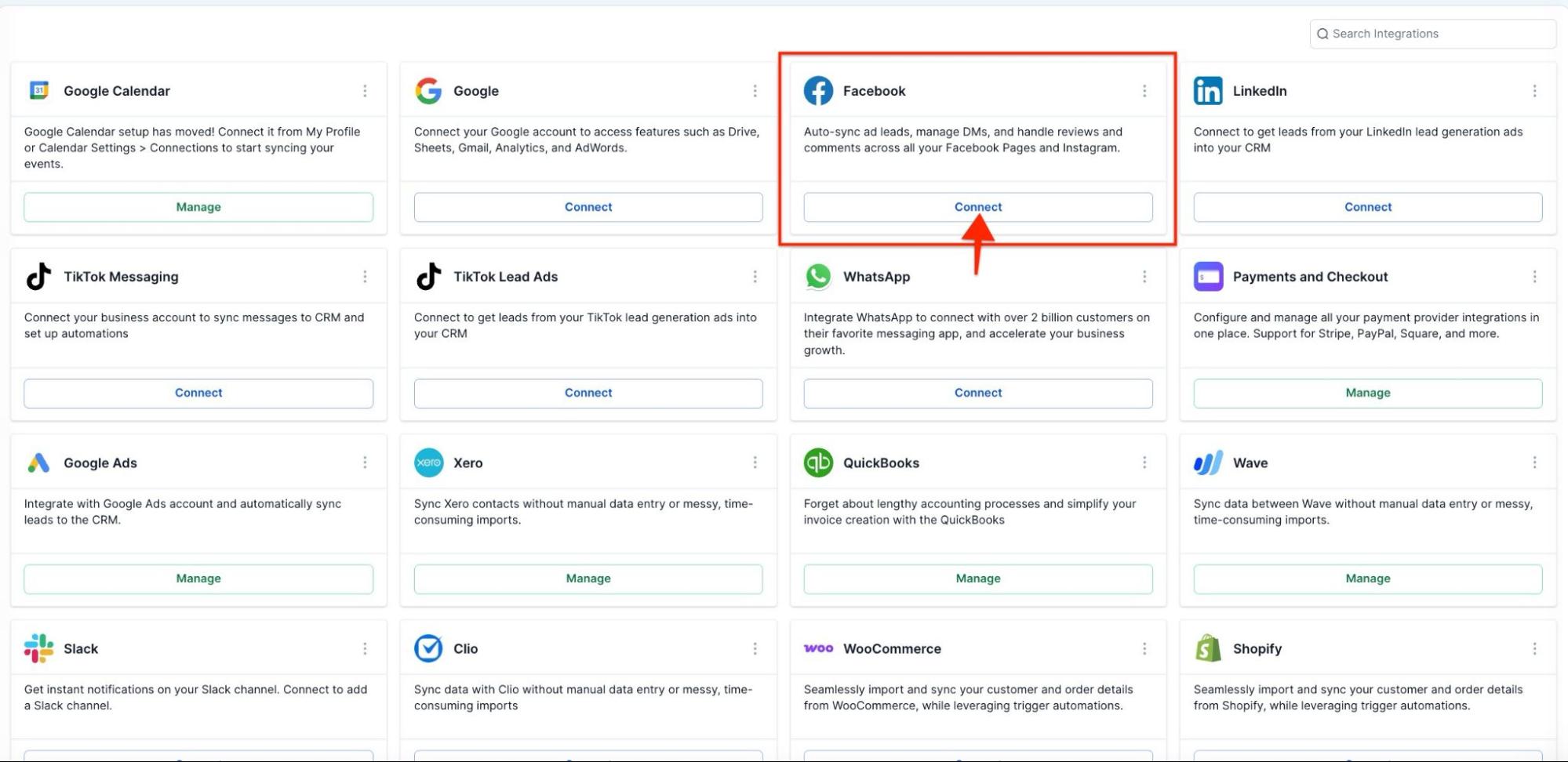
- Go to settings on the bottom left.
- Navigate to integrations.
- Locate the Facebook and Instagram sections.
- Connect your account.
¶ Step-by-Step Guide:
¶ 1. Accessing Workflow Triggers:
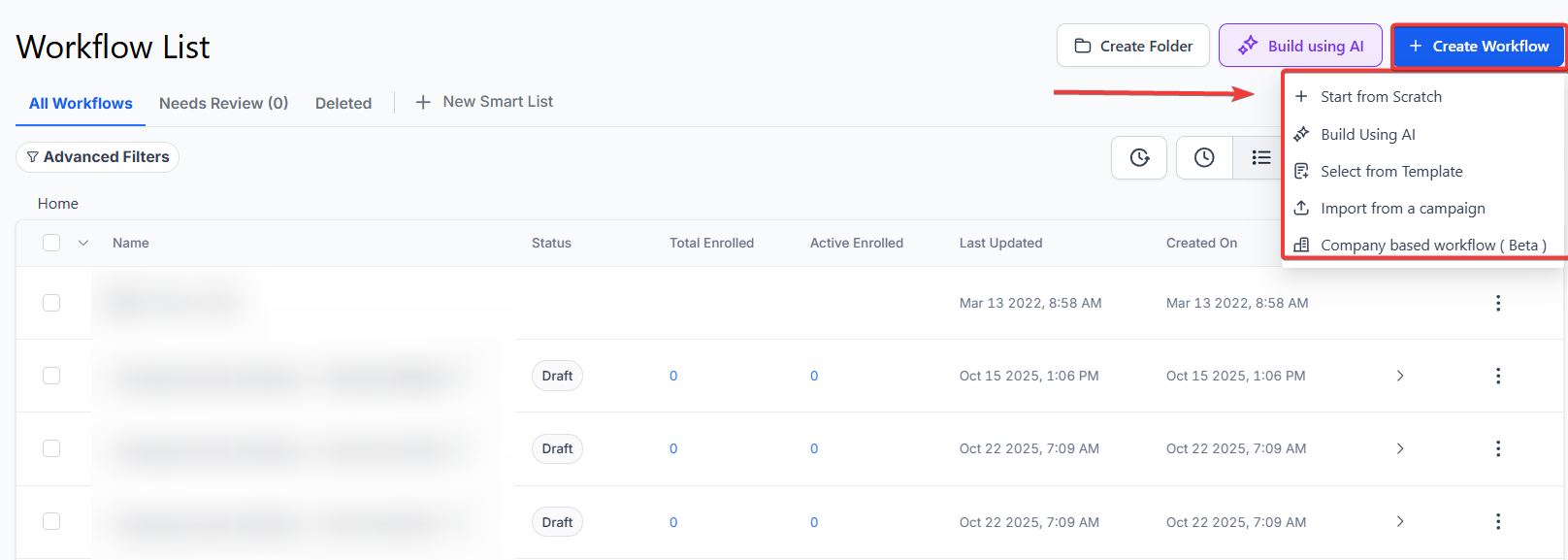
- Navigate to Automation > Workflows, click on + Create Workflow and choose Start from Scratch.
¶ 2. Adding Trigger:
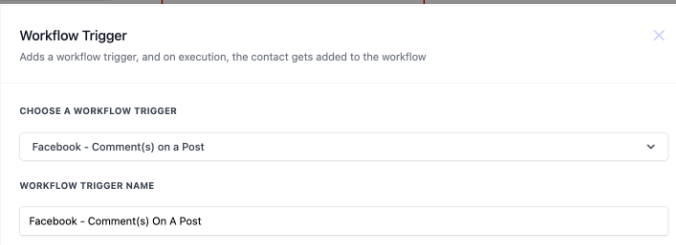
- Click on “Add Trigger” to initiate the trigger setup process.
- Select “Facebook - Comment(S) On A Post” from the available triggers.
¶ 3. Setting Filters:
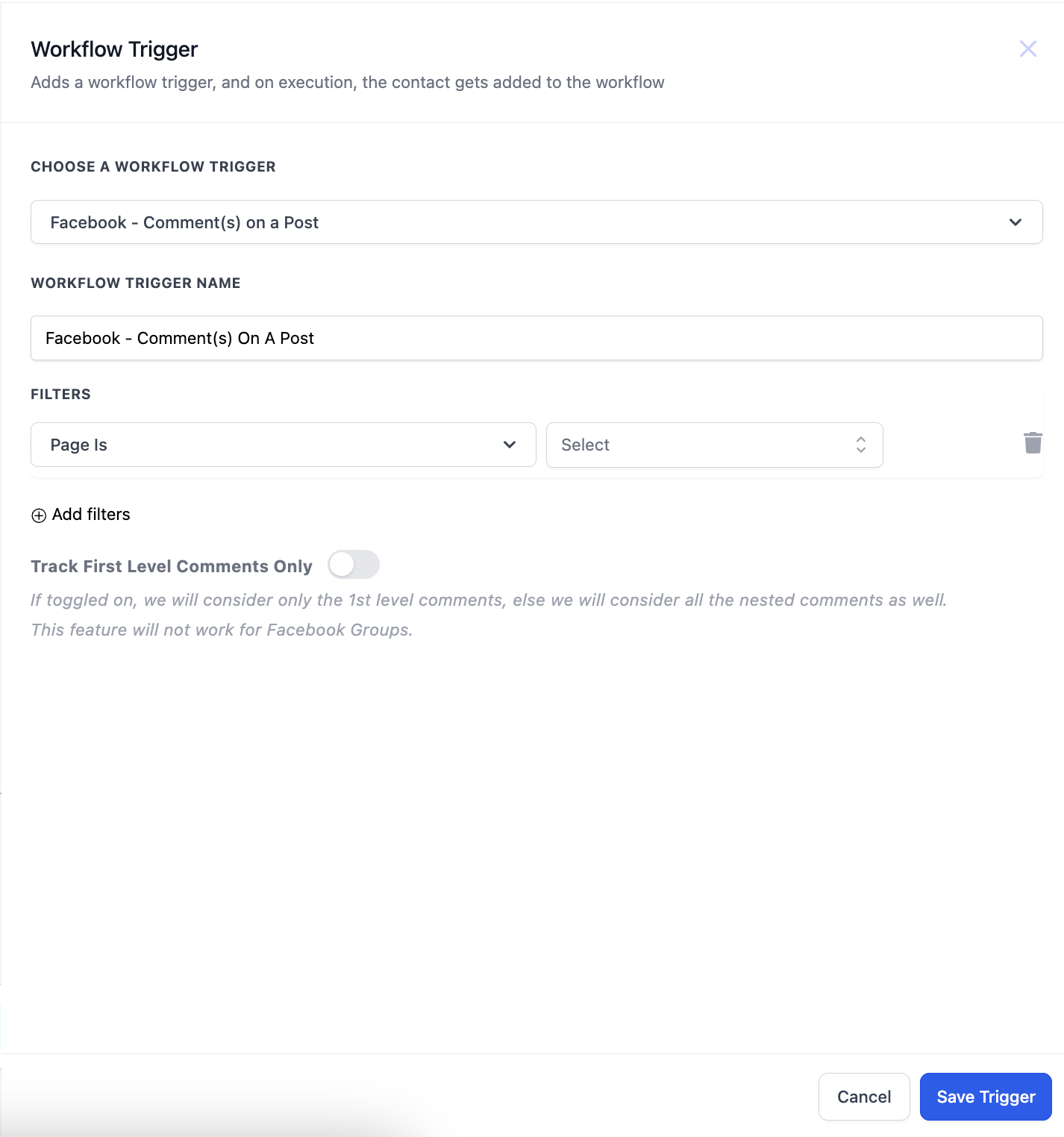
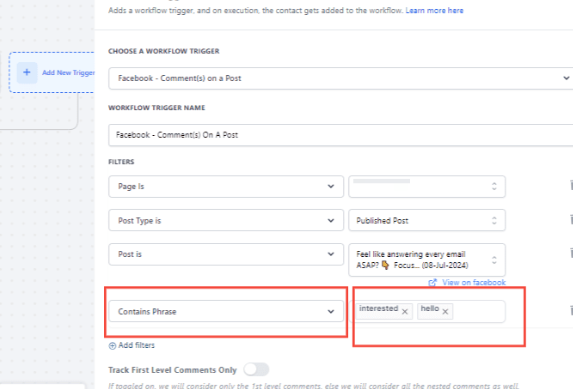
- After selecting the trigger, the sidebar will open with multiple filters.
- Start by selecting the Facebook Page associated with the post.
STEP1:
STEP2:
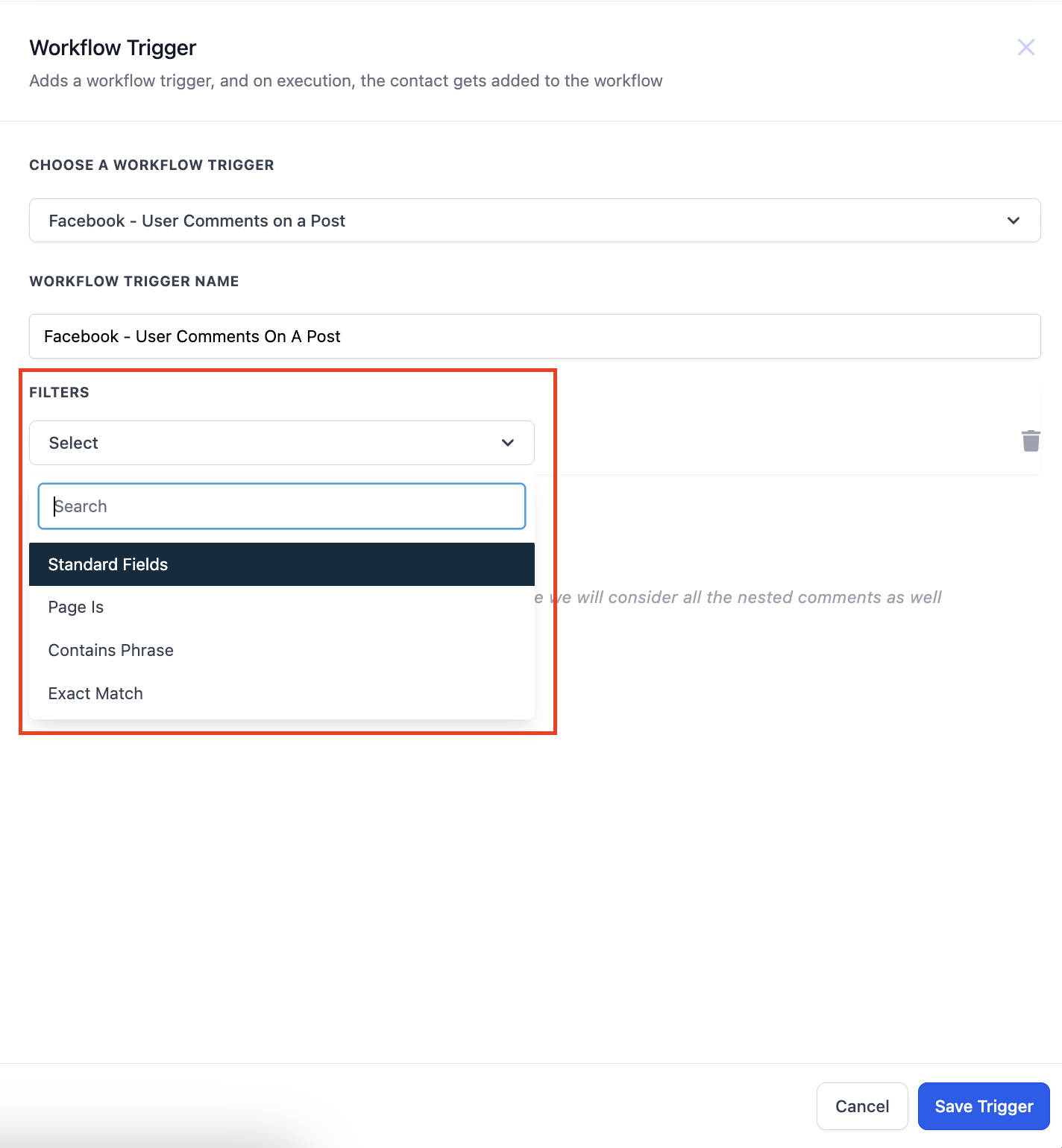
STEP3:
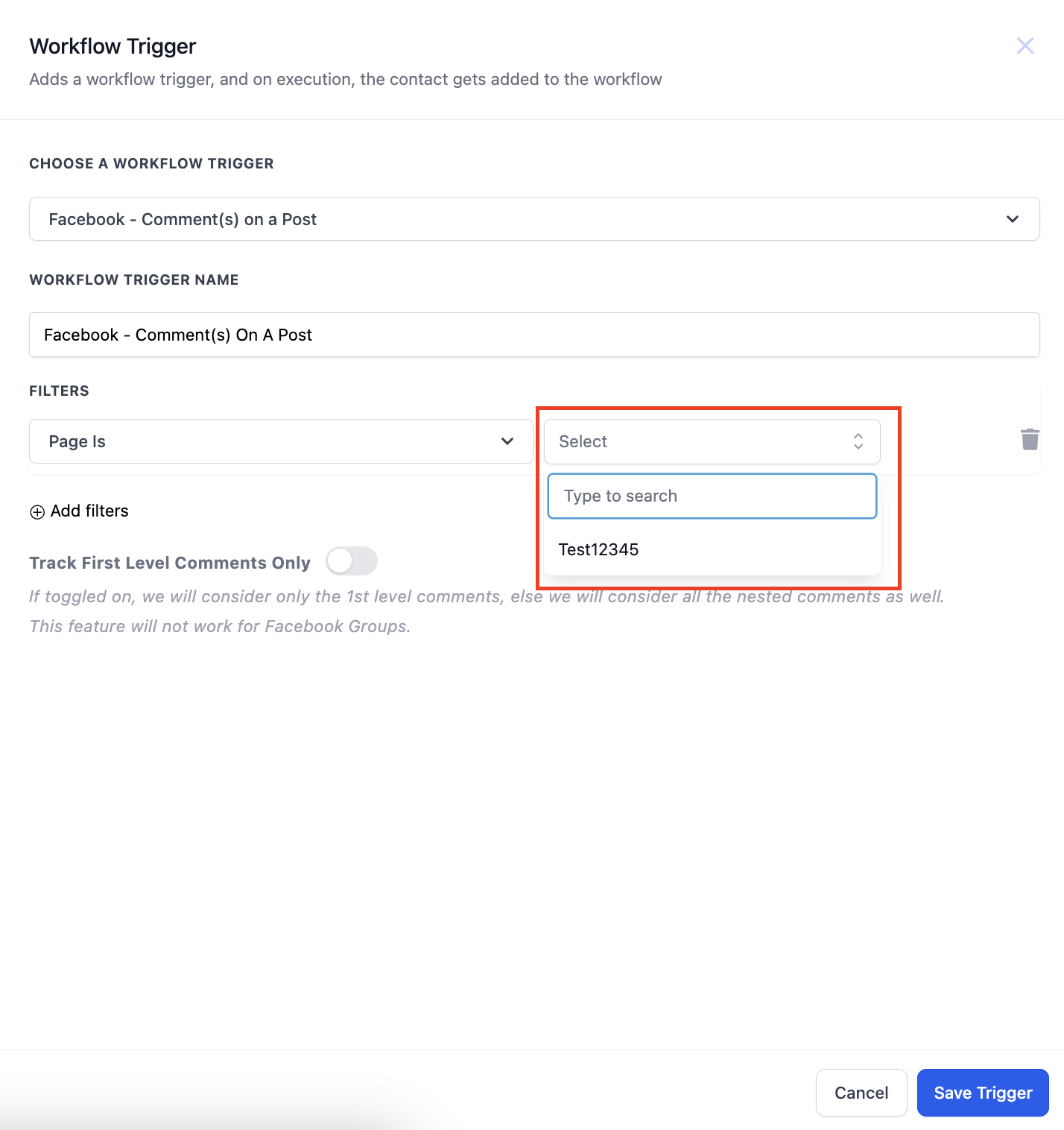
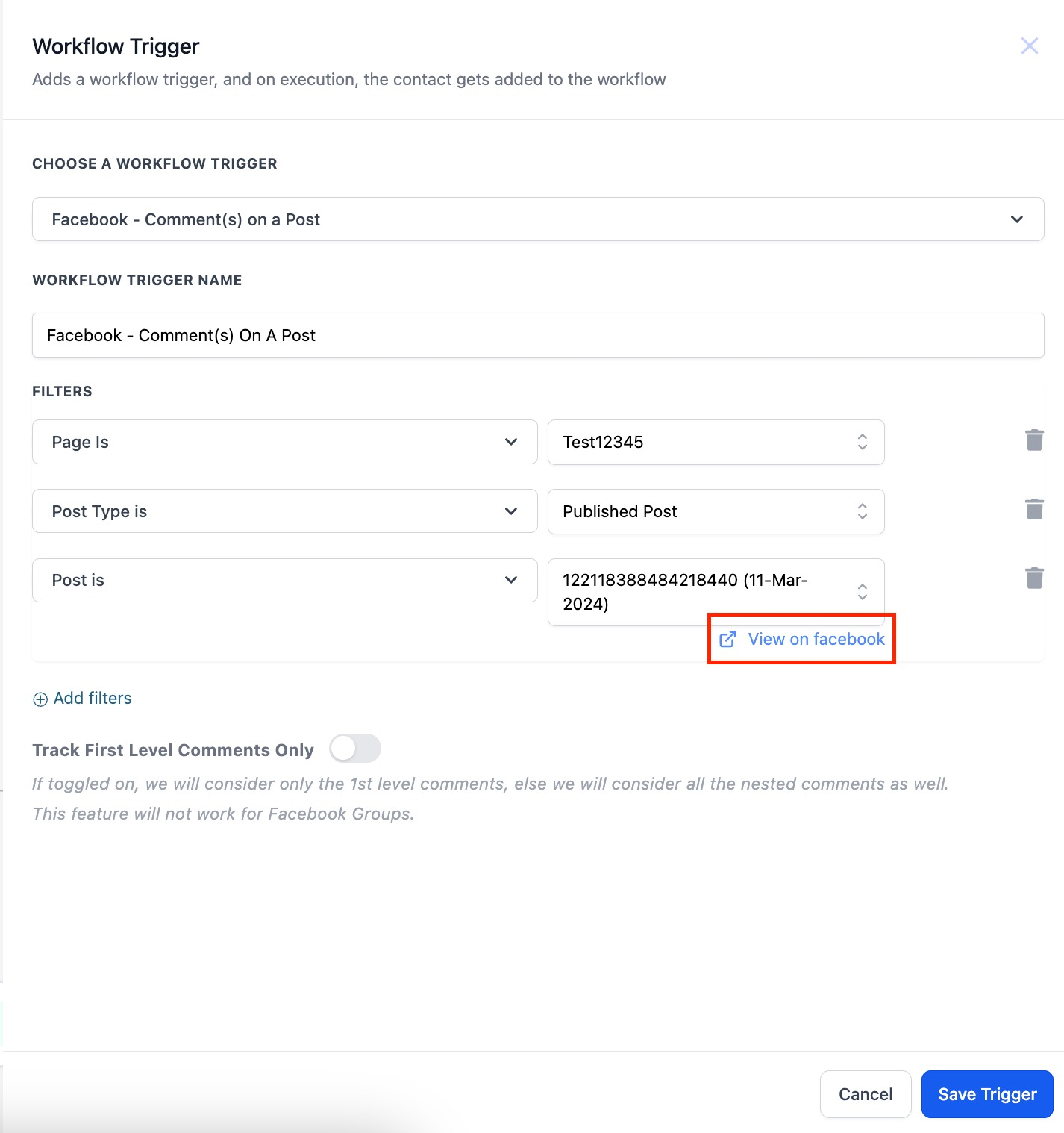
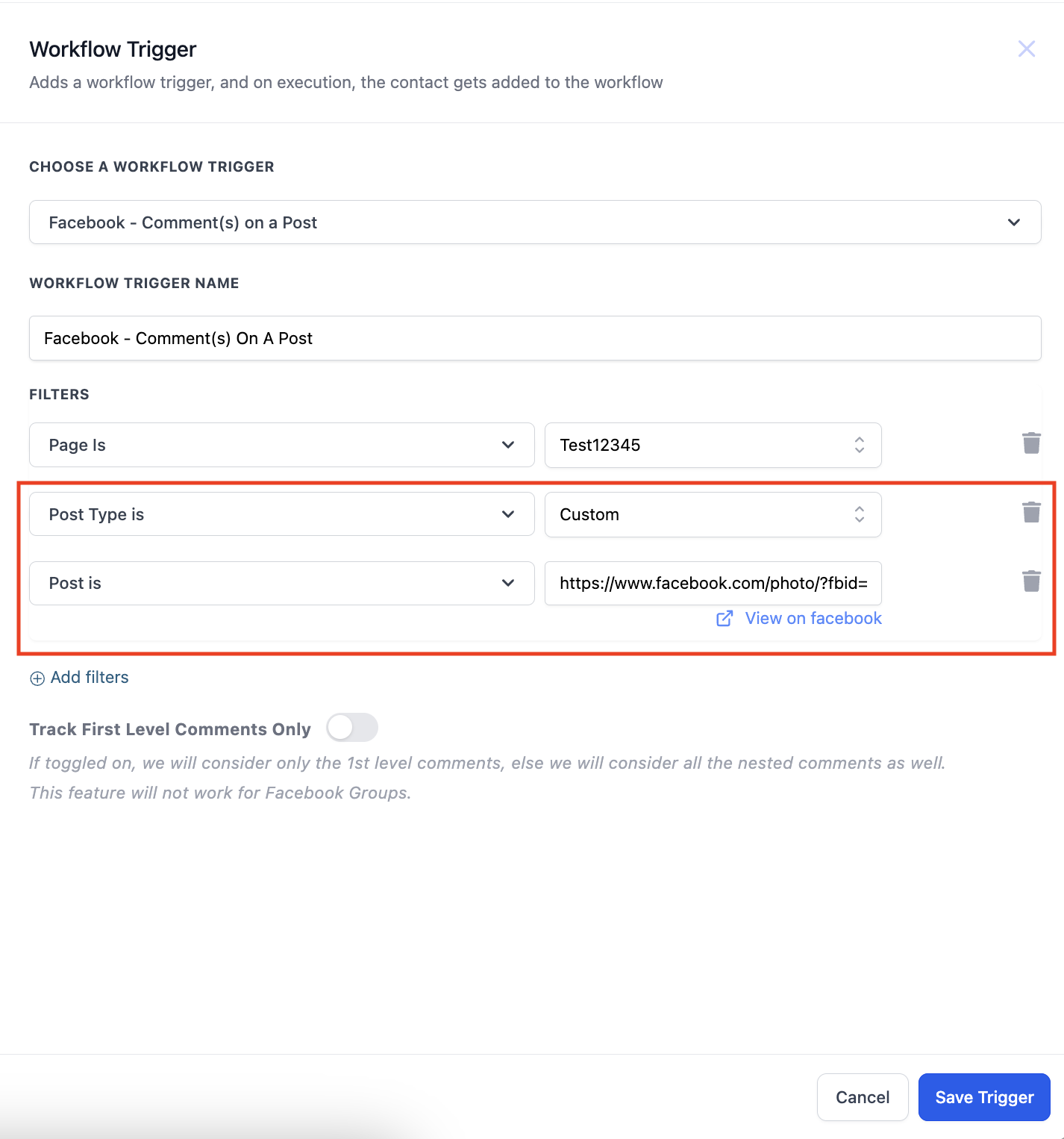
- Specify the Post Type as either “Published” or “Custom.”
- The ‘Published Posts’ tab includes all posts on your business page - it could be text, photo, video, or live video types of posts. You can also select the “View on Facebook” hyperlink to take you to the post.
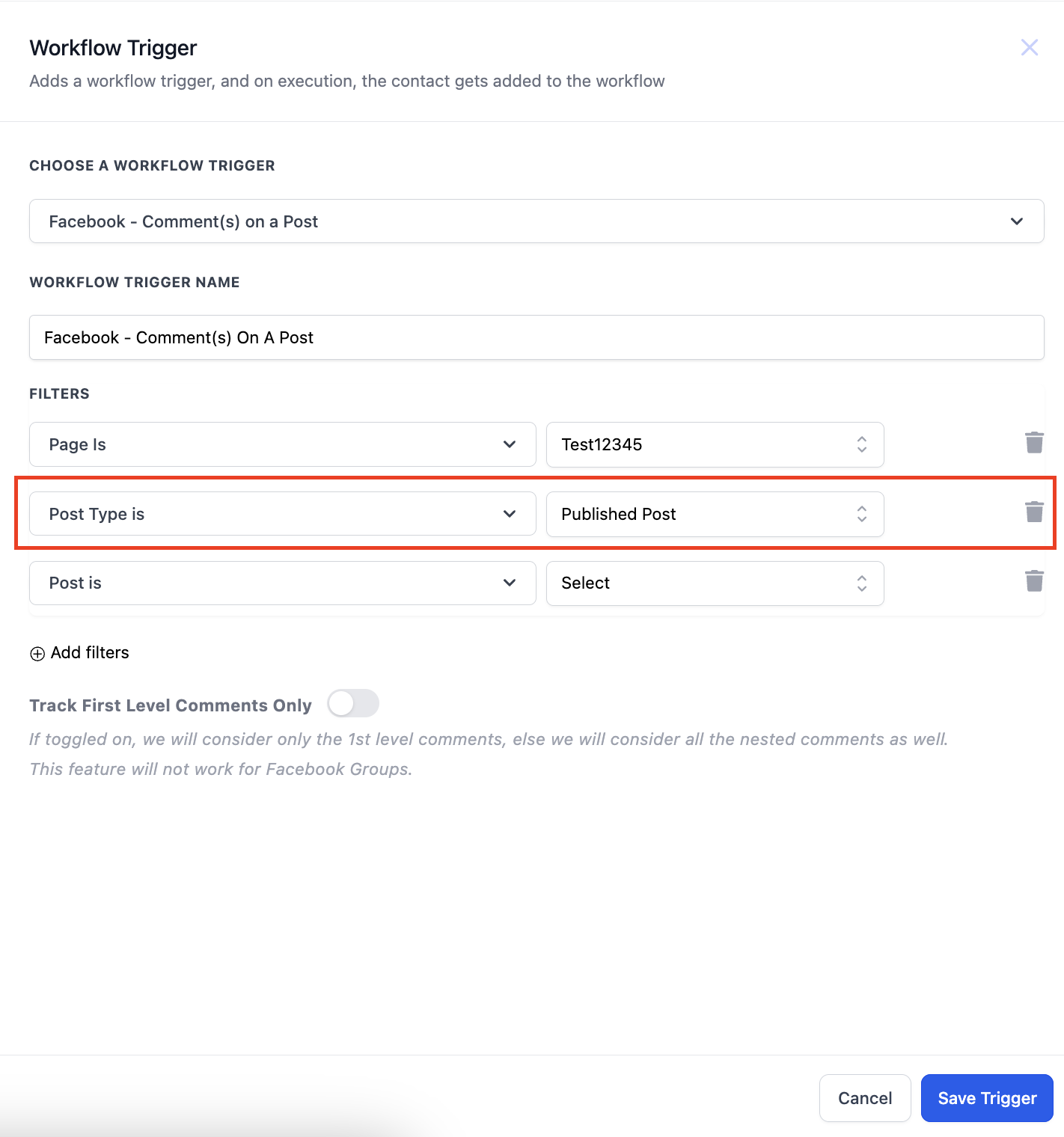
Then select the post:
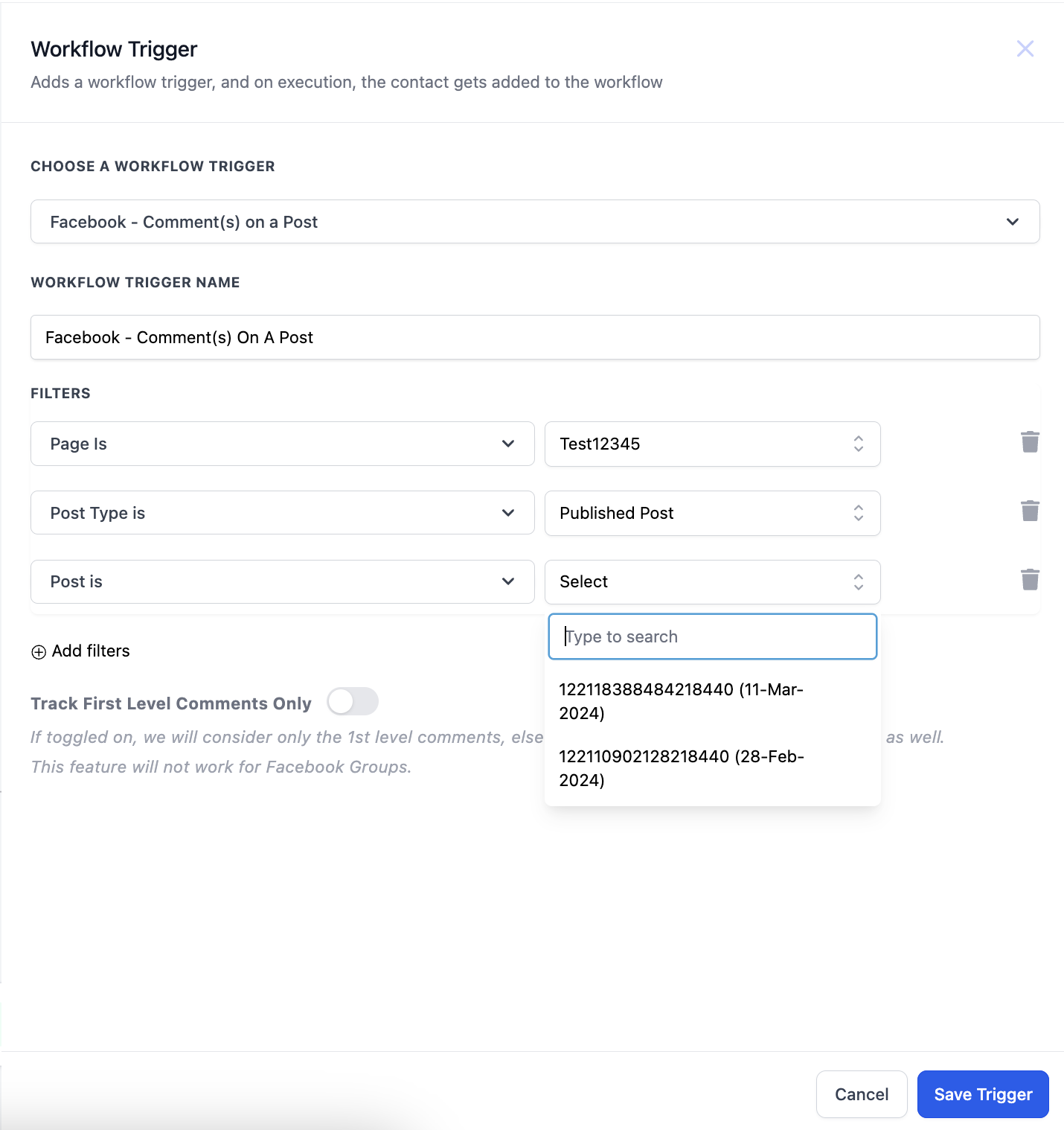
You will then get the link to view it on Facebook:
- The ‘Custom’ tab allows you to find and connect the post by entering the Facebook post’s URL or ID. Select Custom in Post type, add the “Post is” filter, and paste the URL of the post in the field against the “Post is” field.
¶ 4. Defining Comment Criteria:
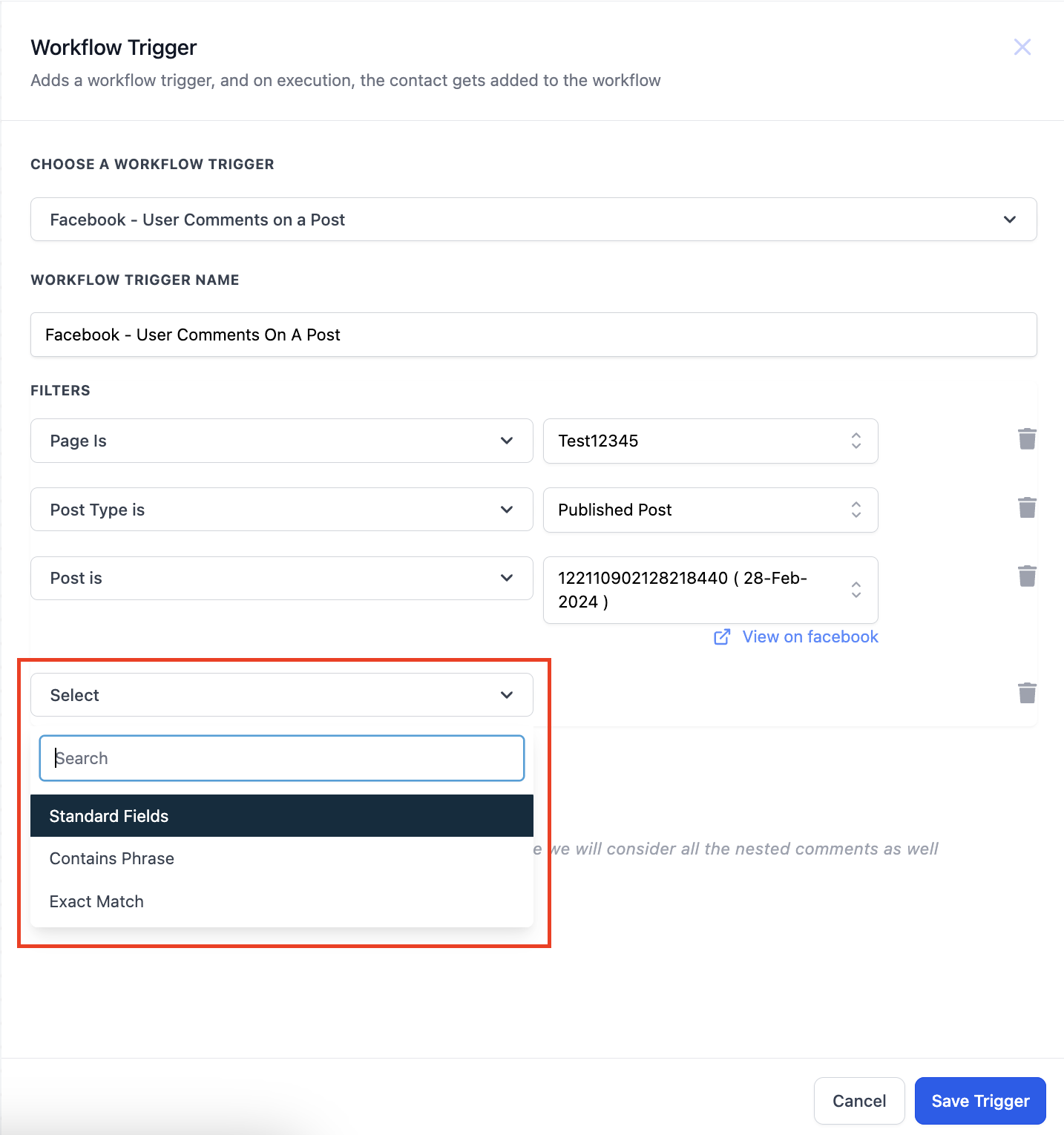
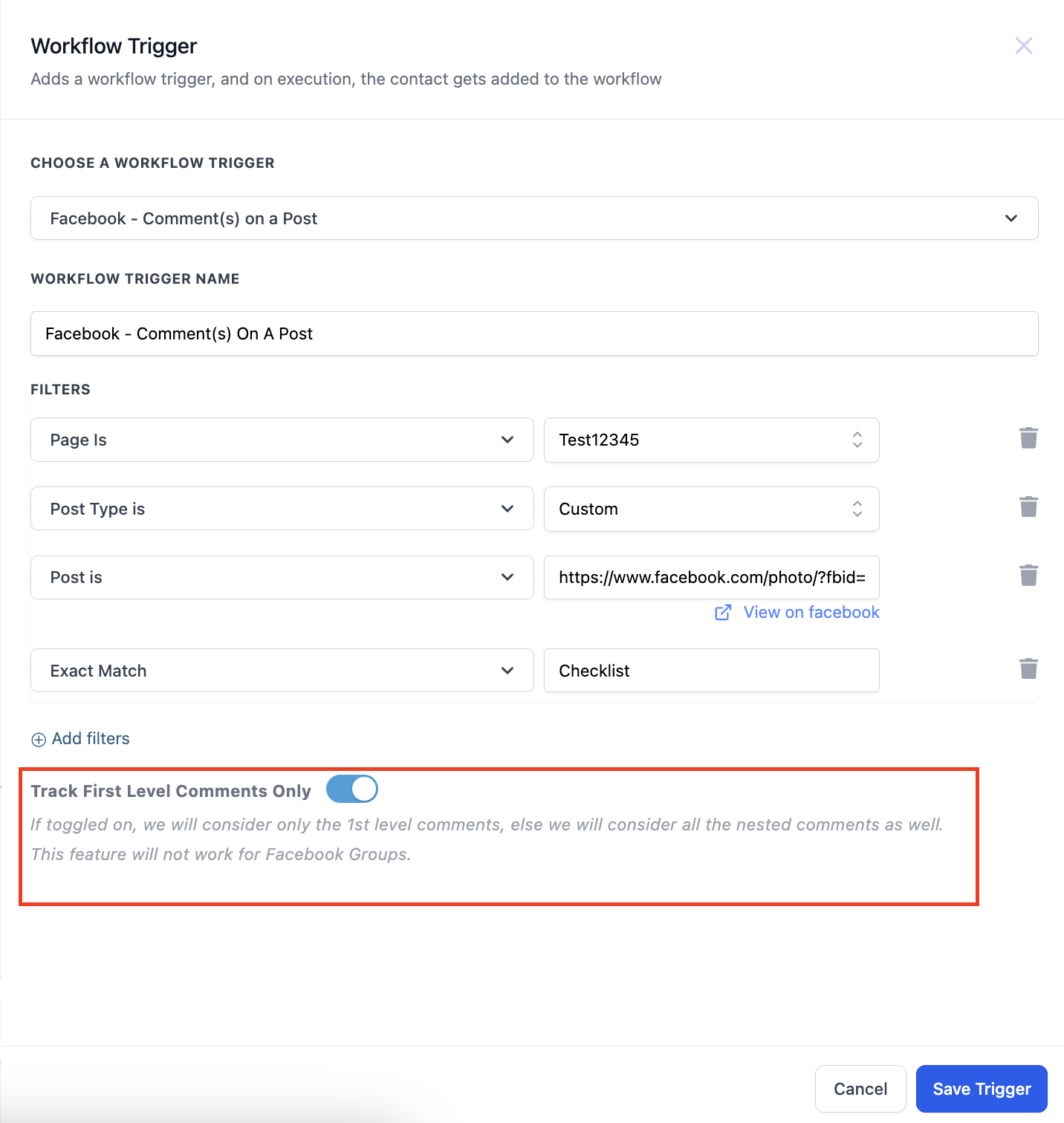
- Enter the desired criteria for comments using options like “Contains Phrase” or “Exact Match.”
- Optionally, enable tracking of only first-level comments if desired.
- This filter option triggers the workflow when the comment includes a specific phrase or a set of keywords and allows for broader matching. Any comment containing the specified phrase, regardless of additional words or context, will trigger the workflow.
¶ 5. Saving Contacts:
- When a contact is generated through the trigger, it will be saved with their First Name and Last Name.
¶ 6. Utilizing Actions:
- Explore the available actions in the “Communications” category.
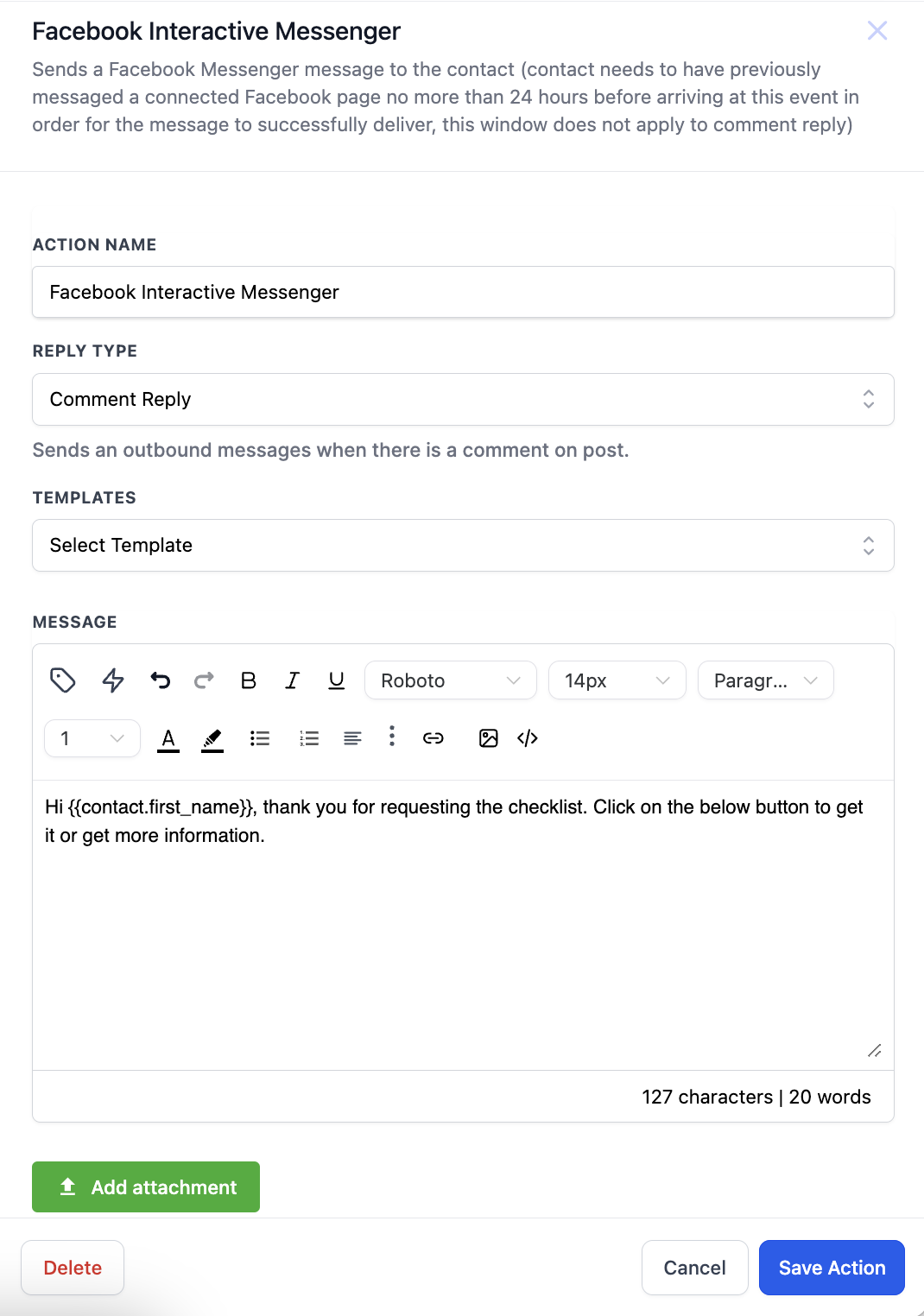
- Choose “Facebook Interactive Messenger” for responding to comments.
¶ 7. Configuring Messenger Reply:
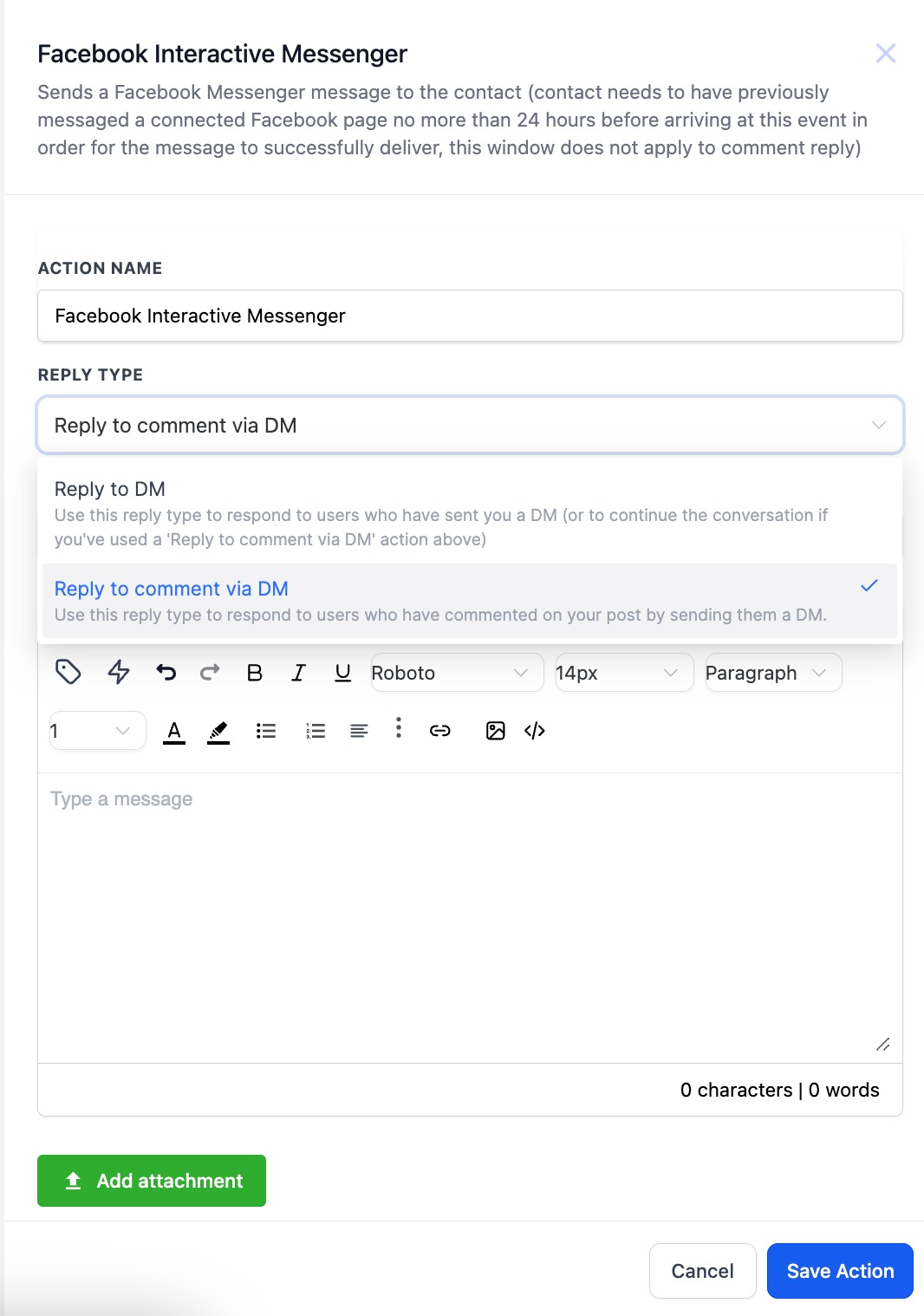
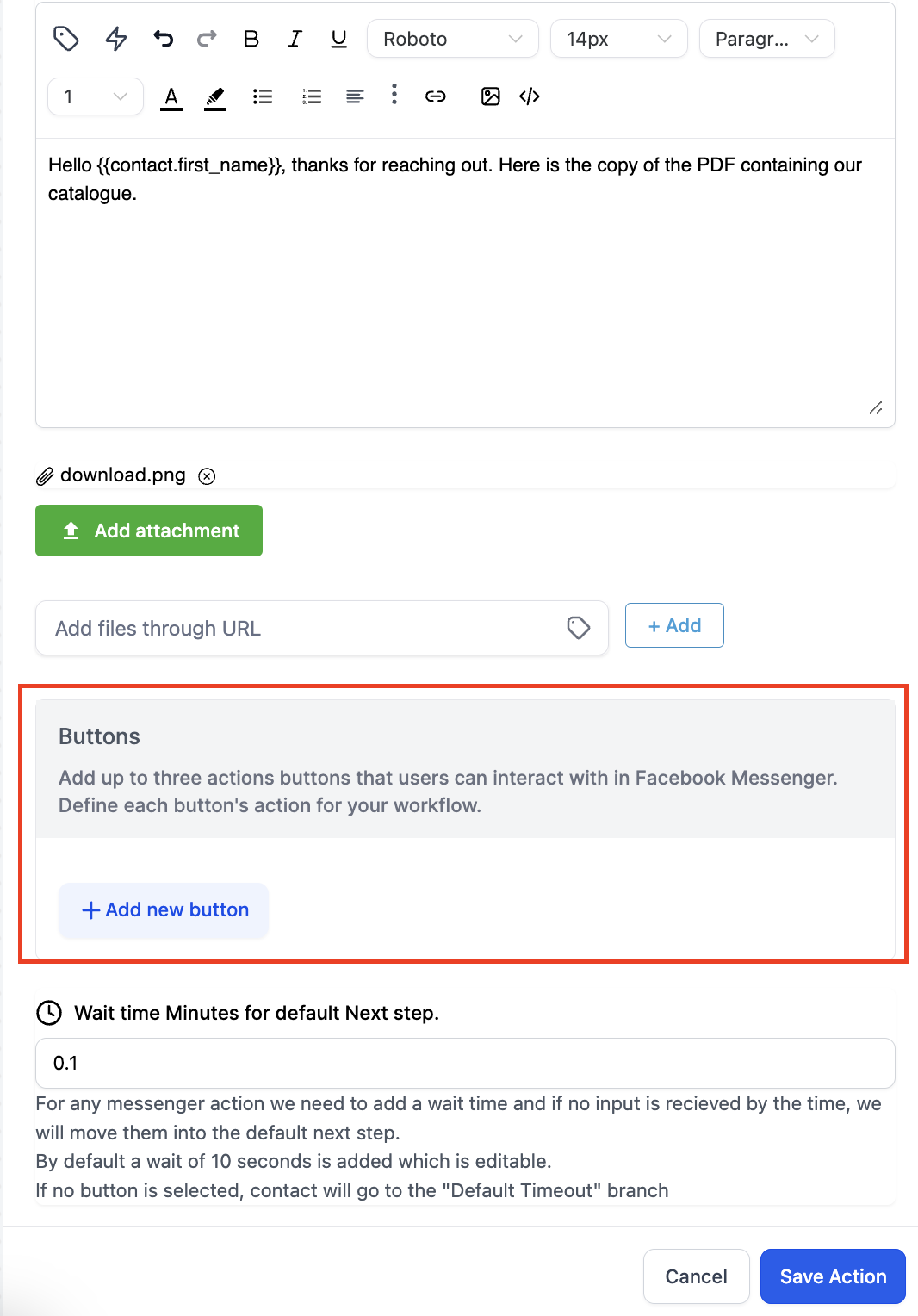
- Select the appropriate reply type: “Reply to DM” or “Reply to comment via DM.”
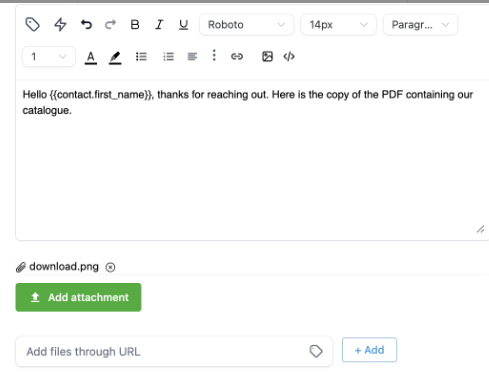
- Customize the message content and attach files if needed.
- Add buttons for additional interaction options.
¶ 8. Finalizing Workflow:
- Save the workflow to apply the trigger and actions.
- Test the workflow to ensure correct setup and functionality.
¶ 9. Use AI to reply to Facebook Comments Automatically:
Apply AI Action:
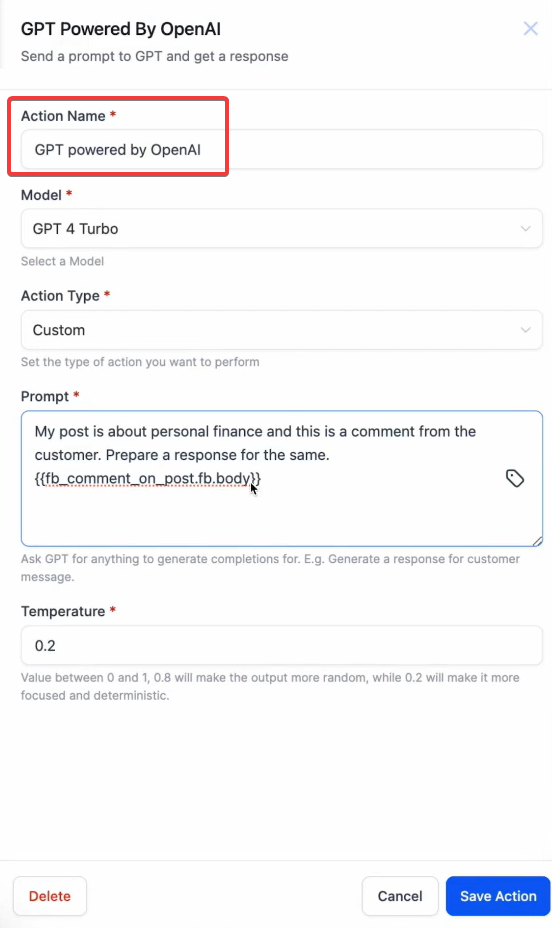
- Use the AI action to generate responses for the selected triggers.
Automate Responses:
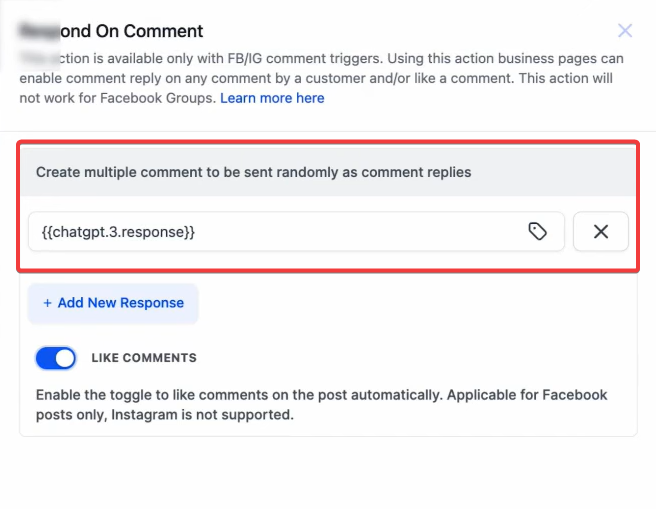
- Set up the system to automatically post AI-generated replies to social media interactions.
Save and Deploy:
- Save your settings to ensure automated responses are active and functioning.
NOTE: For an in-depth overview of Workflow Testing see our article, “Using the Testing Features in Workflows”
¶ FAQ’s
Question: Do I need to connect a Facebook account before using this trigger?****
Answer: Yes, you must integrate your Facebook account with the system. Navigate to Settings > Integrations and connect your Facebook account under the Facebook and Instagram sections.
Question: Can I target comments from specific posts only?****
Answer: Yes, you can specify posts using the “Published” or “Custom” filters. For published posts, select from the list of existing posts on your page. For custom posts, paste the URL or ID of the post you want to target.
Question: What criteria can I use to filter comments?****
Answer: You can use criteria such as “Contains Phrase” or “Exact Match” to filter comments. These options allow the workflow to trigger only when specific phrases or keywords are included in the comment.
Question: Can I reply to comments directly via Messenger?****
Answer: Yes, you can use the “Facebook Interactive Messenger” action to send a reply either as a direct message (DM) or as a comment reply via DM.
Question: Is it possible to automate replies using AI?****
Answer: Absolutely! You can use the AI action to generate and automate responses to social media interactions, ensuring timely and relevant engagement.
Question**: Can I attach files or buttons to Messenger replies?******
Answer: Yes, you can customize messages by attaching files and adding interactive buttons for enhanced engagement.
Question: Can I “Undo” a change if I delete a section by accident?**
**Answer: In the Website and Email builders, there is an “Undo” arrow at the top. For Workflows, if you delete a step and save, it cannot be undone manually; however, you can check the “Restore Version” history (if available) to revert to a previous save.