¶ Workflow Action: Voicemail
In this article, we will explain the workflow action Voicemail , how to add one to a workflow, and give an example of what it can be used for.
- Navigate to Automation > Workflows. Choose to create a new workflow or edit an existing one.
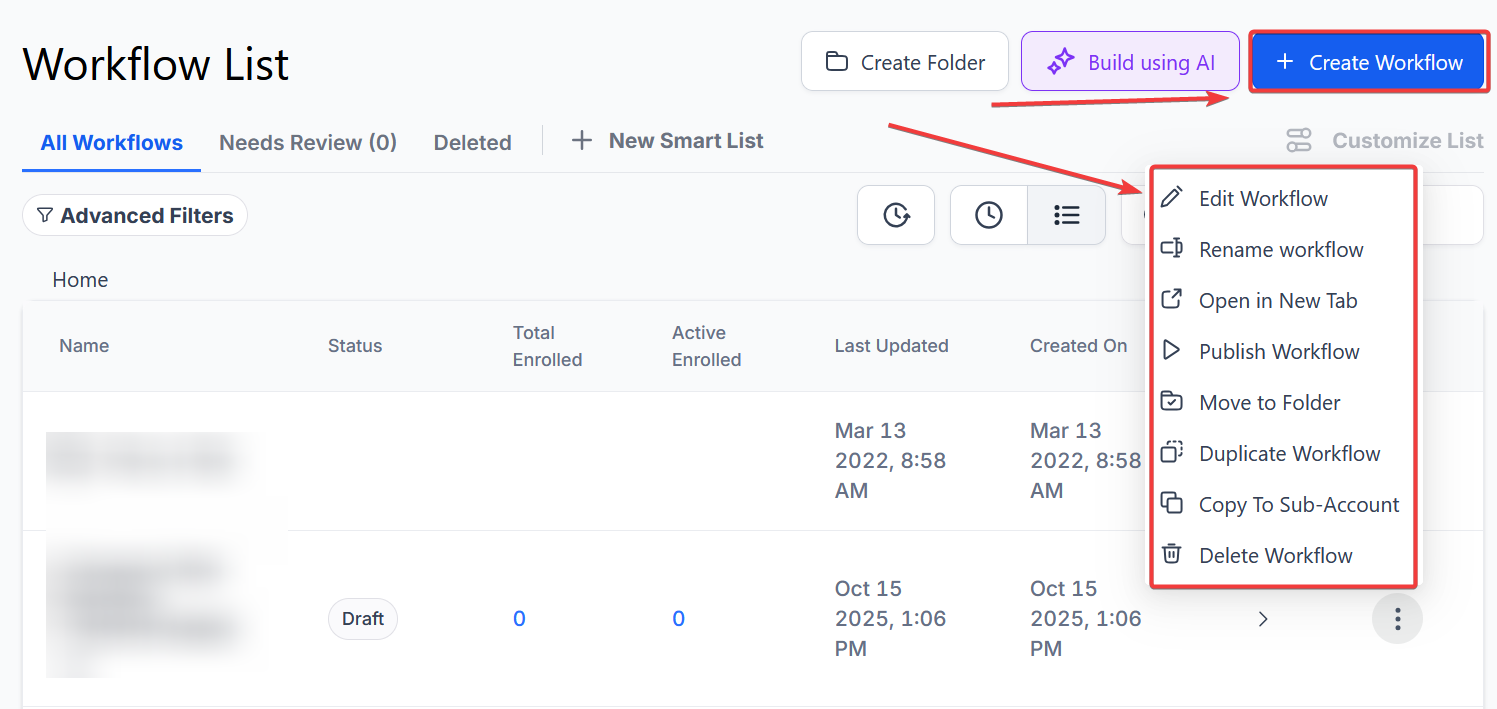
-
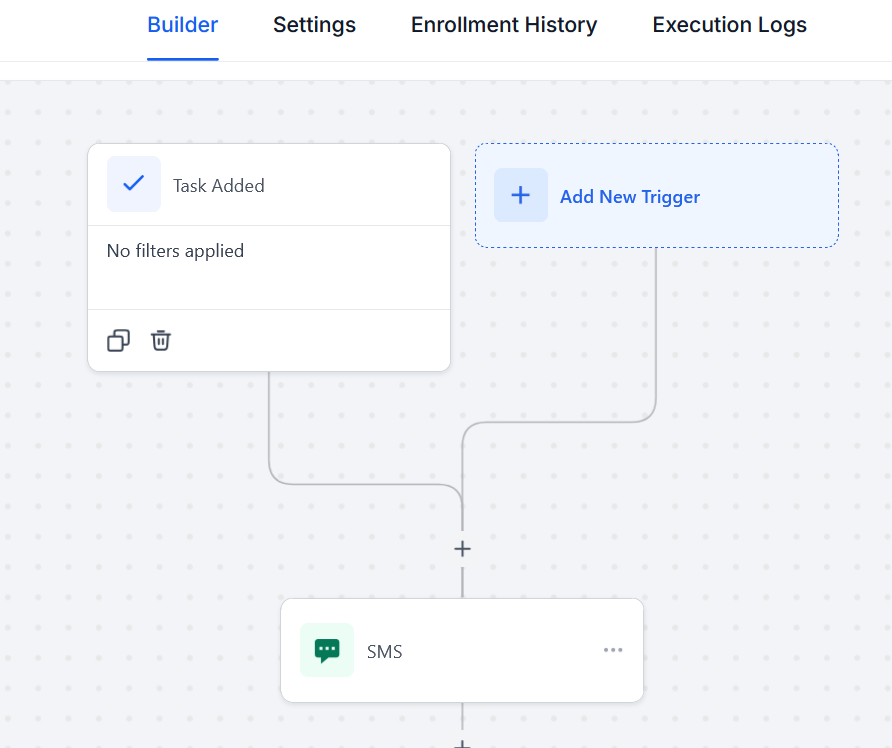
In this situation, we will act as if we have multiple triggers leading up to this event for the client.
-
An SMS was sent out to them, and after that, there was a Call , now we want to add a Voicemail for the last attempt. (seen below)
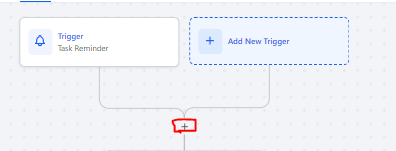
- First, start by selecting the “** +** ” button
-
This will pop up a menu selection on the right-hand side of the screen
-
Scroll down until you see the “External Communications ” collum
-
Select “Voicemail”
** __**
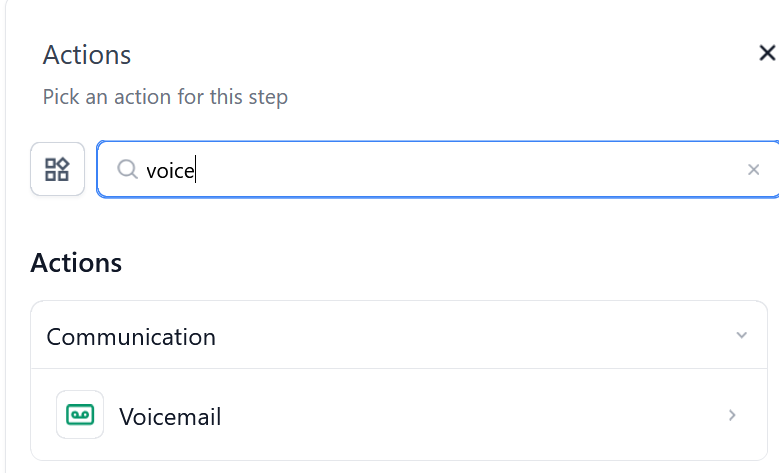
- You now have to ability to add pre-recorded voicemails to the contact
NOTE:Voicemail drops work approximately 70% of the time. They are a workaround solution to expedite leaving voicemails. Phone carriers don’t generally like the concept so this is a phone carrier ‘trick’ and a workaround.
- Please Note: if your voicemail is not working: go to https://online-audio-converter.com/ and upload the voicemail file. Otherwise, you can create a new file here https://www.rev.com/onlinevoicerecorder

- Select the green “Upload File ” button and choose the pre-recorded file
- Please make sure you click the “Save Action ” button before you close the voicemail tab in the bottom right corner

¶ FAQ’s
Question: What is the Voicemail Workflow Action?**
**Answer: The Voicemail Workflow Action allows you to automatically leave a pre-recorded voicemail for a contact as part of your workflow. It’s used for scenarios where you want to follow up with a voicemail after other communication attempts like SMS and calls.
Question: How do I add a Voicemail action to a workflow?**
**Answer:
- Start Adding Action :
- Click the “+” button within your workflow to add a new action.
- Select Voicemail :
- Scroll down in the menu that appears on the right-hand side of the screen.
- Locate the “External Communications” column and select “Voicemail.”
- Upload Voicemail :
- Click the green “Upload File” button and choose your pre-recorded voicemail file.
- Ensure the file is properly uploaded.
- Save Action :
- Click the “Save Action” button to save the voicemail action before closing the tab.
Question: What should I do if my voicemail file is not working?**
**Answer: If you encounter issues with your voicemail file:
- Try converting the file using Online Audio Converter or create a new file using Rev Online Voice Recorder.
Question: How effective are voicemail drops?**
**Answer: Voicemail drops work approximately 70% of the time. They are a workaround to leave voicemails quickly, but phone carriers may have restrictions or limitations, so success rates can vary.
Question: Can I use a voicemail action in conjunction with other triggers?**
**Answer: Yes, you can use the Voicemail action as a final step in a series of triggers, such as after sending an SMS or making a call, to ensure a comprehensive follow-up process.
Question: What types of files can I upload for the voicemail action?**
**Answer: You should upload audio files in formats commonly accepted for voicemails, such as MP3. Ensure the file is clear and properly recorded for best results.
Question: What if I accidentally close the voicemail tab before saving?**
**Answer: You will need to re-add the voicemail action and upload your file again, as any unsaved changes will be lost.
Question: Can I preview the voicemail before saving it to the workflow?**
**Answer: Currently, the workflow builder does not have a built-in preview feature for voicemail files. Ensure your file is correctly recorded and tested before uploading.
Question: Are there limitations to voicemail drops?**
**Answer: Yes. Since voicemail drops are a workaround, they may not reach every contact depending on phone carrier restrictions and connection issues.
Question: Why do carriers sometimes block voicemail drops?**
**Answer: Carriers prioritize a positive experience for their subscribers. If they detect a high volume of identical audio files being “dropped” into their network at once, they may flag the activity as spam. To improve delivery, keep your messages short, personal, and relevant to the recipient.