¶ Workflow Action: Remove From Affiliate Campaign
In this article, we will walk through how to use the Remove From Affiliate Campaign workflow action. This is useful to automate removing Affiliates from your active campaign.
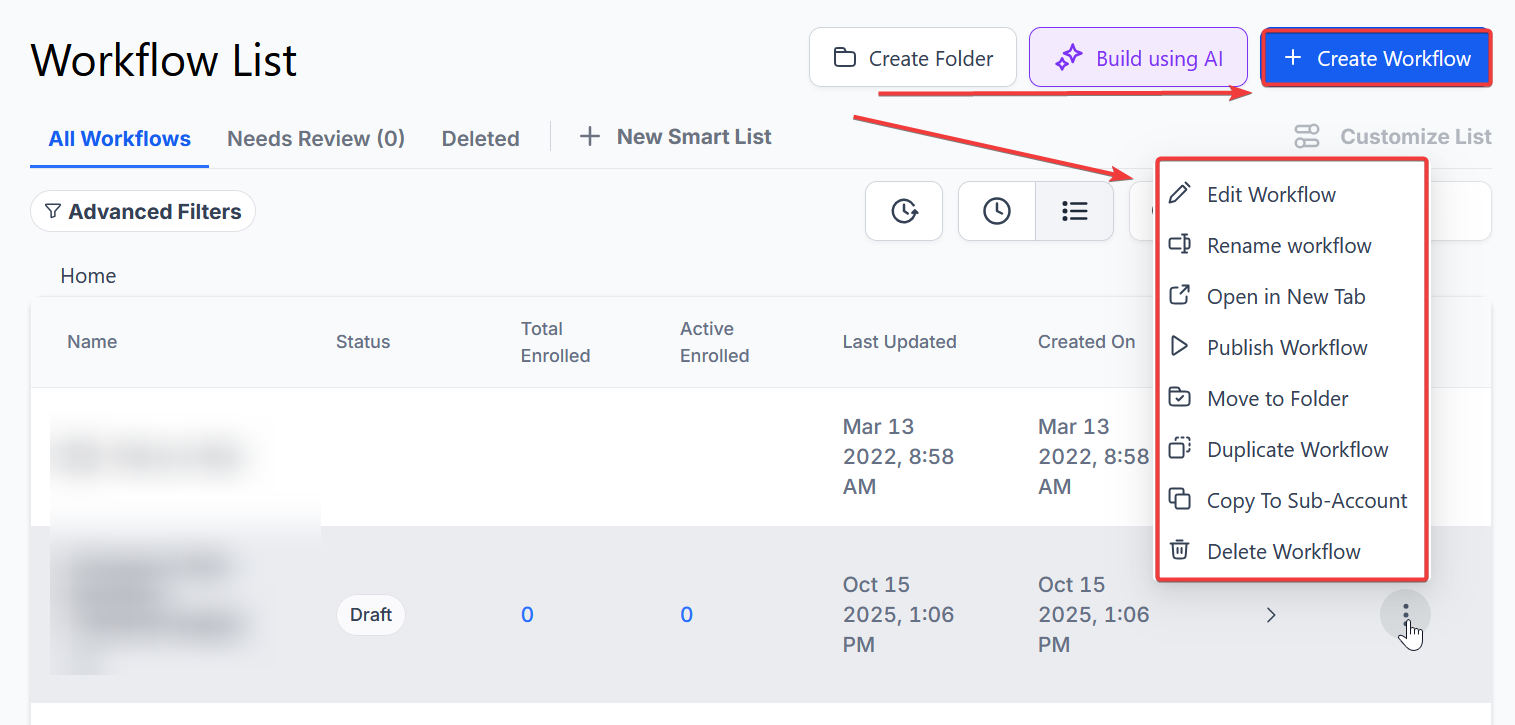
¶ Step 1: Start a new workflow or edit an existing one
¶ Step 2: Set up applicable Workflow Trigger(s).
We have multiple articles available to explain the setup of each of the Workflow Triggers. Feel free to review our articles for more information on setting these up.
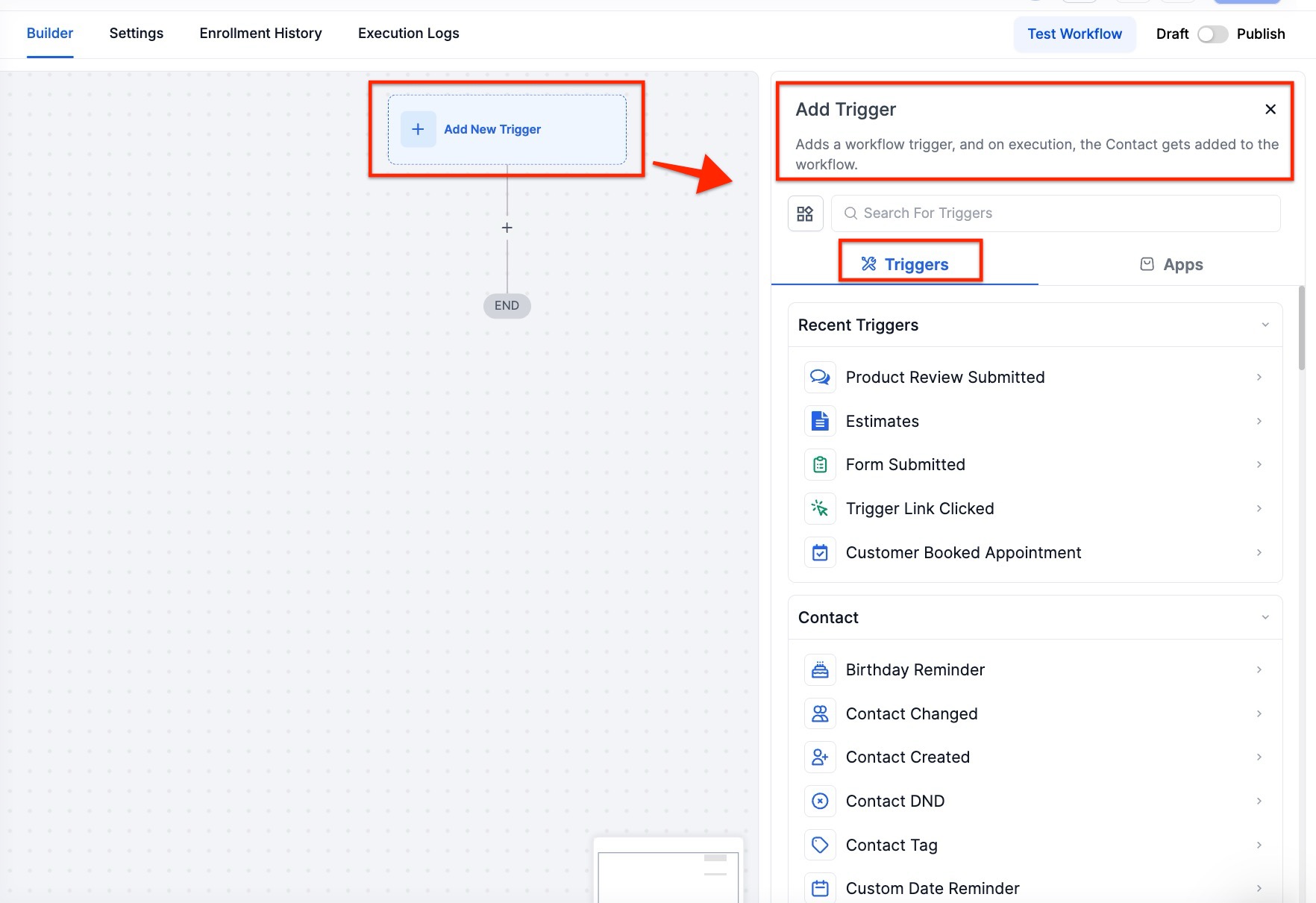
Pro Tip: You can use any Workflow Triggers to trigger the Remove From Affiliate Campaign action, or you leave this workflow without any triggers.
¶ Step 3: Setting up the Remove From Affiliate Campaign Action
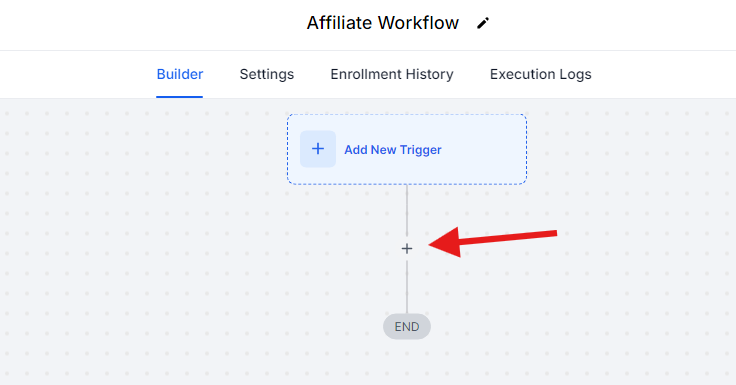
- Click on the “+” symbol below the trigger to add an action.
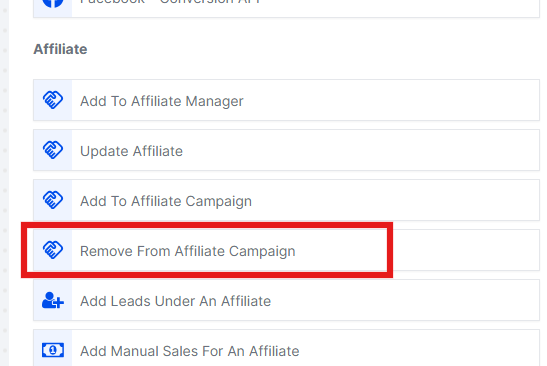
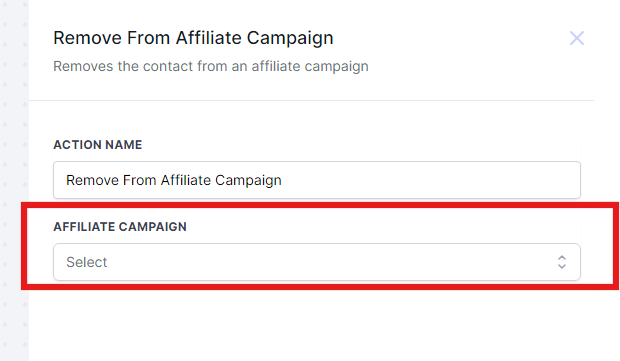
- Under Actions, select Remove From Affiliate Campaign in the Affiliate section of the Actions Menu, or use the search feature.
- Select the Campaign you’d like to remove them from
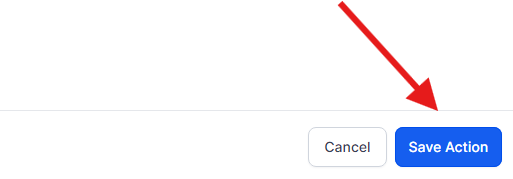
- Press Save in the bottom right corner of the Action setup menu
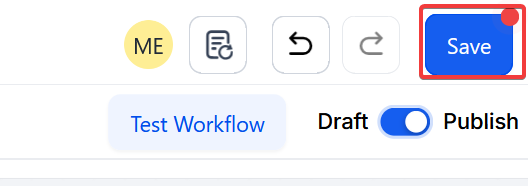
¶ Step 4: Press Save in the top right corner of your browser to save the workflow
- If your Workflow is ready to be enabled, make sure the toggle switch under Save is set to Publish
- Be sure to test your Workflow to ensure it is set up correctly using the Test Workflow button next to the Publish toggle switch.
- For an in-depth overview of Workflow Testing see our article, “Using the Testing Features in Workflows.”
Now your Workflow is ready to go with the Action Remove From Affiliate Campaign!
¶ Example Use Case
Removing Affiliates from the Black Friday Campaign Upon Opt-Out or Exit Form Submission
¶ Scenario:
A business wants to keep its list of active affiliates up to date. They use a form that allows affiliates to opt out of the Black Friday Affiliate Campaign.
¶ Action Setup:
- Action: Remove from Affiliate Campaign
- Name: Remove from Black Friday Campaign
¶ Workflow Trigger:
- Trigger: Form Submitted – The workflow is triggered when an existing affiliate submits a specific form.
- Filters: Form is “Affiliate Exit Form”
¶ Workflow Actions:
- Action: Remove from Affiliate Campaign
- Selection: Choose “Black Friday Campaign” under the Affiliate Campaign filter
¶ Outcome:
Whenever an affiliate submits the “Affiliate Exit Form,” they will be automatically removed from the Black Friday Affiliate Campaign. As a result, their referral link will be deactivated, preventing them from driving sales and earning commissions.
¶ Pro Tips
- Campaign Selection : Double-check the campaign you are removing affiliates from to ensure accuracy. Removing affiliates from the wrong campaign could disrupt your marketing efforts.
- Trigger Use : While you can set up the Remove From Affiliate Campaign action with any Workflow Trigger, choose triggers that reflect when you want affiliates to be removed to streamline your campaign management.
- Regular Testing : Regularly use the Test Workflow button to ensure the Remove From Affiliate Campaign action works as intended. Testing helps catch issues before they affect your campaigns.
¶ ****
¶ FAQ’s
Question: Can I use multiple triggers for the Remove From Affiliate Campaign action?**
**Answer: Yes, you can use multiple triggers to activate this action. This flexibility allows you to automate the removal of affiliates based on various conditions or events.
Question: What should I do if the Remove From Affiliate Campaign action isn’t functioning as expected?**
**Answer: Verify that your triggers and action settings are correctly configured. Check that the selected campaign is active and ensure that the affiliate details are accurate.
Question: How do I activate my workflow after setting it up?**
**Answer: After saving your workflow, make sure to toggle the switch to “Publish” to activate it. This step is necessary for the workflow to run based on the defined triggers.
Question: Can I set up the Remove From Affiliate Campaign action without a trigger?**
**Answer: Yes, you can set up the action without a trigger, but it will not run automatically. Adding appropriate triggers will enable the automation of the removal process.
Question: How often should I test my workflow?**
**Answer: It is recommended to test your workflow regularly, especially after making any changes. Testing ensures that the Remove From Affiliate Campaign action operates correctly and affiliates are removed as expected.
Question: Can I choose whether to set the status of the affiliate to active or inactive when removing them from a campaign?**
**Answer: Yes, when setting up the Remove From Affiliate Campaign action, you can choose whether to set the affiliate’s status to active or inactive , depending on your needs for their ongoing involvement in other campaigns.
Question: Can this action be used for multiple campaigns?**
**Answer: Yes. You can set up separate Remove From Affiliate Campaign actions for different campaigns within the same workflow, or create multiple workflows to manage various campaigns efficiently.
Question: What actually happens to an affiliate’s ability to earn money once they are removed from a campaign via this workflow action?**
**Answer: When an affiliate is removed from a campaign, their specific referral link for that campaign is automatically deactivated. This prevents them from driving any further tracked sales and stops them from earning future commissions for that specific campaign.