¶ Workflow Action: Add Manual Sales for an Affiliate
To ensure effortless tracking and rewarding of affiliate activities, automating manual sales attribution can significantly enhance your affiliate management process. The workflow action “Add Manual Sales for an Affiliate” allows businesses to automate the addition of manual sales and commissions for selected affiliates and affiliate campaigns. Here’s a detailed guide on how to use this feature effectively.
¶ Step-by-Step Guide
¶ Step 1: Access Workflow
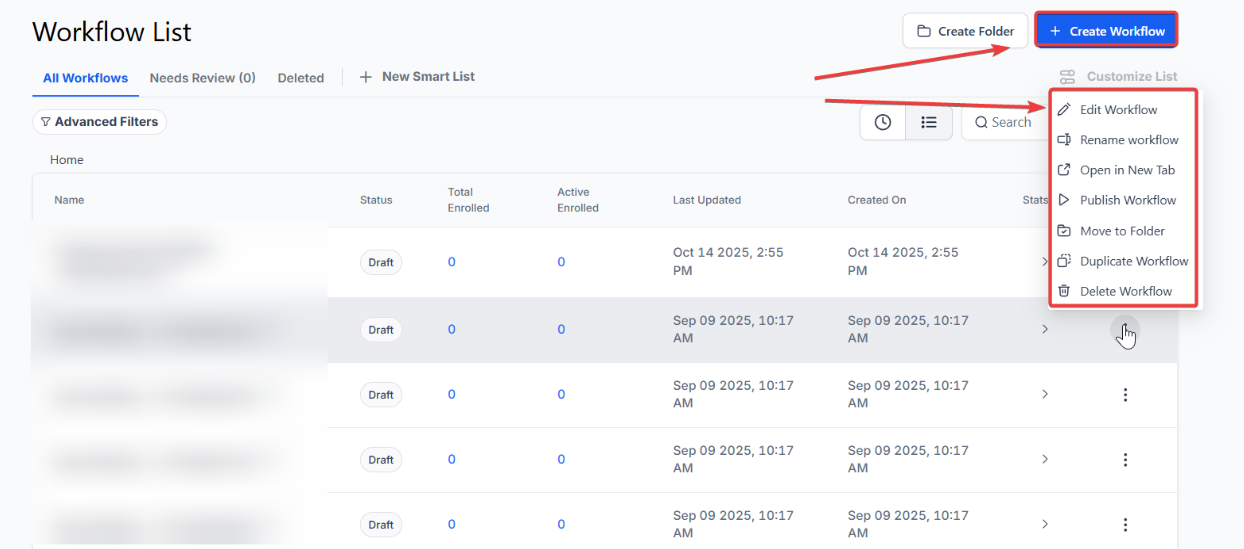
- Navigate to your workflow section within the automations tab.
- Select the option to create or edit an existing workflow.

¶ Step 2: Set Triggers
- Define the triggers that will initiate this workflow. Common triggers include:
1. Form submissions
2. Survey completions
3. Calendar bookings
4. Offline sales records
- Configure the conditions under which the manual sale will be added to the selected affiliate.
¶ Step 3: Add the Action
- Within the workflow editor, choose the action “Add Manual Sales for an Affiliate.”

Step 4: Configure the Action
- Select Affiliate : Choose the affiliate to whom the manual sale should be attributed. This can be done by selecting from a drop-down list of registered affiliates.
- Select Campaign : Specify the affiliate campaign associated with the sale.

- Enter Sales Details : Provide the necessary details such as:
1. Revenue Amount
2. Event Date
3. Event ID

¶ How to use this action using attribution tracking?
Enabling automatic tracking and assignment of sales to affiliates through attribution simplifies the entire process by automatically linking sales to the correct affiliate based on their unique ID in the URL, ensuring accurate commission tracking.
To use this feature,
- Enable auto-tracking, choose your attribution type (first or latest), select the campaign, and enter the sales details.

¶ Note:
Understanding “First” and “Latest” Attribution:****_
_When attributing a contact to a specific source, it’s important to differentiate between first and latest attribution. Both types of attribution are always recorded for every contact.
First Attribution refers to the initial interaction a contact has with the system, where attribution data is recorded for that session. For example, this could occur when someone fills out a form.
Latest Attribution refers to the most recent interaction, where attribution data is updated based on the latest session. For example, this could happen when a contact makes a purchase after initially filling out a form.
Please note: While the latest attribution is updated with each new interaction, the first attribution remains unchanged.
- Select the Affiliate Campaign**
**Choose the appropriate affiliate campaign from the dropdown menu. - Enter Sales and Transaction Details**
**Input the total sales or revenue amount for the transaction associated with the affiliate. You can also optionally include the Event Date (the date the sale occurred) and Event ID (such as a reference or transaction ID).
¶ Step 5: Save and Activate
- Once you have configured the action and set the triggers, save your workflow.
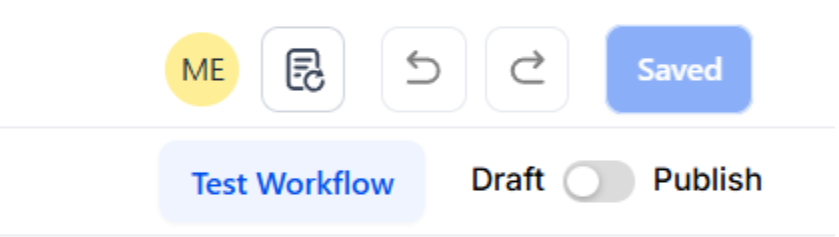
- Activate the workflow to start automatically adding manual sales under the specified affiliate based on the defined triggers.
Important Notes:
- This action is used to manually assign sales to an affiliate, with commissions automatically calculated according to the default settings of the selected campaign.
- Ensure you choose the correct attribution type to maintain accurate commission tracking.
Use Cases:
- Automate Recurring Commissions: Automatically allocate manual sales and commissions to affiliates on a regular basis. This is particularly helpful for recurring sales that happen outside the system, ensuring affiliates consistently receive their commissions.
- Track Offline Sales: Capture and credit sales made offline or through channels not tracked by the system. By automating manual sales entries, you ensure all affiliate-driven sales are properly recorded, improving the accuracy of commission tracking.
- Reward Affiliate Contributions: Automatically add manual sales to acknowledge and reward affiliates for non-monetary contributions or specific achievements, such as attending training, offering outstanding customer support, or generating quality leads.
¶ Benefits of Adding Manual Sales for an Affiliate
- Accurate Sales Attribution : Ensures that sales generated through various channels are correctly attributed to the right affiliate.
- Enhanced Affiliate Engagement : Affiliates are more likely to stay motivated and engaged when their sales are accurately tracked and rewarded.
- Streamlined Administrative Tasks : Automating manual sales attribution reduces manual work, making affiliate management more efficient.
- Simplified Workflow: There’s no need to create separate branches for each affiliate when attribution tracking in enabled. The workflow automatically identifies the correct affiliate using their ID in the URL, streamlining the process.
- Precise Commission Tracking: This ensures that commissions are calculated based on the campaign’s default settings and accurately assigned to the right affiliate.
¶ Pro Tips for Optimizing Workflow Action
- Segment Sales : Use custom fields and tags to segment sales based on their source or other criteria. This helps in creating more targeted follow-up actions.
- Regular Review : Periodically review the workflow settings to ensure they align with your current affiliate marketing strategy.
- Combine Actions : Enhance the effectiveness of this action by combining it with other workflow actions such as automated email follow-ups or task assignments for sales teams.
Frequently Asked Questions (FAQ)
Question: How do I select the correct affiliate when adding a manual sale?
Answer: When configuring the “Add Manual Sales for an Affiliate” action, you’ll be able to choose the affiliate from a drop-down list that displays all registered affiliates. Simply select the affiliate that corresponds to the sale you’re attributing.
Question: What is the difference between ‘First’ and ‘Latest’ Attribution?
Answer: First Attribution captures the initial interaction a contact has with your system (e.g., filling out a form), and this data remains unchanged. Latest Attribution updates with each new interaction, such as a purchase, to reflect the most recent touchpoint with the system.
Question: Can I use the “Add Manual Sales for an Affiliate” action without enabling attribution tracking?
Answer: Yes, you can use this action without attribution tracking. Simply choose the relevant affiliate and campaign, enter the sales details, and save the action. Attribution tracking is optional and can be enabled for automatic assignment.
Question: What kind of triggers can I set to initiate the manual sales addition workflow?
Answer: Common triggers include form submissions, survey completions, calendar bookings, and offline sales records. You can configure these triggers to automatically add manual sales to the selected affiliate based on your specific workflow conditions.
Question: Will this action calculate commissions automatically after adding a manual sale?
Answer: No, this action only adds a manual sale for the affiliate. The commission will be calculated based on the default commission settings of the selected affiliate campaign. Make sure those settings align with your desired outcomes.
Question: Which specific sales details can I input when configuring a manual sale?
Answer: You can enter the total Revenue Amount, the Event Date (the date the sale actually occurred), and an optional Event ID, such as a transaction or reference number.
Question: What happens if a workflow triggers but the contact has no affiliate attribution history?
Answer: If you have enabled “Auto-tracking” but the contact has never clicked an affiliate link (meaning they have no First or Latest attribution data), the workflow will simply skip the “Add Manual Sale” action for that contact. No sale will be recorded, and no commission will be generated.