¶ Workflow Action: Facebook - Add To Custom Audience
Workflow Action: Facebook - Add To Custom Audience
This workflow action allows you to automatically add contacts to a designated Facebook Custom Audience based on specific workflow actions, such as form submissions, tag updates, or other triggers. By integrating this step into your workflows, you can seamlessly target or retarget these contacts with personalized ads on Facebook, improving the relevance and efficiency of your ad campaigns without manual updates to your audience lists.
Please Note:You must connect your Facebook account, select a page, and have a customer added from a lead.
¶ Navigation
¶ Step 1: Start a new workflow or edit an existing one
- Navigate to Automation on the left > Workflows on the top and create a new workflow or edit an existing one
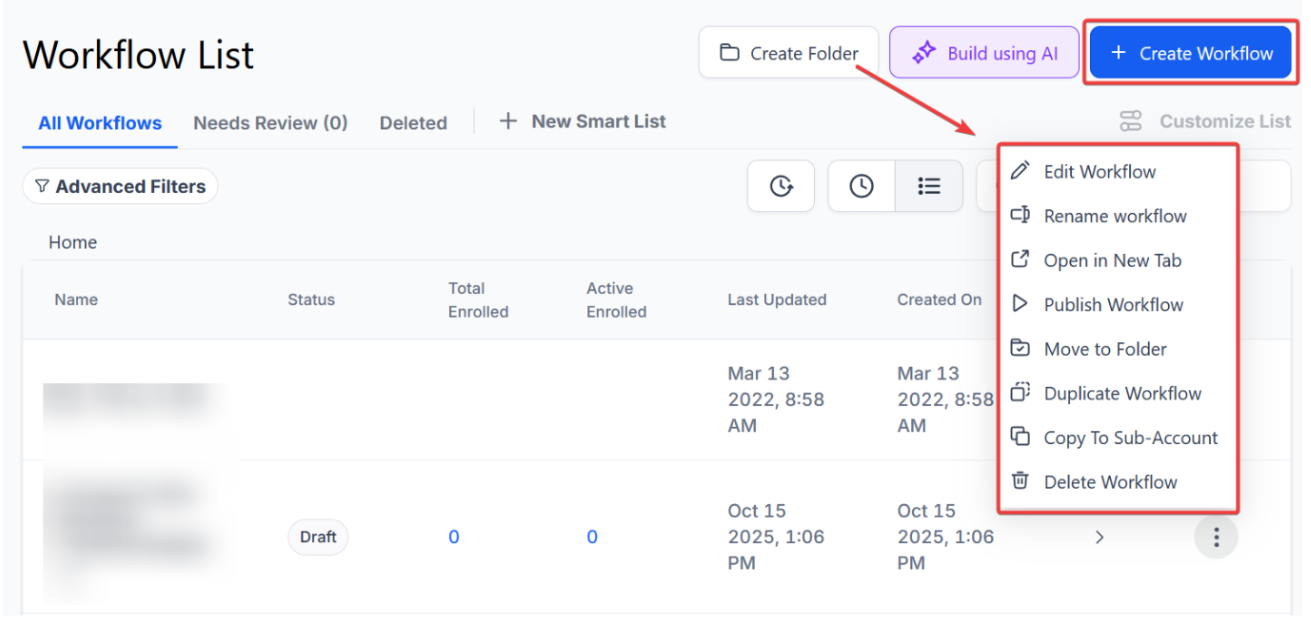
¶ Step 2: Set up applicable Workflow Trigger(s). We have multiple articles available to explain the setup of each of the Workflow Triggers. Feel free to review our articles on these for more information on how to set them up.
¶ Step 3: Setting up the Add to Custom Audience Action
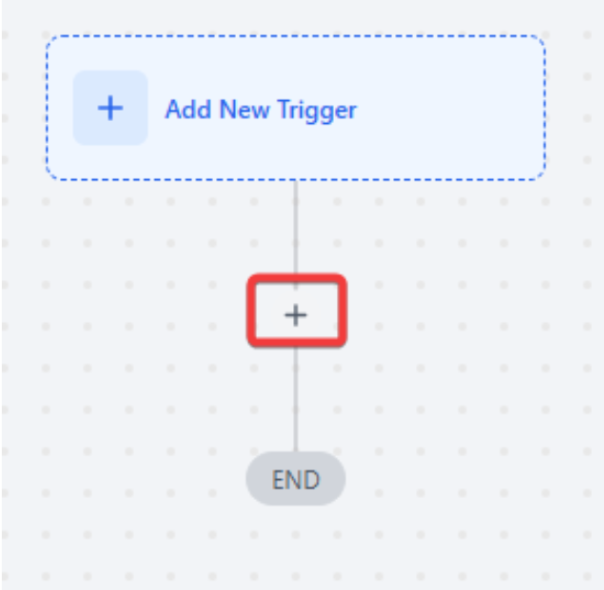
- Click on the “+ ” symbol below the trigger to add an action.
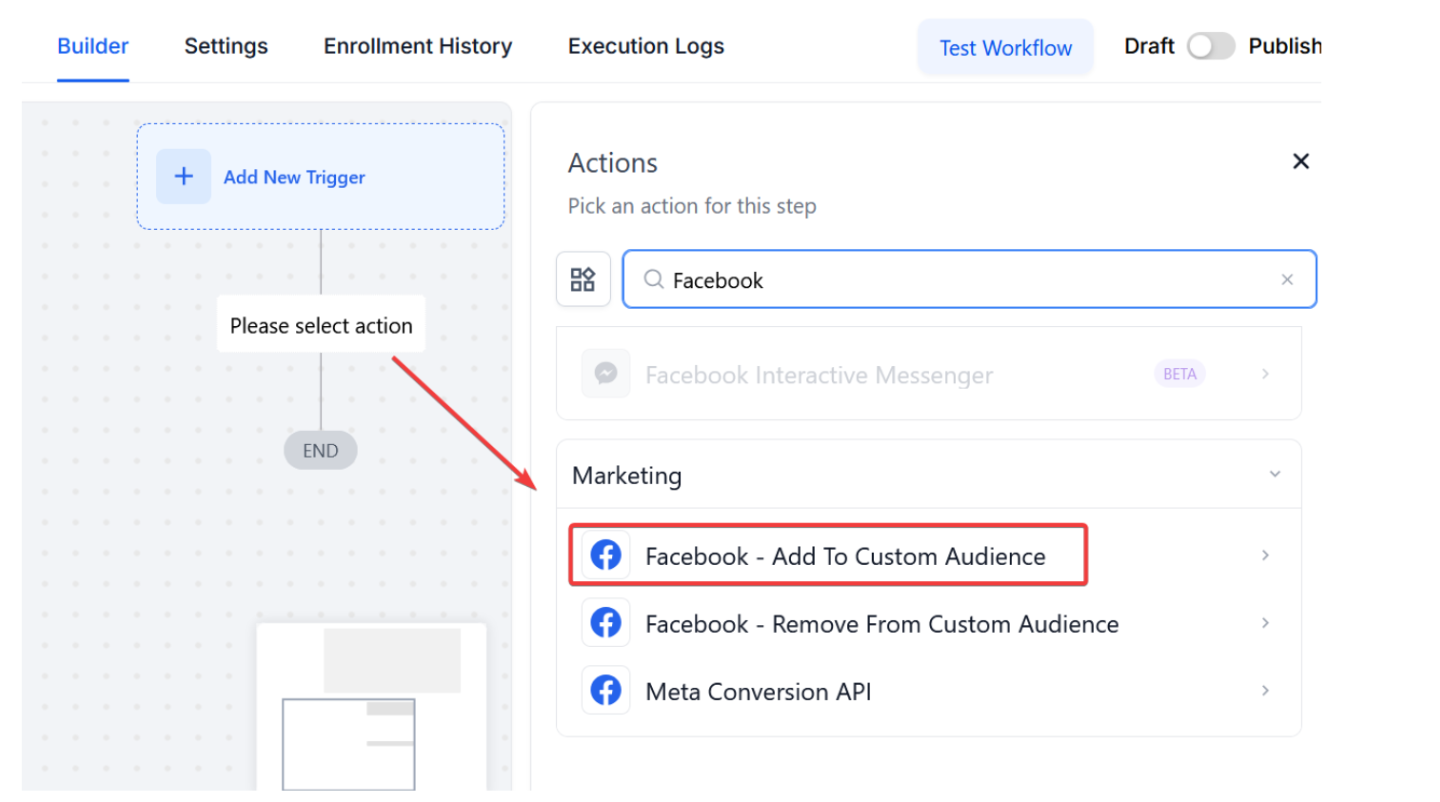
- Under Actions, select Facebook - Add To Custom Audience in the Actions section, or use the search feature. Upon selection, the Action setup menu will appear
- (Optional) You can change this action’s workflow builder display name using the textbox below Action Name. Note that this will only affect the display name within the workflow builder and has no other impact on the content or functionality of this Workflow Action.
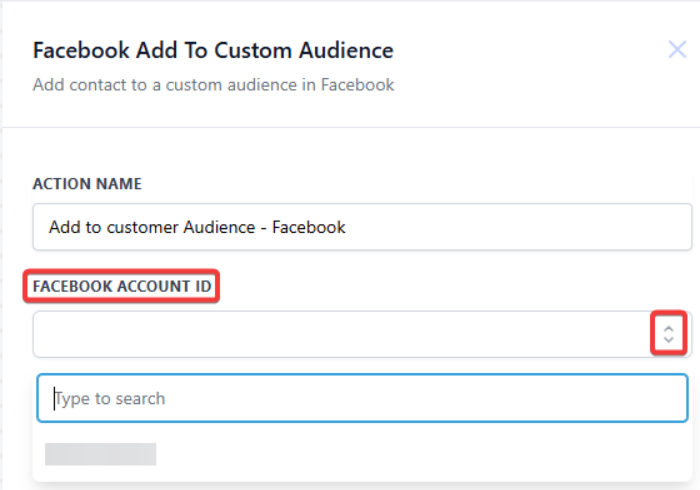
- Press Save Action in the bottom right corner
¶ Step 4: Press Save in the top right corner of your browser to save the workflow
- If your Workflow is ready to be enabled, make sure the toggle switch under Save is set to Publish
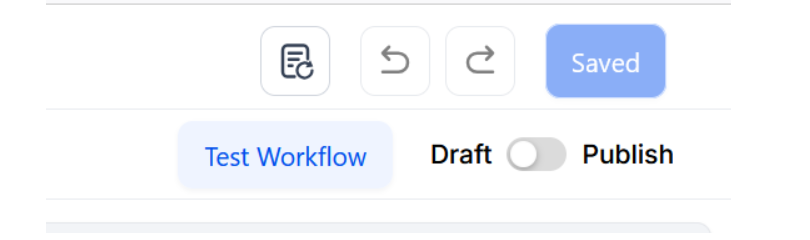
- Be sure to test your Workflow to ensure it is set up correctly using the Test Workflow button next to the Publish toggle switch.
- For an in-depth overview of Workflow Testing, see our article, “Using the Testing Features in Workflows”
Your Workflow is set up and ready to go with the Facebook - Add To Custom Audience Workflow Action!
¶ FAQ’s
Question: What happens if I do not set the workflow to Publish?
Answer: If the workflow is not set to Publish, it will remain inactive and not run even if the triggers and actions are correctly configured. Ensure the toggle switch under Save is set to Publish to activate the workflow.
Question: Can I edit the Facebook - Add to Custom Audience action after it has been set up?
Answer: You can edit the action at any time by returning to the workflow and adjusting the settings as needed. Save and test any changes to ensure the action functions as expected.
Question: Is it necessary to add triggers to use the Facebook - Add to Custom Audience action?
Answer: While adding triggers is recommended to automate the process, it is not strictly necessary. You can set up the workflow without triggers if you prefer to manually add contacts to the Custom Audience.
Question: What should I do if the workflow fails during testing?
Answer: If the workflow isn’t working as expected during testing, review the setup of your triggers and actions, ensure your Facebook account and page are correctly connected, and verify that the settings align with your intended process.
Question: Can I use this action to add contacts to multiple Custom Audiences on Facebook?
Answer: To add contacts to multiple Custom Audiences, you must set up separate actions within the workflow, each targeting a different Custom Audience. This allows you to segment your audience more effectively.
Question: Can I change the display name of the action in the workflow builder?
Answer: Yes. You can rename the action using the textbox below Action Name. This only changes how it appears in the workflow builder and does not affect functionality.
Question: Is there a limit to how many people I can add to a Custom Audience?**
**Answer: There is no limit from our side, but Facebook requires a minimum of about 100 “matched” people before they will allow you to actually run an ad targeting that specific audience.
Question: How do I verify that the contact was actually sent to Facebook?
Answer: You can use the Test Workflow button to run a contact through the steps. Additionally, you can check the “Execution Logs” of the workflow to see if the Facebook action was successfully completed for that specific contact.
Question: What are the specific requirements I must meet before I can use the Facebook Custom Audience action?
Answer: Before using this action, you must ensure your Facebook account is connected, a specific Facebook Page is selected within the system, and you must have at least one customer already added from a lead.