¶ Workflow Action: Facebook - Conversion API
Workflow Action: Facebook - Conversion API
If you are currently managing Facebook ads, using the Facebook Conversions API with LeadMagicX’s Workflow feature can significantly improve your analysis of ad performance. Relying solely on the Facebook Pixel for metrics like conversion rates, cost per lead, and cost per sale has become less reliable due to privacy updates such as Apple’s iOS 14, which requires user consent for tracking, and many users are opting out.
LeadMagicX’s integration with Facebook Conversions API Triggers and Workflow sidesteps these issues by directly sending conversion data to Facebook, eliminating the need for contact cookies and thereby yielding more accurate reporting data.
¶ Set Up Conversion API
Conversion API is a server-side tracking tool that allows businesses to send user interactions, like purchases or form submissions, directly from their servers to their ad platforms, bypassing traditional browser-based tracking methods like cookies.
Importance: It improves data accuracy by capturing events directly from the server, making it less vulnerable to browser restrictions, ad blockers, or privacy updates like iOS 14. This ensures better ad performance, compliance with privacy regulations, and more reliable tracking, allowing businesses to optimize their campaigns effectively.
Verify Your Domain
- Before setting up the Conversion API, ensure your domain is verified. This step is crucial for establishing credibility and enabling accurate data collection.
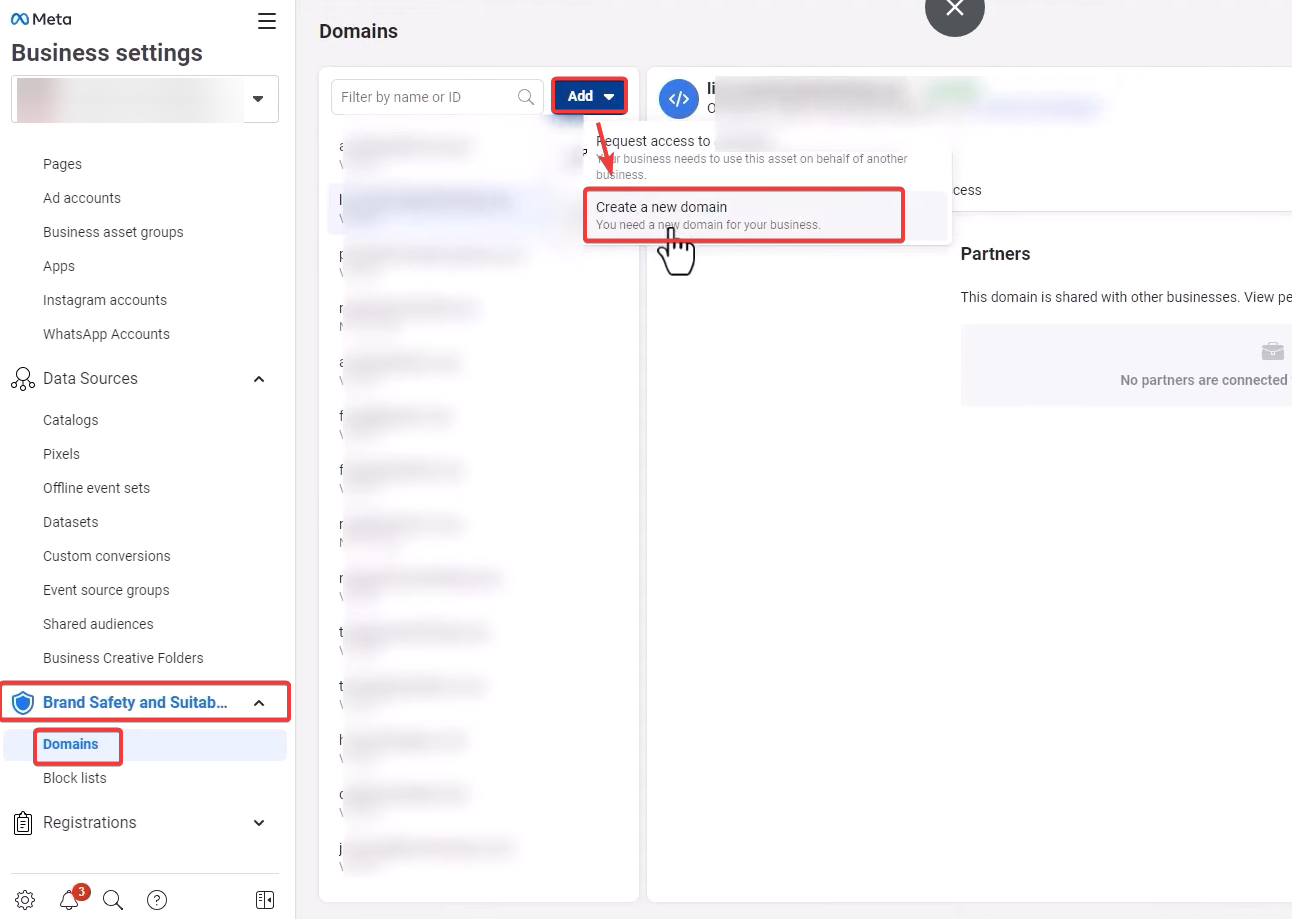
- You can do this by going to Brand Safety and Suitability > Domains, clicking on Add, and then creating a new domain.
Get Started
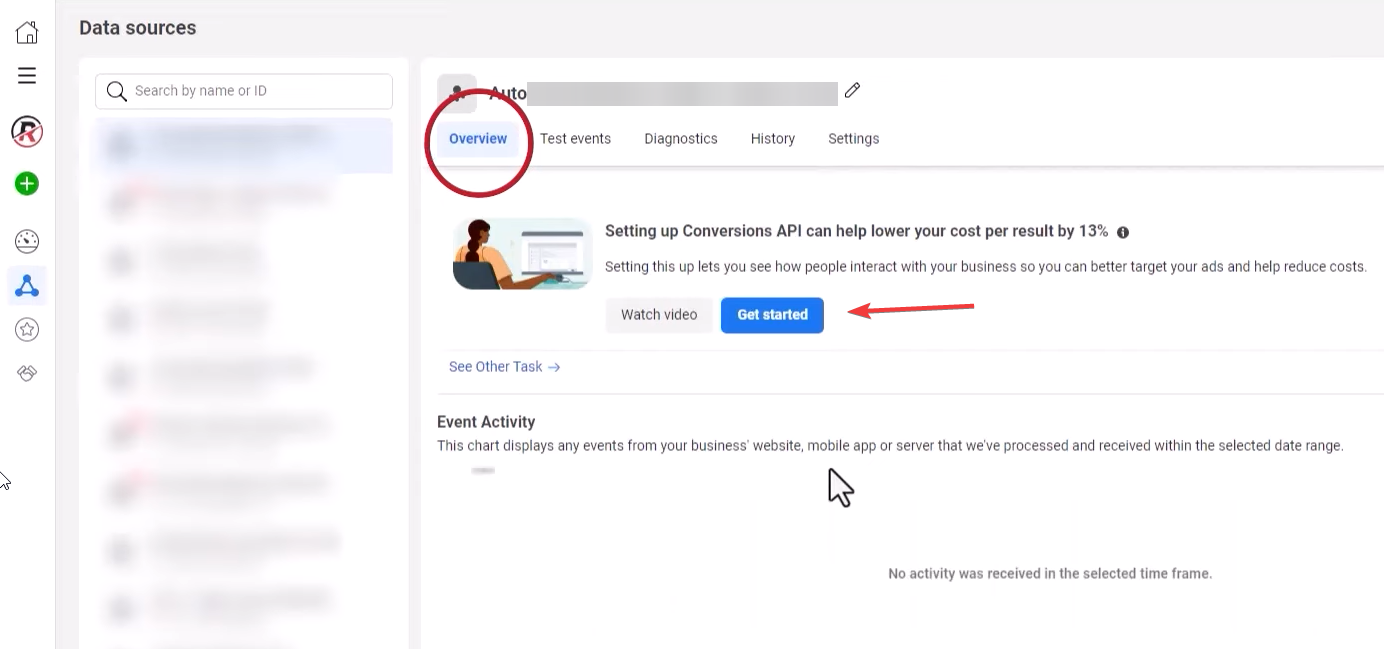
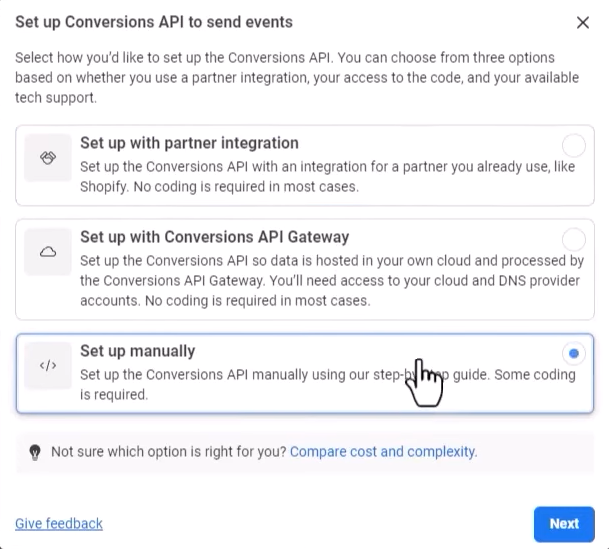
- Navigate to the Conversions API section and initiate the setup by clicking "Get Started " and select “Set up manually ”
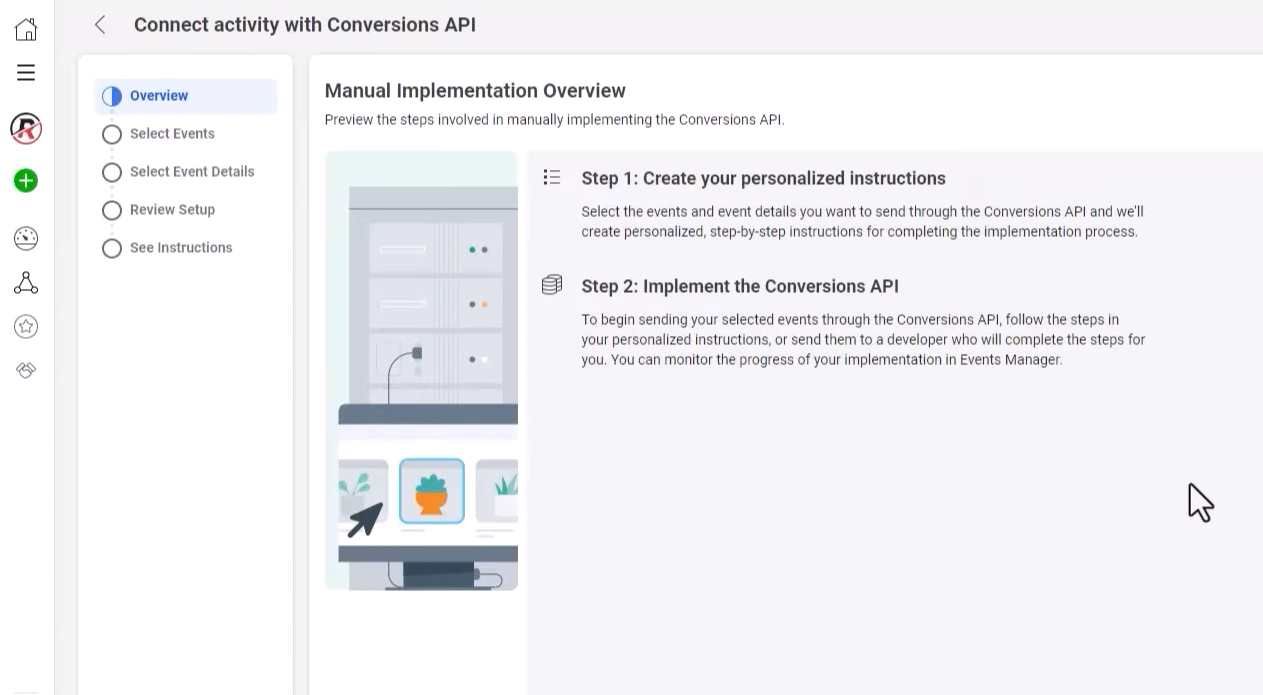
- Select an industry that closely aligns with your clientele from the dropdown menu and specify the types of data you intend to send via the API.
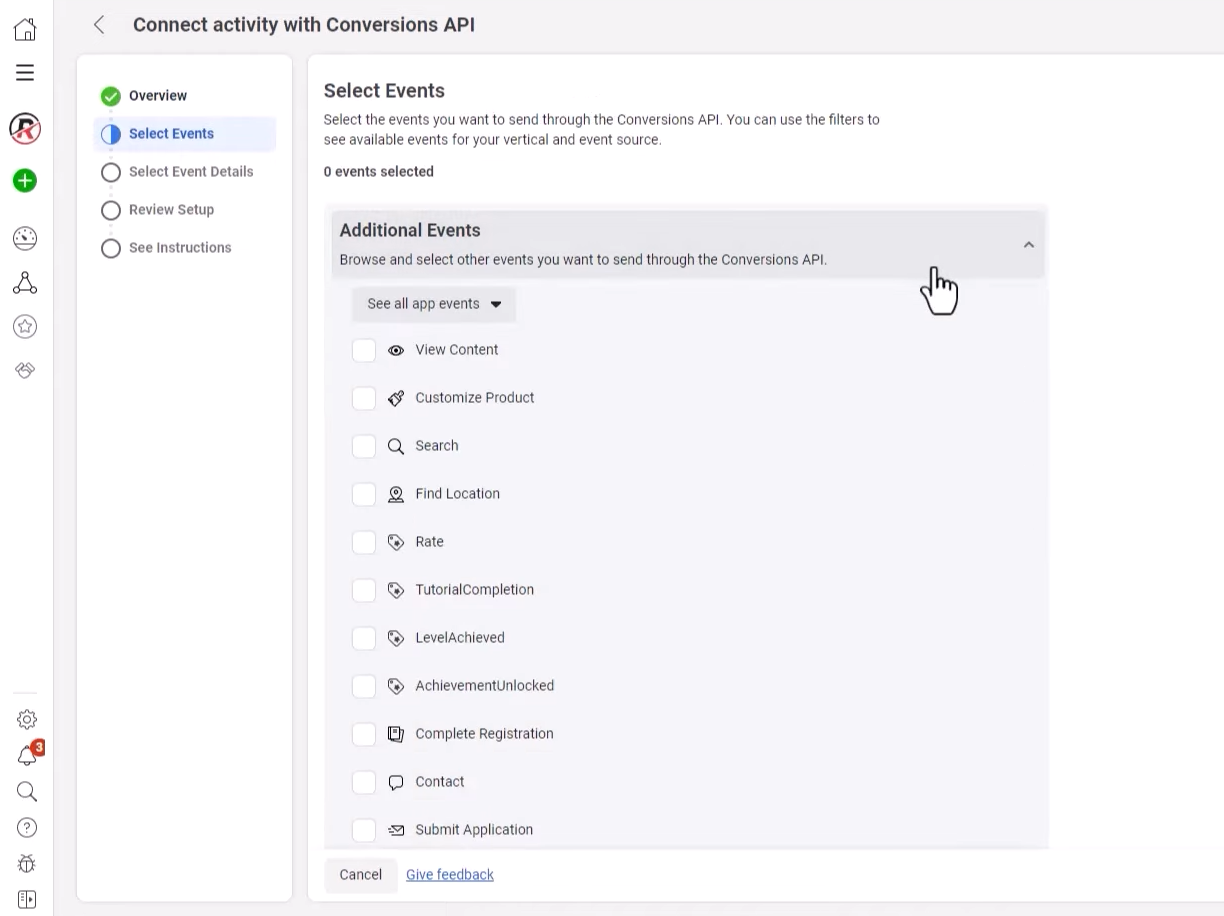
-
In the Event Detail Parameters, ensure the Event Source URL is checked.
-
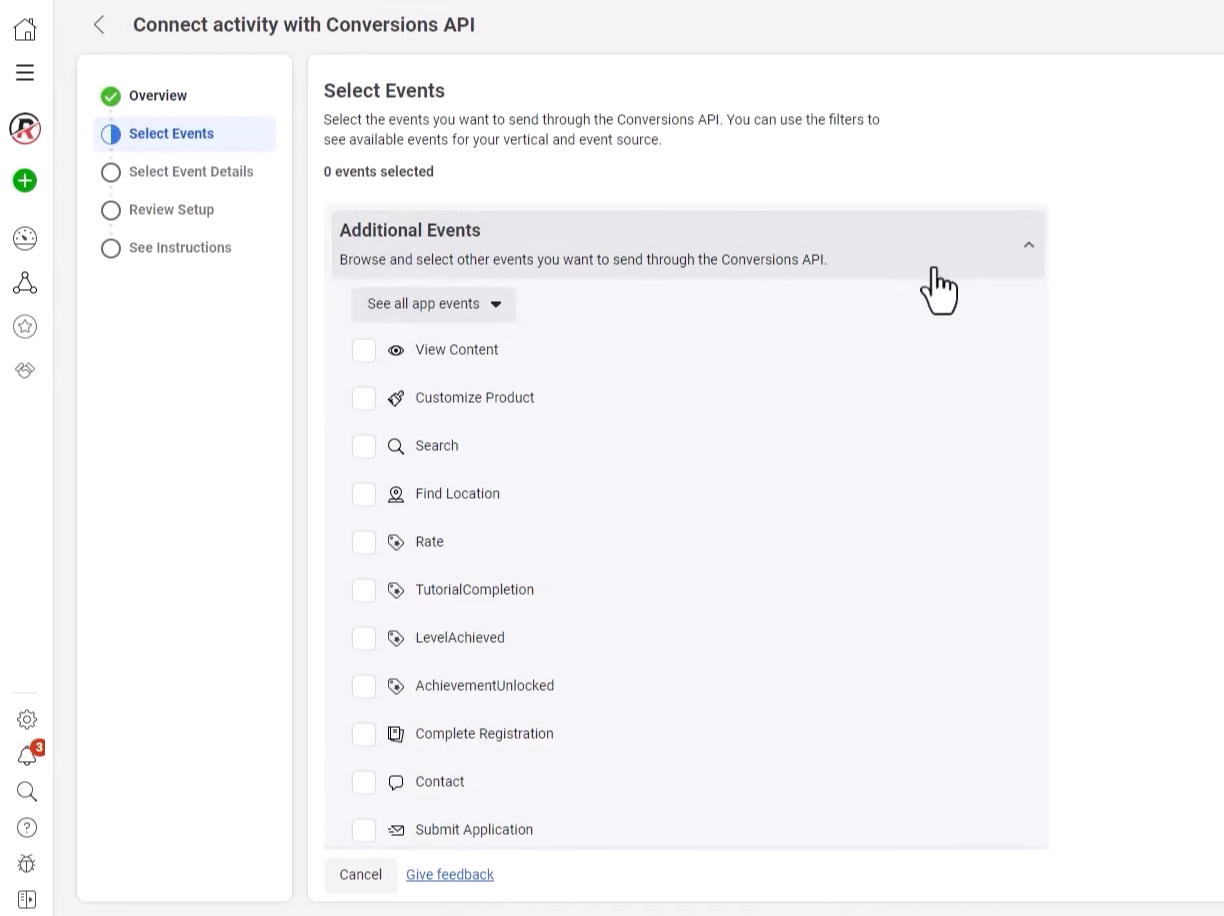
For Customer Parameters, choose data points to send back from LeadMagicX, including:
- Client IP address and user agent (without hashing)
- Email Address
- Click ID (fbc) and Browser ID (fbp) cookies (without hashing)
- First Name and Last Name
-
Apply these parameter selections across all chosen events, such as “Find Location” or “Add to Cart.”
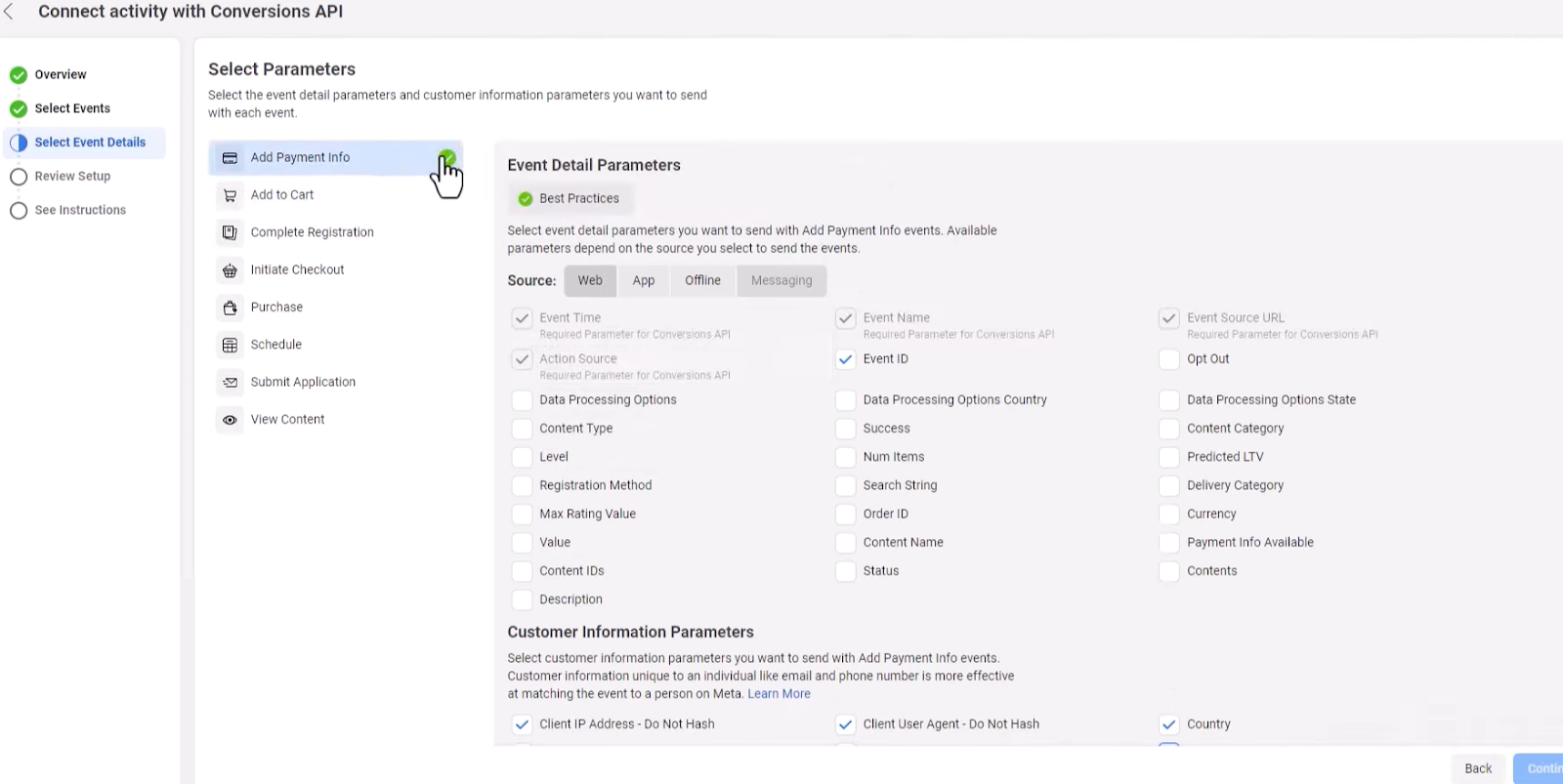
Review your setup, confirm the details, and finalize the creation.
¶ Pixel Setup
What is the Meta Pixel?
The Meta Pixel (formerly known as Facebook Pixel) is a piece of code that you place on your website to track visitors’ actions and gather valuable data for optimizing your advertising efforts on platforms like Facebook and Instagram. It allows businesses to measure the effectiveness of their ads by understanding user interactions on their website, such as page views, purchases, or sign-ups.
Why is it Important?
Meta Pixel is important because it helps businesses retarget website visitors with relevant ads, enhance ad targeting accuracy, reduce advertising costs by focusing on warm audiences, and ultimately improve the overall effectiveness of their marketing campaigns by using data-driven insights. Even if you’re not running ads immediately, installing the Meta Pixel today will ensure you capture valuable data for future use, helping you better understand and engage with your audience.
Setup:
- Head over to business.facebook.com and click on “All tools” on the bottom left.
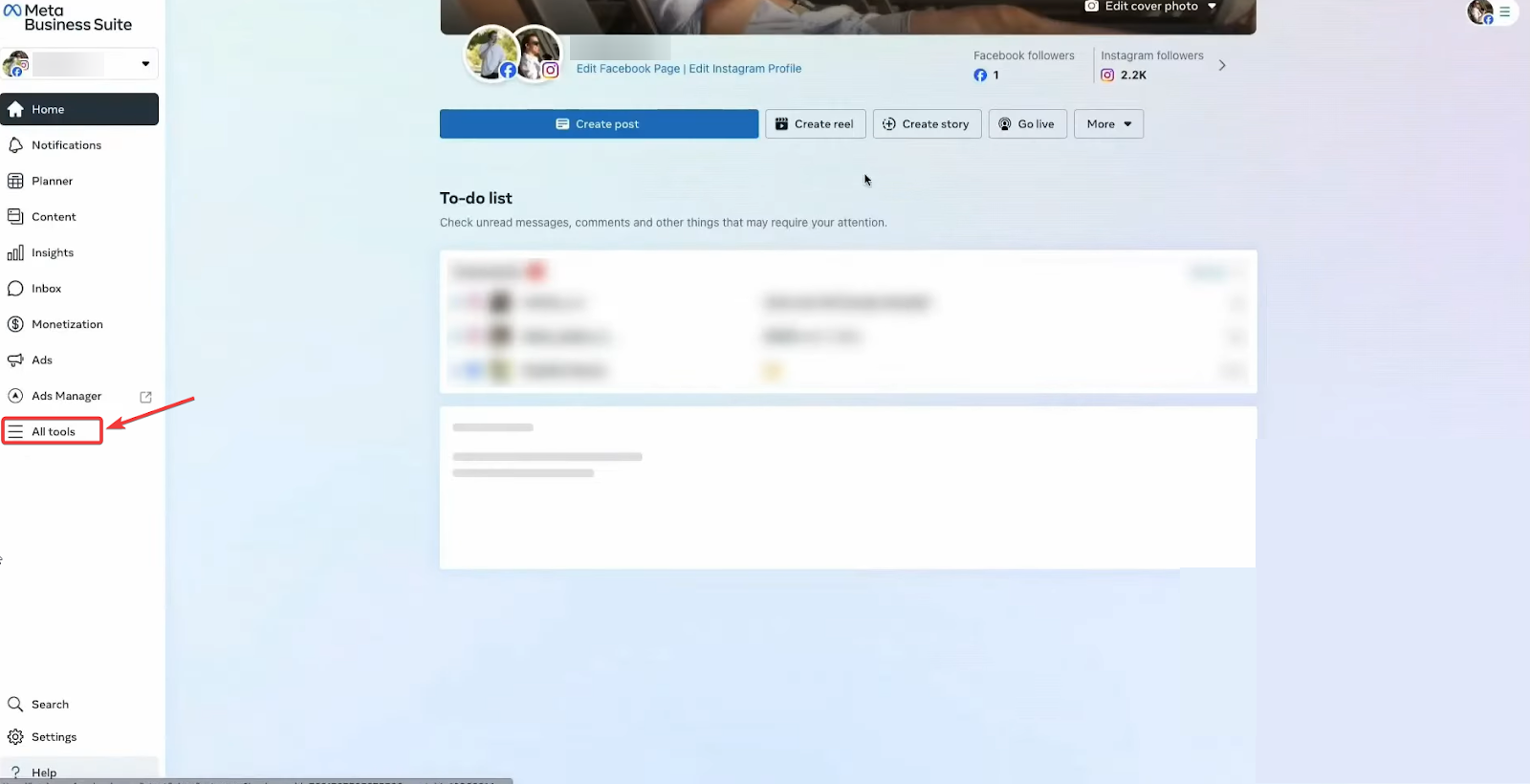
- Click on “Events Manager ”
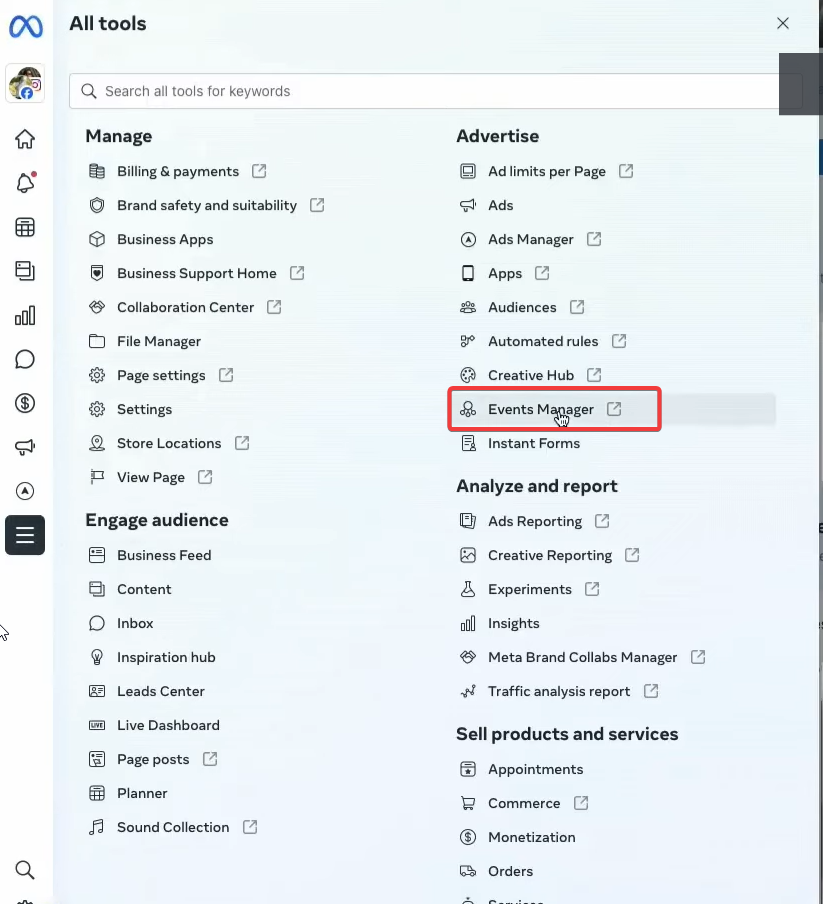
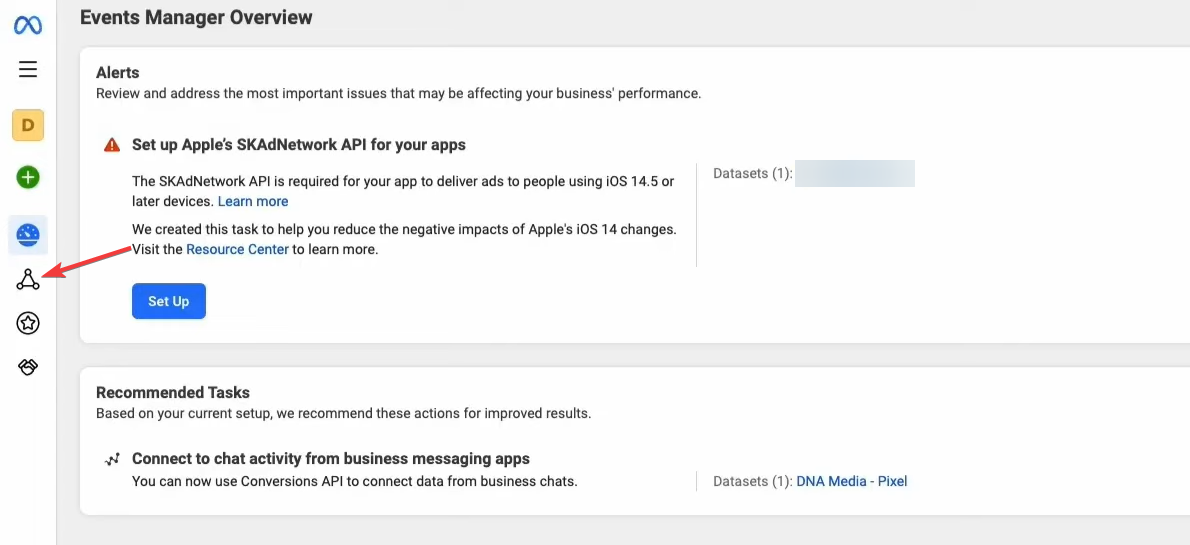
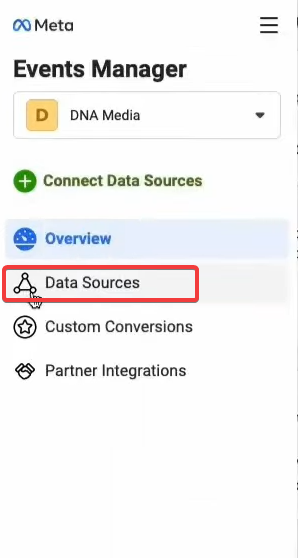
- Within yourEvents Manager, select Data Sources
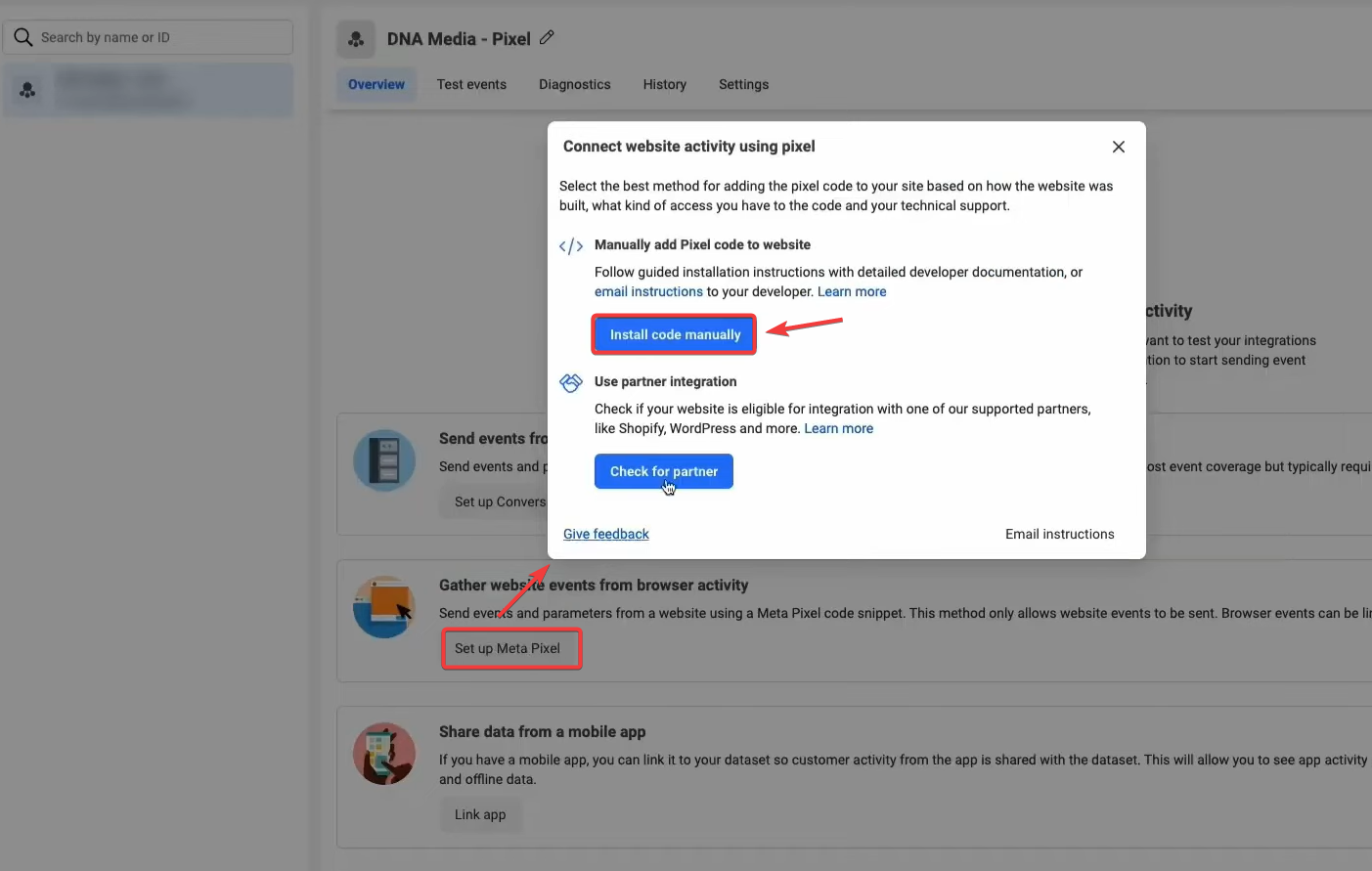
- Click on “Setup Meta Pixel ” and choose “Install code manually ”
- Simply click copy code and then paste it into the header of your website and you’ll be able to install the Facebook pixel onto your site. This allows Facebook to read events on your site.
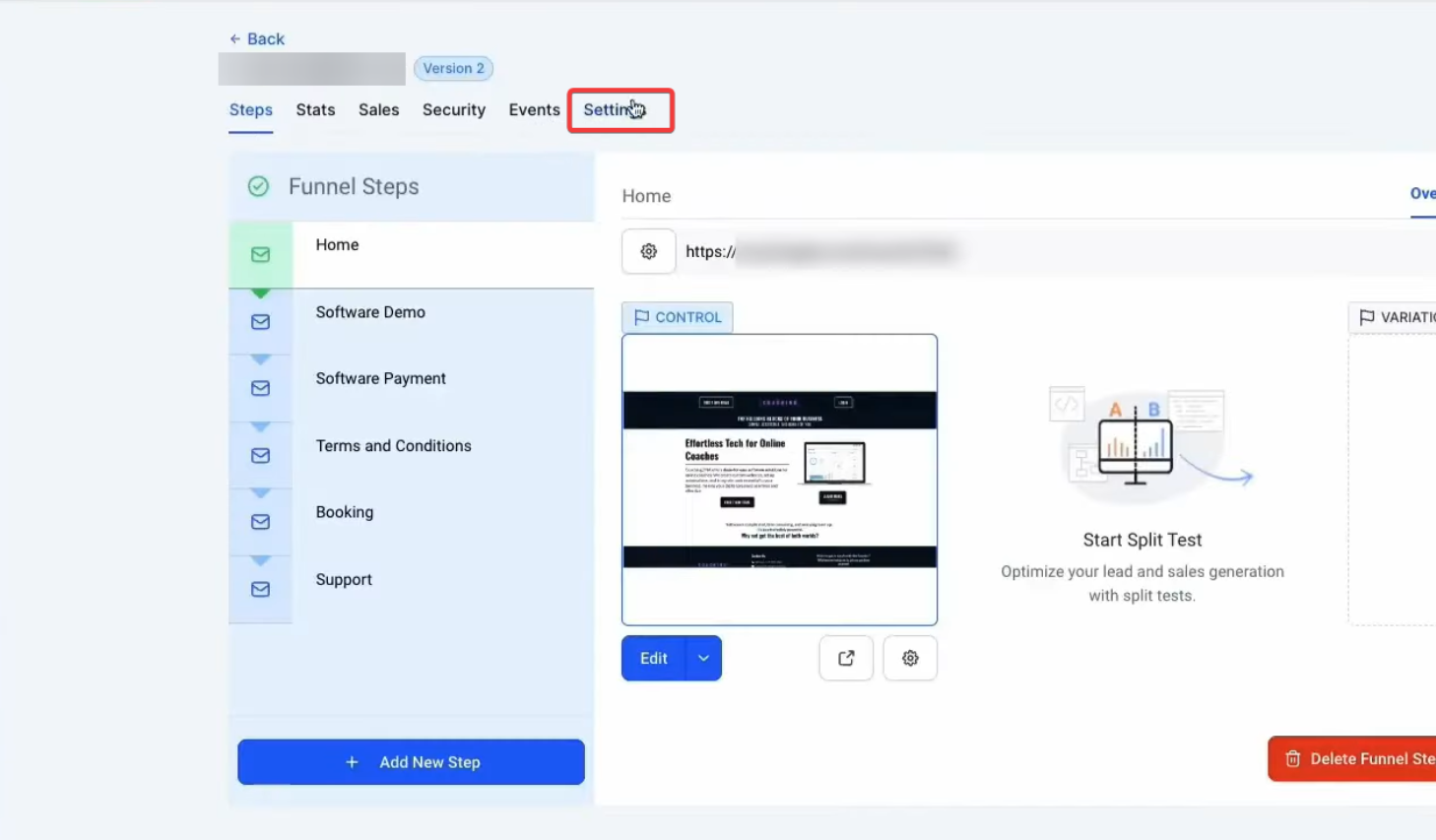
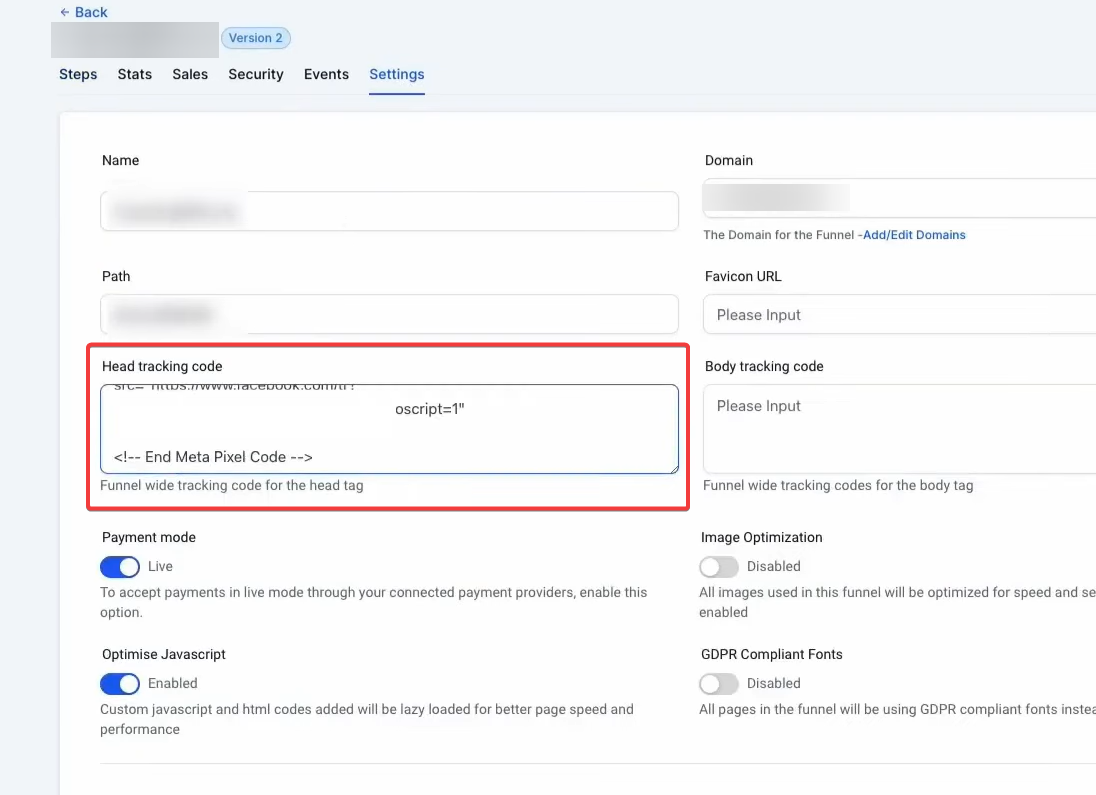
- Go back to LeadMagicX Sites > Funnels and select the relevant Funnel. Then, go into settings and paste the code in “Head Tracking code.”
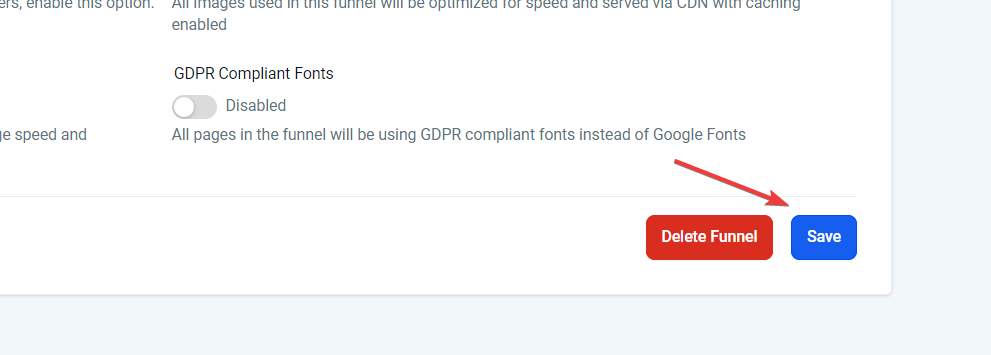
- Click Save.
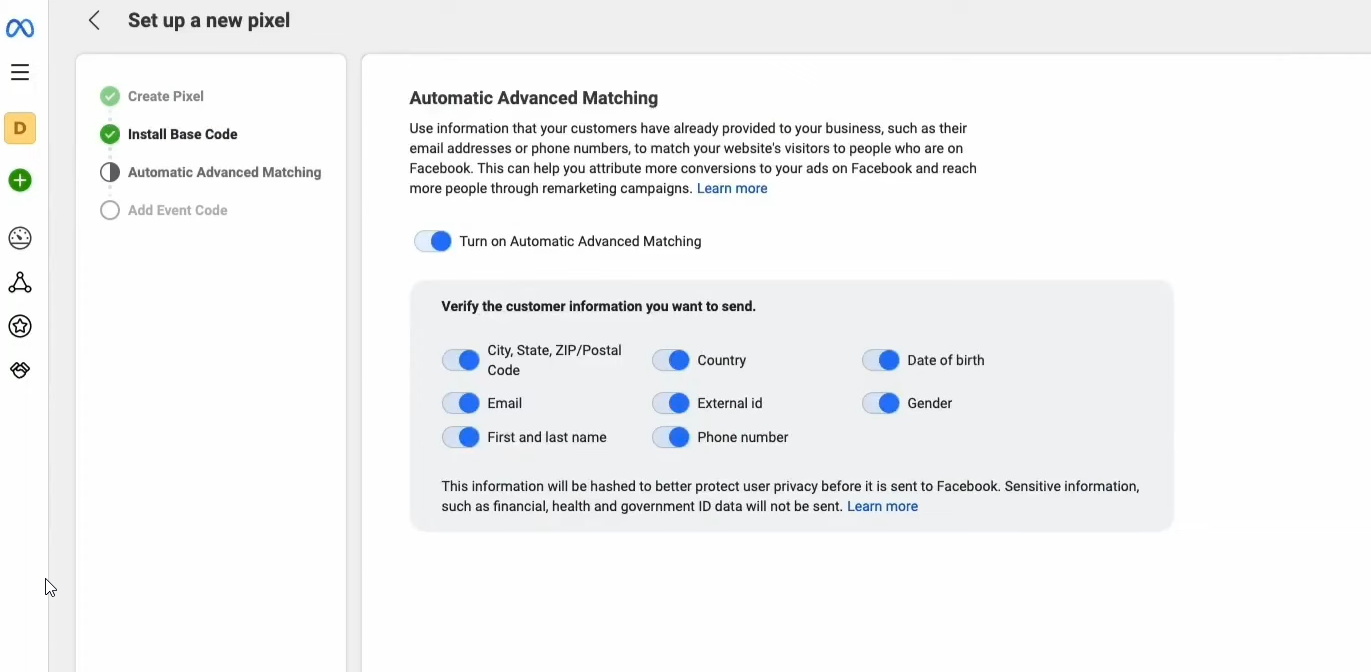
- Back in the events manager if you click “continue” that’ll take you to “Automatic advanced Matching ”. This is where you can select all of the information that you want to send back to Facebook.
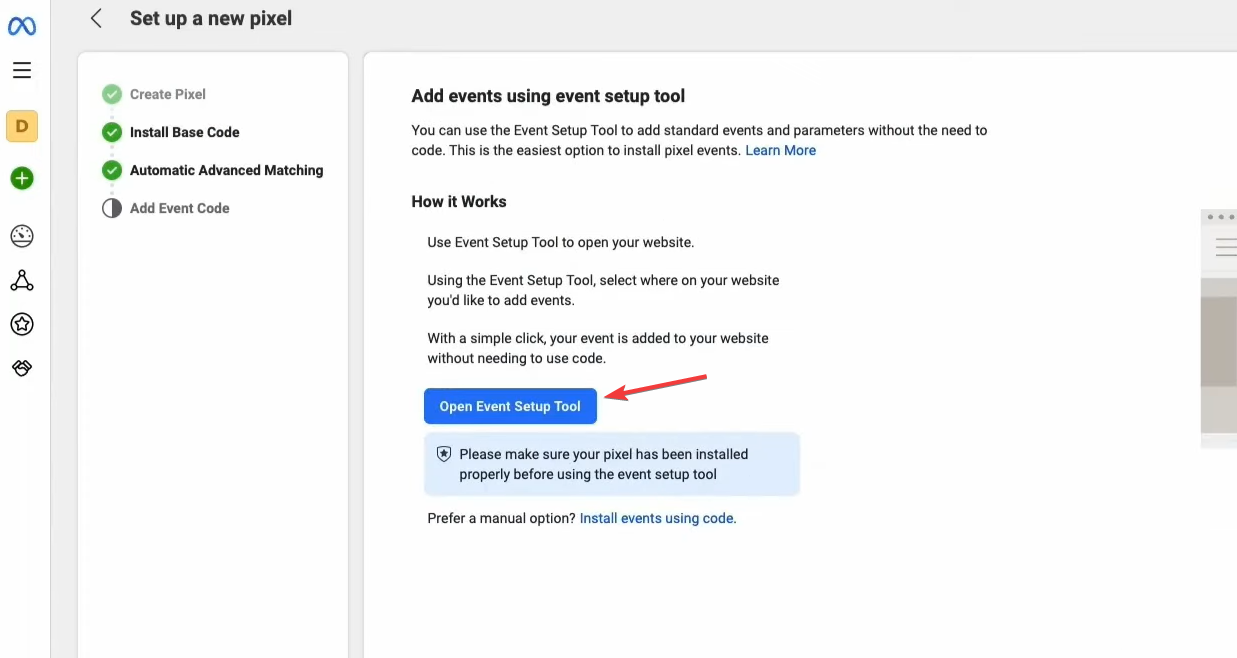
- The next step is “Add Event Code ”. Open up the event setup tool which is going to allow you to dictate exactly what events qualify as conversions.
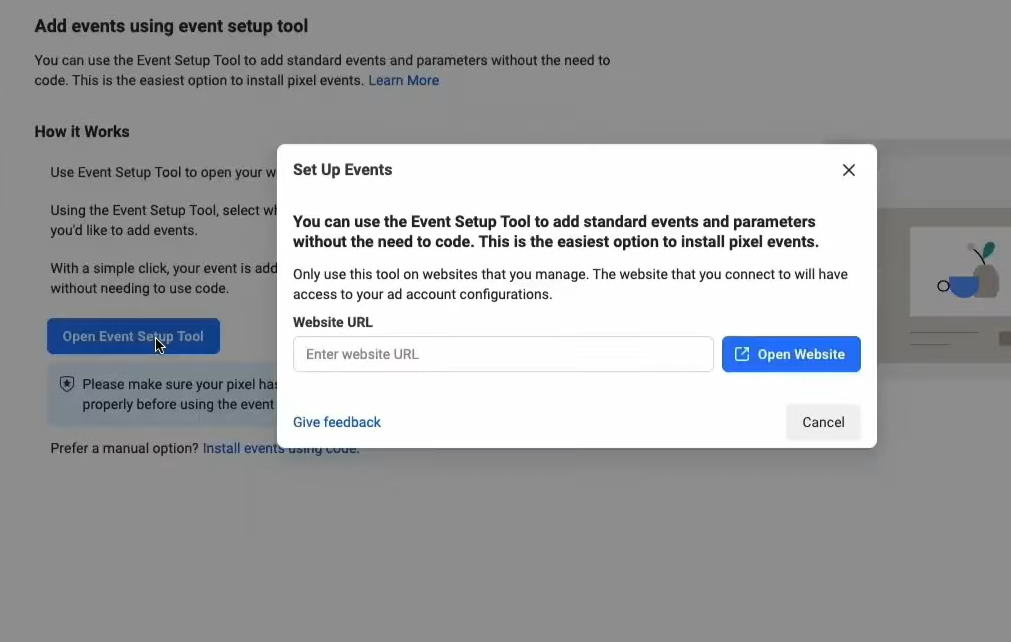
- Input the website URL and it’ll take you to the website and let you go through this entire process where you can select buttons and track exactly what those buttons count as as far as conversions.
¶ **Step 2:**Integrating with LeadMagicX Workflows
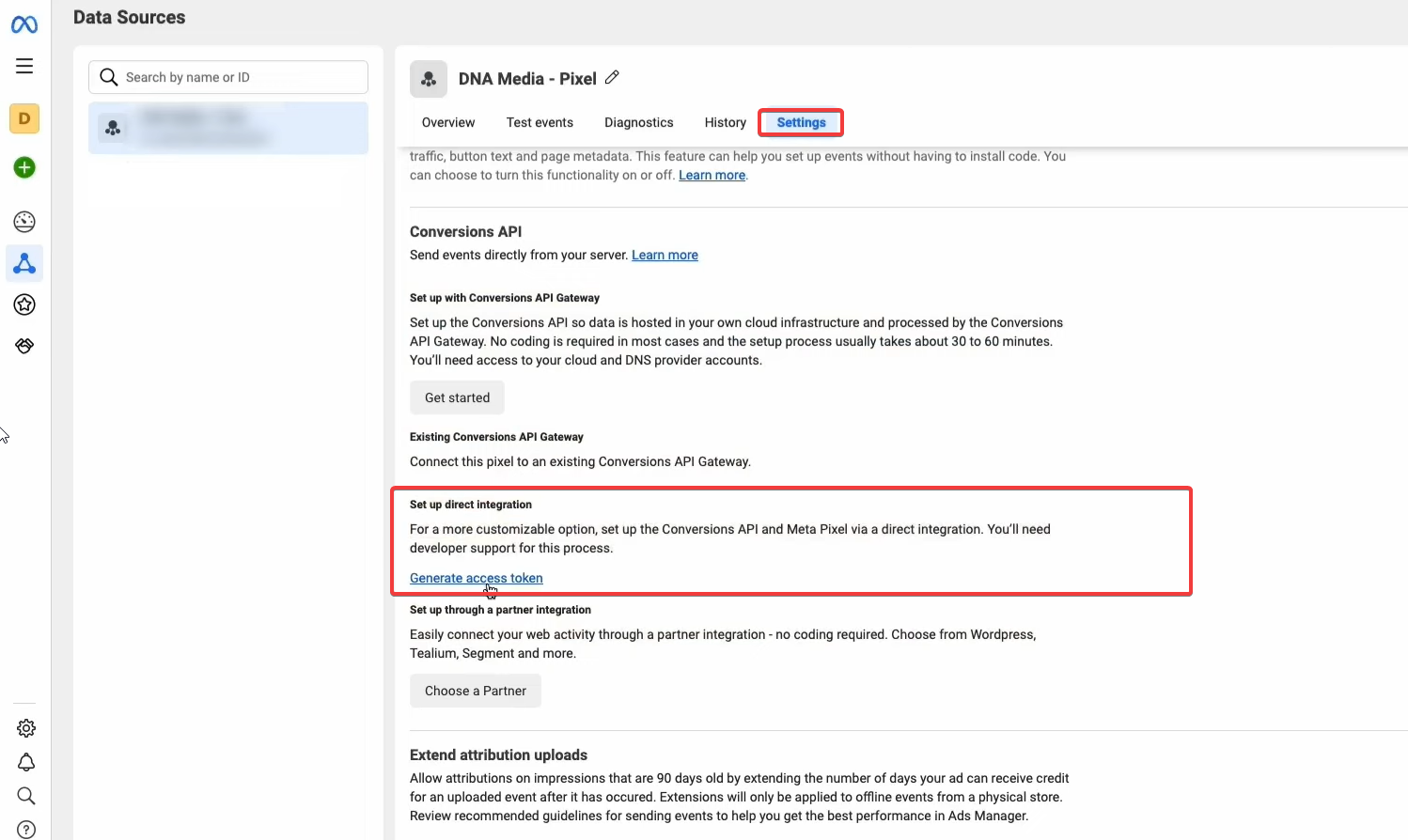
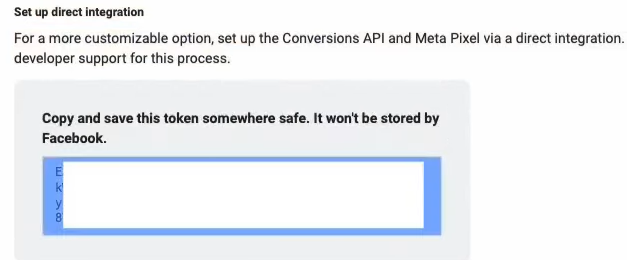
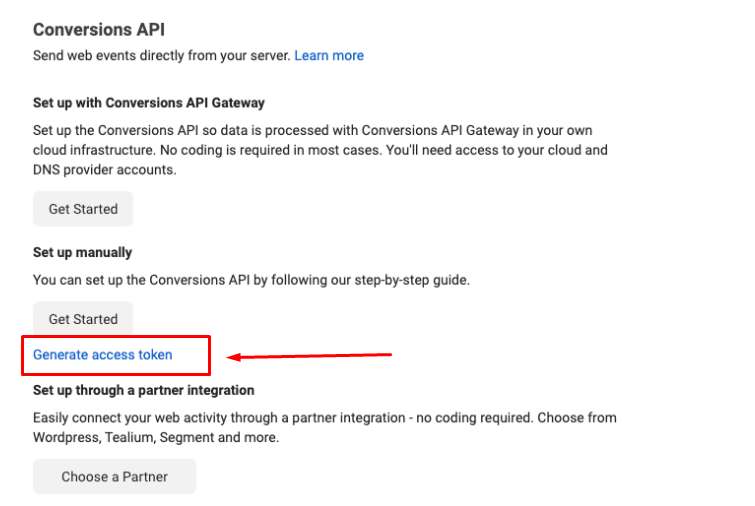
- Go back to Pixel Overview and select settings and click on Generate access token. When it pops up, save it for to a clipboard or document.
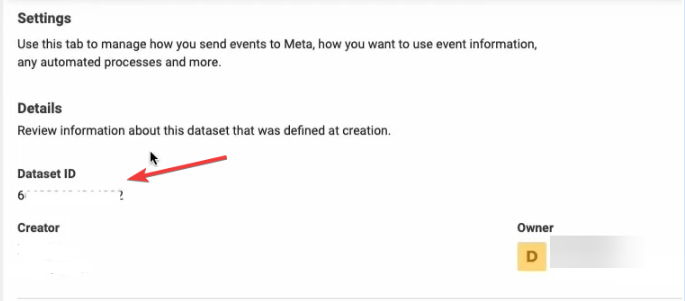
- Scroll back up and locate Dataset ID. Copy this as well to a clipboard or document.
¶ Step 3: Crafting the Workflow
- The workflow must start with one of four specific triggers to properly utilize the Conversions API: Form Submitted, Survey Submitted, or any of the Appointment-related triggers or the Order-related triggers such as order form submitted.
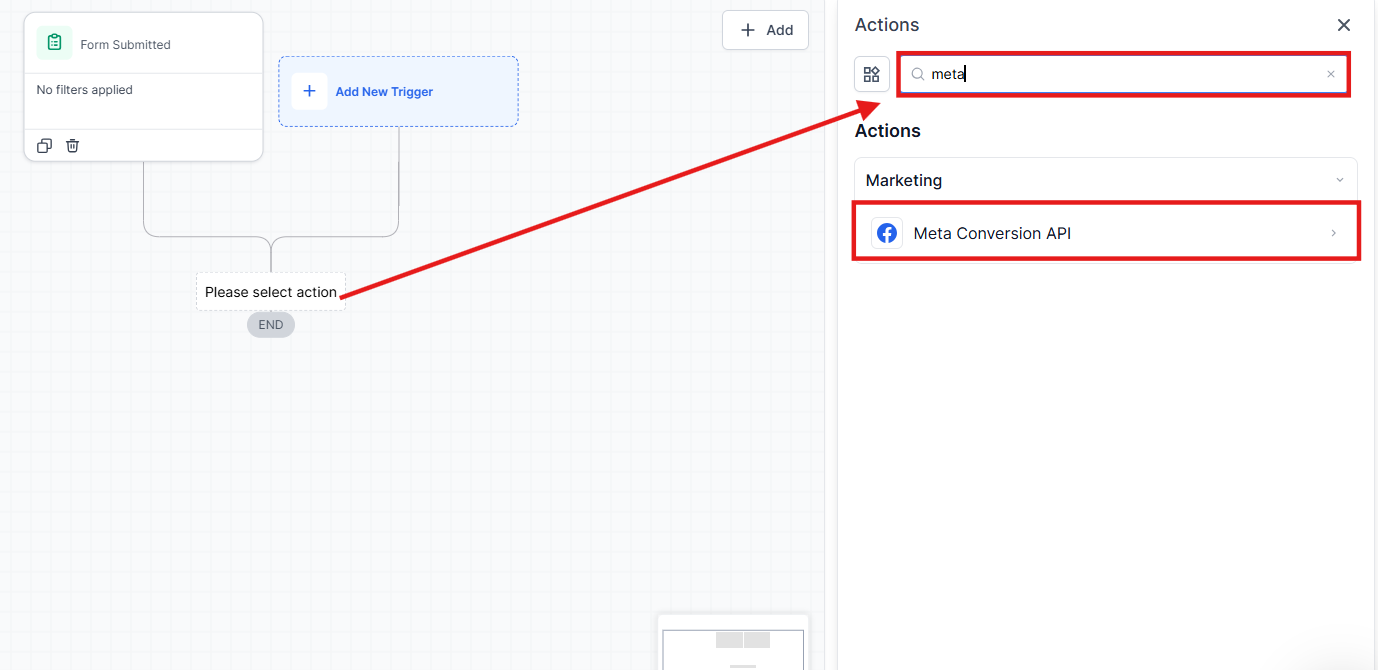
- Upon selecting a trigger, add a new action for the Facebook Conversion API within the workflow.
Note: If your Facebook account isn’t linked yet, please, make the integration. Check the article called, “ How To Integrate Your Facebook Account”.
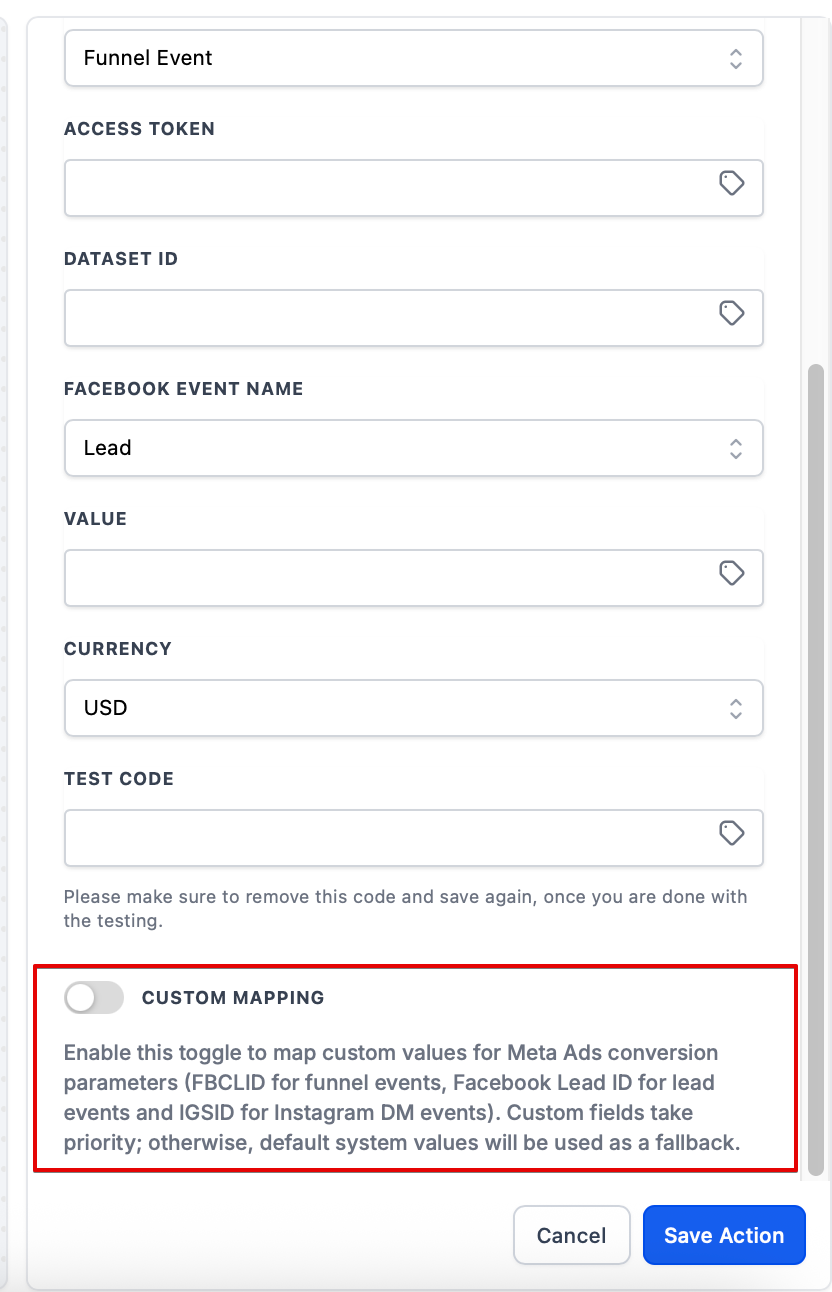
- Define the event name( keep in mind the event name is the name of the event that you set up within the event manager), its value, and the currency for accurate tracking.
- Custom mapping for tracking fields: You can send custom values for key parameters, boosting tracking accuracy and providing more detailed insights for ad optimization. By including custom identifiers, you can ensure that the right conversion data is sent back to Google and Facebook, which helps optimize ad campaigns.
- For testing purposes, the Facebook Pixel Test Code can be obtained from the Settings and inserted into the “Test Code” field within the workflow.
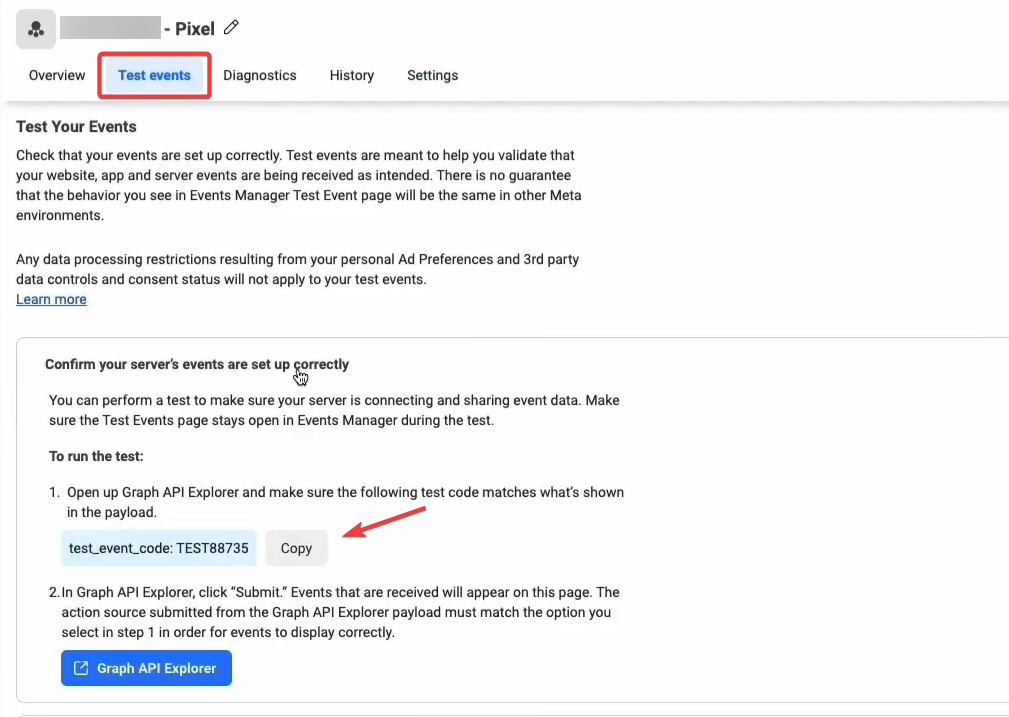
It’s important to note that to test the workflow, an actual event trigger is required since the “Test Workflow” button does not simulate the Facebook Conversions API actions.
- Verify the “Test Events” section in your Facebook Business Manager to ensure the domain is authorized under “Domains in your Allow List.”
After you are finished testing, remember to remove the test code before publishing the workflow.
After adding the event to the Workflow, transition the Workflow status from Draft to Published and confirm your changes.
NOTE: To obtain the access token for Facebook Conversion API, in your Events manager Navigate to Settings > Scroll down > Find the Conversions API section and click on the Generate access token link under Set up manually
¶ Adding Value and Currency for Lead Events with ‘Purchase’ Stage
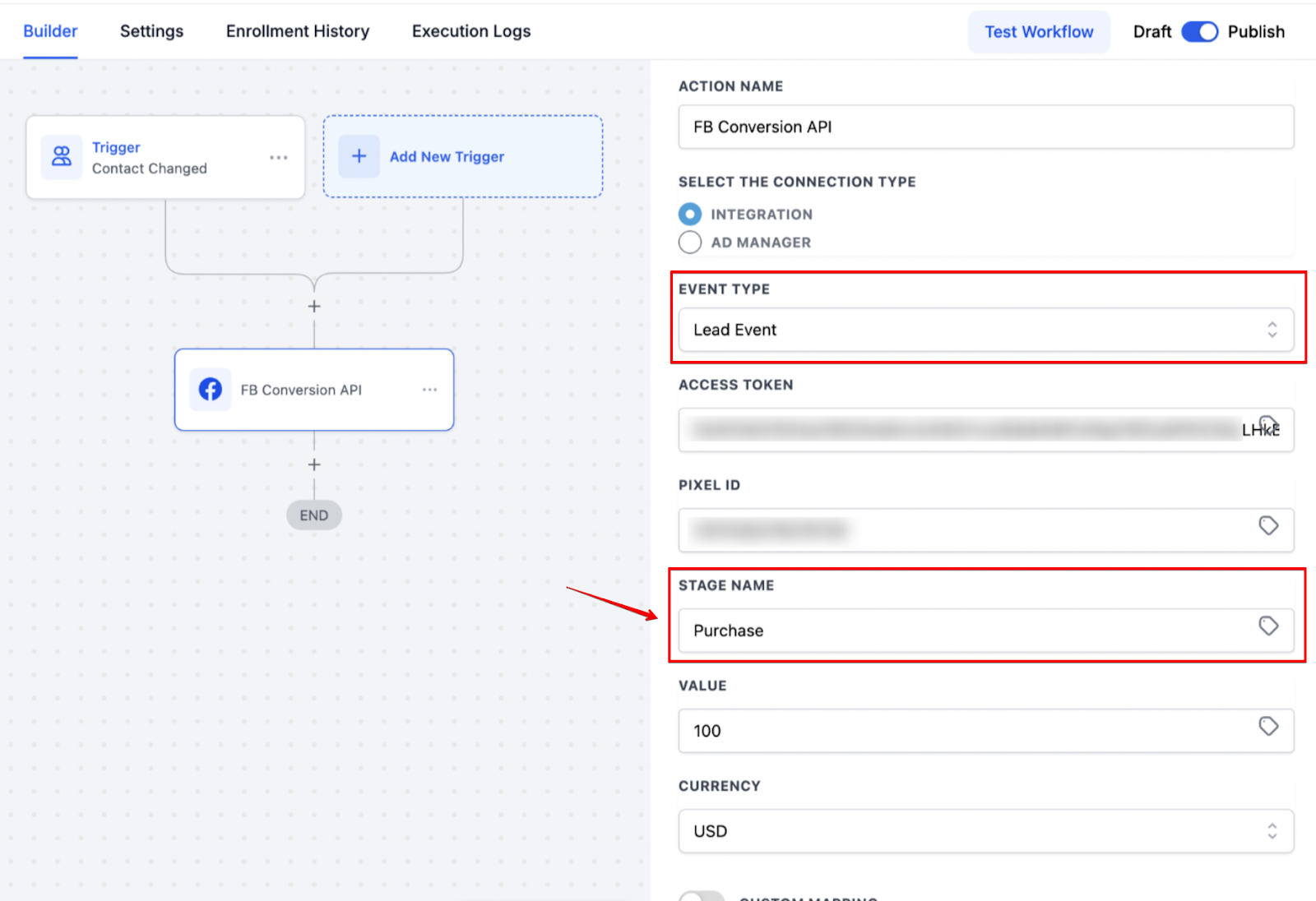
This enables users to input Value and Currency when the Stage Name is set to “Purchase” in the Lead Event within the CAPI action of workflows. This ensures that users can comply with Meta’s requirements for passing monetary values during purchase events, which previously caused CAPI errors or failed event deliveries. With this change, users can track purchase events accurately by passing the correct value and currency.
To use this feature, simply select “Lead Event” as the event type and “Purchase” as the stage name, then input the value and currency in the newly added fields. The default currency is set to USD, with the option to select other currencies from the dropdown. If the stage is not set to “Purchase,” the value and currency fields will be ignored.
¶ FAQs
¶ Question: Why is the lead data not being pulled?
Answer: Make sure that the triggers are an input trigger like:
- Form Submission
- Survey submission
- Appointment Submission (from booking widget)
- An Order form
Question: After my lead books an appointment, why is the data not showing?
Answer: For appointments, it will only work with the “Customer Booked appointment” trigger, not with “Appointment Status”.
Question: Why don’t I see test events in Facebook Business Manager?
Answer: If you don’t see a test conversion, check the Diagnostics tab for any errors. A common issue we’ve seen is when FB has blocked the domain, so check Settings > Scroll to the bottom to “Domains In Your Allow List,” where you can approve the domain.
Question: Why is Facebook reporting the conversion as “Custom Event” when I selected "Lead "?
Answer: This happens when you send test data (we’re not sure why Facebook does this), but it will show “Lead” when you run a live conversion.
Question: Can I use Custom Values for the Access Token and Pixel ID?
Answer: Yes, custom values will work in those fields.
**Question:**Why do I need to check the “Event Source URL” when setting up the Conversion API?
Answer: Checking the “Event Source URL” ensures that conversion events are correctly linked to their source, improving tracking accuracy.
**Question:**Does using Conversions API impact page speed?
Answer: No. Since Conversions API runs server-side, it does not affect website load times.
Question: Why can’t I use the “Test Workflow” button to verify my Facebook Conversions API setup?
Answer: The “Test Workflow” button does not simulate Facebook Conversions API actions. To test the integration accurately, you must trigger an actual event (such as a live form submission or appointment booking) using the Facebook Pixel Test Code.