In this guide, we’ll walk you through using the “Add Contact Tag” action, a powerful tool for organizing your contacts, categorizing them for targeted marketing, and triggering workflows. Tags are essential for maintaining structured contact records and enabling automation processes, making it easier to manage your audience effectively. Let’s get started!
The “Add Contact Tag” action automatically applies one or more tags to a contact’s record. Tags help you group contacts based on specific criteria, such as their interaction source or interests, allowing you to streamline your marketing efforts and automate follow-ups. You can also create new tags directly from the action setup.
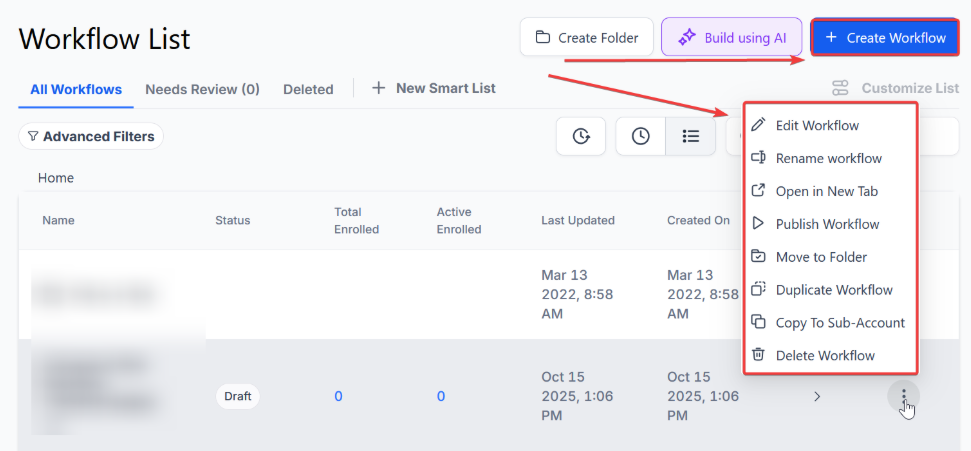
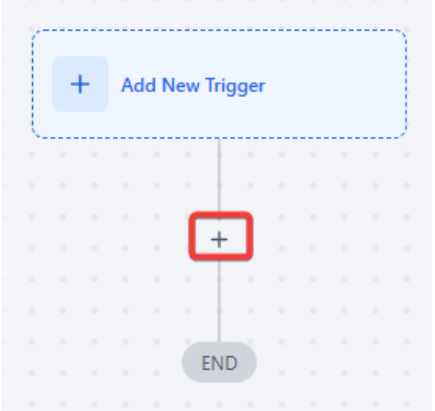 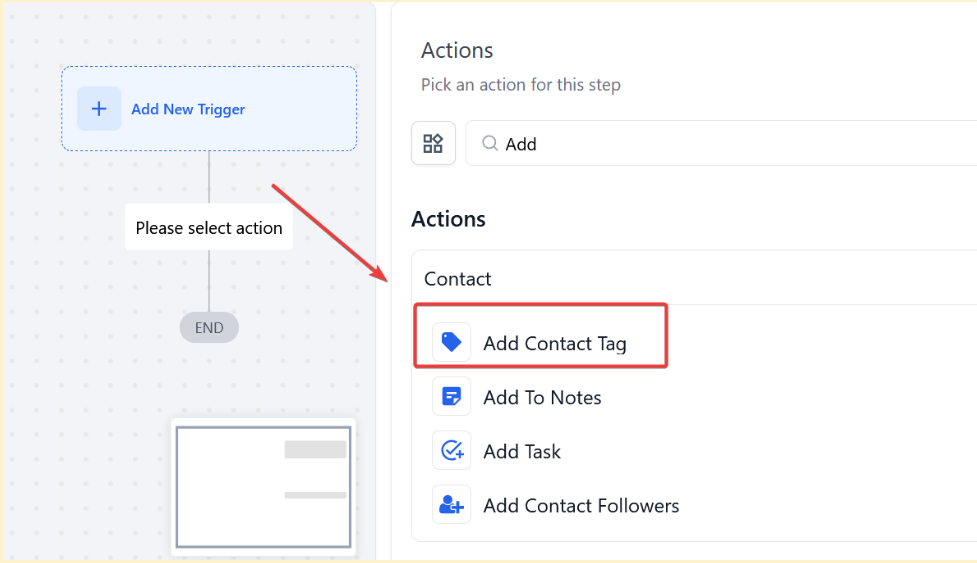
Note: The feature currently applies to “Add Contact Tag” and “Remove Contact Tag” actions.
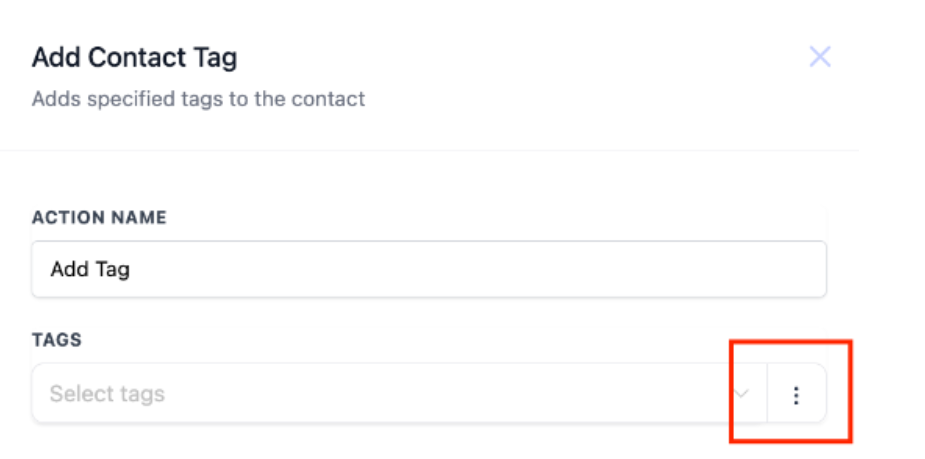 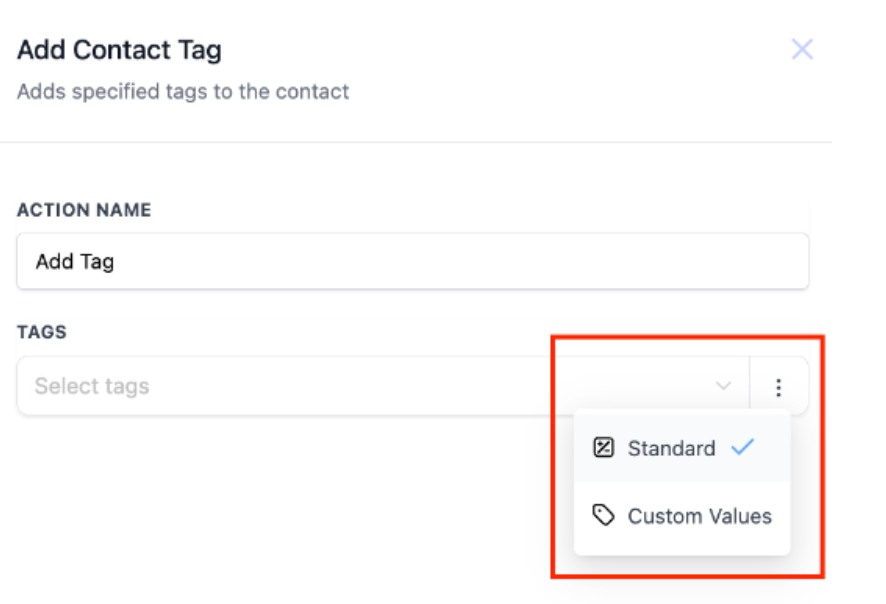
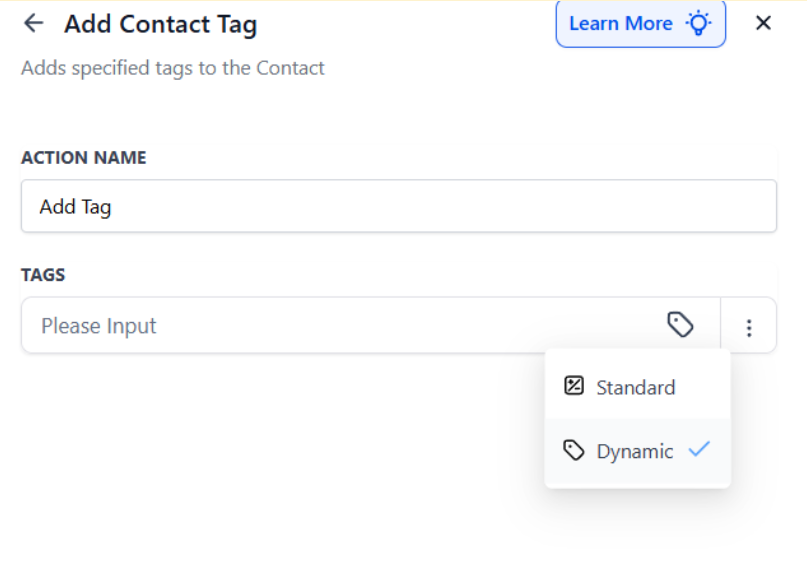
Real-Life Use Cases:
Create tags combining service type and location, e.g., “bushtrimming-{{contact.postal_code}}.”
Generate tags based on the user setting a lead, like “setter_{{user.name}}.”
Add tags for sign-up offers or dates, such as “Signup-{{right_now.month}}-{{right_now.year}}.”
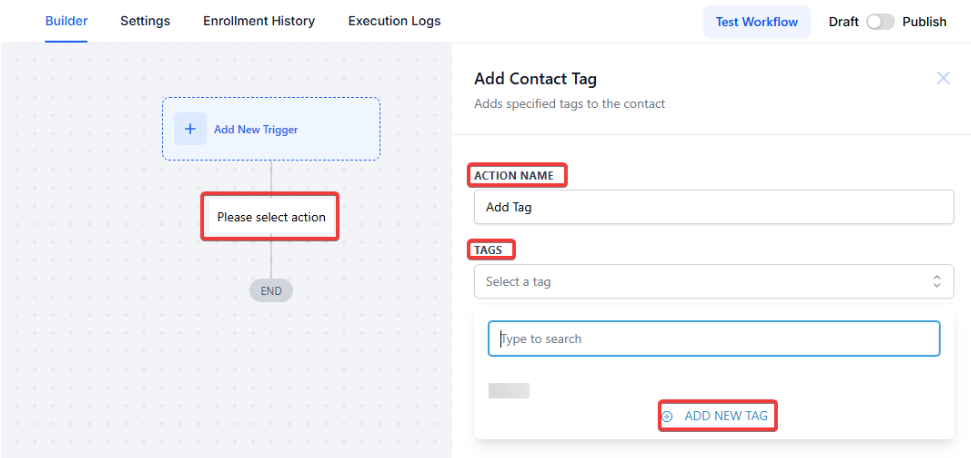
Scenario: A business wants to add a “Facebook” tag to customers who have replied to a post and shown interest in a product. This tag will help the business run separate marketing campaigns for these contacts in the future.
Action Setup:
Workflow Trigger:
Workflow Actions:
Outcome: This setup ensures that the tag is added to the contact, helping categorize them based on their engagement, and setting up targeted marketing efforts.
Tips for Success
Pro Tips
Question: How can tags trigger automated workflows?
Answer: Tags can trigger automated workflows when specific tags are added to a contact’s record. For example, if a contact receives a “Facebook” tag, it can automatically add them to a workflow designed for follow-up actions, such as personalized messaging or targeted marketing efforts.
Question: Why is it important to use clear and descriptive tag names?
Answer: Using clear and descriptive tag names makes it easier to identify the purpose of each tag and manage your contact records effectively. It helps avoid confusion and ensures that tags are used consistently across your workflows.
Question: Can tags be used to personalize marketing campaigns?
Answer: Yes, tags allow you to tailor marketing efforts by categorizing contacts based on their interests or interaction sources. By tagging contacts appropriately, you can create personalized campaigns that target specific segments of your audience.
Question: What should I do if I need to add a tag that isn’t available in the list?
Answer: If the tag you need isn’t available, you can add a new tag by typing the desired name into the input field and clicking the “Add New Tag” button. This new tag will be created and can be immediately used.
Question: How do tags help in categorizing contacts?
Answer: Tags categorize contacts by assigning them specific identifiers based on their actions, interests, or other criteria. This helps maintain an organized database, making it easier to manage large groups of contacts and tailor interactions accordingly.
Question: What happens when a contact is tagged with “Facebook” in a workflow?
Answer: When a contact is tagged with “Facebook” in a workflow, it categorizes them as having interacted through Facebook. This tag can then trigger further actions, such as starting a conversation via Facebook Messenger or adding them to a specific marketing campaign.
Question: Why is it important to keep tags consistent across your contact database?
Answer: Keeping tags consistent helps maintain an organized contact database, prevents duplication, and ensures that your tags are used effectively in automations and campaigns. Consistent tagging simplifies contact management and improves the accuracy of your workflows.
Question: Can I use multiple tags for a single contact?
Answer: Yes, you can apply multiple tags to a single contact, allowing you to categorize them across different criteria. This flexibility helps refine your targeting and enhances the personalization of your automated workflows.
Question:** Are tags case-sensitive or format-sensitive?**
**Answer: **Tags are generally stored as text labels, so keeping naming format consistent is recommended to avoid duplicates or similar variations.
Question: Is there a limit to how many tags one contact can have?**
**Answer: There is no strict limit. A contact can have dozens of tags. However, it is best to keep them organized so your contact profiles don’t get too cluttered and hard to read.
Question: What is the “Dynamic Select Field” support, and when should I use it?
Answer: This is used when you want to apply tags based on dropdown or selection fields. Note that when using the custom value picker for these, you must use the Option ID rather than the display name. This allows the workflow to dynamically select the correct tag based on values retrieved earlier in the process, such as a specific service category.