¶ Workflow Action: Add To Affiliate Campaign
In this article, we will walk through how to use the Add To Affiliate Campaign workflow action. This is useful to automate adding Affiliates to your active campaign.
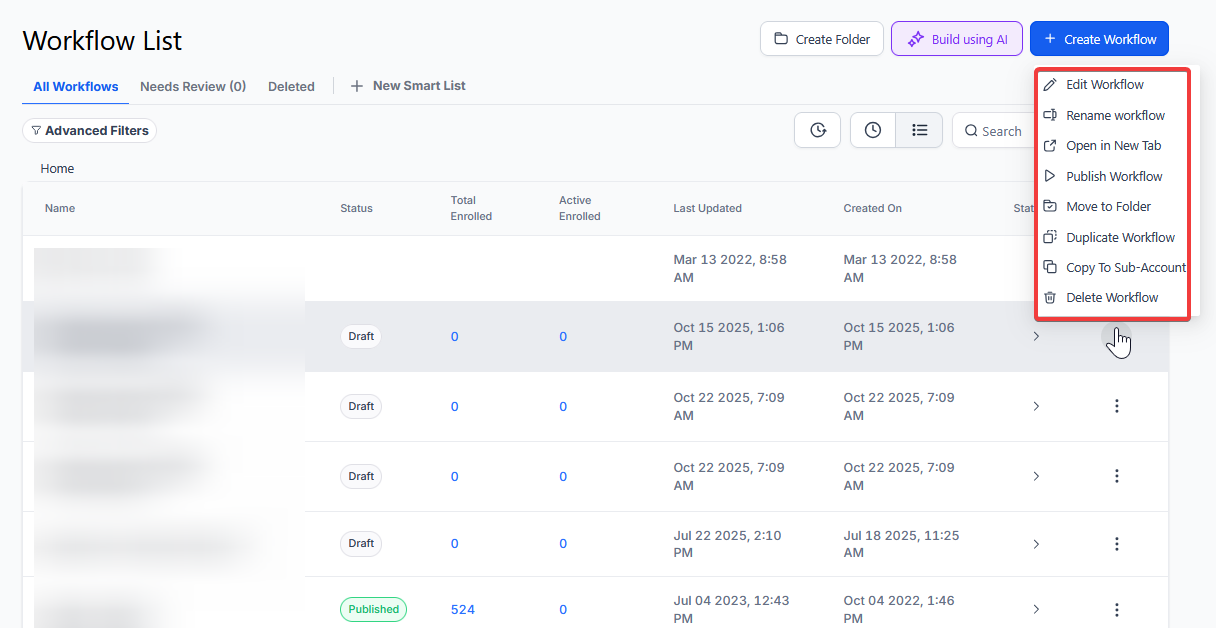
¶ Step 1: Start a new workflow or edit an existing one
- Navigate to Automation on the left > Workflows on the top and create a new workflow or edit an existing one
¶ Step 2: Set up applicable Workflow Trigger(s).
We have multiple articles available explaining the setup of each of the Workflow Triggers. Feel free to review our articles for more information.
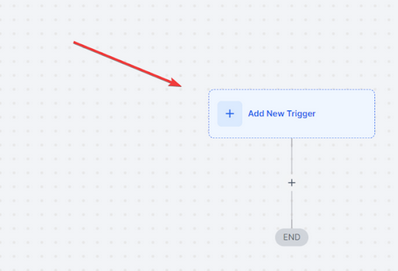
Pro Tip: You can use any Workflow Triggers to trigger the Add To Affiliate Campaign action or you leave this workflow without any triggers.
¶ Step 3: Setting up the Add To Affiliate Campaign Action
- Click on the “+” symbol below the trigger to add an action.

- Under Actions, select Add To Affiliate Campaign in the Affiliate section of the Actions Menu or use the search feature
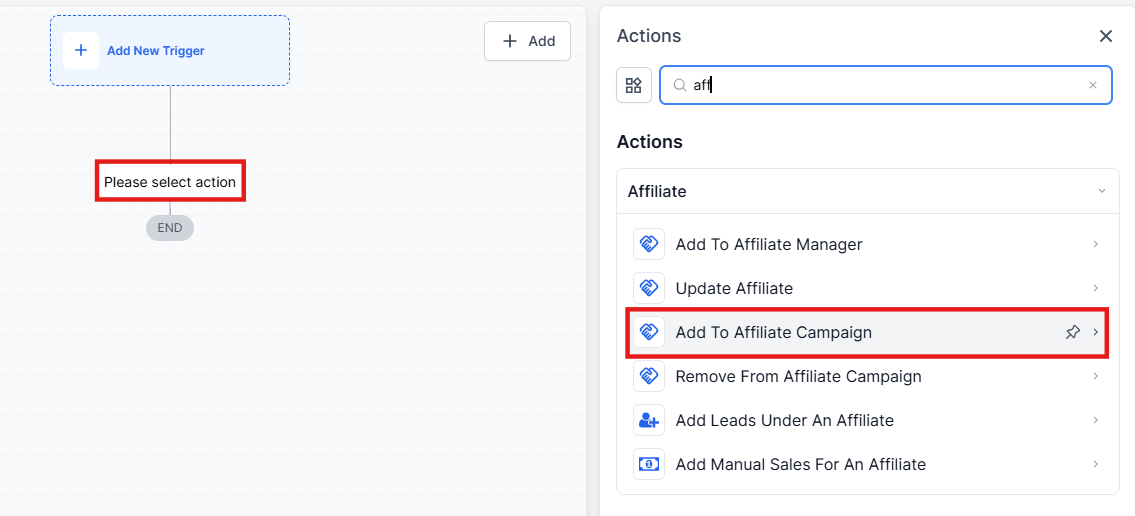
- Select the Campaign you’d like to add them to
- Press Save in the bottom right corner of the Action setup menu

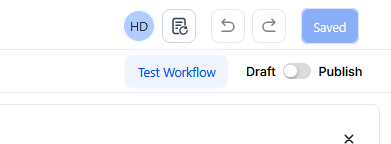
¶ Step 4: Press Save in the top right corner of your browser to save the workflow
- If your Workflow is ready to be enabled, make sure the toggle switch under Save is set to Publish
- Be sure to test your Workflow to ensure it is set up correctly using the Test Workflow button next to the Publish toggle switch.
- For an in-depth overview of Workflow Testing, see our article, “Using the Testing Features in Workflows.”
Now your Workflow is set up and ready to go with the Action Add To Affiliate Campaign!
¶ Example: Convert Contacts to Affiliates in the Affiliate Test Campaign When a Tag is Added
Scenario: A business wants to recruit customers who have shown interest in joining the affiliate network by responding to a post. When a tag is added to categorize these contacts, they will be automatically converted into active affiliates and added to the Affiliate Test Campaign.
Action Setup:
- Action: Add to Affiliate Campaign
- Name: Enroll Affiliates in Test Campaign
Workflow Trigger:
- Trigger: Contact Changed
The workflow will trigger when the selected filter is added or changed. - Filters: Tag added: “Affiliate”
Workflow Actions:
- Action: Add to Affiliate Campaign
- Select “Affiliate Test Campaign.”
Outcome:**
**Whenever the “Affiliate” tag is added to a contact, they will automatically be converted into an affiliate and enrolled in the Affiliate Test Campaign. The affiliate can then begin promoting products or services to generate commissions.
¶ Pro Tips
- Campaign Selection : When configuring the Add To Affiliate Campaign action, ensure you select the correct campaign. Double-check the campaign details to avoid adding affiliates to the wrong campaign.
- Trigger Considerations : While you can set up this action with any Workflow Trigger, choose triggers that align with your campaign goals to ensure timely and relevant affiliate additions.
- Testing : Regularly test your workflow using the Test Workflow button to confirm that affiliates are added to the correct campaign and that the workflow operates as expected.
¶ FAQ
Question: Can I use multiple triggers for the Add To Affiliate Campaign action?****
Answer: Yes, you can use multiple triggers to activate this action. This allows you to add affiliates to a campaign based on various conditions or events.
Question: What should I do if the Add To Affiliate Campaign action isn’t functioning correctly?****
Answer: Check that your triggers and action settings are properly configured. Ensure the selected campaign is active and verify that the affiliate details are correct.
Question: How do I activate my workflow after setting it up?****
Answer: After saving your workflow, ensure you toggle the switch to “Publish” to activate it. This will allow the workflow to run based on the defined triggers.
Question: Can I set up the Add To Affiliate Campaign action without a trigger?****
Answer: Yes, you can set up the action without a trigger, but it will not run automatically. You may need to execute it manually or add appropriate triggers to automate the process.
Question: How often should I test my workflow?****
Answer: It is advisable to test your workflow regularly, especially after making any changes. Testing ensures that the Add To Affiliate Campaign action works as intended and that affiliates are added correctly.
Question: Can I rename the action within the workflow?****
Answer: Yes, you can give the action a display name in the workflow builder to help identify its purpose, but this does not affect the functionality of the action.
Question: If a contact is already an affiliate, will this action create a duplicate?**
Answer:** No. LeadMagicX is designed to recognize existing affiliate profiles. If a contact is already registered in your affiliate manager, the system will simply skip the creation step or update their existing status, ensuring your records remain clean.
Question: Can I add an affiliate to more than one campaign using a single workflow?**
**Answer: Yes. You can stack multiple “Add To Affiliate Campaign” actions in a single workflow, each selecting a different campaign. This is useful if you have a “General” campaign and a “Specific” product campaign you want them to join simultaneously.