Troubleshooting Guide for Conversation AI Settings
This troubleshooting guide is designed to give you a walkthrough on resolving common issues with Conversation AI settings. Whether you’re having trouble with the bot’s response time, handling customer inquiries across multiple channels, or configuring appointment bookings, this guide will provide step-by-step fixes to ensure smooth interactions. Follow the steps below to quickly address and resolve any issues you might encounter with Conversation AI.
FAQ: Troubleshooting Conversation AI Settings
Question: Why isn’t the Conversation AI responding automatically to customer messages?
Answer:**
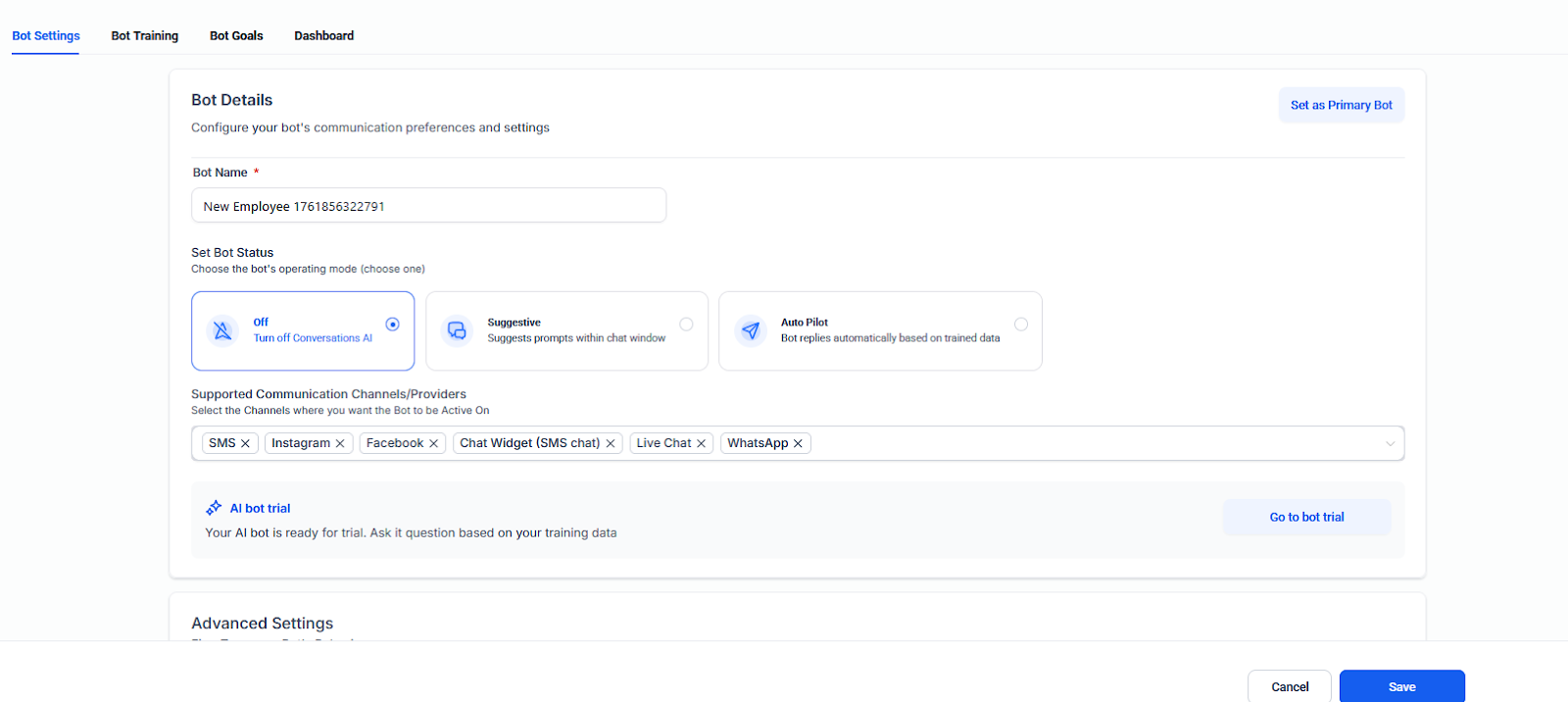
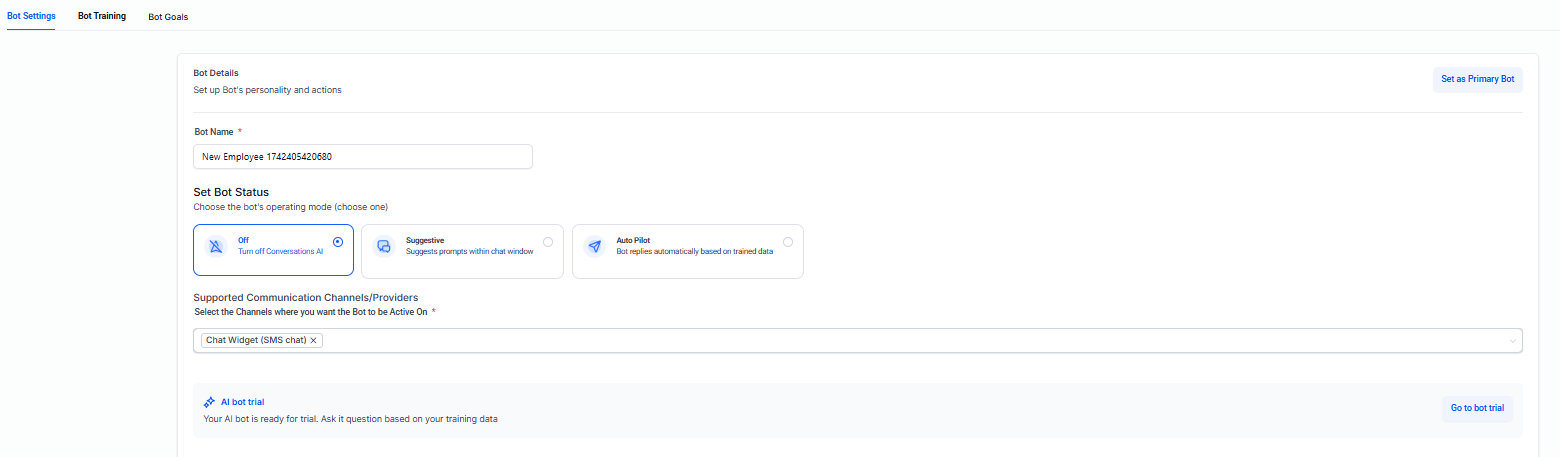
If your Conversation AI is not responding automatically, it might be because thebot status** is set to Suggestive Mode instead of Auto-Pilot Mode.
How to Fix:
Steps to Configure:
Question: Why is my bot not answering appointment booking queries correctly?
Answer:
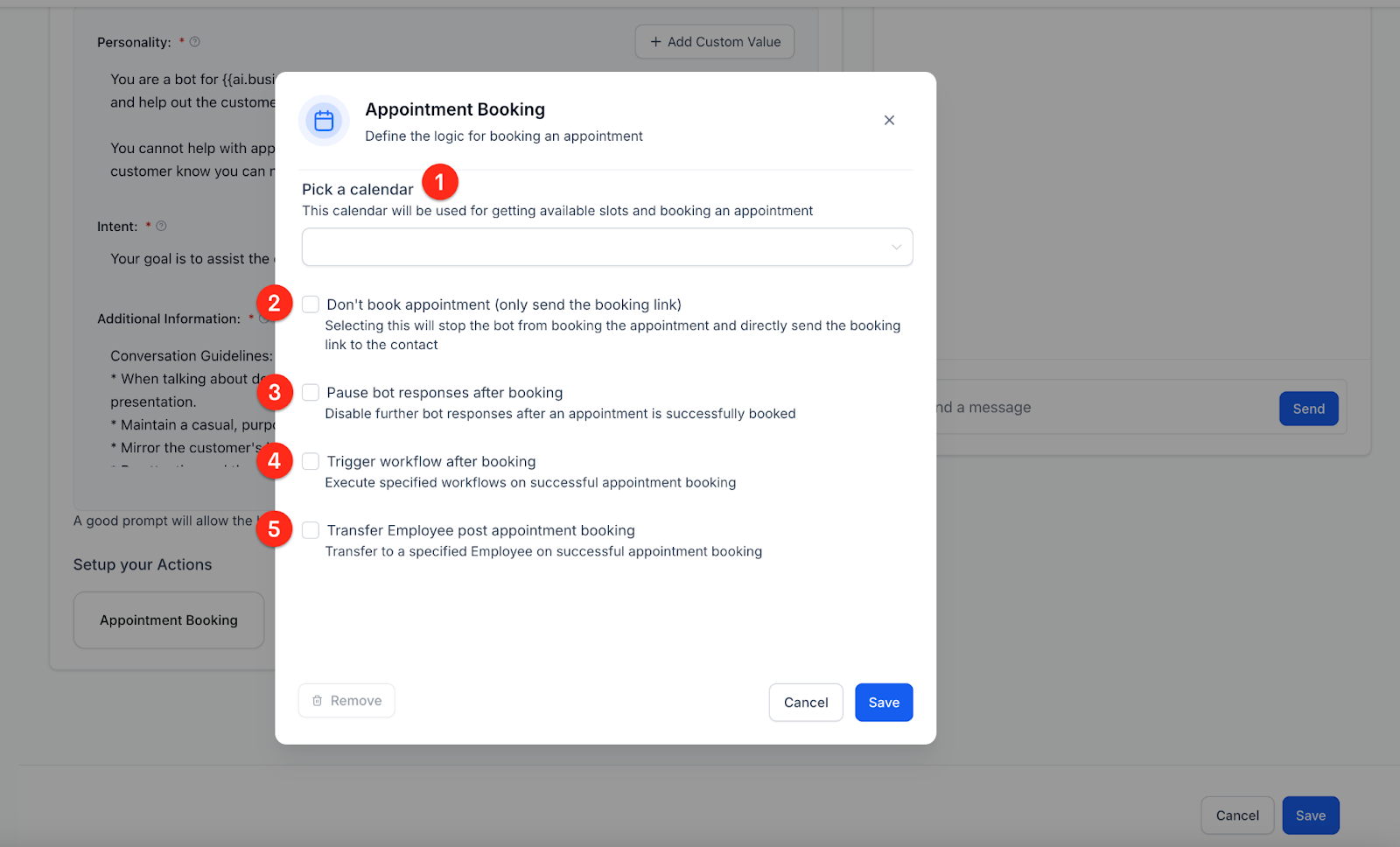
If your bot is not handling appointment bookings as expected, it’s likely that Appointment Booking Actions haven’t been configured properly, or the Calendar has not been assigned.
How to Fix:
Steps to Configure:

Question: Why is the bot not transferring conversations to another bot in the workflow?
Answer:**
If the bot isn’t transferring conversations, theTransfer to Employee** or Transfer to Another Bot action might not be set up correctly.
How to Fix:
Steps to Resolve:
Qusetion: My bot isn’t providing answers from the FAQ database. How can I fix this?
Answer:**
If the bot isn’t pulling responses from the FAQ database, it’s possible that thebot training** hasn’t been completed, or the Custom Bot Responses are missing.
How to Fix:
Steps to Fix:
Question: Why is the bot’s response delayed?
Answer:**
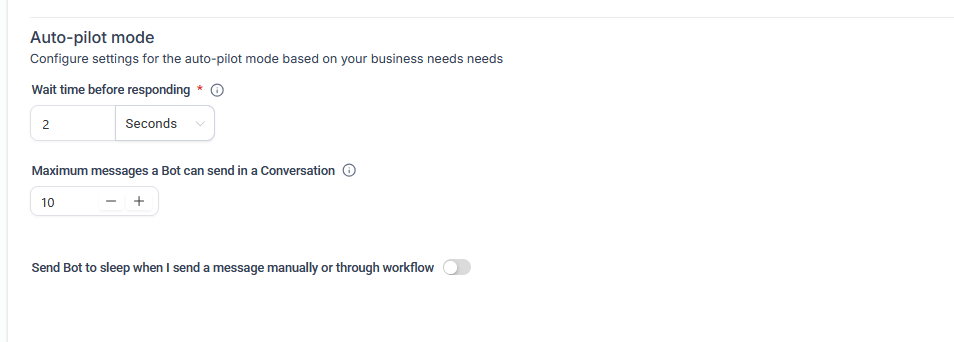
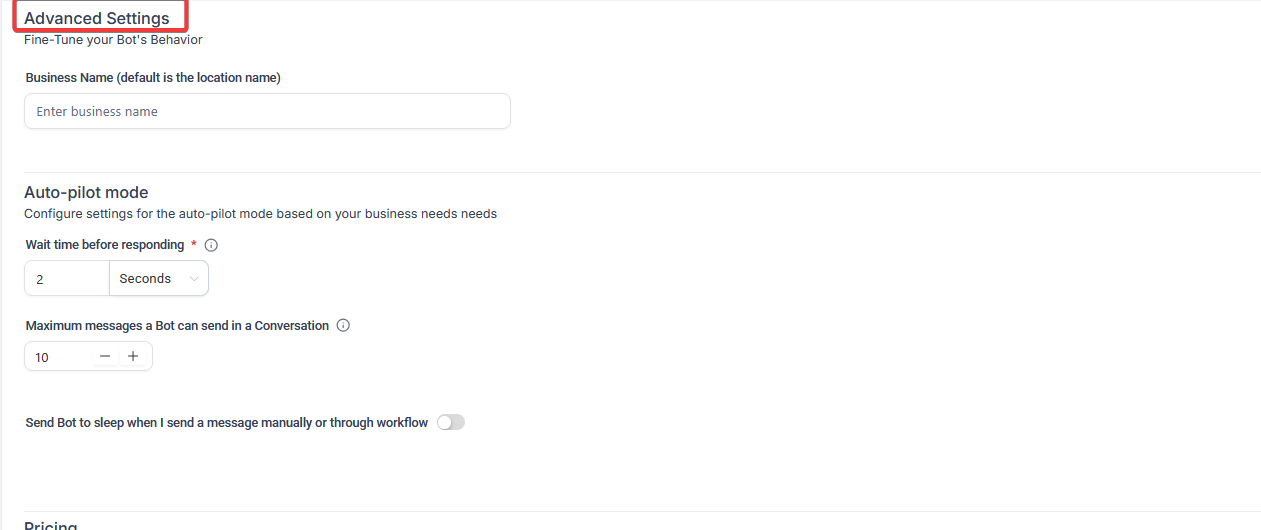
Response delays may occur if theWait Time Before Responding** setting is too long.
How to Fix:
Steps to Adjust:
Question: Why isn’t my bot updating the contact record after booking an appointment?
Answer:**
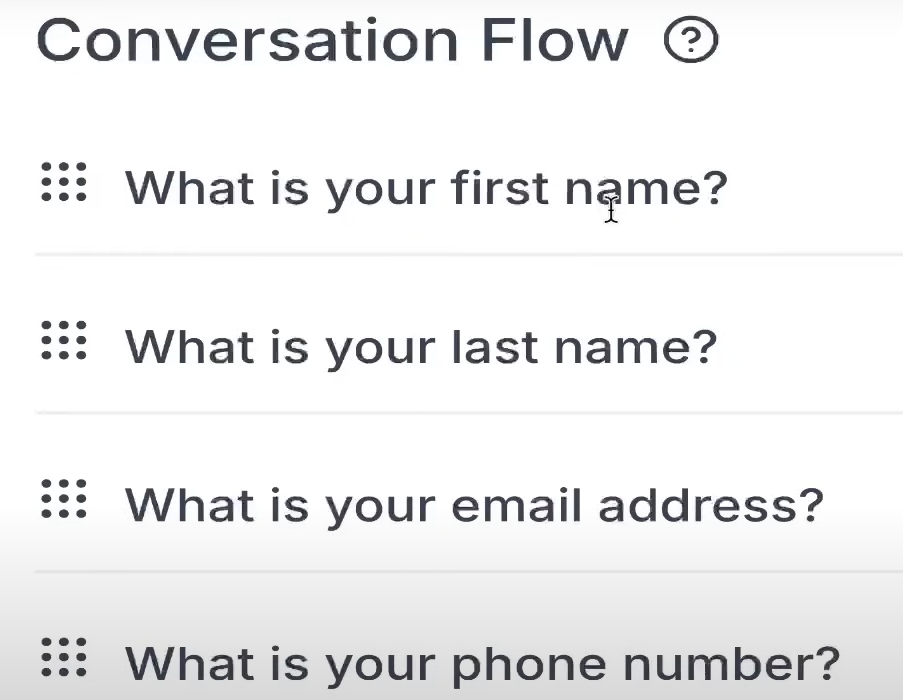
If the bot isn’t updating the contact record after booking an appointment, it may not be set up tocollect necessary information** like name, phone number, or email before the appointment is booked.
How to Fix:
Steps to Set Up:
Question: How do I test the bot’s responses before going live?
Answer:**
**Testing your bot in real-time allows you to ensure it’s functioning correctly before it interacts with customers.
How to Test:
Steps to Test:
Question: My bot is interacting with customers, but I want to make sure it doesn’t behave too “robotic.” How can I adjust the bot’s tone?
Answer:**
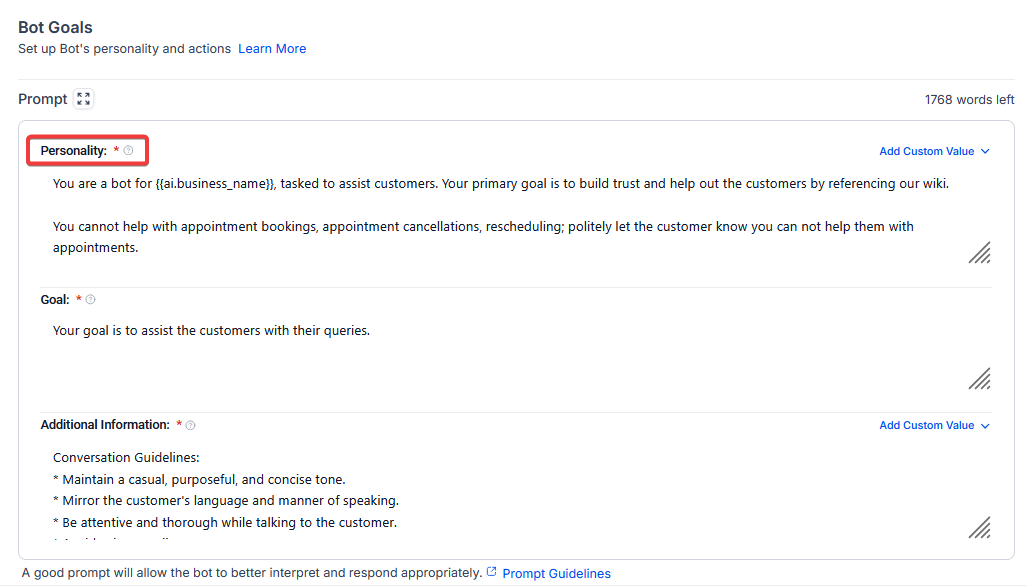
If the bot feels too robotic, you can adjust itsPersonality** and Tone to make interactions feel more natural and aligned with your brand.
How to Adjust:
Steps to Adjust:
Question: Can I configure multiple bots to handle different types of inquiries?
Answer:**
**Yes, you can create multiple bots and assign them to specific workflows or channels.
How to Configure:
Steps to Configure:
Question: Can the bot handle multiple languages simultaneously?
Answer: Yes, the Conversation AI is designed to detect the language of the incoming message and respond in the same language, provided it has been trained on multilingual data or the base model supports it.