¶ Troubleshooting Email Metrics
This guide provides solutions for troubleshooting email statistics visibility issues, covering email-sending methods, service provider integrations, domain configurations, and common errors.
¶ Understanding How Emails Are Tracked
¶ Q: Why am I not seeing email statistics in my system?
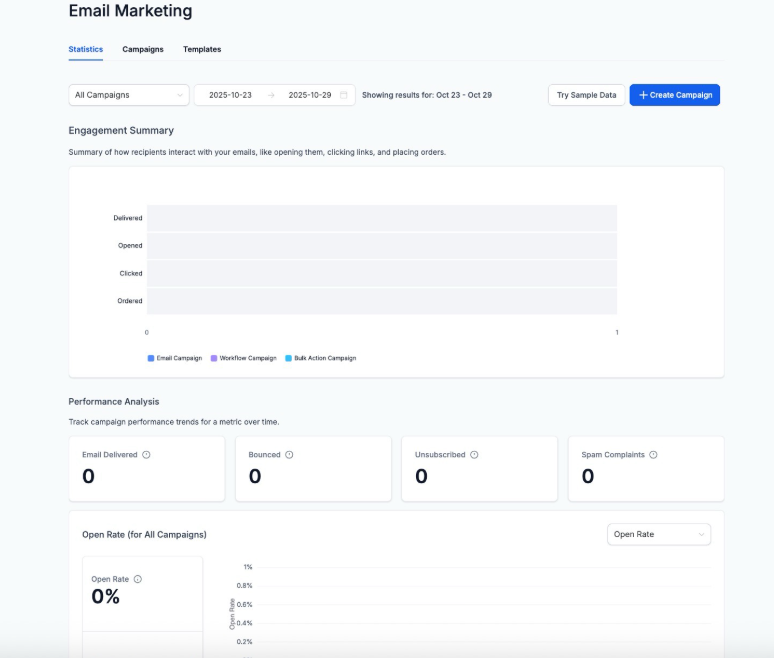
A: Email statistics may not be visible due to differences in how emails are sent and tracked. Certain sending methods do not support full tracking, or tracking may be disabled in the settings.
- Bulk Emails (Broadcasts or Mass Sends) : These typically generate detailed statistics, but if they are missing, the reporting section may not be configured properly.
- Automated Emails (Workflows, Campaigns, Smartlists) : If these are not showing statistics, it could be due to delays in reporting, incorrect filters, or missing analytics setup.
- One-to-One Emails : Some direct email methods do not support open and click tracking, depending on the email configuration.
Possible Reasons:
1-The email was sent using a method that does not fully track opens, clicks, or deliveries.
2-The reporting section is not configured correctly or has filters applied that exclude certain data.
3-The tracking settings were not enabled before sending the email.
4-The email service provider does not support detailed analytics for the selected sending method.
¶ Issues with Email Service Provider Integrations
¶ Q: Why are only some email statistics available (e.g., no bounce or delivery reports)?

A: Different email service providers (ESPs) offer varying levels of reporting:
- SMTP-based services generally provide only open and click tracking, without delivery or bounce data.
- Dedicated email solutions offer full metrics, including deliveries, bounces, opens, and clicks.
¶ Recommended Fixes:
- If using SMTP, consider upgrading to a full-service email provider for more detailed tracking.
- If transitioning between providers, resend test emails to check whether statistics are recorded properly.
¶ Verifying Domain Configuration for Accurate Metrics
¶ Q: How does domain configuration affect email tracking?
A: Incorrect domain setup can prevent tracking for opens, clicks, and bounces. Ensure your domain configuration is set up correctly.
¶ Steps to Verify:
1-Check CNAME Records:
- Confirm that tracking-related CNAME records (e.g., for link tracking, open tracking, and unsubscribe management) are correctly added to your domain settings.
¶ FAQ Section
Question: I’ve checked my sending method, but email statistics still don’t appear. What should I do?
Answer: If statistics are missing:
- Verify that your email provider supports detailed tracking. Some providers only track opens and clicks, not bounces or deliveries.
- Check if emails were sent from a properly authenticated domain (SPF, DKIM, and DMARC should be correctly configured).
Question: Why am I not seeing delivery and bounce rates?
Answer: This is often due to the limitations of the email service provider. SMTP-based services typically do not track detailed delivery metrics. Consider using a provider that offers full reporting.
Question: How can I confirm that my domain is configured correctly for email tracking?
Answer:
- Double-check that all necessary CNAME records for tracking links and opens are added correctly.
- Ensure webhooks for tracking are enabled in your email service settings.
- Run a test email and verify whether metrics appear.
Question: What should I do if clicks and opens are not being tracked?
Answer:
1-Confirm that tracking-related CNAME records are set up.
2-Check that your email provider supports click and open tracking.
3-If issues persist, contact your email provider for troubleshooting assistance.
Question: Can I retrieve historical email statistics if they were missing?
Answer: In most cases, statistics cannot be recovered after an email is sent without tracking enabled. However:
- Resending emails through a properly configured system can help capture metrics going forward.
- If switching to a more robust provider, ensure tracking is enabled before future sends.
Question: What should I do if my email provider limits tracking capabilities?**
**Answer: Consider upgrading to a provider that supports full reporting, including deliveries, bounces, opens, and clicks, to ensure complete email analytics.
Question: Can I filter my statistics to see only “Workflow” emails vs. “Bulk” emails?
Answer: Yes. In the Email Reporting section, you can use the filter options to view stats by “Source.” This allows you to distinguish between automated drip sequences and manual broadcast newsletters to see which strategy is performing better.
Question: Which CNAME records are specifically responsible for tracking?
Answer: You need to confirm that tracking-related CNAME records for link tracking, open tracking, and unsubscribe management are correctly added to your domain’s DNS settings. Without these, the system cannot “listen” for user interactions.