¶ Guide to Troubleshooting Facebook Publishing Issues
This guide is crafted to help you resolve common issues encountered when publishing content on Facebook. By following the outlined steps, you can efficiently diagnose and fix problems that may prevent your posts from appearing or being shared correctly.
Table of Contents:
- Troubleshooting Facebook Page Visibility
- Common Causes for Facebook Post Failures
- FAQ Section
¶ 1. Troubleshooting Facebook Page Visibility
Scenario 1: Page Not Listed
- Cause: Lack of content permissions through the business manager.
- Solution:
- Step 1: Log in to your Facebook account.

- Step 2: Navigate to your profile, then to the desired Facebook Page.

- Step 3: Access ‘Page Settings’ and select ‘Page Roles.’

- Step 4: Verify your role; ensure you are listed with administrative rights.

- Step 5: If missing, request the page owner to grant you the appropriate permissions.

Scenario 2: Missing Admin Rights
- Cause: Initial permissions not fully granted.
- Solution:
- Step 1: Log in to Facebook as the admin.
- Step 2: Go to ‘Settings and Privacy,’ then ‘Settings.’


- Step 3: Navigate to ‘Business Integrations’ and find the relevant integration.

- Step 4: Click ‘View and Edit’ and ensure all necessary permissions are enabled.
- Step 5: Reauthorize by saving changes and reconnecting via the social media management tool.

¶ 2. Common Causes for Facebook Post Failures
- Abusive Content/Community Standards: Posts reported as abusive or violating community standards won’t be published. Review Facebook’s content policies and adjust your post accordingly.
- Access Token Issues: If tokens expire due to password changes or long periods of inactivity, reconnect your account ensuring fresh authentication.
- Two-Factor Authentication: Ensure two-factor authentication is enabled on your account if required by the managed page.
- Permission Management: Verify that ‘manage_permissions’ is enabled when connecting the account to ensure posts publish without errors.
- Invalid Image Links: If linked images fail to load, ensure the image URLs are correct and the images are accessible.
- Unknown Errors/Invalid URLs: These can occur if Facebook cannot process a link at the time of posting. Retry posting after a short wait, or double-check the URL’s validity.
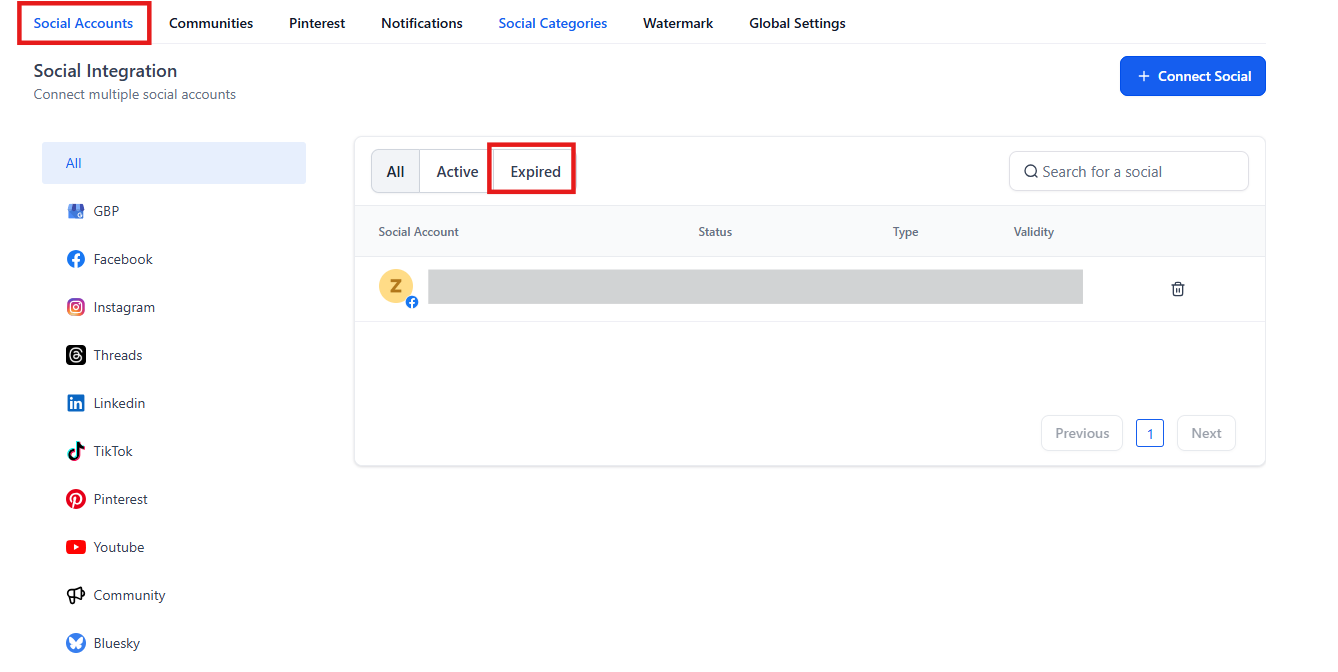
- Reconnecting Pages/Groups: Ensure the user reconnecting has admin privileges. Disconnect then reconnect using the social planner settings to refresh access tokens.
¶ FAQ’s
Question: What should I do if my posts still fail after troubleshooting? **
Answer:** Double-check all settings and permissions, and ensure compliance with Facebook policies. If problems persist, contact Facebook support for more specific guidance.
**Question: How can I avoid publishing issues on Facebook in the future?
Answer: **Regularly update your integration permissions, keep your account security information up to date, and familiarize yourself with Facebook’s publishing standards and guidelines.
Question: Why do some Facebook pages not appear when I try to connect them? **
Answer:** Ensure you have the necessary administrative permissions and that the pages are correctly linked to your business manager. Sometimes a refresh or re-login is needed to update the permissions.
Question: What steps should I take if I receive an error about an invalid URL?**
Answer:** Verify the URL’s correctness and ensure it does not violate Facebook’s community standards. If it is a link to a website, make sure the website is currently accessible.
Question: Can changes in Facebook’s policies affect how I publish content? **
Answer:** Yes, Facebook periodically updates its policies, which can impact content standards and publishing permissions. Stay informed about any changes to ensure compliance.
Question: What should I do if my Facebook Page is not listed?**
Answer:** Ensure that you have the necessary content permissions through the business manager. If you do not have administrative rights, follow the steps to request the appropriate permissions from the page owner.
Question: What should I do if my access tokens expire or I change my Facebook password?
Answer: You should reconnect your account to ensure fresh authentication. Access tokens can expire due to password changes or long periods of inactivity, and refreshing the connection via your social media management tool will resolve this.