The link shortener tool converts long URLs into shorter, more manageable links, making it easier to share and track. With this tool, you can create clean, concise links that redirect users to the original destination when clicked and even track their performance.
A link shortener is a tool that reduces a long URL into a shorter version, which is easier to share, especially on social media. This is beneficial when you need to conserve character space, such as in posts or messages with limited character counts, or when you want to make links more user-friendly.
By shortening URLs, you also gain the benefit of being able to track clicks on those links and monitor their performance, giving you insights into user engagement.
Follow these simple steps to create and use a shortened link in Social Planner:
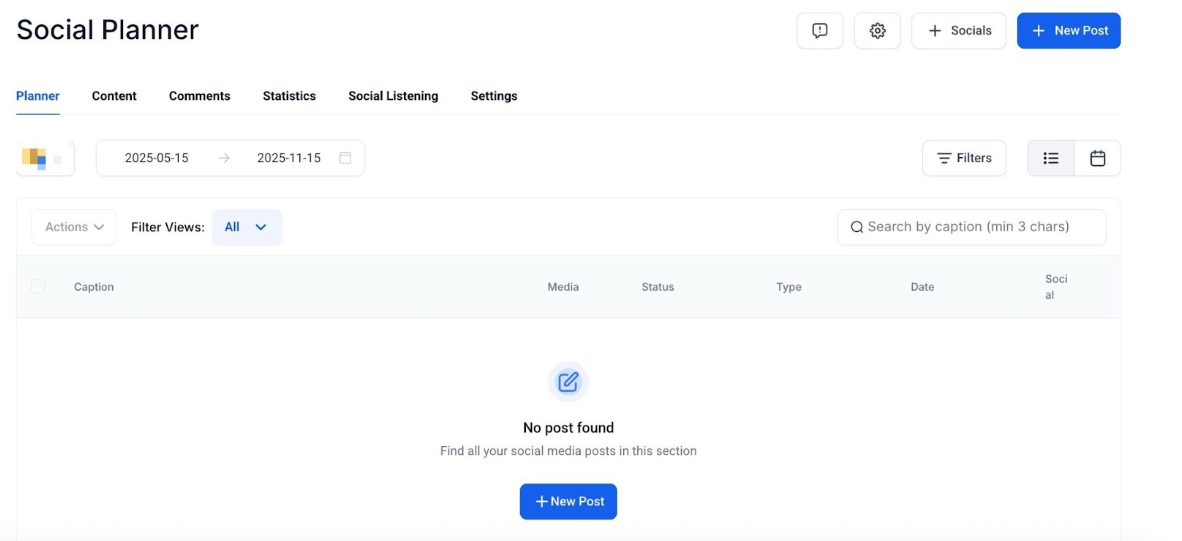
1. Navigate to the Social Planner
2. Create a Post
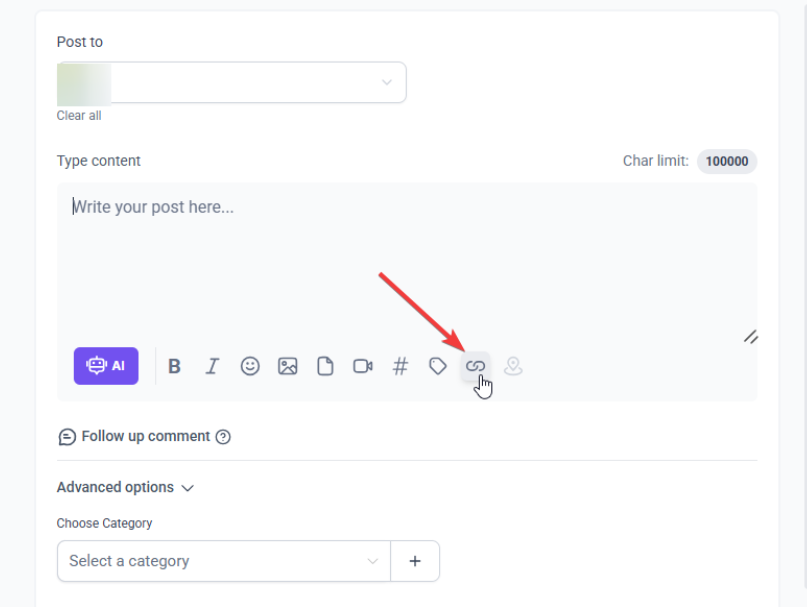 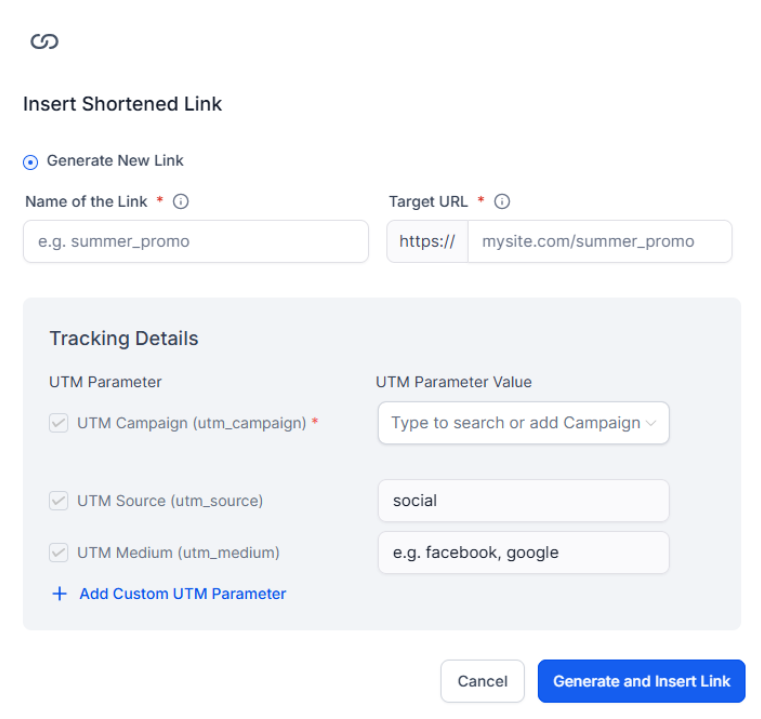
3. Generate the Shortened URL
4. Create a New Campaign (Optional)
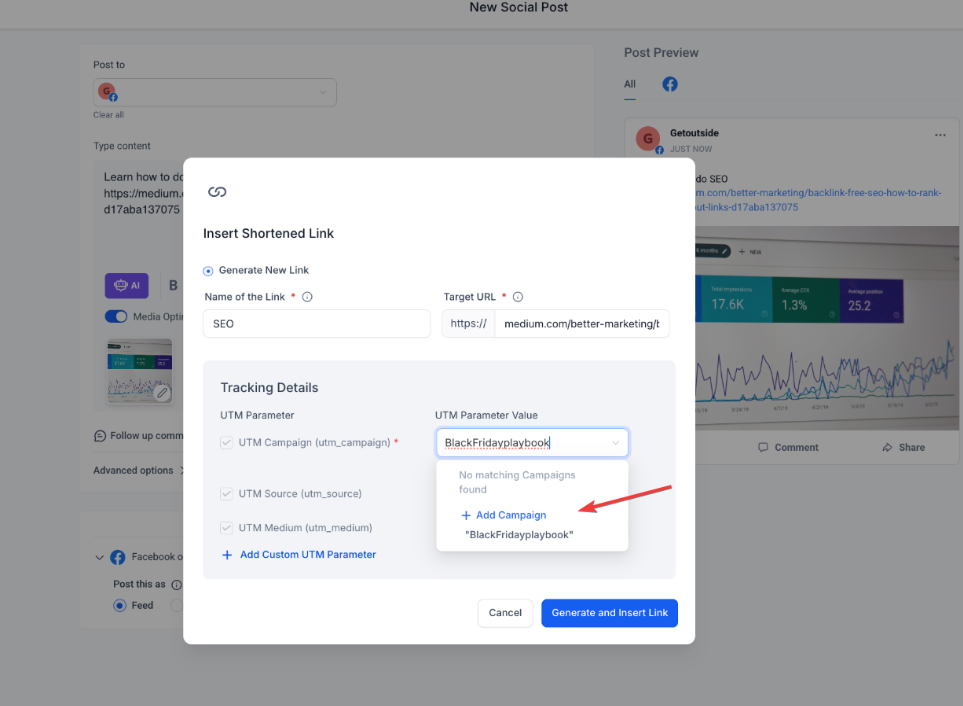
5. Insert the Shortened URL
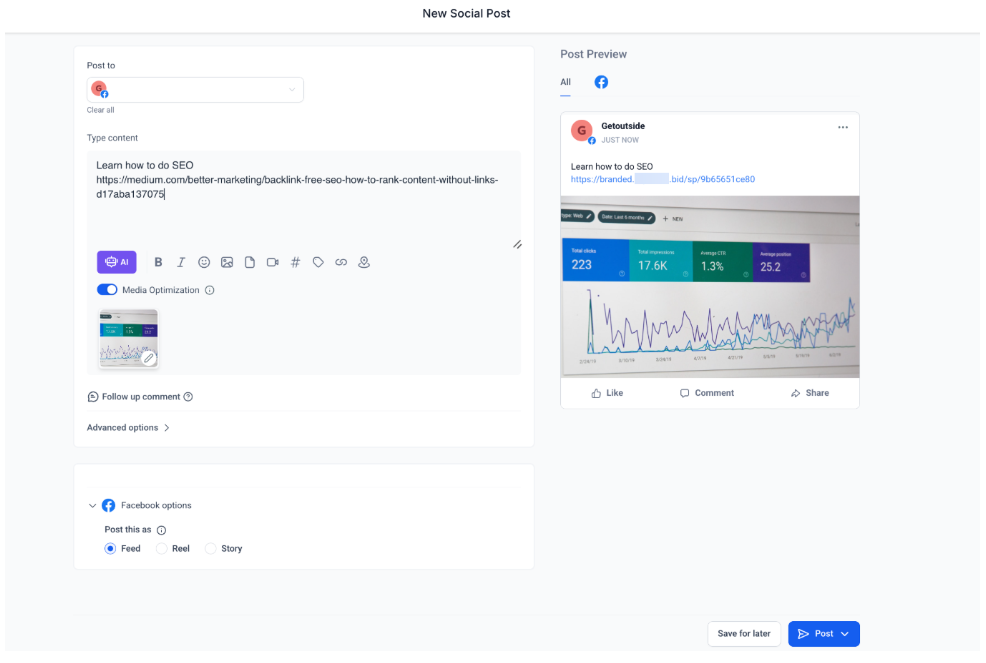
6. Add Content and Finalize the Post
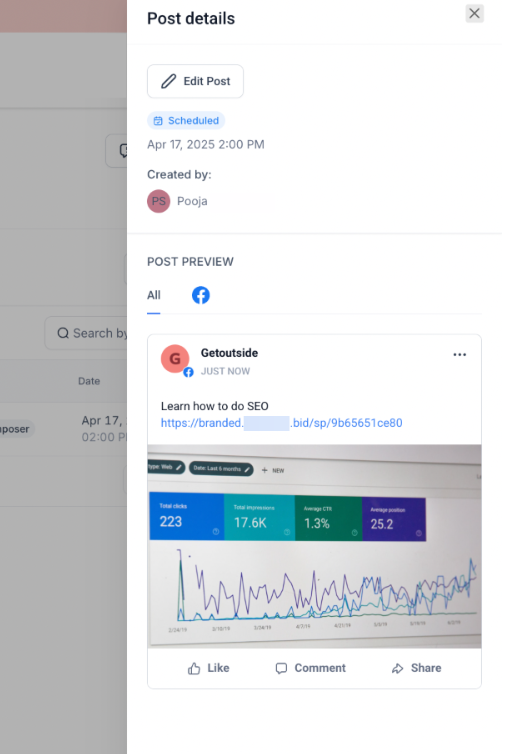
7. Publish or Schedule the Post
Question: Can I use the link shortener for any URL?**
**Answer: Yes, you can shorten any URL, as long as it’s a valid web address.
Question: Will the shortened link redirect to the original destination?**
**Answer: Yes, the shortened link will automatically redirect users to the original URL when clicked.
Question: Are shortened links permanent?**
**Answer: Yes, once created, the shortened link will continue to redirect to the original URL unless deleted or disabled in your account settings.
Question: What should I do if my link fails to shorten?**
**Answer: Check that the original URL is valid and properly formatted. If the issue persists, try generating the link again or ensure there are no unsupported characters in the URL.
Question: Can I delete or disable a shortened link?**
**Answer: Yes, shortened links can be managed in your account settings, where you can delete or disable them as needed.
Question: Can I track how many people click on my shortened links?
Answer: Yes. One of the primary benefits of using the link shortener is the ability to track clicks and monitor performance , which gives you direct insights into user engagement.
Question: How do I track the performance of a specific link?
Answer: To enable tracking, you should create or select a new campaign in the link shortener settings before inserting the link into your post. This allows the system to monitor clicks and provide engagement insights.