The integration of Content AI into your Social Planner posts is a great way to quickly and effectively build content and connect with your leads on all your social platforms.
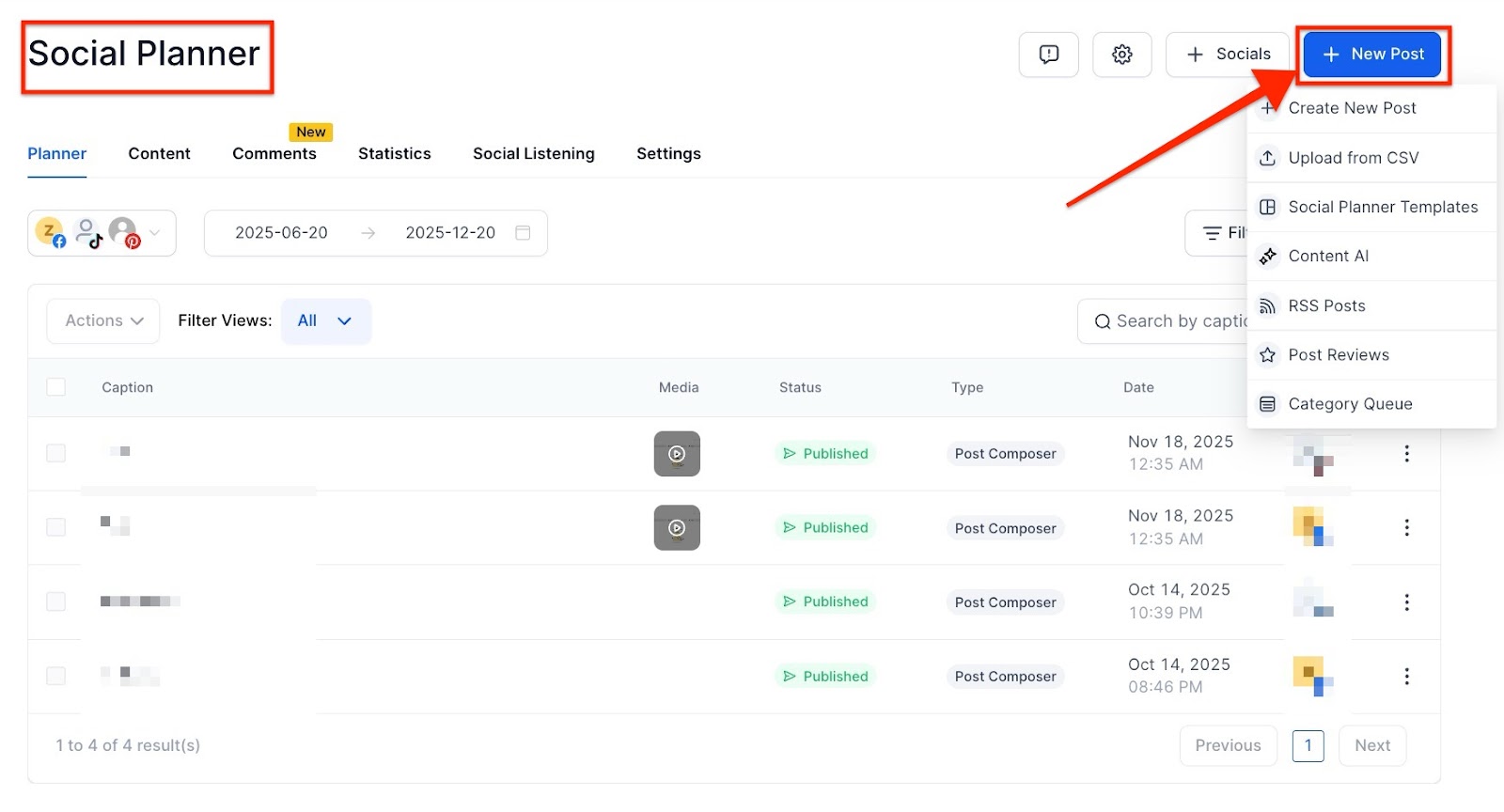
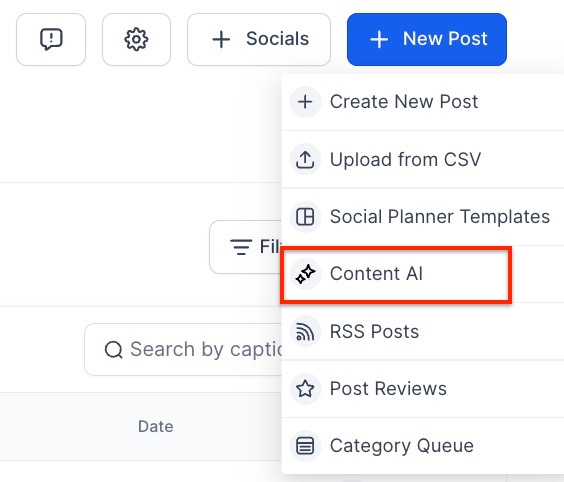
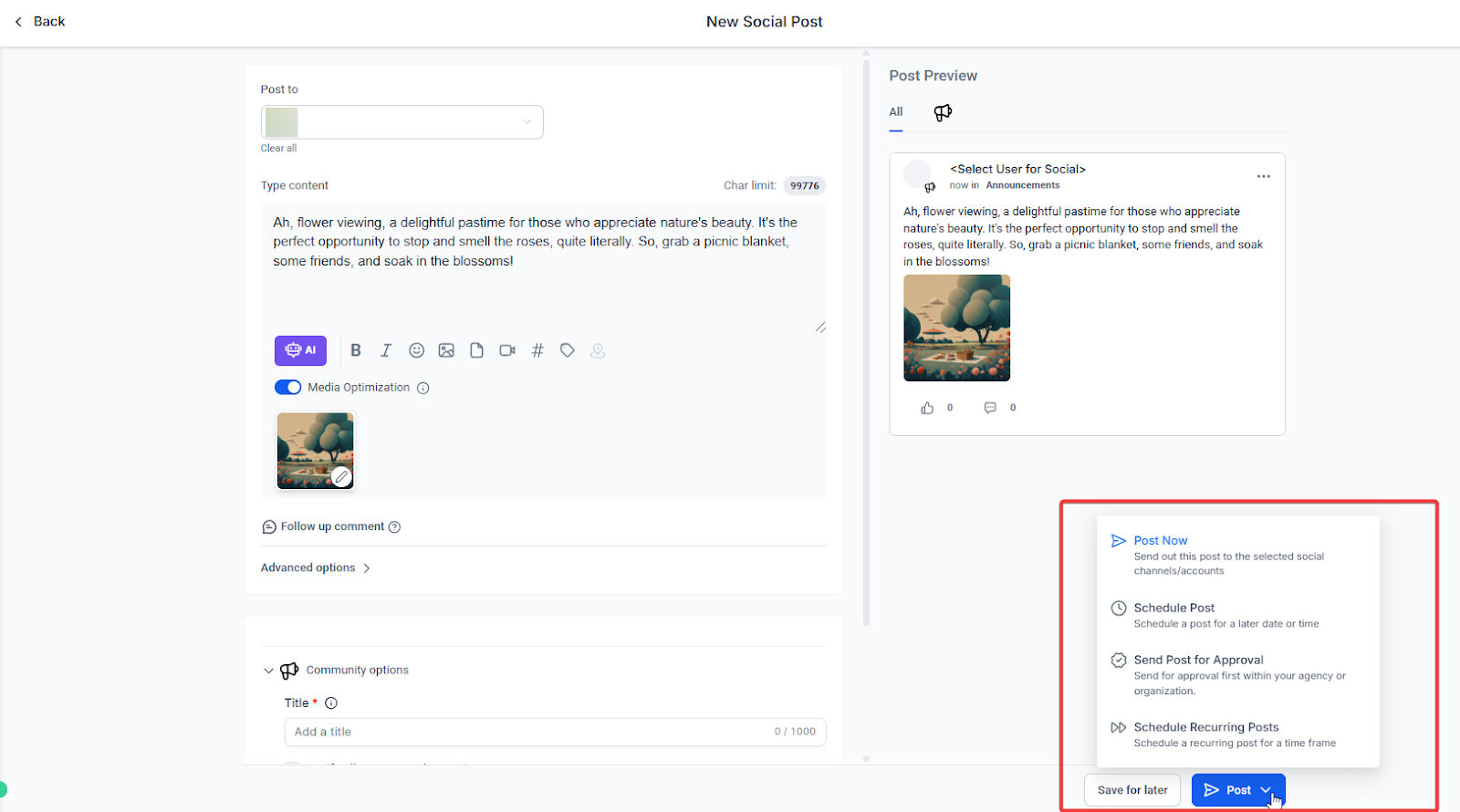
Go to Marketing on the left > Social Planner at the top > click on + New Post
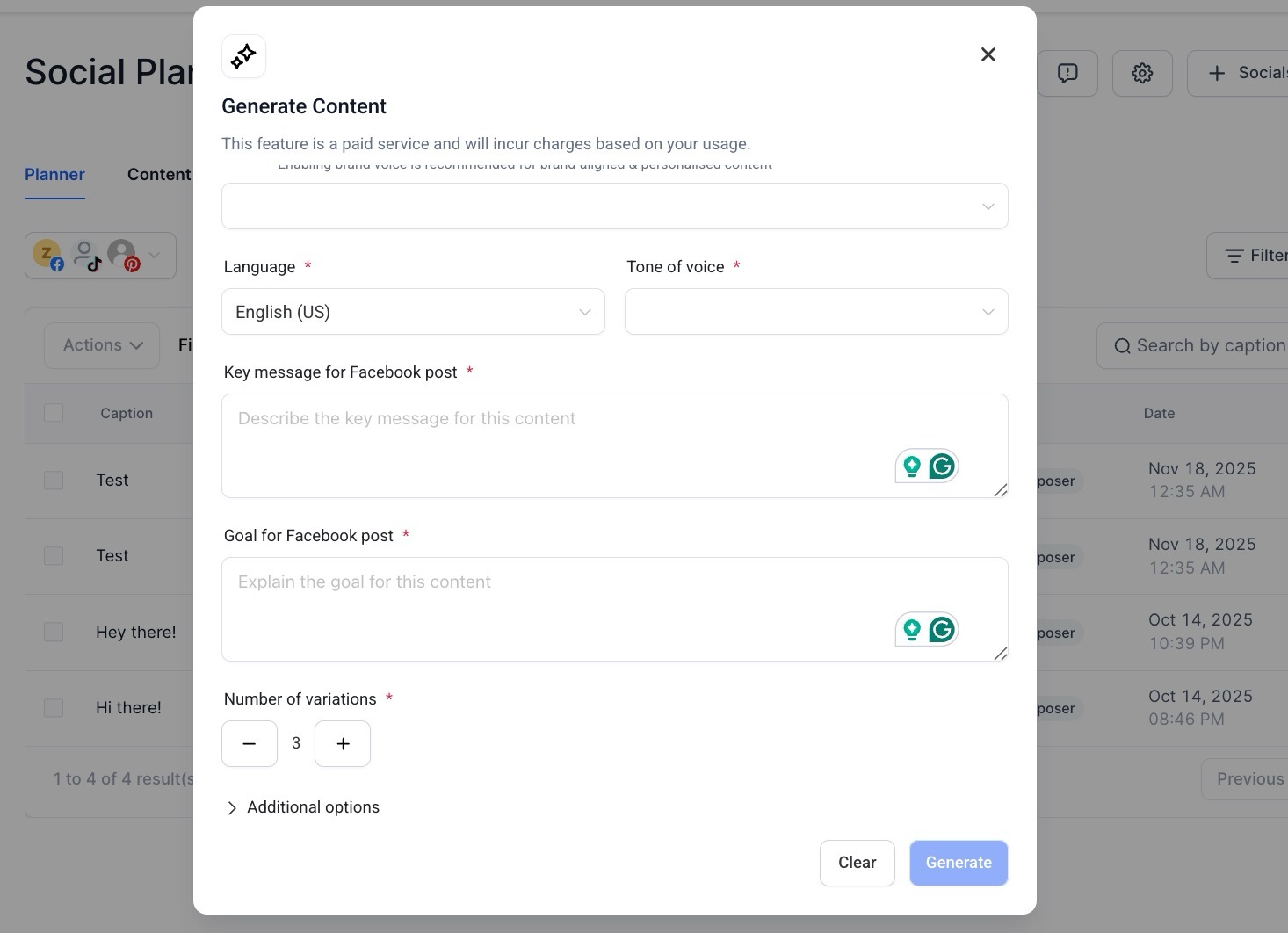
Brand Voice Toggle : Easily enable/disable Brand Voice within the Content AI modal. It’s ON by default if a Brand Voice exists.
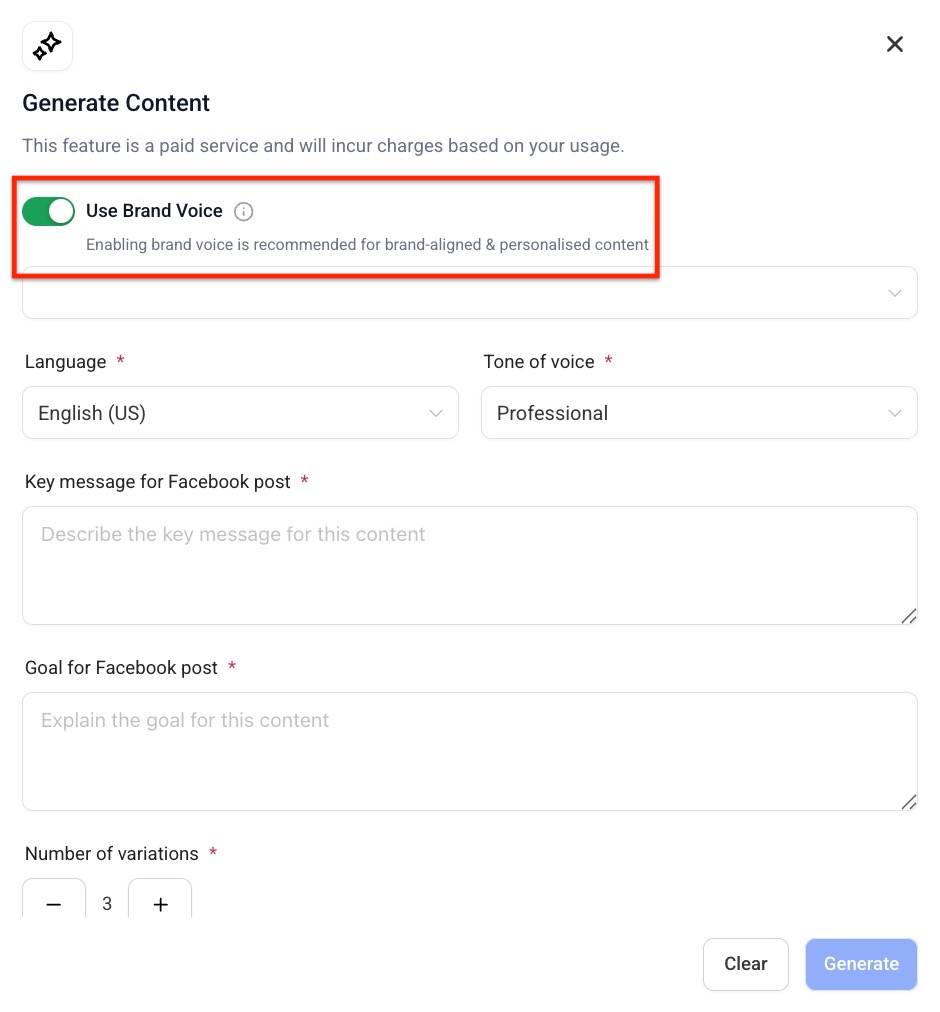
Smart Autofill : When Brand Voice is ON , the Writing Tone field is automatically filled based on your selected Brand Voice.
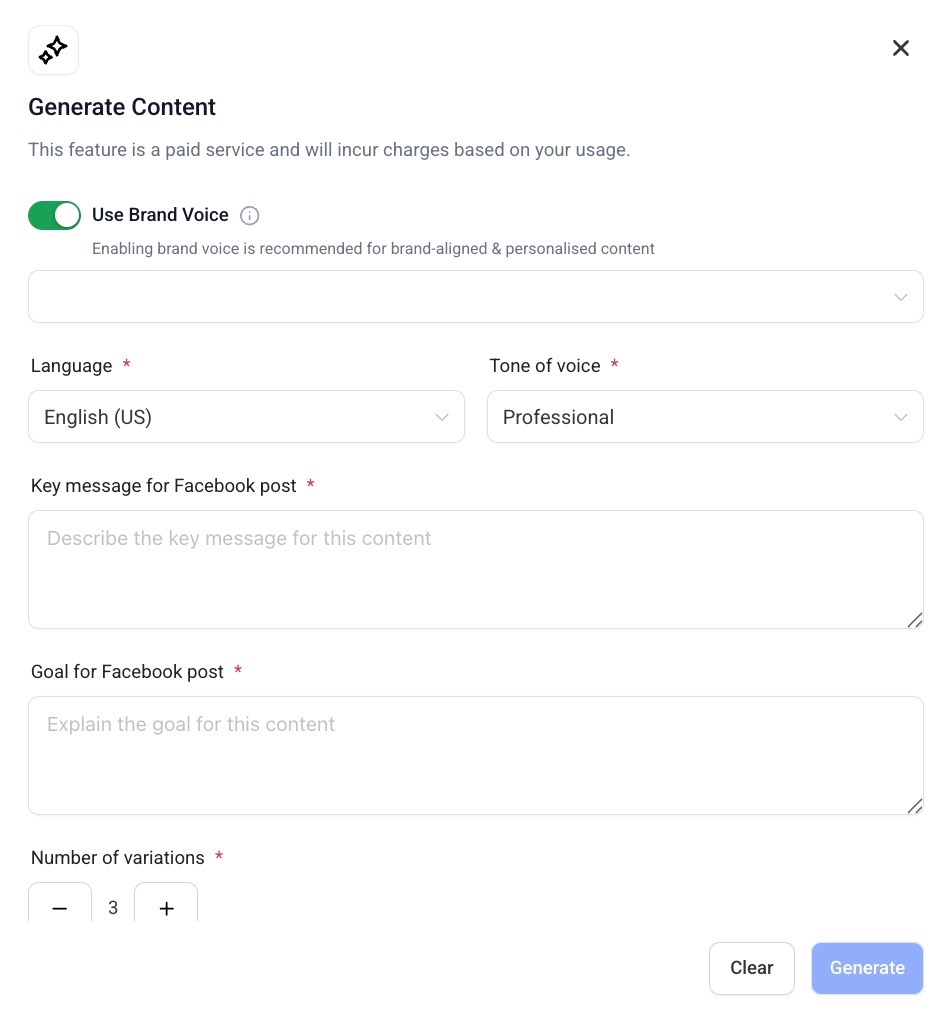
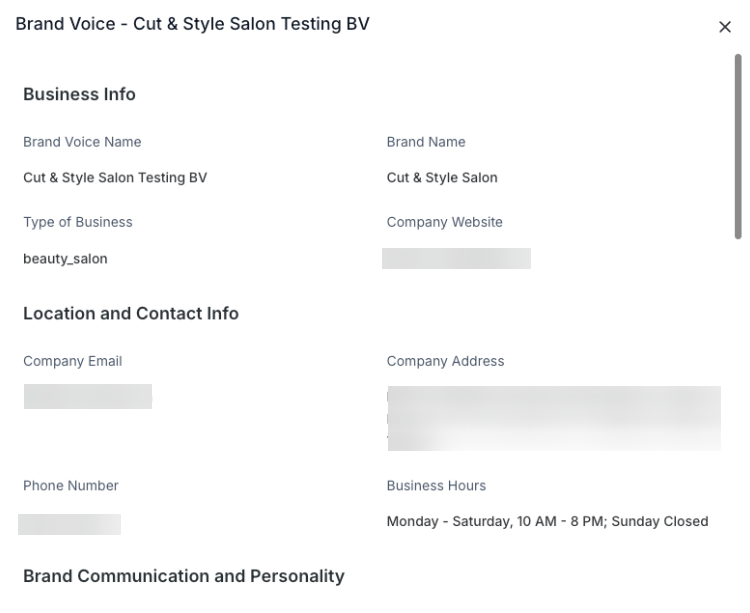
Metadata Shaping : Target Audience , CTA , Brand Purpose , Values , and Promise silently influence the AI prompt behind the scenes.
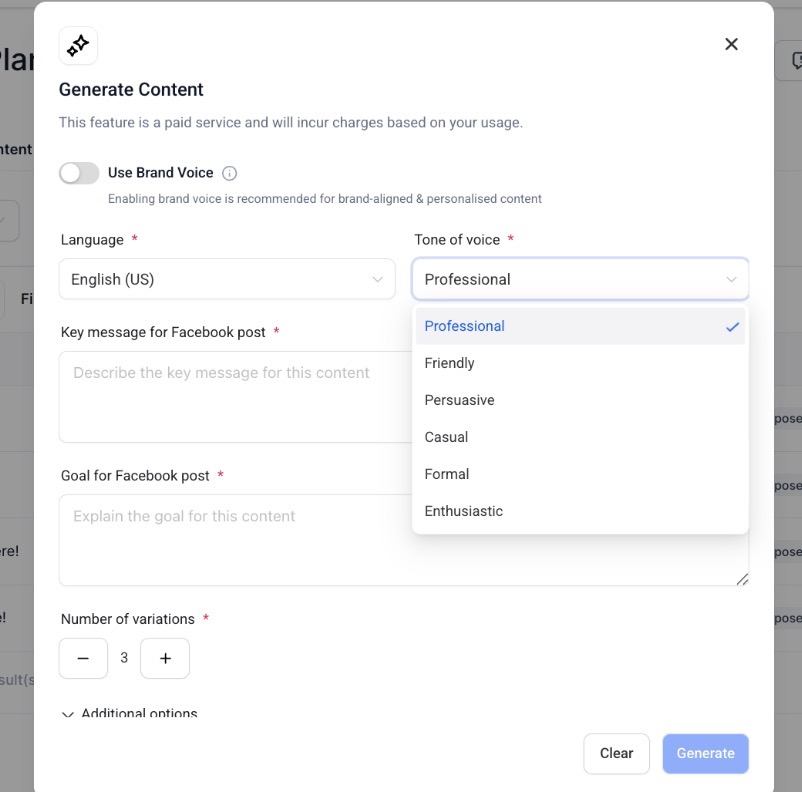
Brand Voice Selector Dropdown : Choose your preferred Brand Voice from saved options, with your default pre-selected.
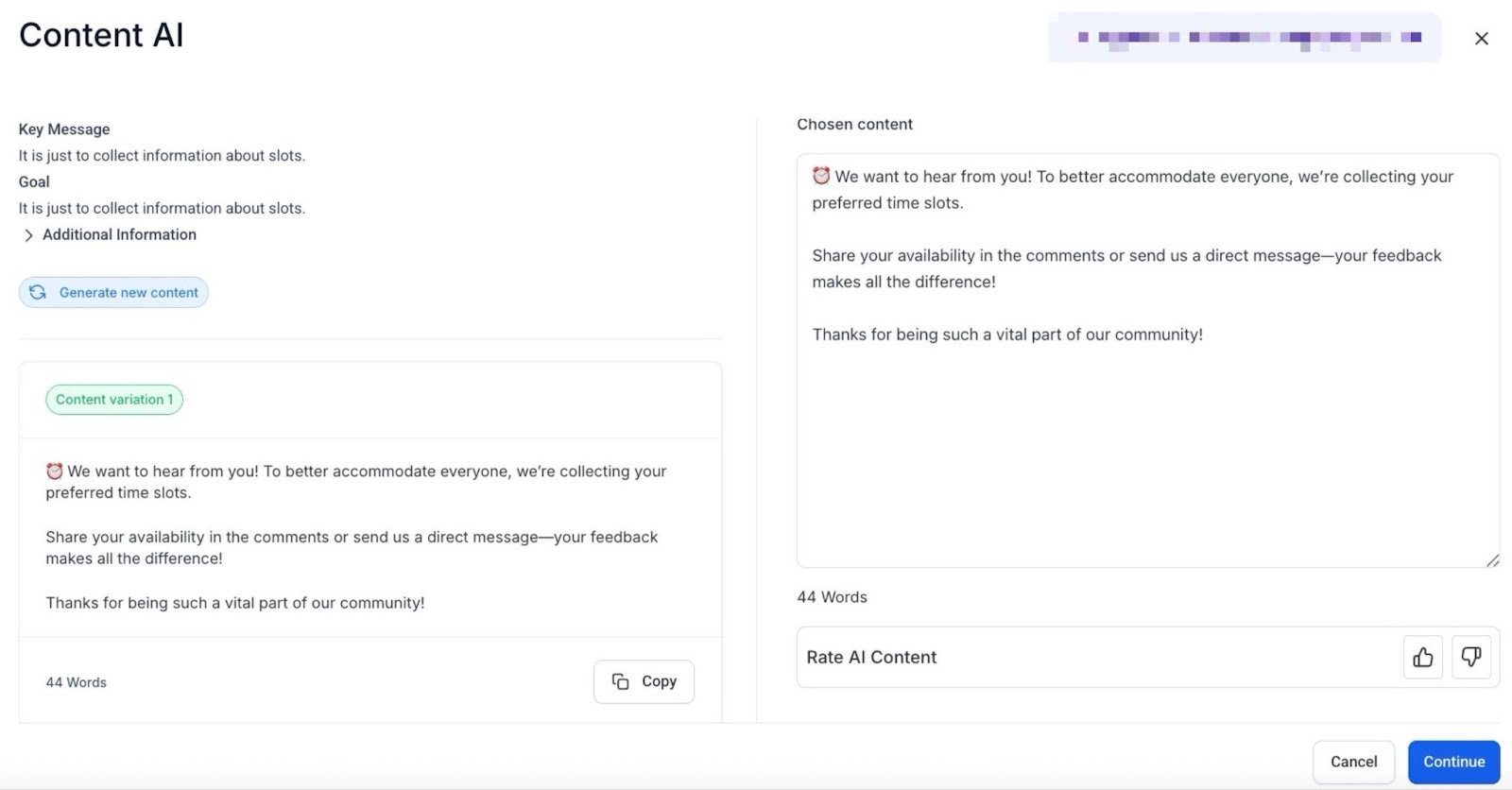
Once you have selected your content, you can still edit your content by adding an image, editing the font style, and adding more hashtags, tags, videos, or emojis.
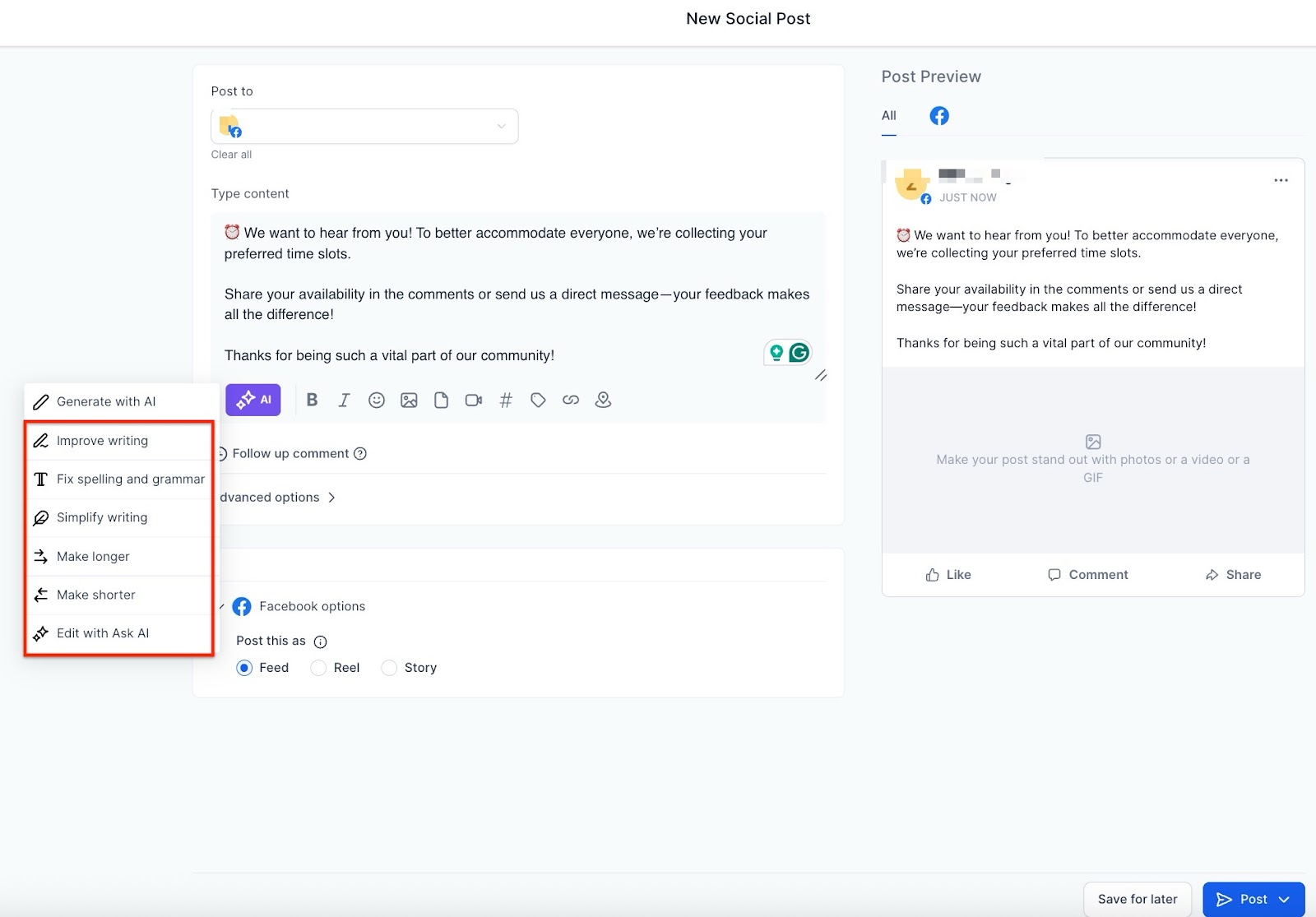
You can also edit the text by using the Content AI feature. Click on the content AI button and you will see the options:
Improvise Writing - Experience a transformation in your writing, enhancing it even when you’re unsure what needs fixing.
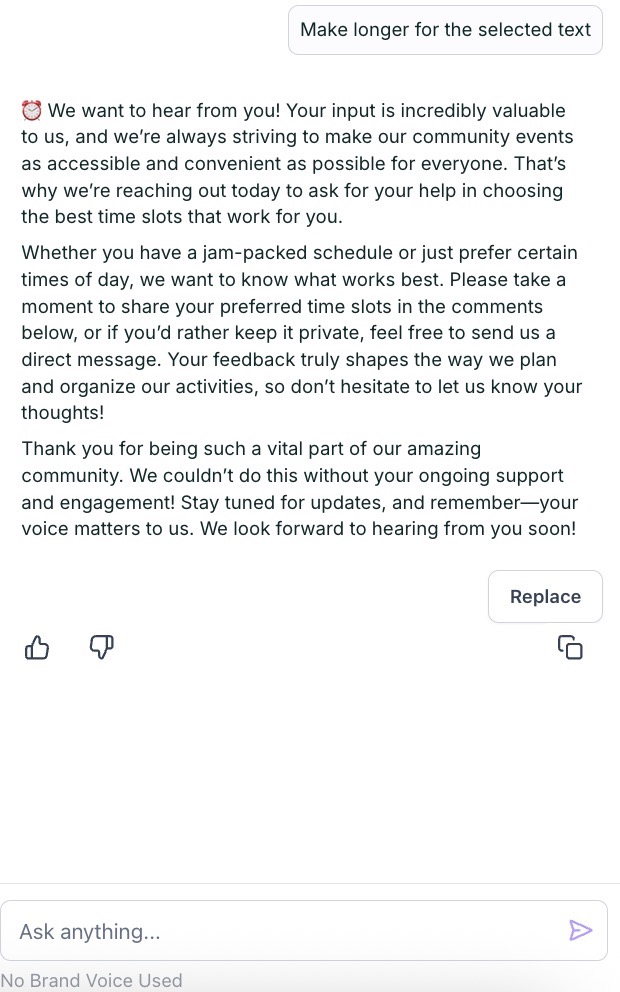
Make Longer - Take your initial concepts and watch them flourish into a rich tapestry of thought-provoking content.
Make Shorter - Craft a concise message that packs a powerful punch, leaving a lasting impact on your audience.
Spelling Check and Grammar - Enjoy the confidence of knowing your writing is polished to perfection, without altering your unique tone.
Simplify Writing - Watch complex ideas transform into clear, concise statements that resonate with your audience.
Important Note : Images with human figures/faces may not be perfect, and improvements are ongoing. If multiple variations are requested (e.g., 4), the system might produce fewer images (like 1), and you will be charged accordingly. The ‘Filmic’ style option in the image AI is now renamed to ‘Animated’.
How to Use Image AI in the Social Planner To use Image AI within the Social Planner:
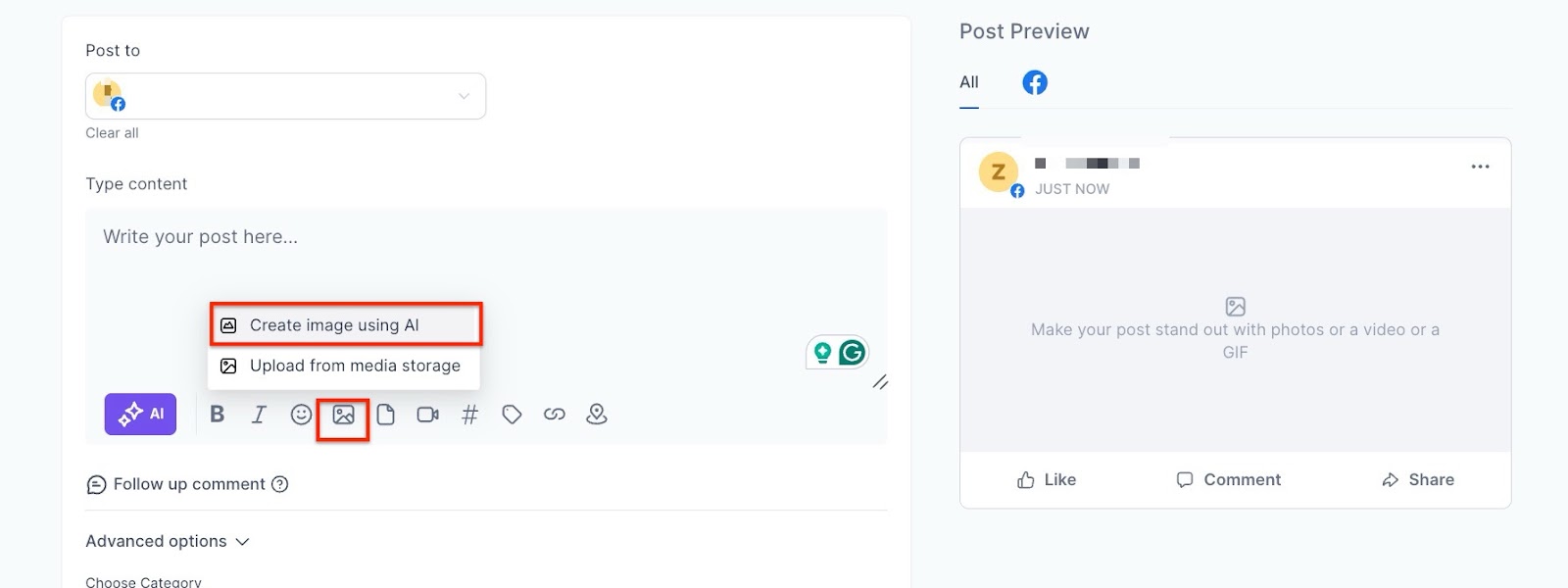 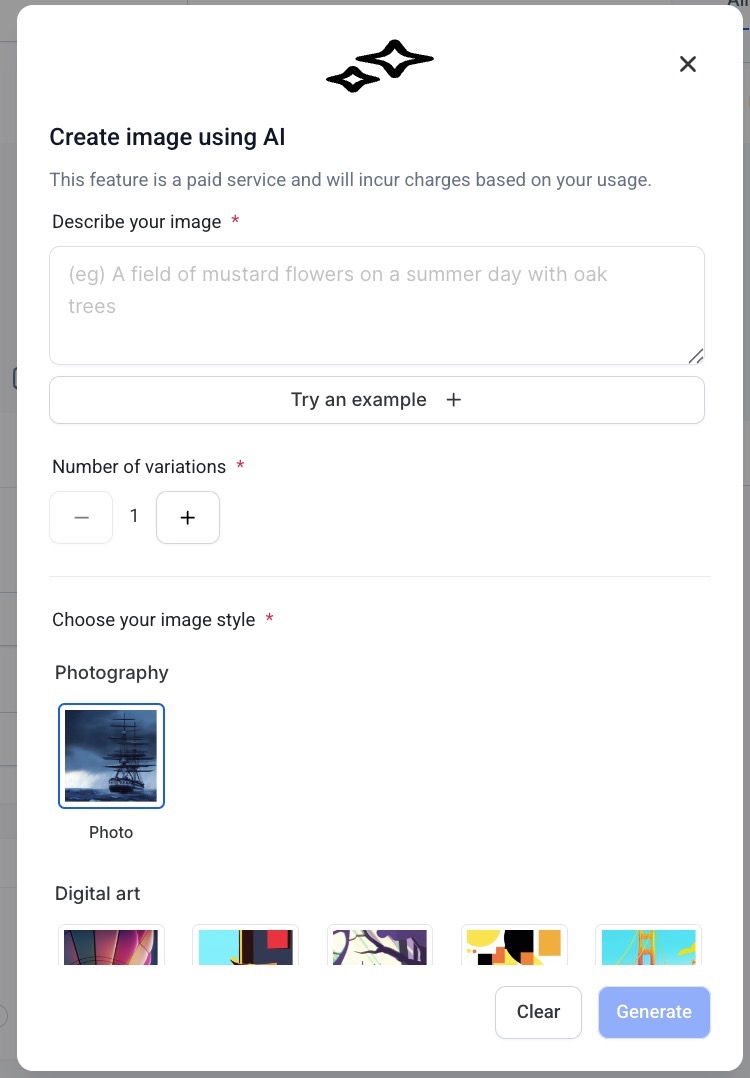
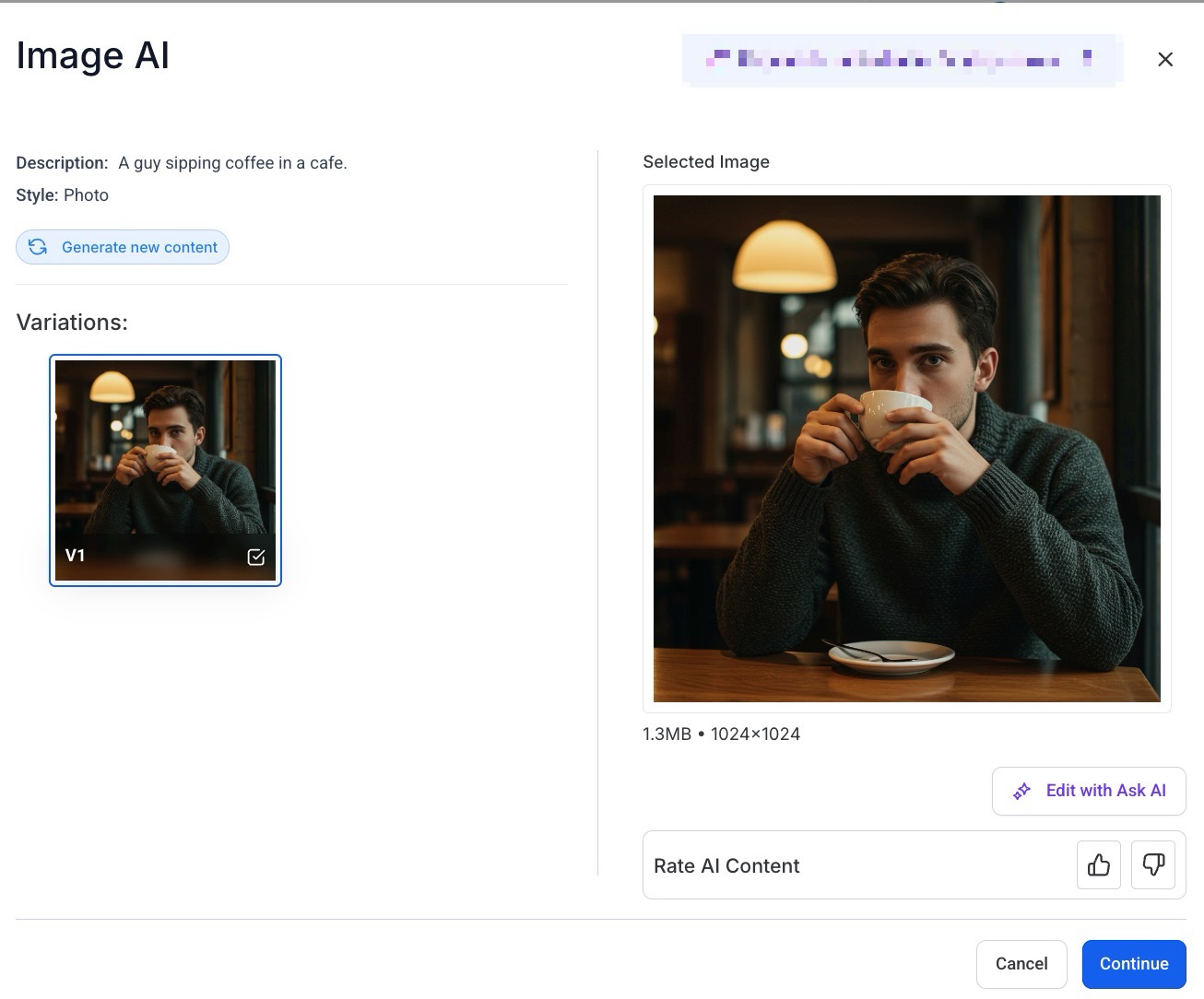
Things to Keep in Mind When Using Image AI
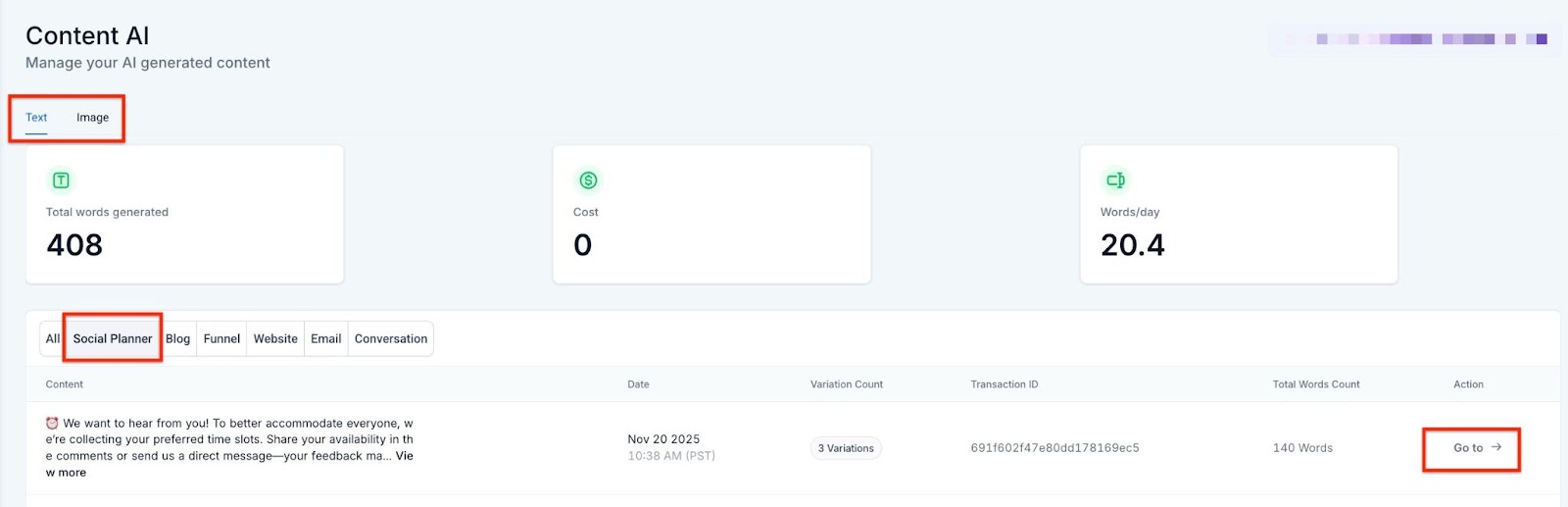
Please Note: You can manage the Content AI and view history from AI Agents (on the left) > Content AI tab at the top
**Question: How many styles can I generate for the image using Content AI?
Answer: **Content AI provides a variety of styles, including Photo, Animated, Dreamlike, Digital Art, Poster, Vector, Colorful, 3D Models, Pastel Art, Sketch, Watercolor, and Color Pencils, allowing you to select the best fit for your visual needs.
Question: How do I create a new post using Content AI in the Social Planner?****
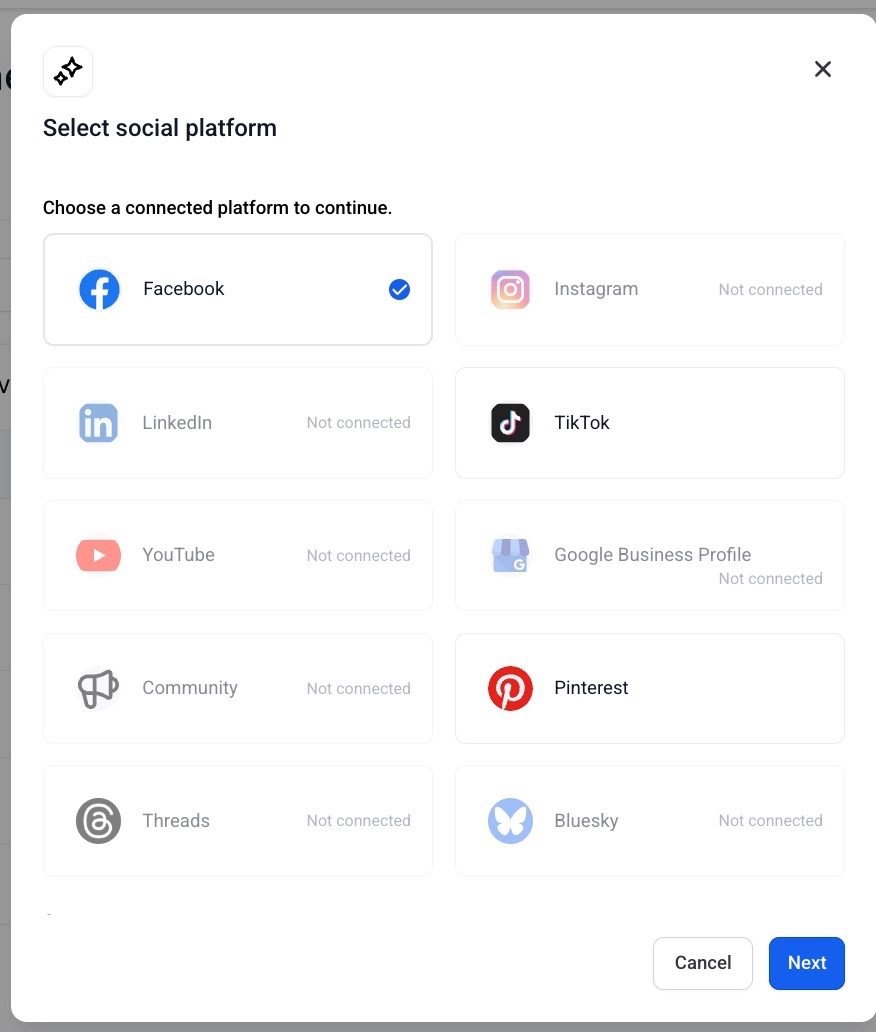
Answer: To create a new post using Content AI, navigate to Marketing > Social Planner > New Post. Select the option to create a new post with Content AI, then enter the required details like post title, description, keywords, content tone, and desired content length (small, medium, large, or custom).
Question: What options are available for editing content with Content AI?****
Answer: Content AI offers several editing options, including:
Question: Can Content AI help me create a series of themed images for a social media campaign?****
Answer: Absolutely! By using consistent descriptions and styles in Content AI, you can generate a series of related images, providing a unified look for your social media campaign.
Question: How can I leverage the ‘number of variations’ feature for my social media strategy?****
Answer: The ‘number of variations’ feature allows you to explore different versions of your image description, which is useful for A/B testing. This helps you identify which visuals resonate best with your audience.
Question: What should I do if I want to further edit the content generated by Content AI?****
Answer: You can edit the generated content by adding images, adjusting font styles, or including hashtags, tags, videos, or emojis. Use Content AI’s editing tools, such as Improvise Writing, Make Longer, Make Shorter, Spelling Check and Grammar, and Simplify Writing, to refine your content further.
Question: Can Content AI create animations or GIFs based on my description?****
Answer: Content AI is currently designed for static image generation only and does not support animations or GIFs.
Question: How does customer feedback influence Content AI improvements?****
Answer: Customer feedback plays a vital role in shaping Content AI features. Based on user input, features like custom content-length selection have been added, allowing users to control content length to better match their needs.
Question: What happens if I request multiple image variations using Content AI and receive fewer images?****
Answer: If you request multiple image variations and receive fewer than requested (e.g., you ask for 4 but get 1), you will be charged accordingly for the images produced. This limitation is under improvement to provide a better user experience in the future.
Question: How can I manage the Content AI and view its history?****
Answer: To manage the Content AI and view its history, navigate to the Marketing section on the left and click on the Content AI tab at the top.
Question: What is “Brand Voice” and why should I use it?
Answer: Brand Voice is a setting that teaches the AI how your business sounds (e.g., professional, witty, or friendly). When it’s turned on, you don’t have to keep re-typing your “tone” every time you make a post the AI will automatically write in your specific style.
Question: Does Brand Voice affect the AI prompt behind the scenes?**
**Answer: Yes. Beyond just the writing tone, your Brand Voice settings for Target Audience, CTA, Brand Purpose, Values, and Promise silently “shape” the metadata. This ensures the AI understands the intent and values of your brand without you having to include those details in every description.
Question: Why didn’t the AI generate exactly the number of image variations I requested?
Answer: The AI is constantly improving its ability to render complex requests. If you ask for four variations but the system only produces one high-quality result that meets your description, you will only be charged for the single image produced.