This article provides a clear, neutral, and adaptable overview of a versatile Video Testimonials feature designed to help LeadMagicX users collect, manage, and showcase genuine video feedback from customers. The purpose of this guide is to outline how the feature works, highlight its key benefits, and provide easy-to-follow steps for using it effectively in any business context.
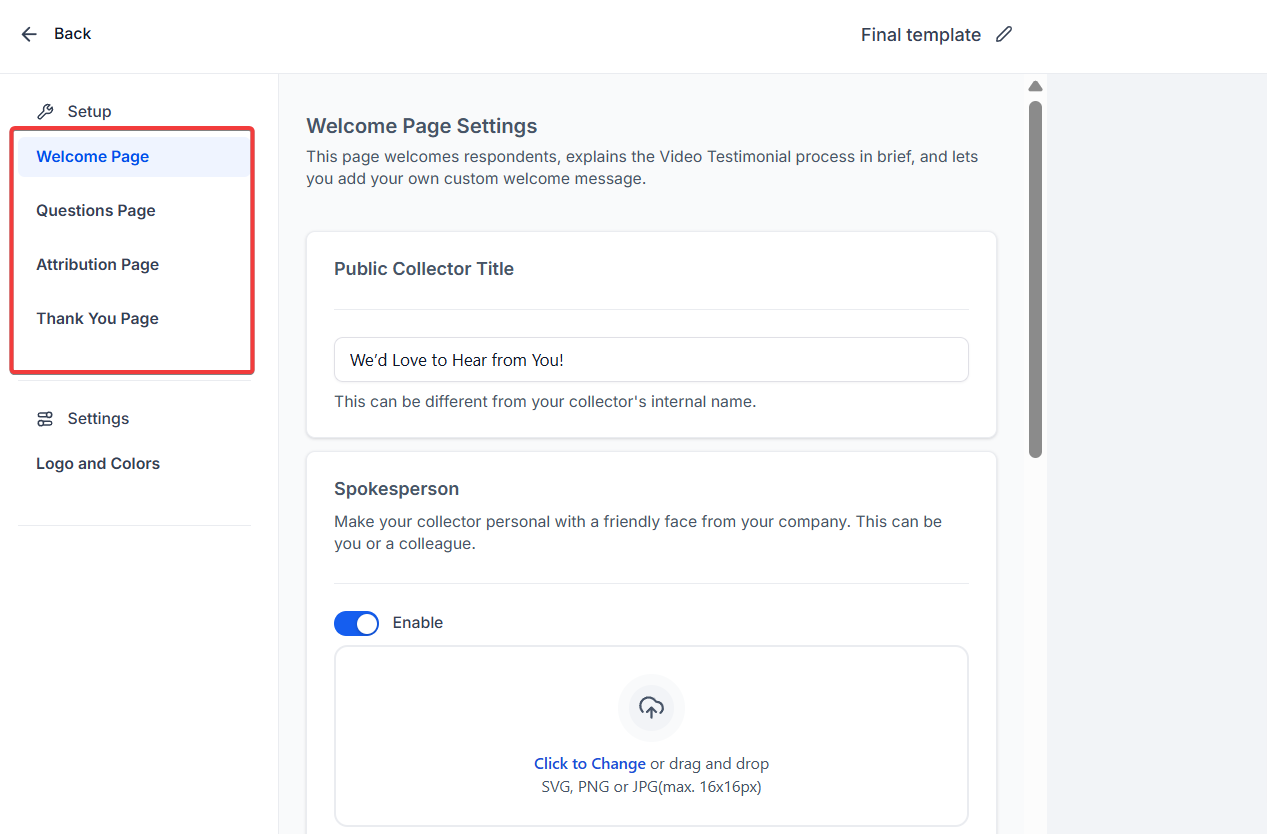
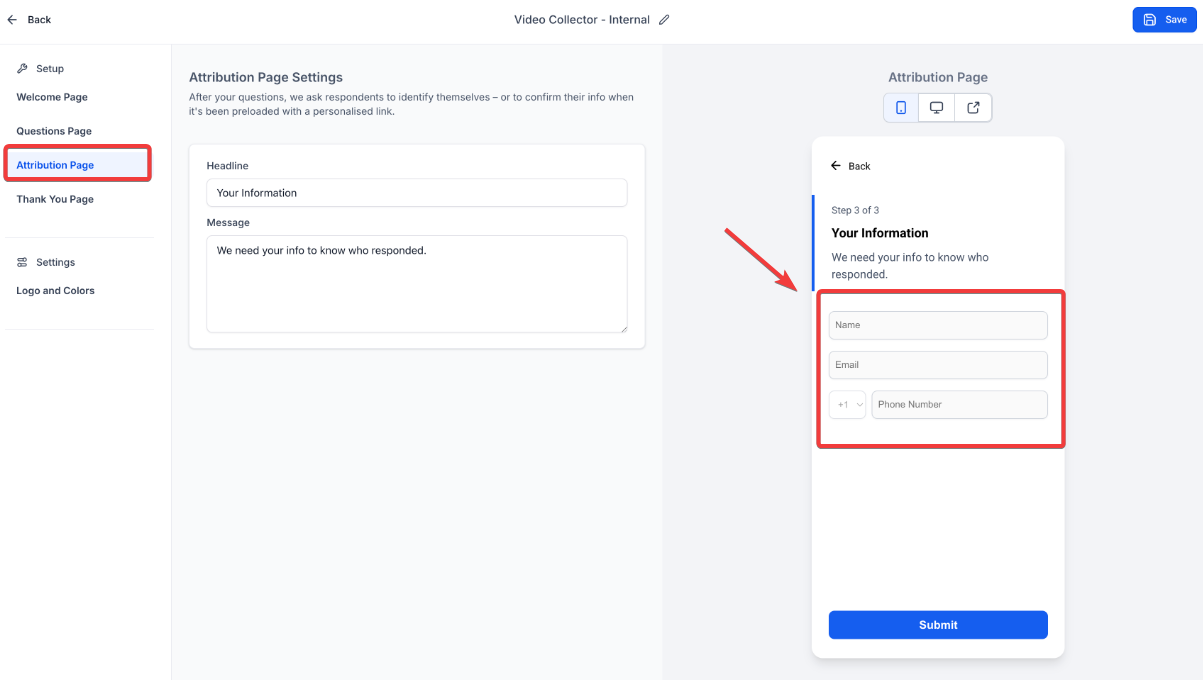
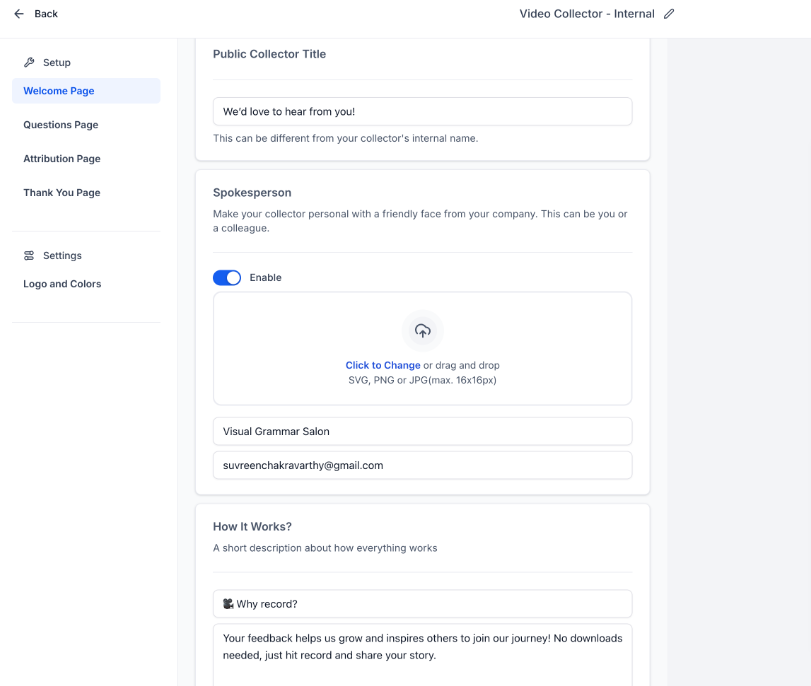
Create tailored Video Collectors that guide customers through a simple and engaging testimonial flow. Each Collector typically includes:
Customisation options include logos, backgrounds, text colours, accents, and button styles, helping maintain seamless brand consistency.
1. Access the Video Testimonials Workspace**
**
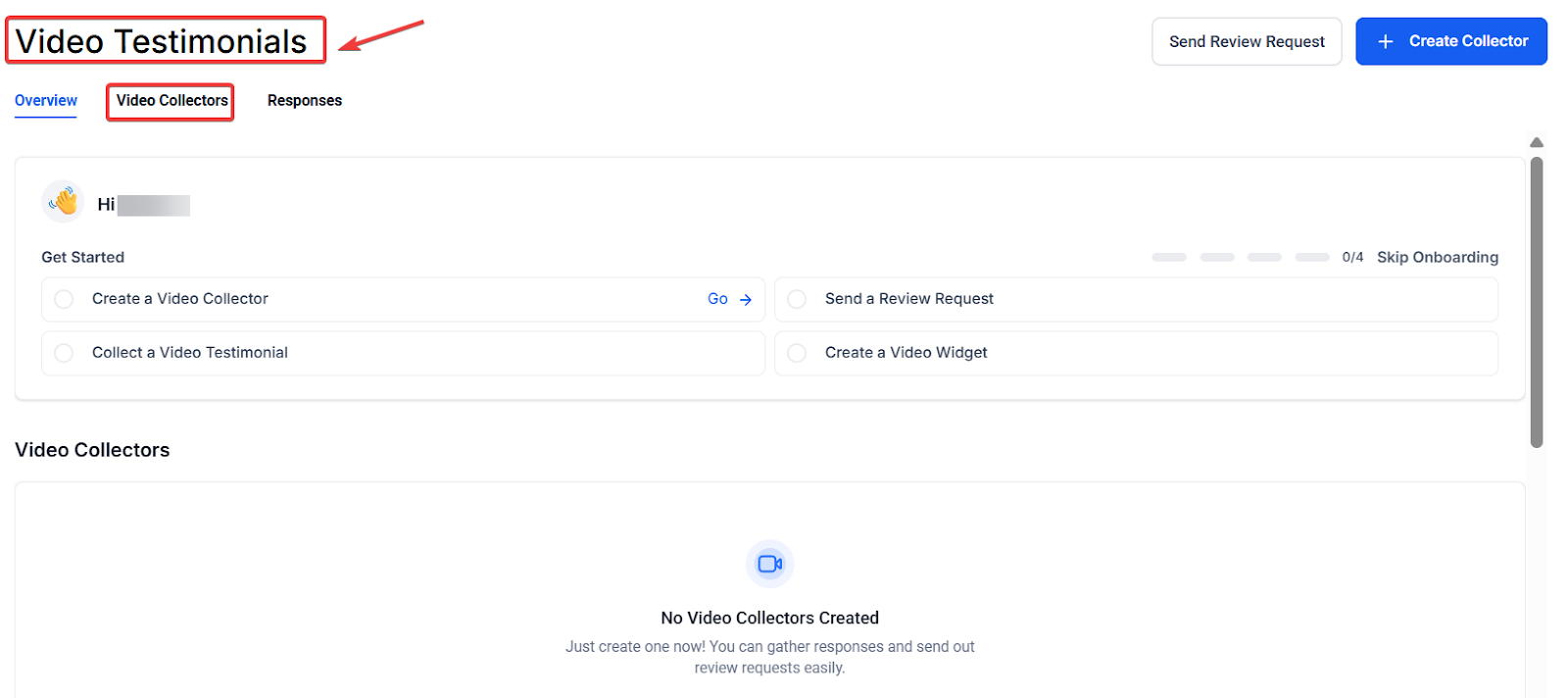
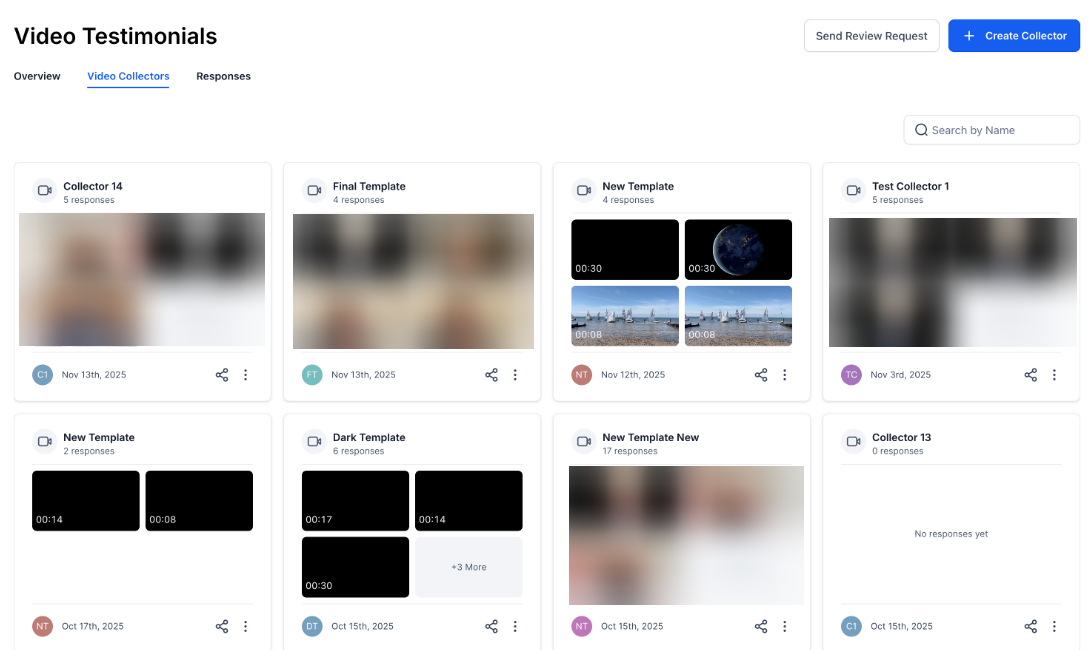
Go to theReputation tab from the Dashboard menu. Select Video Testimonials to view or create collectors.
2. Create a New Video Collector**
**
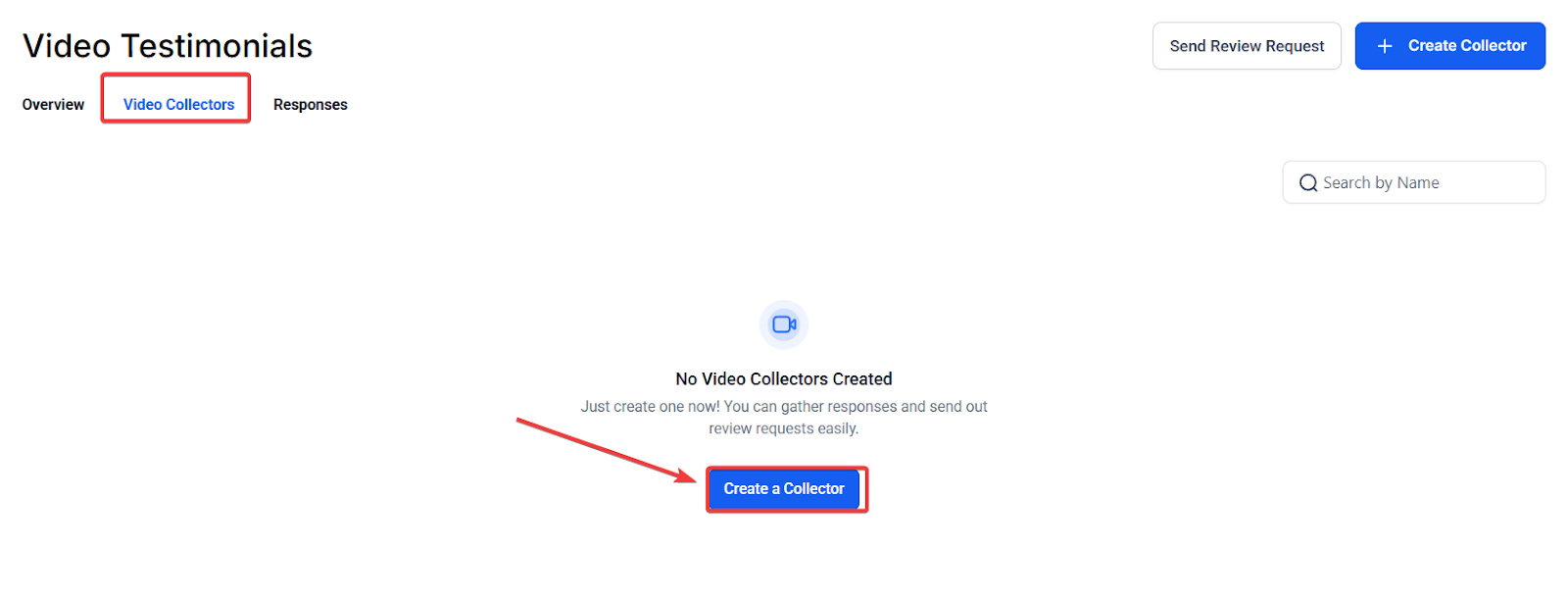
Click Create Collector.
3. Share the Collector**
**
Use your sending tools to distribute the link via email, SMS, or other messaging options. Choose the appropriate collector from the available link options.
4. Manage Incoming Videos**
**
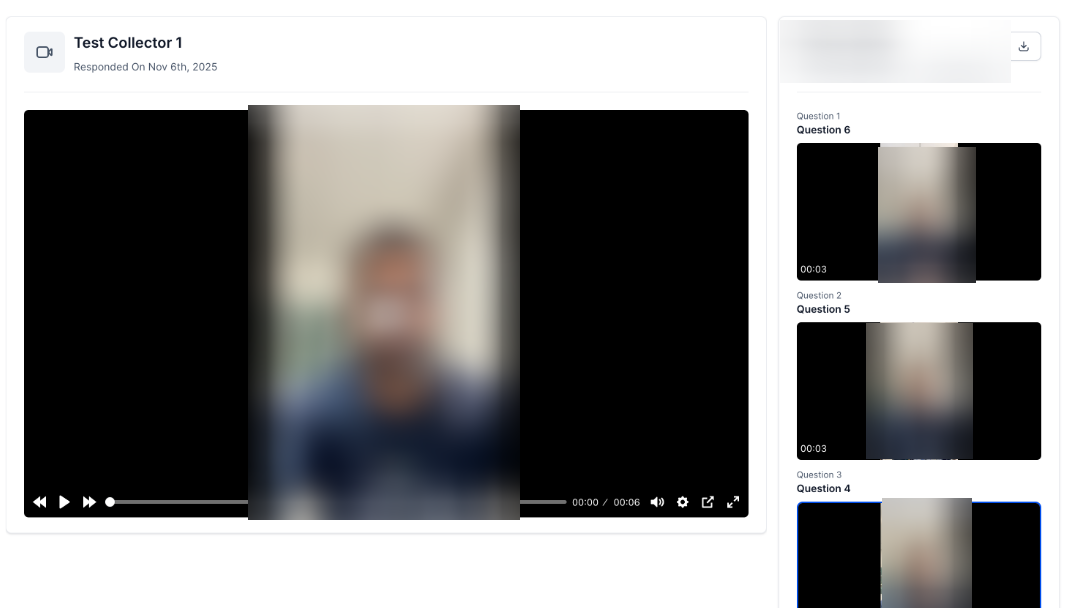
Open the Responses tab to review all submissions. Download or tag videos for marketing, analysis, or display.
5. Showcase Testimonials**
**
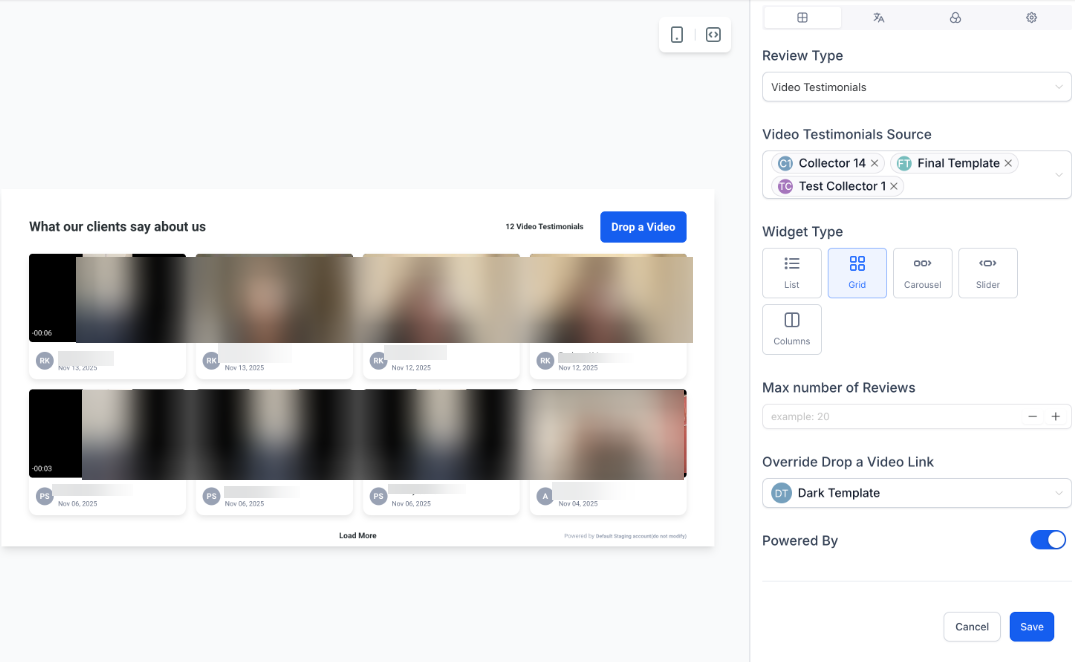
Open your Review Widget settings. Select which collector’s videos to feature. Choose a layout that best fits your website or display space.
Question: Do customers need to install an app to record their video?**
**Answer: No. Customers can record or upload their testimonial directly through a browser on desktop or mobile.
Question: How long can each video be?**
**Answer: Videos can be up to 2 minutes and 30 seconds in duration.
Question: Can I create collectors for multiple business locations?**
**Answer: Yes. You can create an unlimited number of collectors for any location or team structure.
Question: Can I customize the design to match my brand?**
**Answer: Absolutely. You can adjust backgrounds, colours, text, and add your logo for full brand alignment.
Question: How do I display these videos publicly?**
**Answer: Use your Review Widget settings to filter and showcase selected video testimonials using various visual layouts.
Question: How many questions can I ask a customer during the video testimonial process?
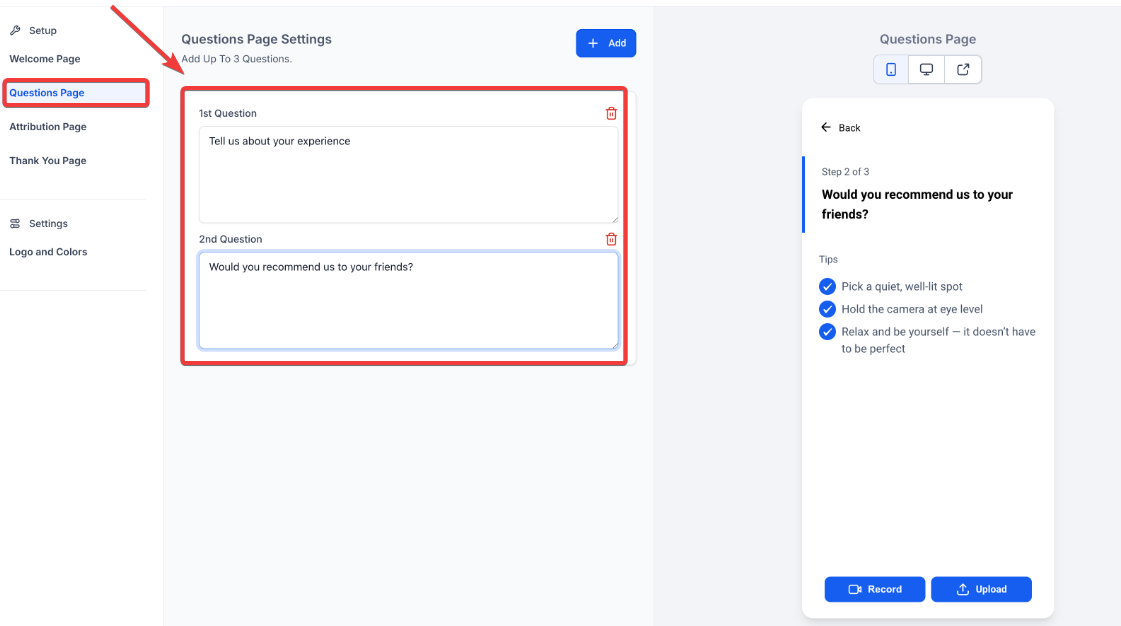
Answer: You can add up to three questions on the Questionnaire Page to help guide your customers and ensure they share meaningful insights.
Question: How should I phrase my questions to get the best responses?
Answer: Keep your prompts concise. Short questions help customers stay relaxed and lead to more natural, meaningful feedback rather than scripted answers.
Question: What kind of contact information can I collect from a customer when they submit a video testimonial?**
**Answer: On the Attribution Page , you can gather essential contact details including the customer’s name, email, and phone number.