In today’s digital world, maintaining a positive reputation online is vital for any business. However, spam reviews can muddy the waters and make it challenging to discern genuine customer feedback. The newly introduced spam detection feature in reputation management makes this task much easier by automatically detecting and filtering out spammy reviews. Here’s everything you need to know about the feature, how to enable it, and why it’s beneficial for your business.
The spam detection feature helps businesses manage online reviews by automatically identifying and flagging spammy content. Here are some key features:
Spam detection brings several benefits to your reputation management process, including:
Follow these simple steps to enable spam detection for your reviews:
Step 1:**
SelectReputation** from the main side menu in your dashboard.
Step 2:**
In the top menu of the Reputation section, click onSettings**.
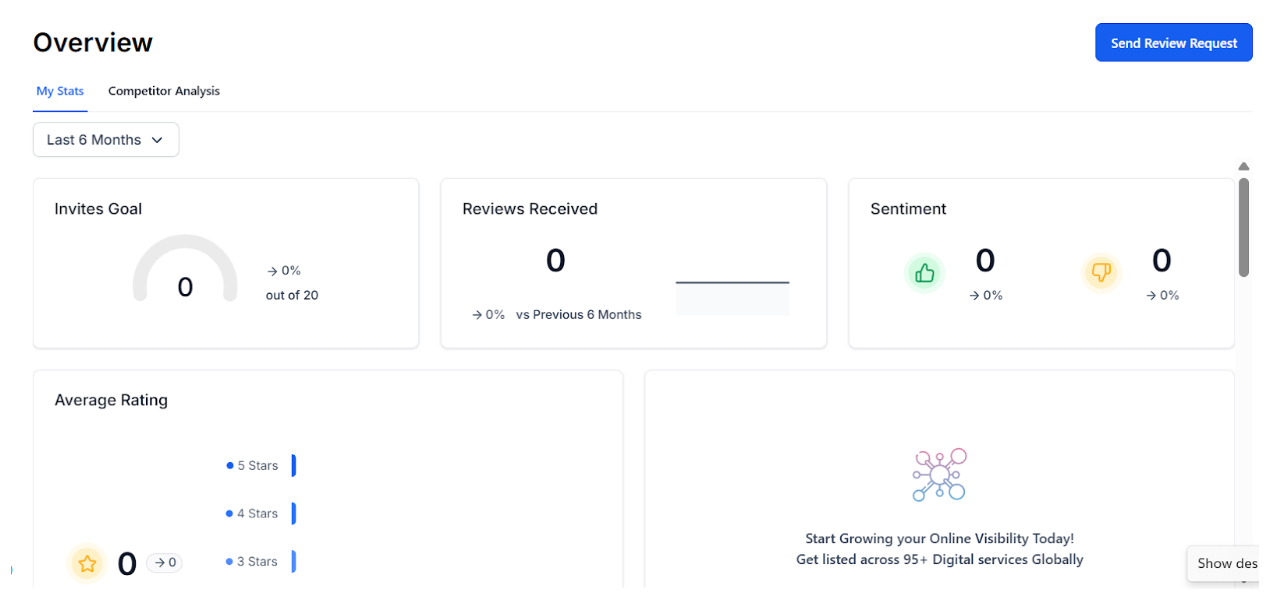 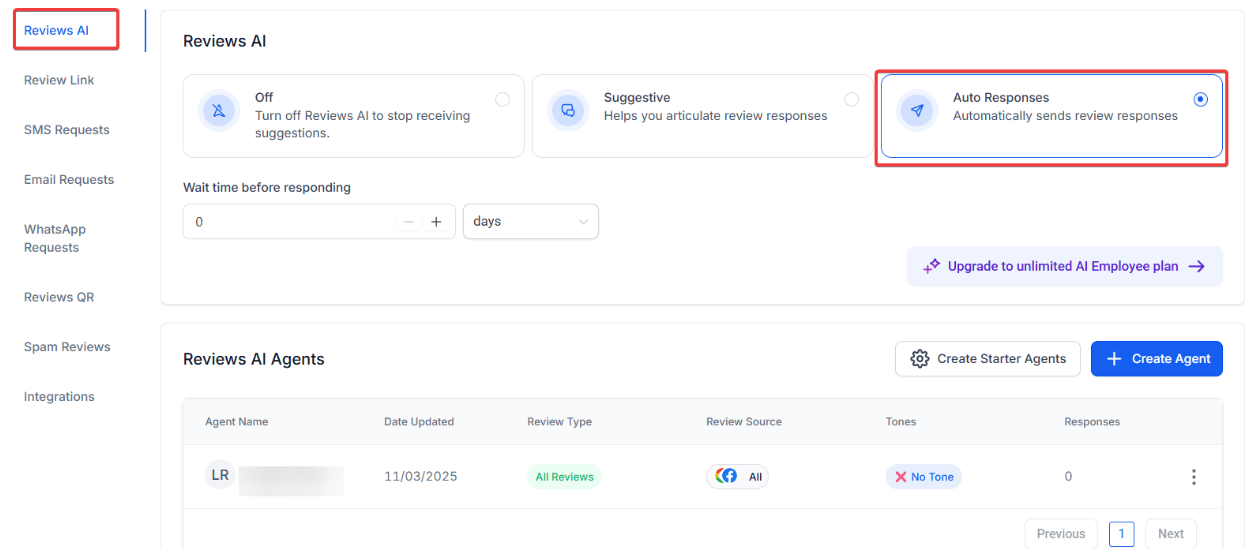
Step 3:**
In the left menu, selectSpam Reviews**.
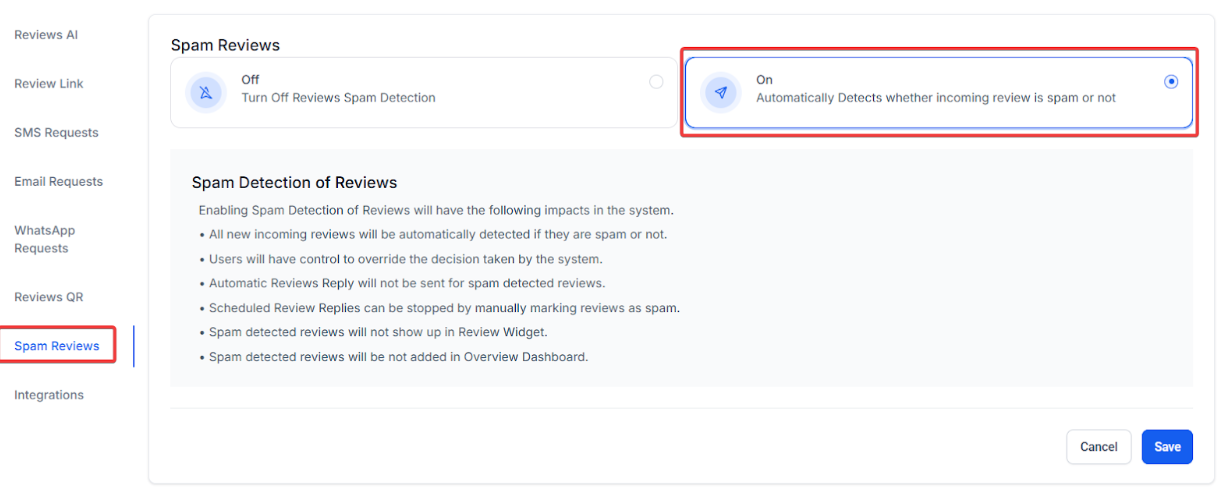
Step 4:**
Toggle the setting toOn** to enable automatic spam detection, then click Save to activate the feature.
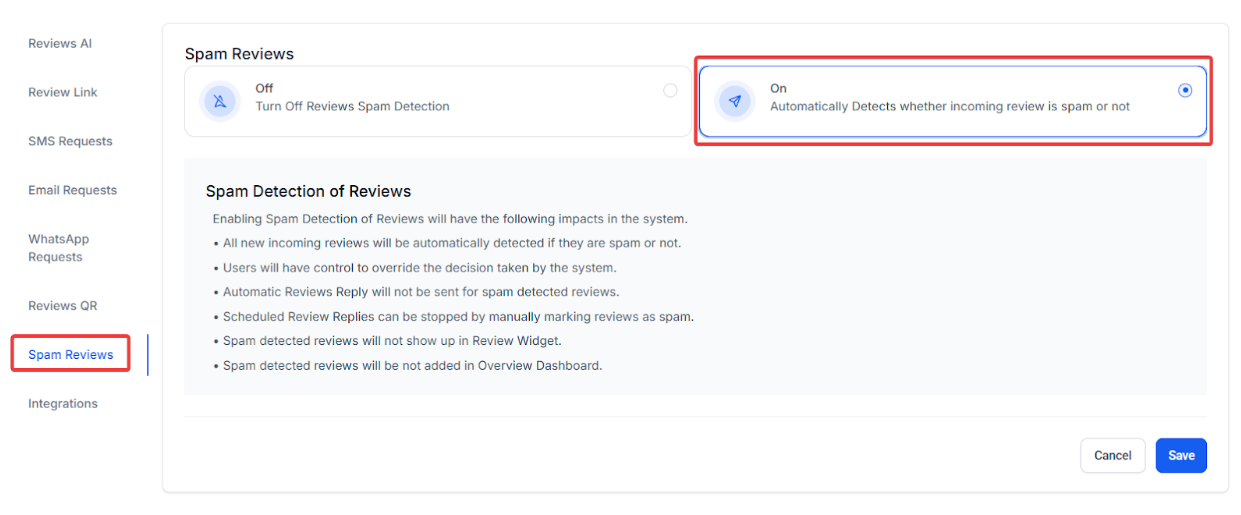
Once enabled, the system will automatically begin detecting spam reviews, which will then be flagged and visually marked in the Reviews section.
Bella’s Bistro is a popular local restaurant in New York City. Over the past few months, the restaurant has gained a lot of attention, both positive and negative, on platforms like Google Reviews and Facebook. However, the restaurant’s marketing manager, Sarah, has noticed an increasing number of spammy reviews flooding in—some from competitors, fake accounts, and irrelevant content. These reviews are harming the restaurant’s reputation and making it difficult for potential customers to trust the positive feedback.
Sarah decides to leverage the Smart Spam Detection feature in her reputation management system to handle these reviews more efficiently and ensure that only authentic customer experiences are displayed online.
Question: What does the new “Mark as Spam” feature do?**
**Answer: The “Mark as Spam” option allows you to flag reviews that appear to be fraudulent or irrelevant. Once flagged, these reviews are visually marked as spam and can be filtered out, helping you focus on genuine feedback.
Question: How can I identify reviews marked as spam?**
**Answer: Reviews flagged as spam will have a clear visual indicator in the Reviews section, making it easy to spot them at a glance.
Question: Can I filter reviews to only show spam reviews?**
**Answer: Yes, the new filter option allows you to view only reviews that have been marked as spam. This enables you to quickly manage and review flagged content.
Question: What happens if I mistakenly mark a review as spam?**
**Answer: If you accidentally flag a review as spam, you can use the “Undo Spam” action to remove the spam label and restore the review to its original status.
Question: Will AI still respond to reviews marked as spam?**
**Answer: No, AI will not respond to reviews that have been flagged as spam. This ensures that irrelevant or fraudulent reviews won’t affect your automated responses or damage your reputation.
Question: Why is this feature important for my business?**
**Answer: This feature improves the quality of your reviews by filtering out spam, saving time in managing feedback, and ensuring your reputation remains intact by preventing AI from engaging with irrelevant or harmful reviews.
Question: On which platforms does spam detection work?**
**Answer: Spam detection works on all review platforms integrated with your reputation management system, such as Google Reviews and Facebook.
Question: Does the system automatically detect spam, or do I have to flag everything manually?
Answer: Once the toggle is enabled in your settings, the system will automatically begin detecting and flagging spam reviews for you. However, you still have the “Mark as Spam” option for manual control if the system misses anything.
Question: How does the system decide which reviews are “spammy”?
Answer: The system uses an automated detection engine that analyzes review content for patterns typical of fraudulent or irrelevant posts, such as those from fake accounts or competitors.