¶ Online Listings: Profile Progress Tracker & Profile Health Score
Online Listings: Profile Progress Tracker & Profile Health Score
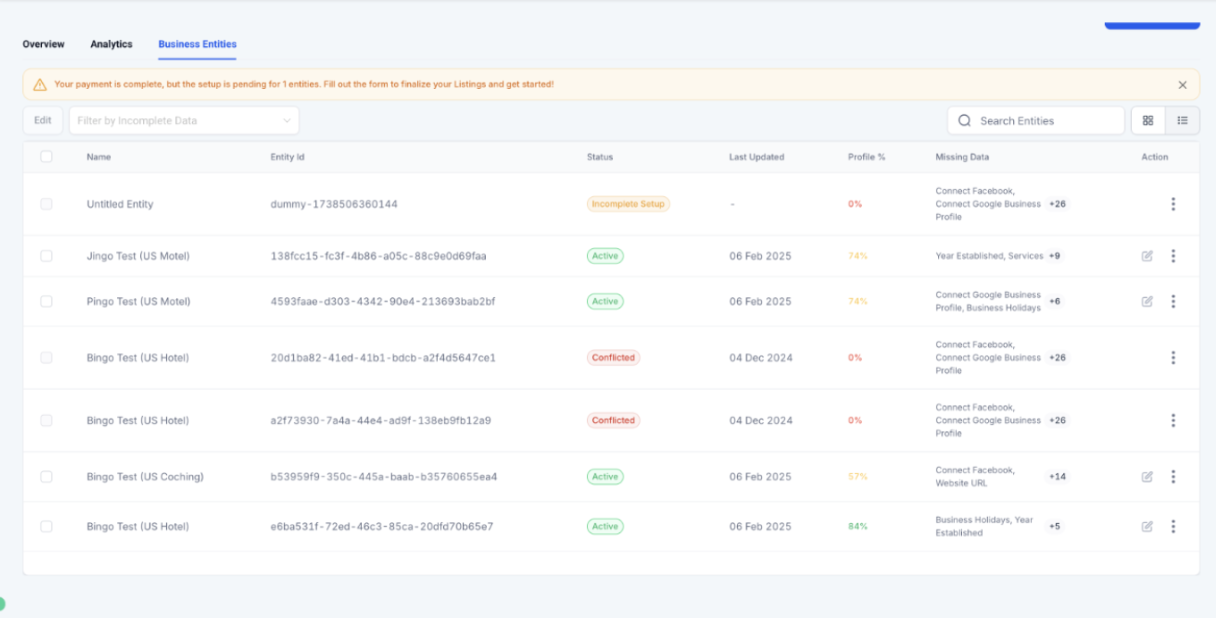
Maintaining a well-optimized business profile is essential for visibility, credibility, and customer engagement. The Profile Progress Tracker & Profile Health Score simplify this process by providing a real-time overview of your profile’s completeness and offering actionable insights to improve it. This feature ensures that all key details are filled in , helping businesses maximize their presence effectively.
Prerequisite: To use this feature, an Online Listings Subscription is required.
¶ Key Features and Benefits
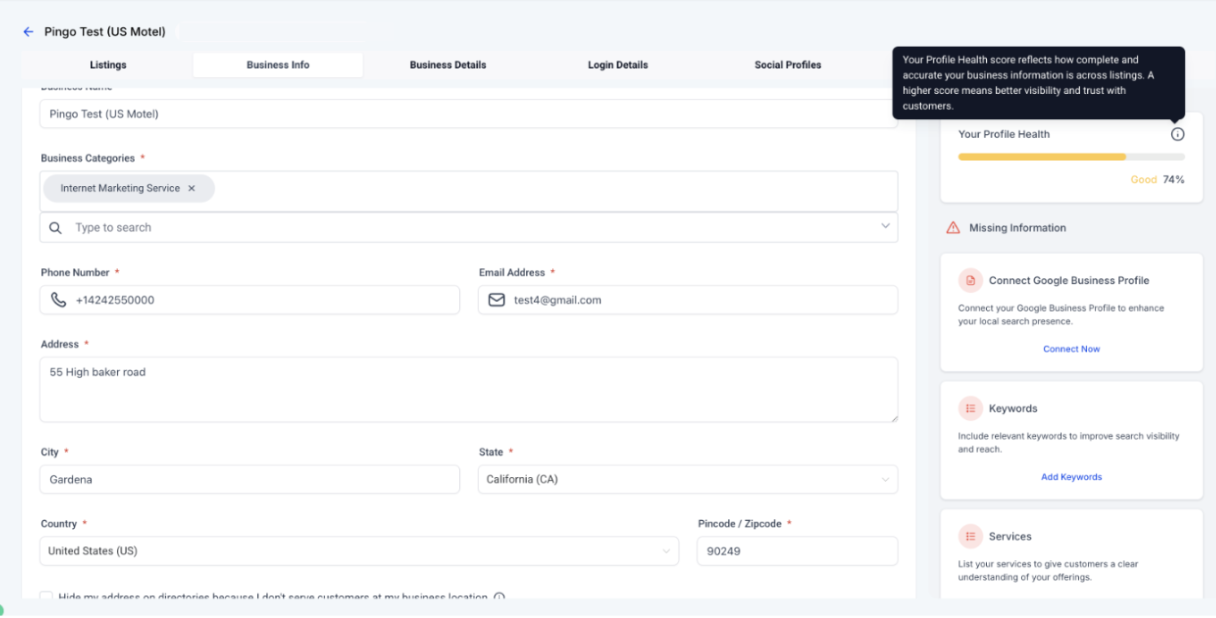
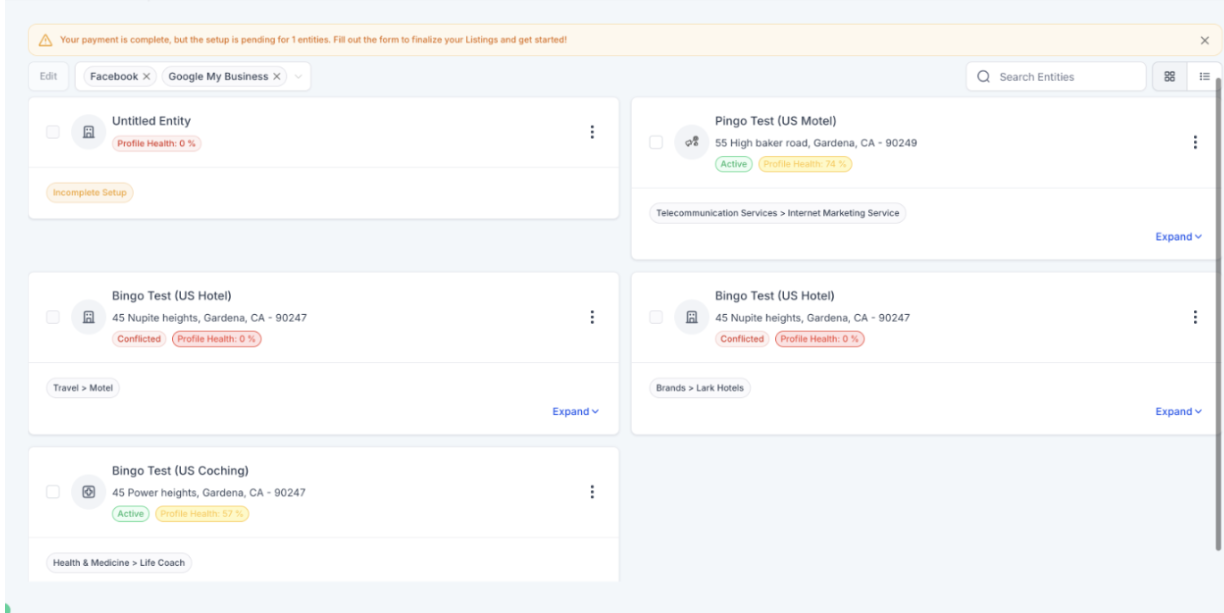
Profile Health Score (%) – Instantly see how complete your profile is with a real-time percentage score.
Progress Tracker – Get a clear breakdown of missing details and suggested improvements.
Actionable Insights – Receive recommendations to enhance visibility and engagement.
¶ How to Use the Profile Progress Tracker & Health Score
¶ Step 1: Access the Profile Progress Tracker
- Navigate to Reputation on the left > Listings at the top section in your LeadMagicX account.
- Locate the Profile Health Score indicator to check your current profile completion percentage.
¶ Step 2: Review the Missing Information
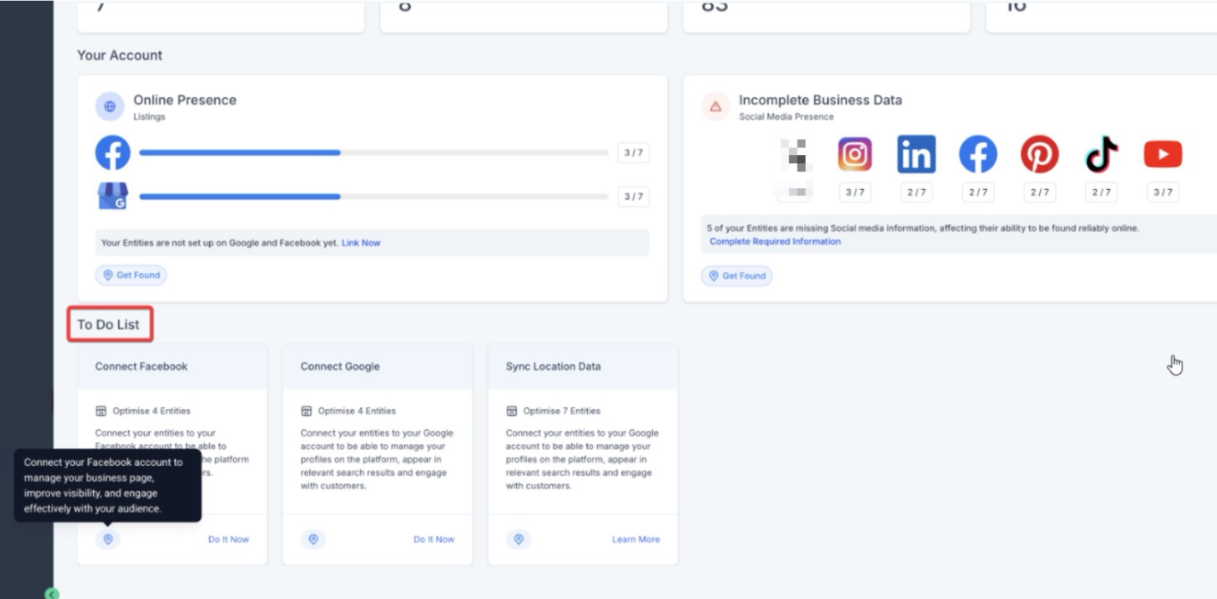
- The Progress Tracker will highlight missing fields and incomplete sections.
- Each item will include a recommendation on what to update to improve the score.
¶ Step 3: Update and Optimize Your Profile
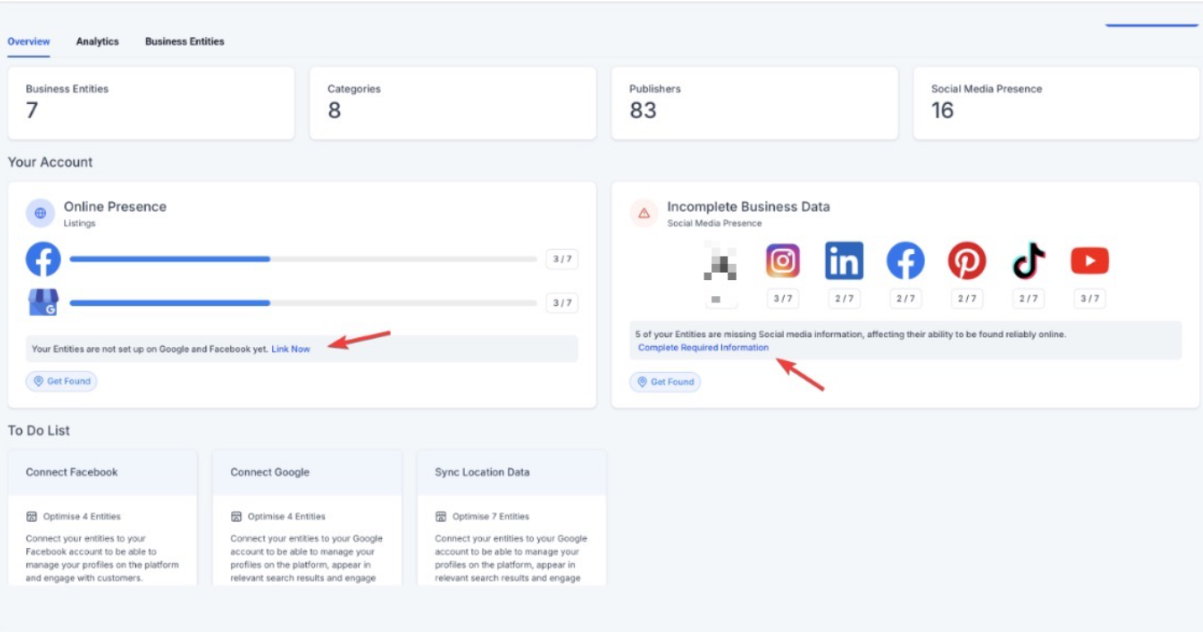
- Click on each missing or incomplete field and fill in the required details.
- Ensure that essential information such as business name, contact details, website, and social links are completed.
- Follow the recommended Actionable Insights to further enhance your profile.
¶ Step 4: Monitor and Maintain Profile Health
- Regularly check the Profile Health Score to ensure your business profile stays optimized.
- Update information as needed, especially when making changes to business details or adding new locations.
¶ Pro Tips for Maximizing Profile Health
- Complete every section – Even optional fields contribute to a stronger profile and better discoverability.
- Keep information up to date – Regular updates ensure customers have access to the latest business details.
¶ FAQs
Question: How is the Profile Health Score calculated?****
Answer: The score is based on the completeness of key profile details, including business information, contact details, images, and other essential data points.
Question: Does completing optional fields improve my score?****
Answer: Yes, filling in optional fields contributes to a higher score and enhances your business’s discoverability.
Question: How often should I check my Profile Health Score?****
Answer: It’s recommended to check periodically, especially when making updates or expanding your business presence.
Question: What happens if I leave sections incomplete?****
Answer: Incomplete profiles may have reduced visibility and engagement potential, as essential information helps customers find and trust your business.
Question: Can multiple locations have different Profile Health Scores?****
Answer: Yes, each business location has its own profile, and therefore its own individual health score based on the completeness of its specific information.
Question: How do I access the Profile Progress Tracker?**
Answer:** To access the Profile Progress Tracker, navigate to Reputation on the left side of your LeadMagicX account, then click on Listings at the top section. From there, you can view the Profile Health Score indicator and check the current completion percentage of your profile.
Question: Is there a specific requirement to use the Profile Health Score feature?
Answer: Yes. A prerequisite for using this feature is having an Online Listings Subscription. Without this active subscription, the health score and tracker will not be available.
Question: Why did my Health Score drop suddenly without me changing anything?
Answer: This can happen if the system introduces new “essential” fields (like new social media integration options or expanded business categories) or if your Online Listings Subscription has lapsed. It’s a good idea to check the “Actionable Insights” to see if a new requirement has been added.