¶ Public Document Links for E-Signing on Contracts and Documents
Public Document Links for E-Signing on Contracts and Documents
Within LeadMagicX users can create public documents for e-signing, providing a seamless way to handle agreements without the need for adding contacts or managing complex workflows. This feature offers flexibility and ease of use, making the document signing process smoother and more efficient.
¶ Key Features and Benefits
- Public Document Creation : Users can create public documents for signing directly within the Templates section of the Documents and Contracts module.
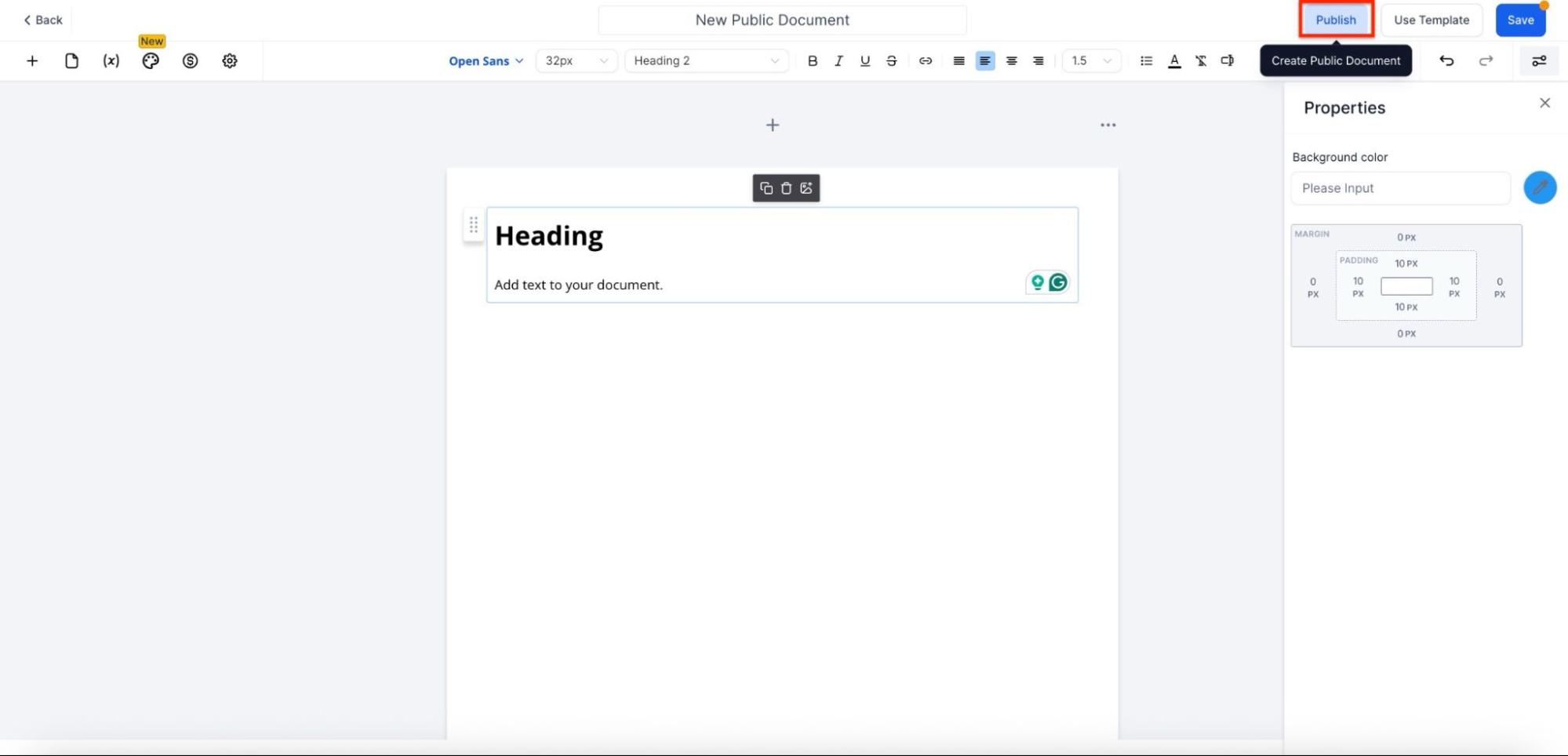
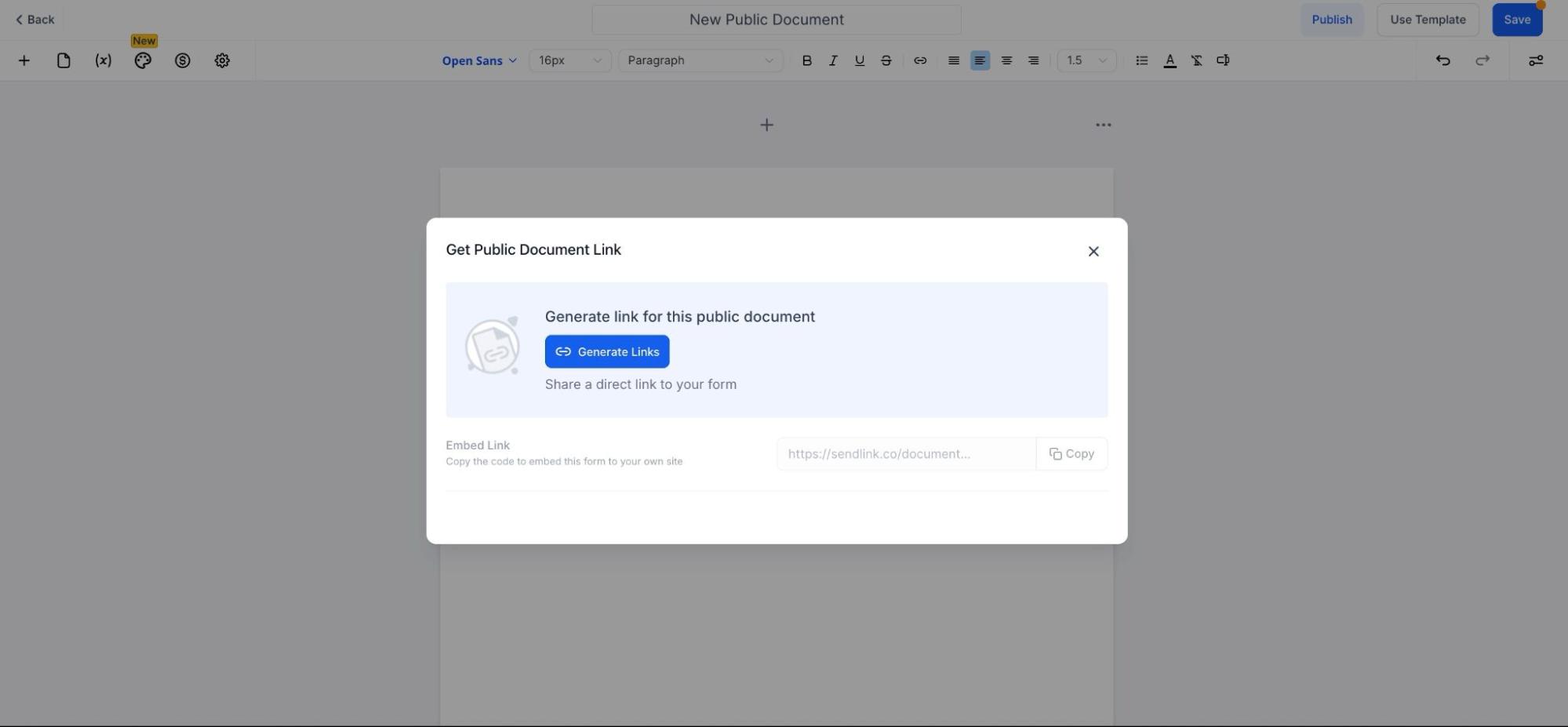
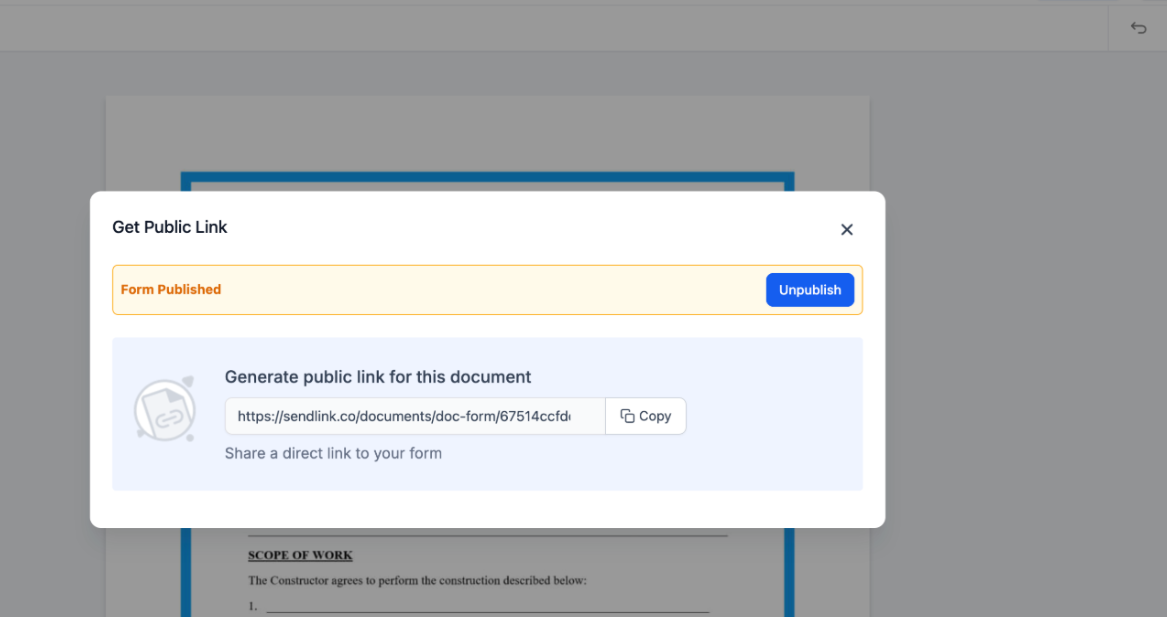
- Shareable Links : Once the document is published, a unique link is generated that can be easily shared with recipients, allowing them to access the document and sign it online.
- Automatic Response Management : All signatures and responses are captured, stored, and available for download or review in the Responses section. This ensures that every signed document is tracked for future reference.
- Signing Made Easy : Recipients simply need to enter their first name, last name, and email to sign the document. Once signed, a copy of the document is automatically emailed to them, ensuring both parties have a record of the signed agreement.
- Unpublish Option : If you no longer need the document to be signed, simply unpublish the document to stop accepting new signatures.
- Workflow Integration : Existing templates continue to work within workflows, independently of the public document feature, ensuring your processes remain uninterrupted.
¶ How to Use This Feature
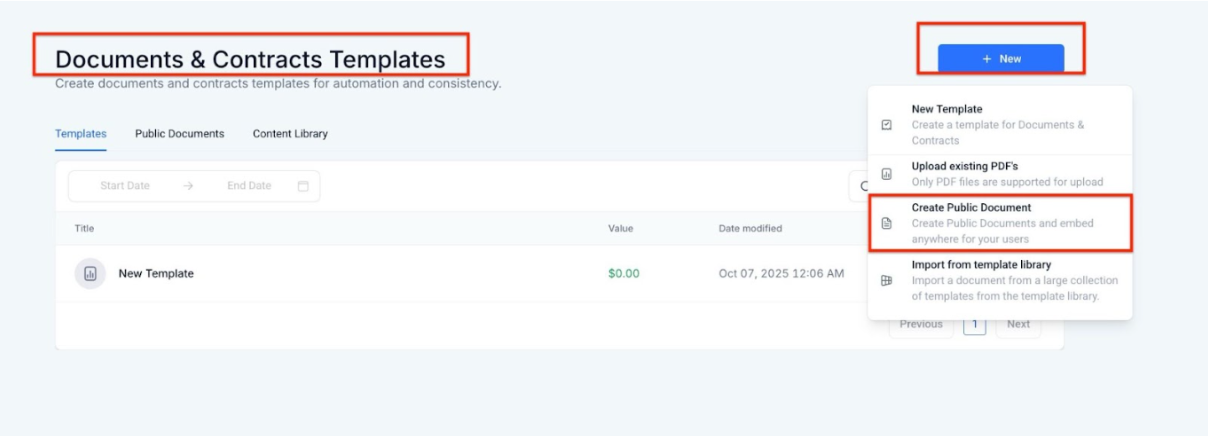
1. Create a Public Document :
- Go to the Templates section in the Documents and Contracts area.
- Click “New Template” choose “New” and then “Create Public Document” to begin.
2. Share the Document :
- After publishing, a unique shareable link will be generated for you. Simply share this link with the recipients who need to sign the document.
3. Signing Process :
- Recipients will be prompted to enter their first name, last name, and email address to sign the document. Once they have signed, they will automatically receive a copy of the signed document via email.
4. Manage Responses :
- Navigate to the Responses section to access, download, or review the signed document and any other responses associated with it.
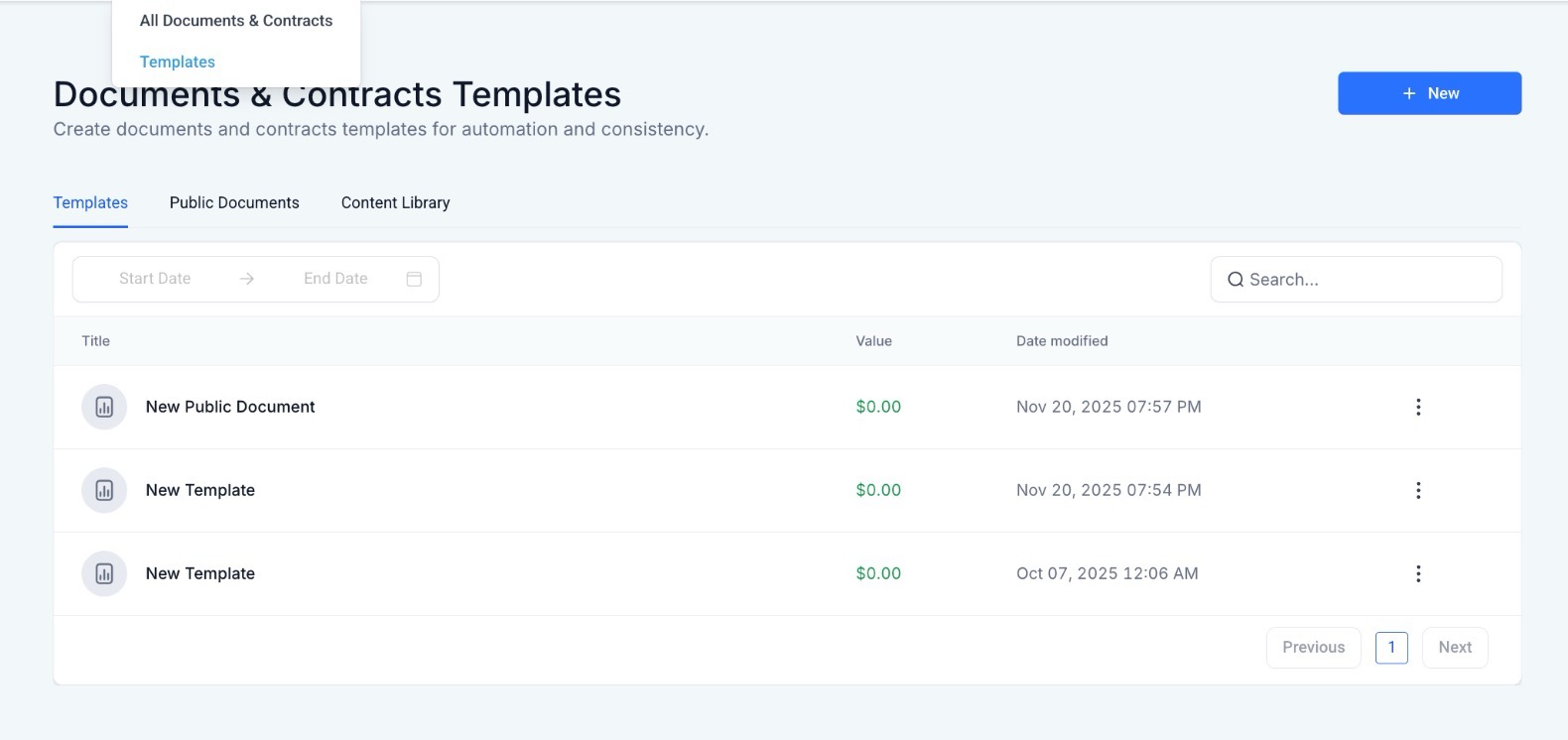
5. Unpublish the Document :
- To stop receiving signatures, simply unpublish the document from the Templates section.

¶ Pro Tip:
For added convenience, you can include multiple templates within a workflow, using the public document feature to streamline signature collection without interrupting your regular processes. This is particularly useful for scenarios where you need to get documents signed quickly without having to add contacts individually.
¶ FAQ
Question: How do I create a public document for signing?
Answer: Navigate to the Templates section in the Documents and Contracts module, choose “New” and “Create Public Document.”
Question: Can I share the document with anyone?
Answer: Yes, once the document is published, you will receive a unique link that you can share with anyone who needs to sign the document.
Question: How do recipients sign the document?
Answer: Recipients enter their first name, last name, and email to sign the document online. After signing, a copy is automatically sent to them.
Question: Can I stop receiving signatures for a document?
Answer: Yes, you can unpublish the document at any time to stop receiving new signatures.
Question: Are the signed documents stored securely?
Answer: Yes, all signed documents and responses are captured and can be accessed in the Responses section for secure download or review.
Question: Do recipients need an account to sign a public document?
Answer: No, recipients do not need an account. They only need to provide their name and email to complete the signature process.
Question: Can I restrict access to the public document link?
Answer: Anyone with the link can access the document. To stop access, unpublish the document or generate a new template if access needs to be limited
Question: Can I turn a public document off temporarily?
Answer: Yes. You can use the Unpublish option in the Templates section. This stops the link from accepting new signatures without deleting the template itself.
Question: Can I use this feature if I don’t want to manually add every recipient as a contact first?
Answer: Yes. This feature is designed to handle agreements seamlessly without the need for adding contacts or managing complex workflows beforehand.