Adding extra fees, such as processing or convenience charges, is often necessary to offset costs associated with payment processing. The Processing Charge feature allows businesses to automatically apply these additional fees across multiple payment channels, providing transparency to customers and maintaining accurate billing. This article explains how to configure, apply, and manage processing charges efficiently.
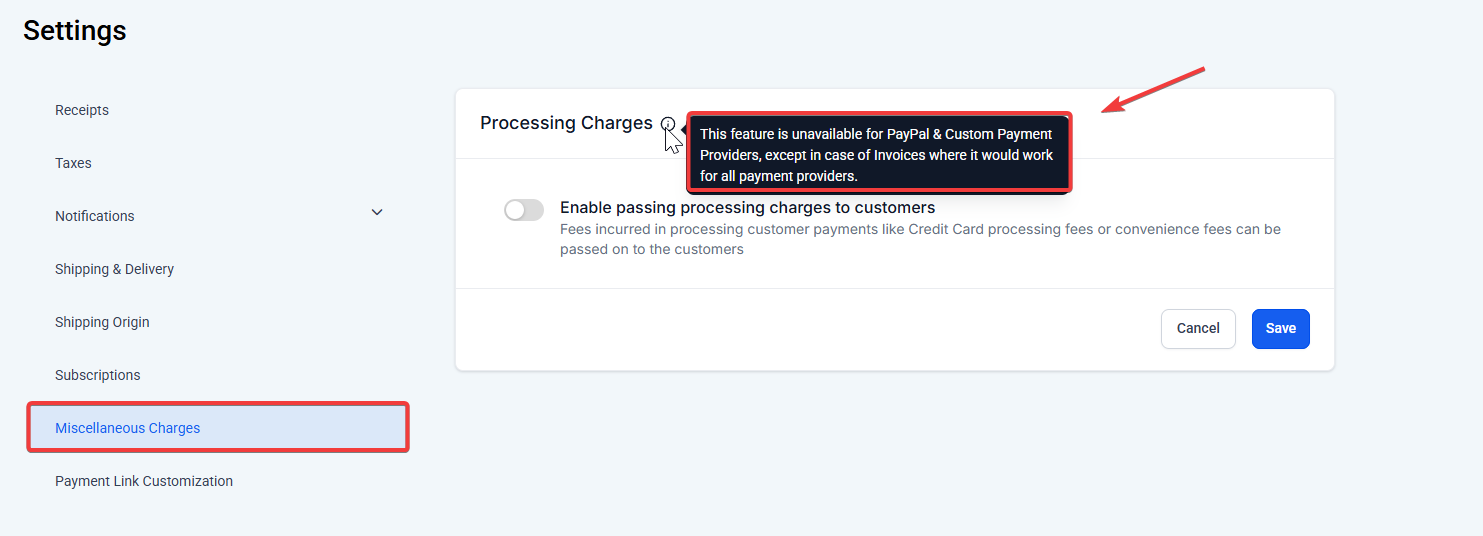
Step 1: Access Payment Settings
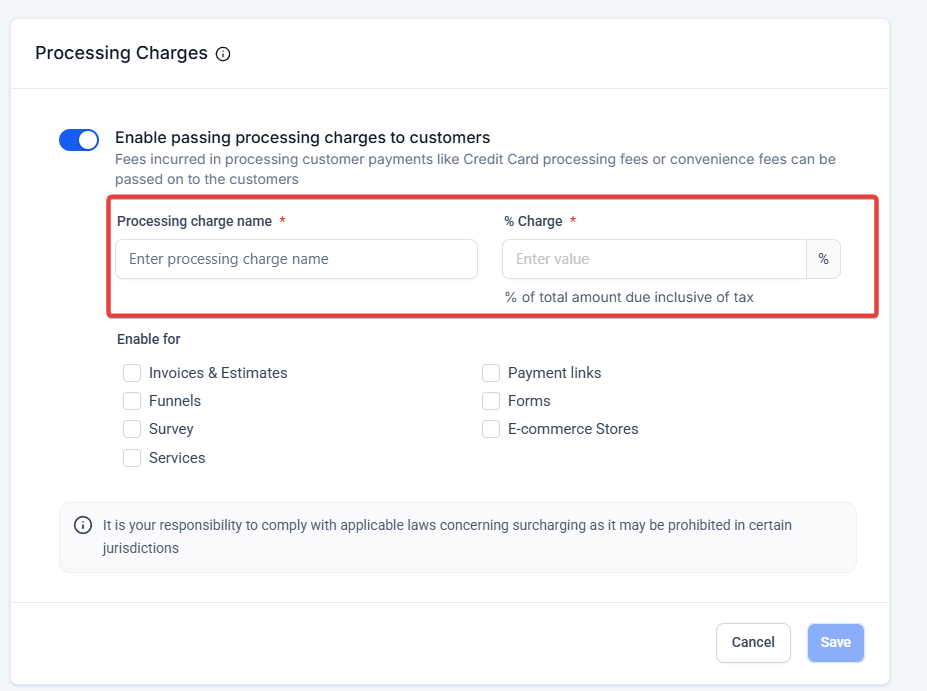
Step 2: Define the Processing Charge
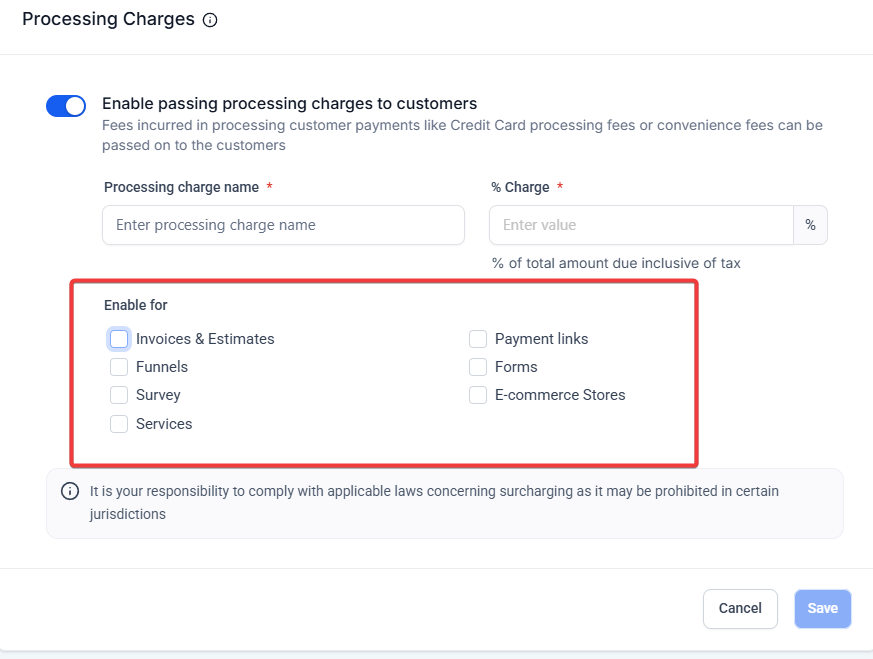
Step 3: Select Payment Sources
Use checkboxes to choose where the charge should apply:
Select one or multiple options based on your business setup.
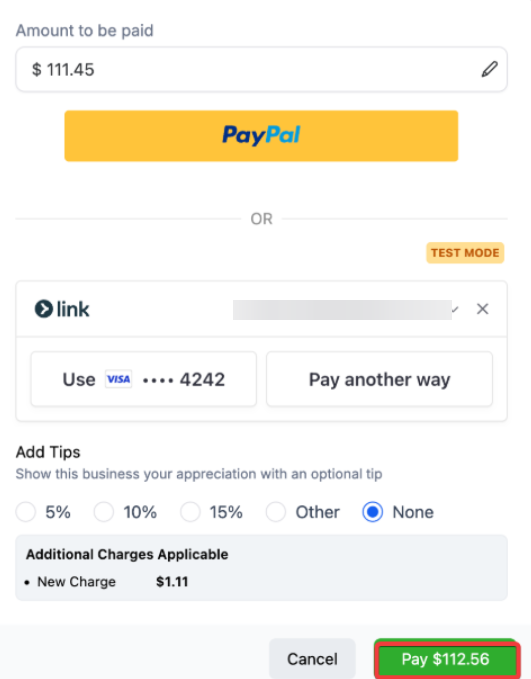
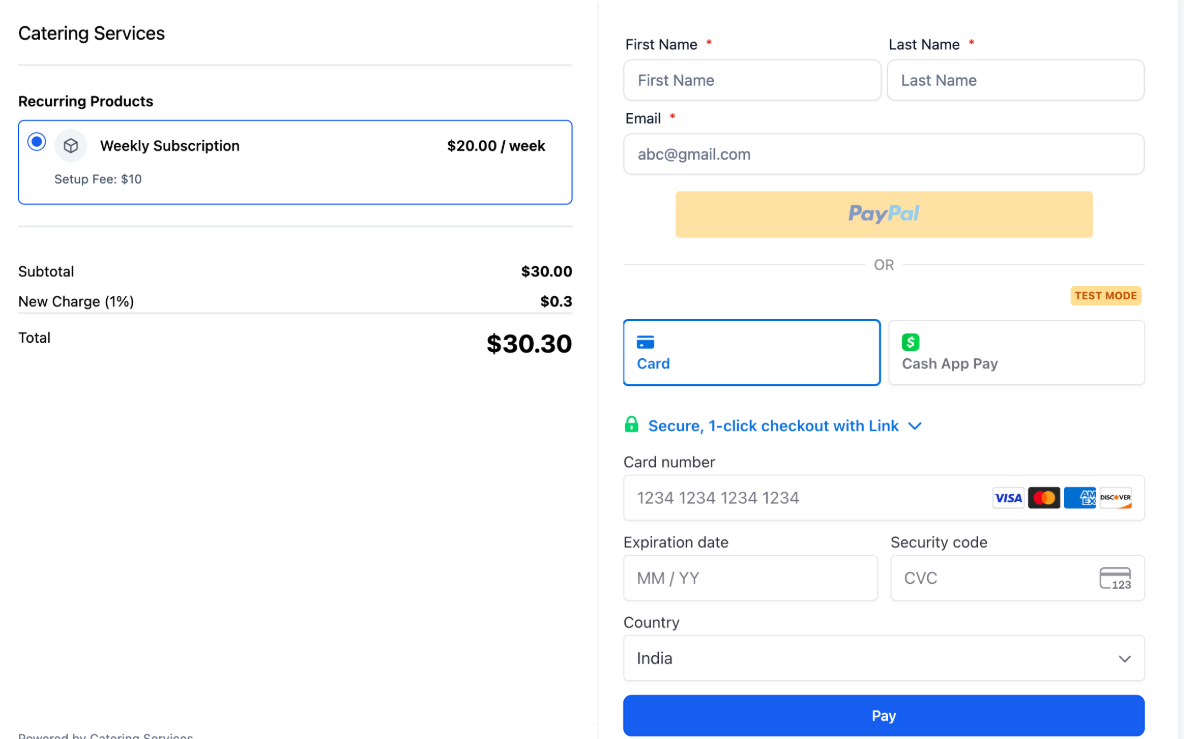
Step 4: Viewing Charges at Checkout
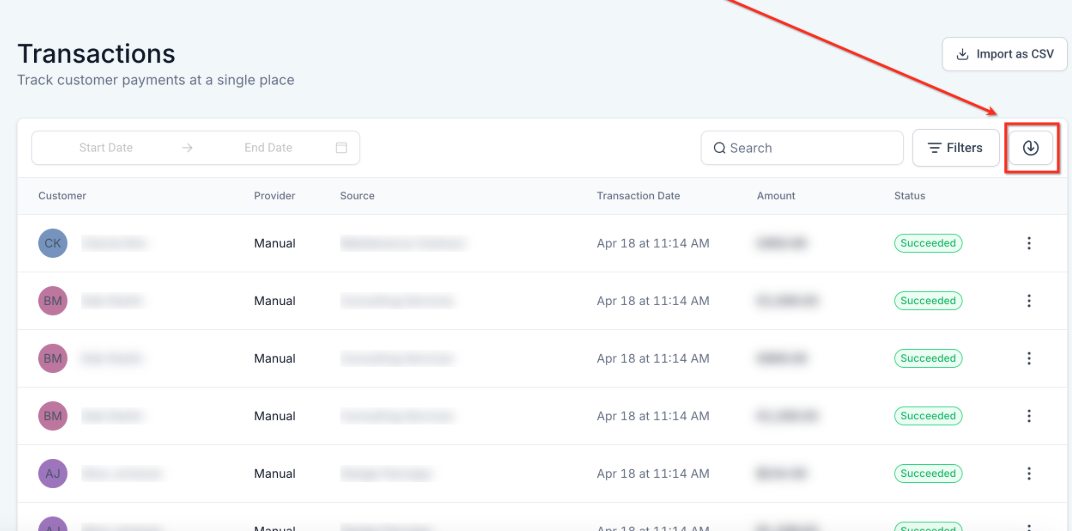
Step 5: Reporting on Processing Charges
Question: Can I set different processing charges for different payment channels?**
**Answer: Currently, the same fee applies across all selected channels. Channel-specific fees may be introduced in future updates.
Question: Will disabling the processing charge remove it from past invoices?**
**Answer: No. Existing invoices or orders retain the charge unless they are still editable. Disabling only affects new transactions.
Question: Are processing charges supported for all payment providers?**
**Answer: All providers support this feature for invoices and estimates. Other checkouts, like PayPal and custom providers, may not support it.
Question: How is the processing charge calculated?**
**Answer: The charge is calculated on (Subtotal – Discounts + Taxes) , representing the actual processed amount.
Question: Can customers see the processing charge during checkout?**
**Answer: Yes, it appears as a separate line item on checkout screens, invoices, and transaction receipts.
Question: Can I customize the label for the processing charge?**
**Answer: Yes, you can assign any label you want, such as “Convenience Fee” or “Processing Charge,” visible to the customer.
Question: Is there reporting available for processing charges?**
Answer: Yes. Transaction and order exports include details on the fee label and amount for reconciliation and analysis.
Question: Does the processing charge apply to the original price or the final discounted price?**
Answer: The fee is applied to the actual transaction amount , which is calculated as (Subtotal – Discounts + Taxes). This ensures that the charge is precisely based on the final amount being processed.