Processing refunds efficiently is crucial for maintaining customer satisfaction and managing financial transactions smoothly. In this guide, we will walk you through the simple steps to issue a refund directly from your dashboard, ensuring you can handle refunds quickly without needing to access your payment provider’s platform.
Our refund processing feature is a convenient tool integrated into our payment platform, allowing businesses to manage refunds for transactions made through multiple payment providers, such as Stripe, Authorize.net, NMI, and PayPal. It supports various payment methods, including Google Pay, Apple Pay, and card payments. The feature allows you to:
**1.**Access the Payments Section
2. Locate the Transaction
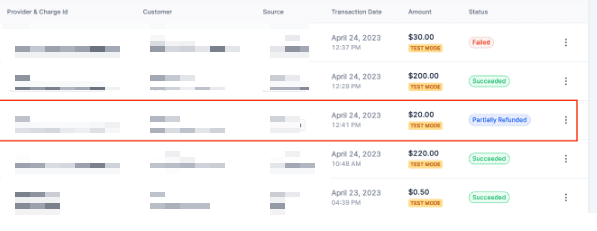
3. Select the Refund Action
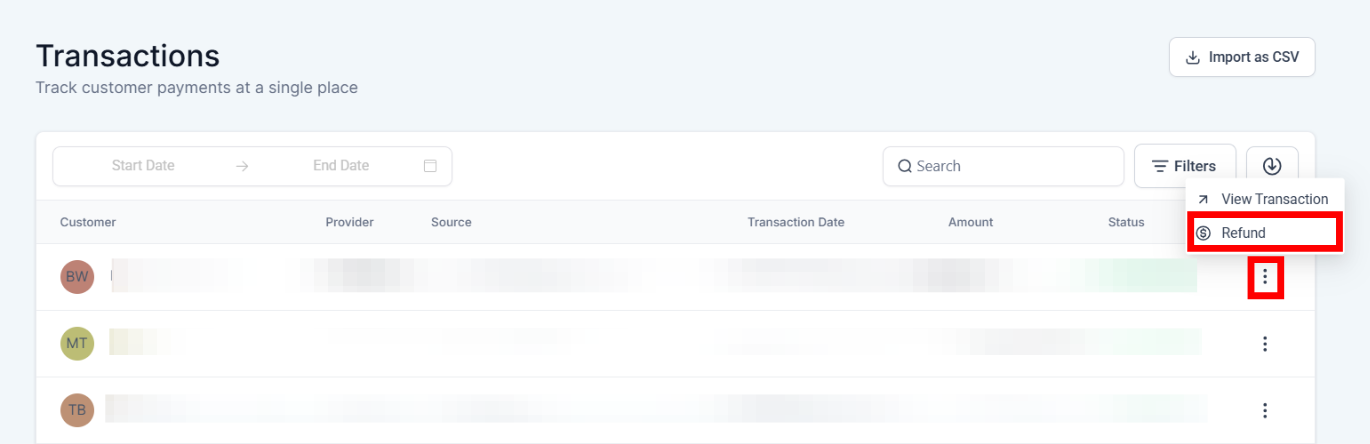
If you want to issue a full refund, it will pre-populate the total amount of the transaction in this window for you automatically.
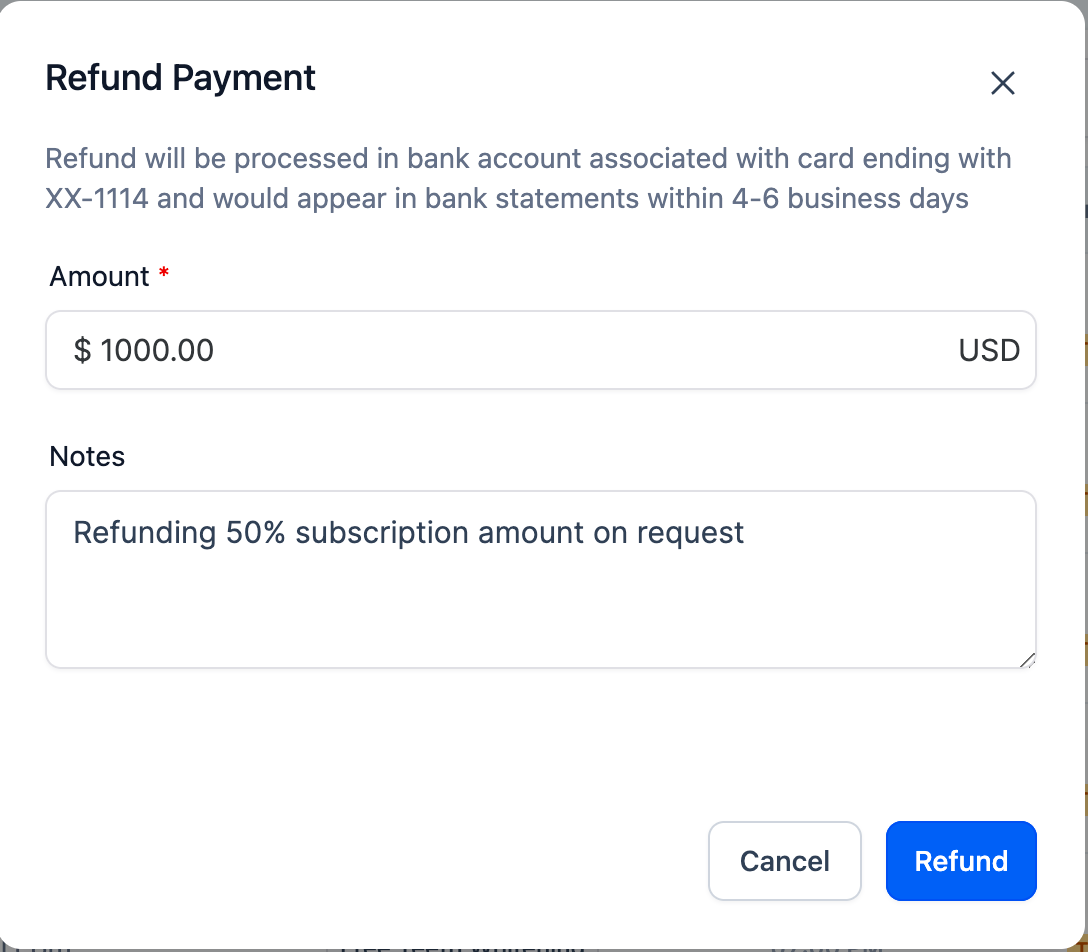
You can edit the pre-populated amount to anything less than the Full amount of that transaction if you want to issue a Partial Refund.
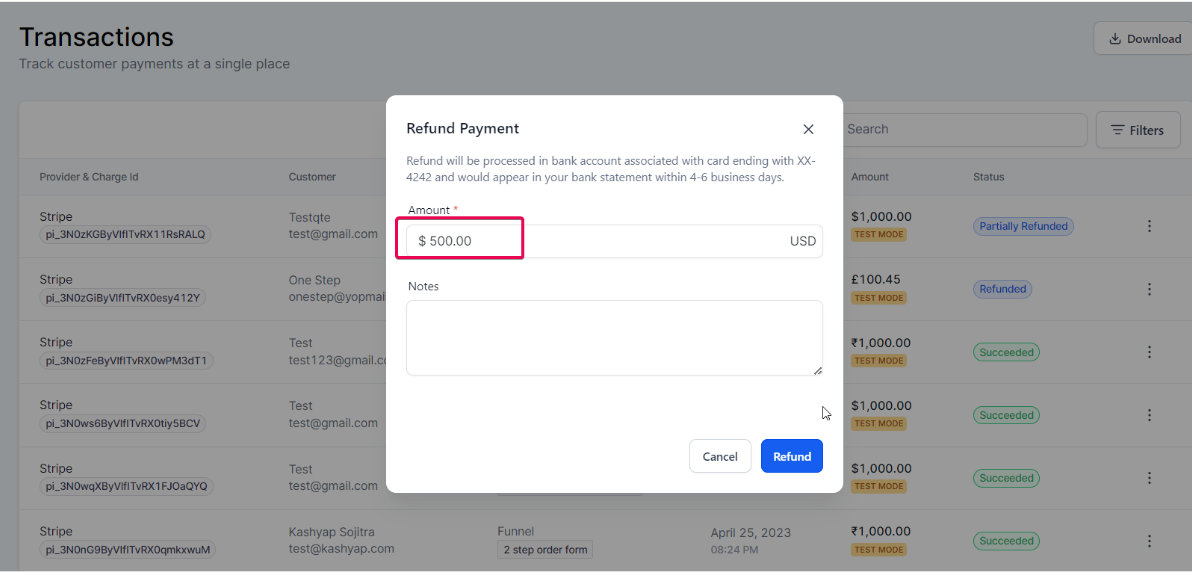
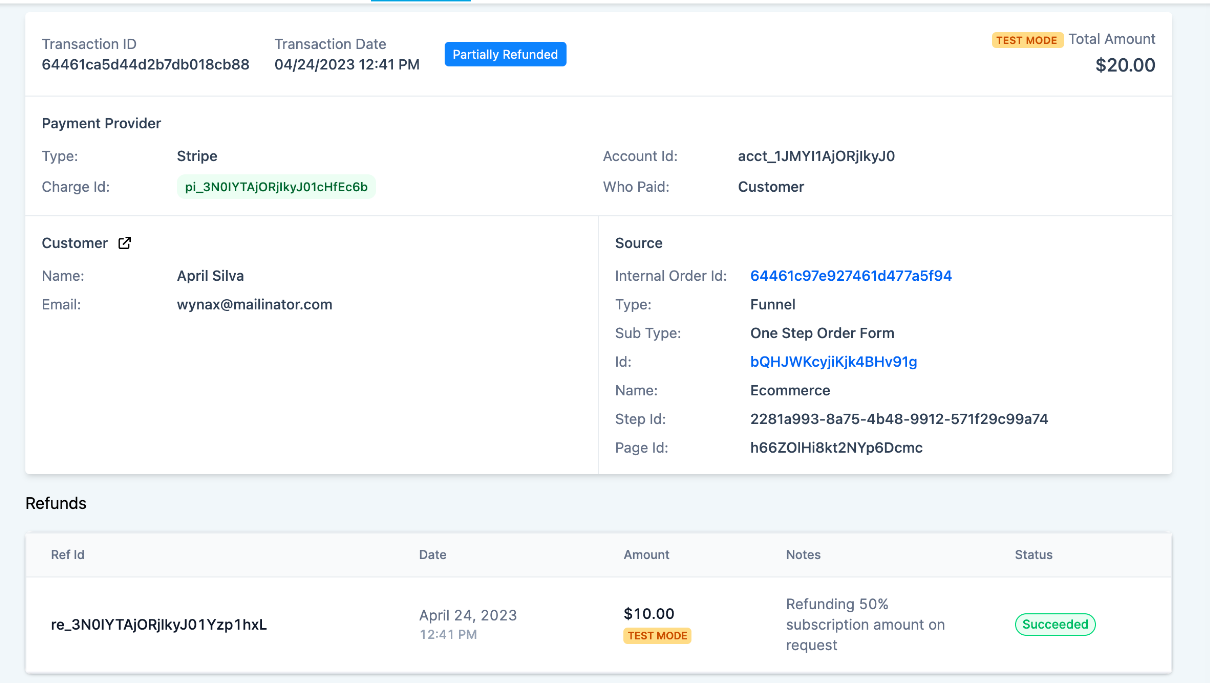
4. View Refund Details
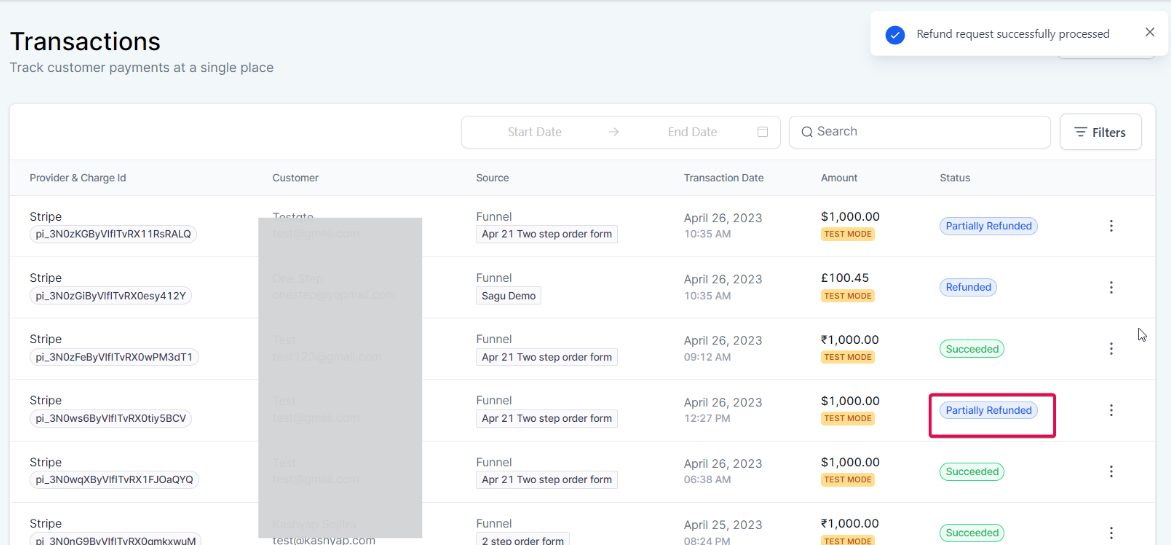
5. Process Refunds
Question: How do I access the Payments section?**
**Answer: Navigate to Payments in your dashboard to start processing refunds.
Question: How can I find the transaction I want to refund?**
**Answer: Go to Transactions within the Payments section to view a list of all transactions.
Question: What steps do I take to select the refund action?**
**Answer:
Question: How can I view the refund details?**
**Answer: The transaction details page will display the status of any successful or failed refunds associated with that transaction.
Question: Can I process refunds without accessing my payment provider’s dashboard?**
**Answer: Yes, you can process refunds directly from the transaction details page in your dashboard, eliminating the need to log in to your payment provider’s dashboard separately.
Question: Can I issue a refund for transactions made with different payment providers and methods?
Answer: Yes, the refund processing feature supports transactions made through multiple payment providers, such as Stripe, Authorize.net, NMI, and PayPal, as well as various payment methods, including Google Pay, Apple Pay, and card payments. You can manage refunds for all these from one central platform.
Question: Can I refund a transaction to a different credit card?
Answer: No. Payment industry standards (PCI compliance) require that refunds be sent back to the original payment method used. If a customer’s card has expired or the account is closed, the bank will usually handle the internal transfer to their new card or issue them a check.
Question: Can I issue multiple partial refunds for a single transaction?
Answer: Yes. You can issue as many partial refunds as needed, provided the total sum of all refunds does not exceed the original transaction amount. Once the full amount has been reimbursed across several partial refunds, the system will prevent further refund attempts.