¶ How to integrate Authorize.net
How to integrate Authorize.net
Authorize.Net is a trusted payment processor known for its reliability and security. Operating for over 20 years, it offers features like recurring billing, mobile compatibility, and integrations with popular e-commerce platforms. Whether you’re using Stripe or other payment vendors, integrating with Authorize.net opens up new possibilities for seamless transactions.
Please note: The data for fees is accurate as of when this article is being published. For more information, please check out the Pricing page listed:
https://www.authorize.net/sign-up/pricing.html
¶ Requirements to use Authorize.Net
Authorize.net can accept transactions from United States, Australian, and Canadian merchants.
Currencies supported with Authorize.net - Link
Before you can integrate Authorize.Net, you must confirm whether you are on a browser that supports using it.
Below is a list of supported and tested browsers:

You can check and verify the browser and version you are using by:
- Utilize sites like:
https://www.whatsmybrowser.org/
https://www.whatismybrowser.com/
For the Merchant Interface inside Authorize.net, if an unsupported browser or version is detected, two possible messages may display depending on how low the browser version is.,
- Browser Warning/Out of Date – In this case, Authorize.net may have detected a browser/version that you may encounter issues with. You should update to a newer version or use a different supported browser.

Examples of Outdated browsers:
Internet Explorer (IE) 11
Edge (Legacy)
Opera
Browser Block/Out of Date – In this case, we have detected a browser/version that will encounter issues, and an updated browser version needs to be used or a different supported browser.
¶ 
¶ Connecting Authorize.net
¶ Step 1: Accessing Integration Settings
- Navigate to ‘Payments’ and then ‘Integrations.’ Here, you’ll find all the necessary settings to connect with Authorize.net seamlessly.

¶ Step 2: Obtain Your Keys
- To complete the integration, you’ll need to obtain your Authorize.net keys. Don’t worry; we’ve covered you with a helpful link to a detailed article explaining how to find and set up your keys. You’ll find it linked when you open payments and click on integrations.

¶ Step 3: Test Your Setup
- Before going live, it’s always a good idea to run some test transactions. LeadMagicX provides a smooth testing process, including test cards and comprehensive guidance on conducting tests effectively.
Test cards for Authorize.net integration :
Expiration can be any future date and any 3/4 digit CVC:
4007000000027 (Visa)
4012888818888 (Visa)
4111111111111111 (Visa)
370000000000002 (American Express)
5424000000000015 (Mastercard)
2223000010309703 (Mastercard)
2223000010309711 (Mastercard)
6011000000000012 (Discover)
3088000000000017 (JCB)
38000000000006 (Diners Club/ Carte Blanche)
Note : You are not required to disconnect Stripe for connecting to Authorize.net. You can connect to both gateways on the integrations page. However, since you have connected two different gateways for processing payments, you will need to define a default gateway for processing order form payments.
¶ Step 4: Customizing Payment Forms
- Once integrated, you’ll notice new form fields specifically tailored for payments. These include the amount with currency, description, and the option to choose between test or live payment modes.

¶ Step 5: Calendar Settings
- Integrating payments is just as simple for those using calendars. Go to Calendars > Calendars Settings > Edit an existing calendar or create a new one, and under ‘Forms & Payments,’ you’ll find a toggle to “Accept Payments.”
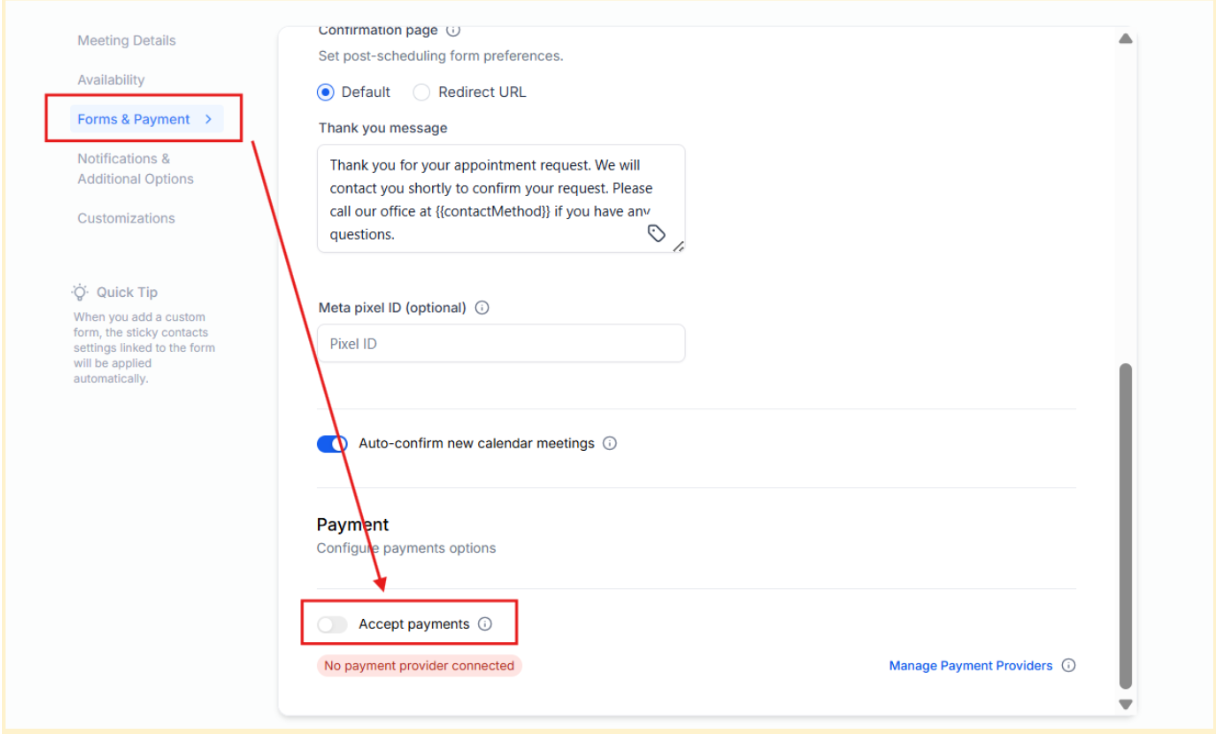
- Note: Enabling payments for calendars will give you access to additional form fields, such as amount, description, and payment mode. For recurring payments please remember to enable “Recurring Meeting ” in the Availability sub tab.
¶ FAQ
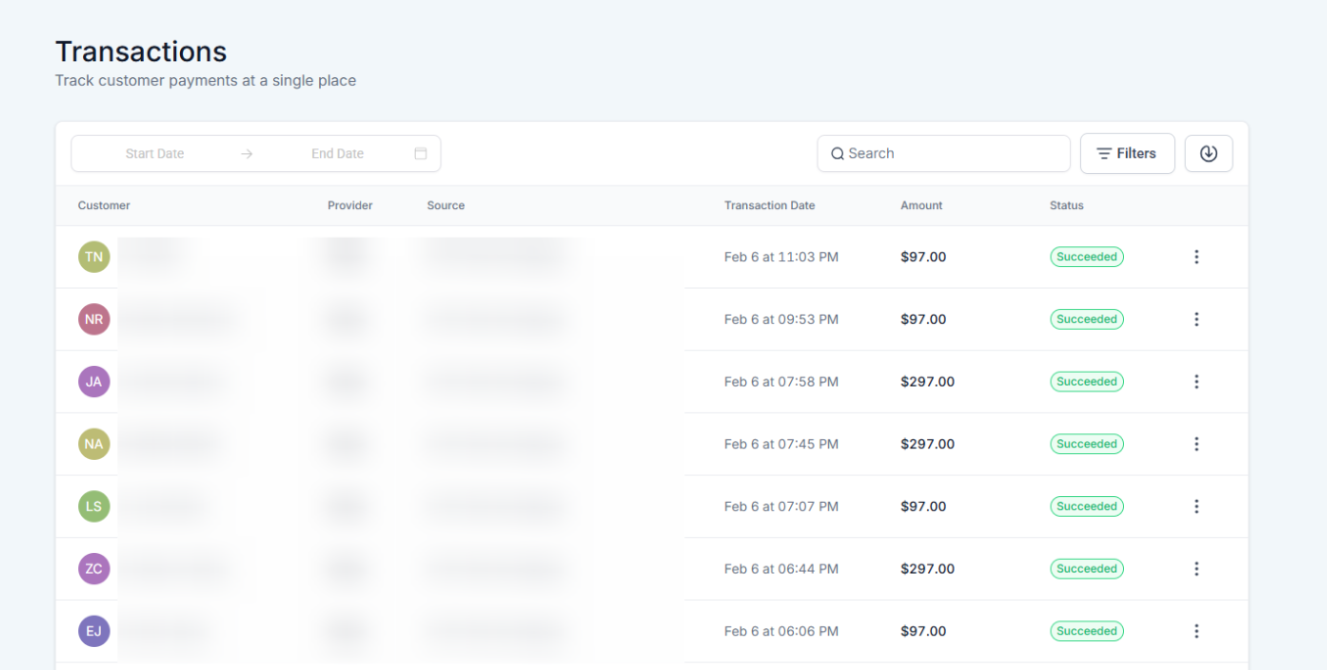
¶ Question: Where will I be able to keep track of all payments?
Answer: All the payments done via Authorize.net will be available under Payments ➝ Transactions.
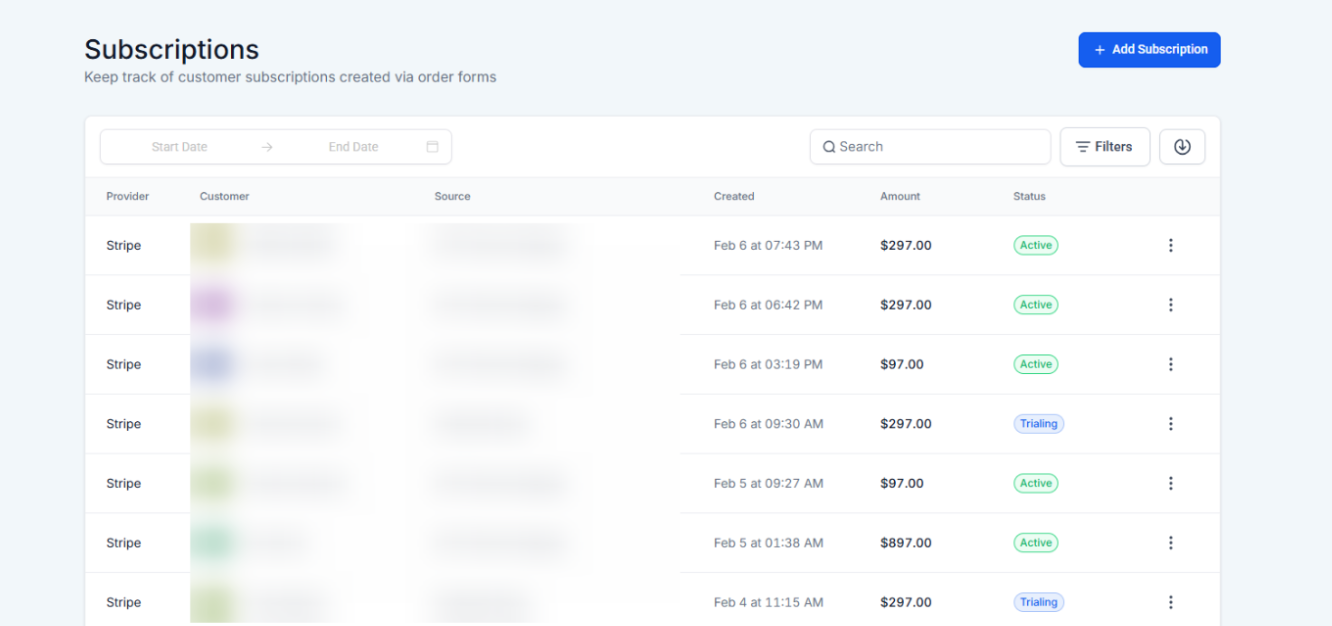
¶ Question: Where will I be able to find the subscriptions created via Authorize.net?
Answer: All subscriptions created on the order forms can be tracked under Payments ➝ Subscriptions.
¶ Question: How do I Cancel/End a subscription created via Authorize.net?
Answer: Subscriptions created using Authorize.net can be canceled within the Subscriptions page using the
'Cancel Subscription ’ Action.
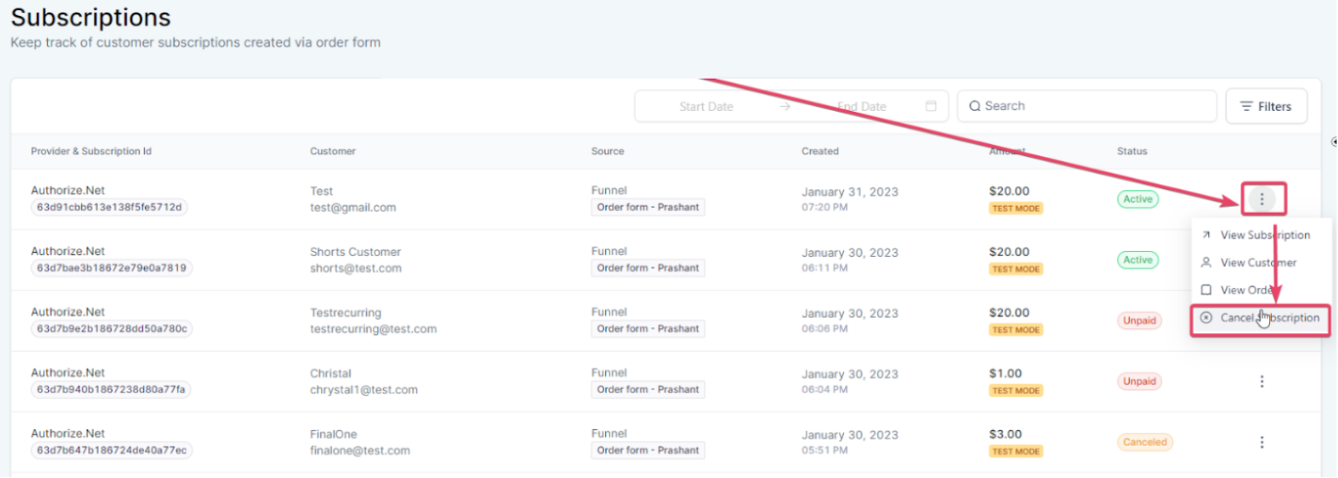
Please note: Cancel Action is provided only against those subscriptions that are created on Authorize.net.
Question :Does Authorize.net work for membership checkouts?
Answer: Yes, Authorize.net is available for membership checkouts.
¶ Question: Will customers see different form fields when Authorize.Net is connected?
Answer: Yes. New fields such as amount , currency , description , and test/live mode selection will appear on integrated forms.
Question: Can I use Authorize.net if I am already using Stripe?
Answer: Yes! You do not need to disconnect Stripe. You can have both active, but you must select one as your Default Gateway in the Payments settings to determine which one processes your order forms by default.
Question: How do I enable payments for recurring calendar appointments?
Answer: First, navigate to your Calendar Settings and toggle on “Accept Payments.” To ensure the system handles ongoing billing, you must also go to the Availability sub-tab and enable the “Recurring Meeting” option.