Partial payments for invoices is a highly requested feature that allows end customers to make payments in installments, providing flexibility and improving cash flow management. This guide will walk you through the steps to enable and manage partial payments on your invoices.
Benefits:
How-to Steps:
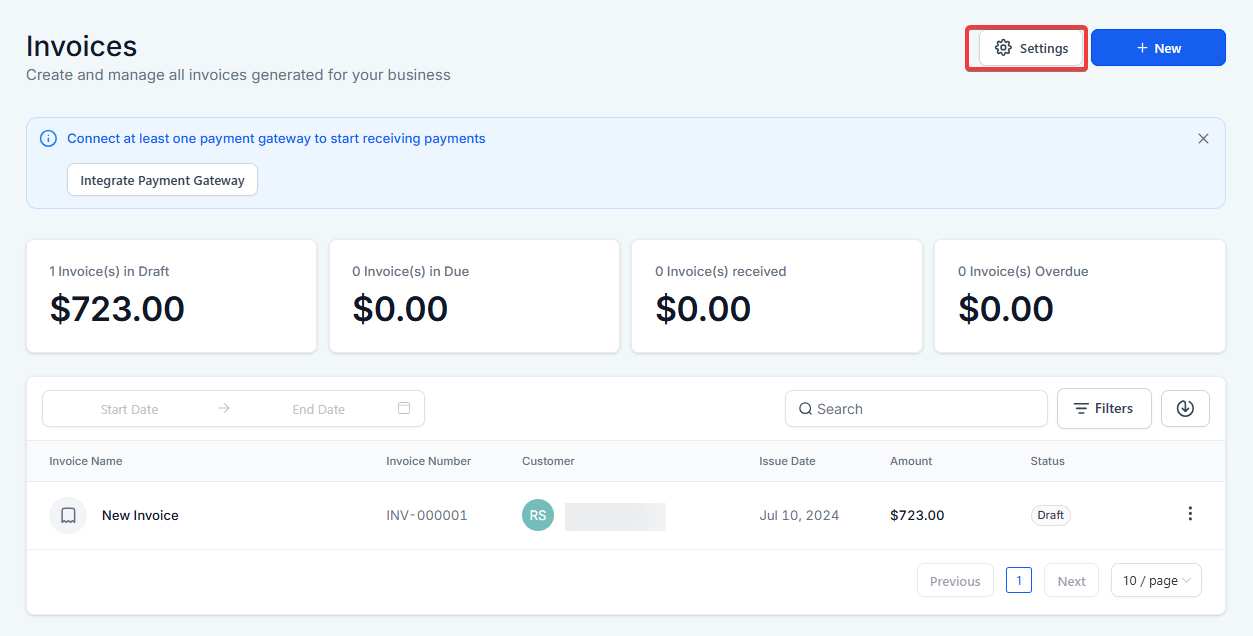
1. Access Payment Settings:
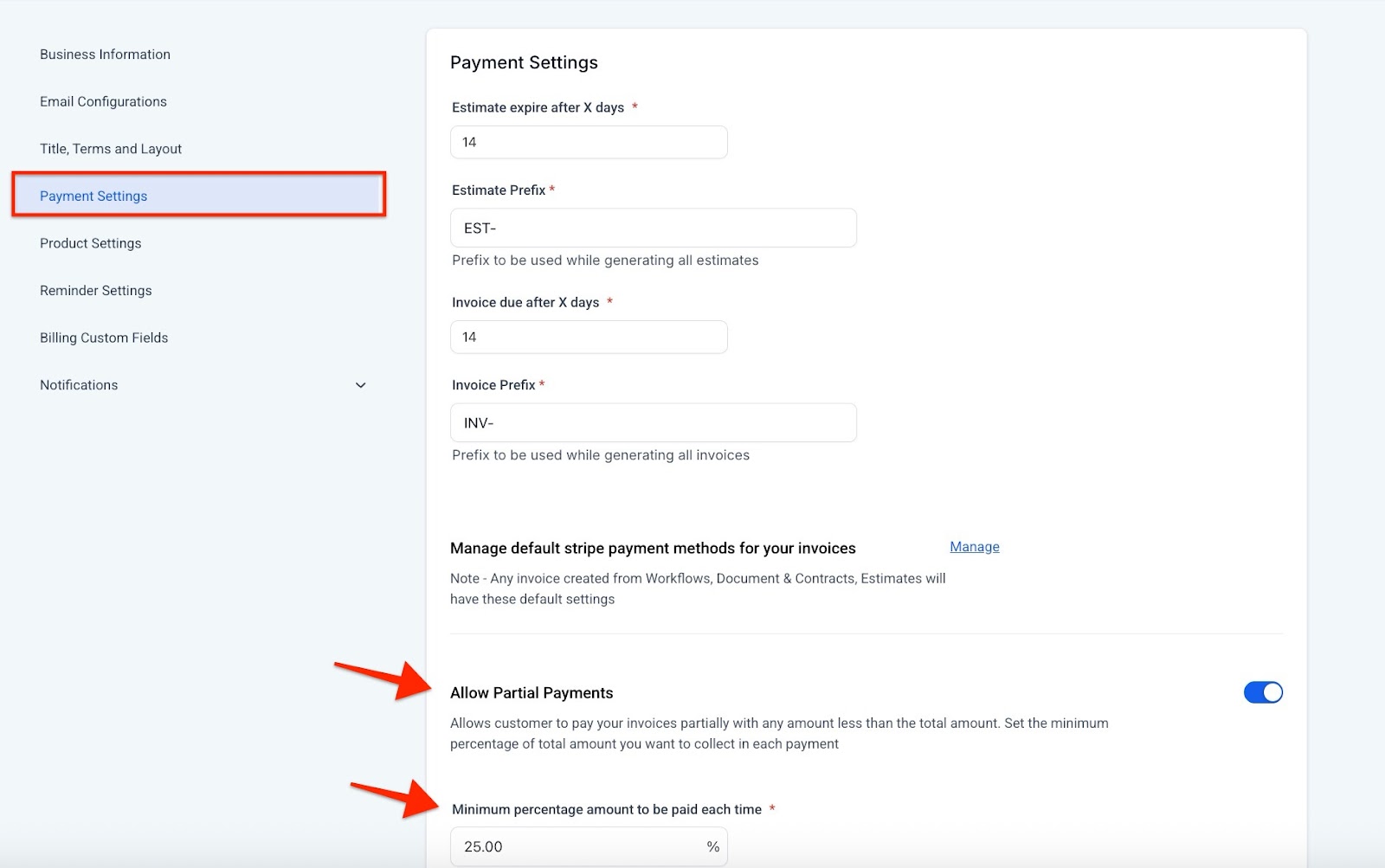
2. Enable Partial Payments:
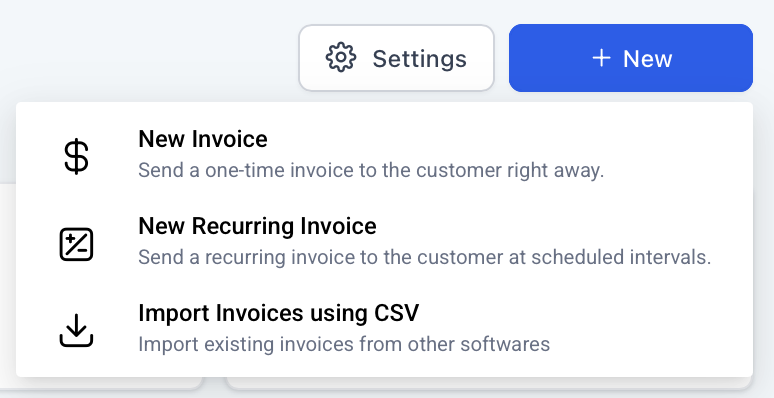
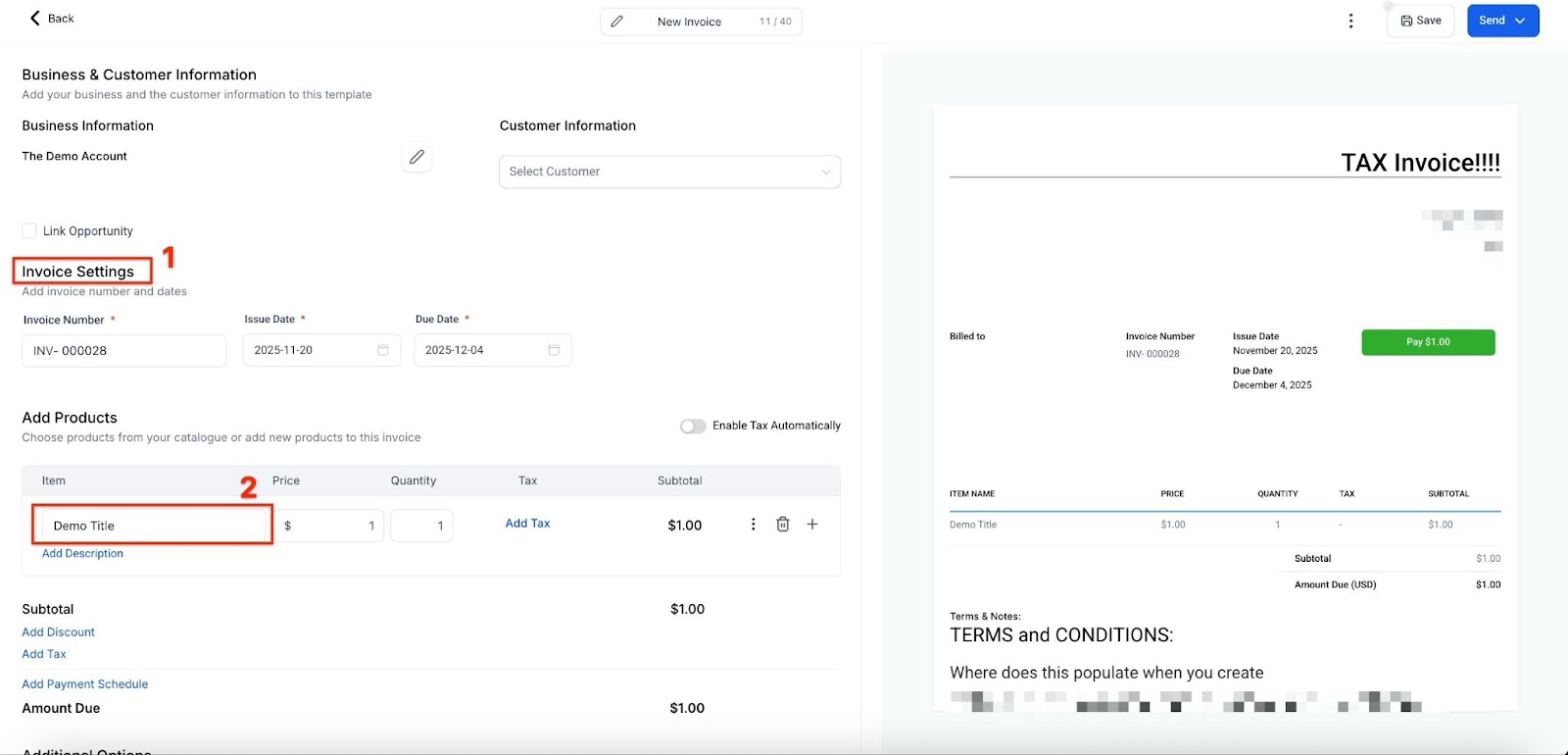
3. Creating an Invoice with Partial Payments:
Note:You will need to navigate back to the Invoices tab under Invoices & Estimates to create a new invoice.
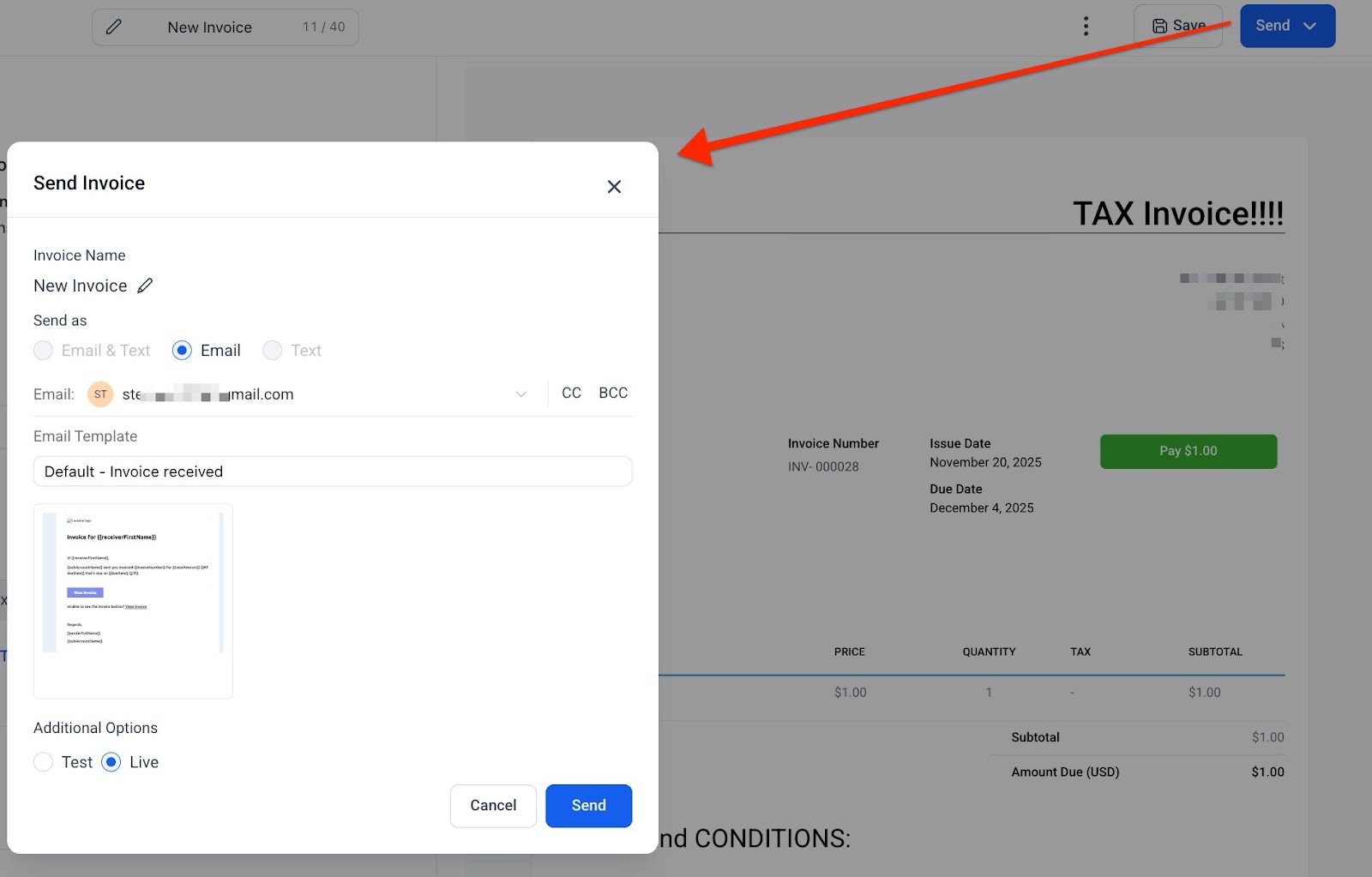
4. Customer Payment Process:
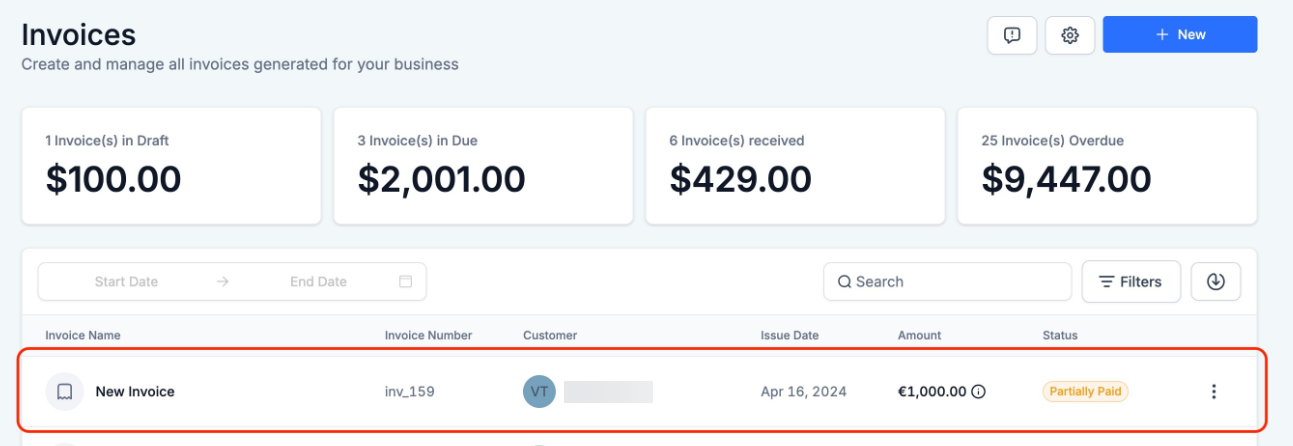
5. Managing Partial Payments:
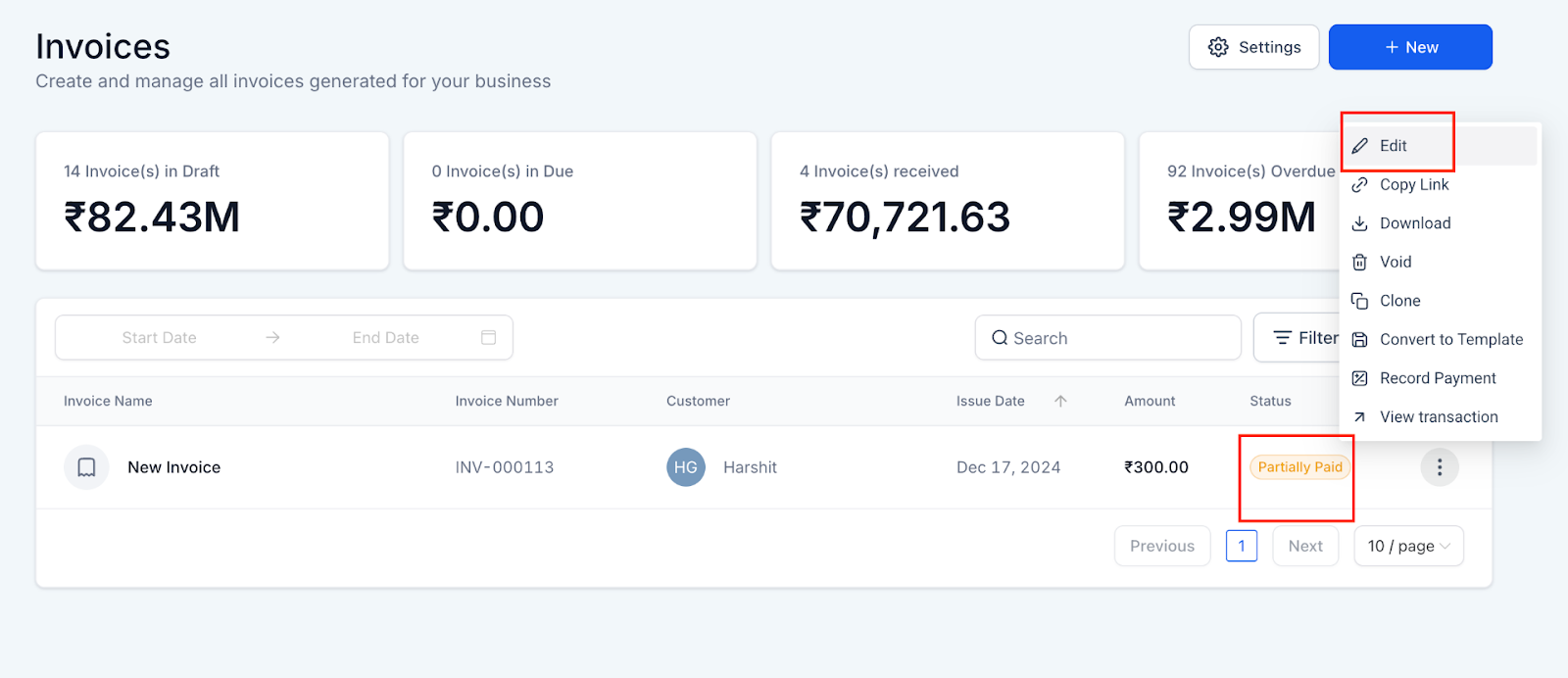
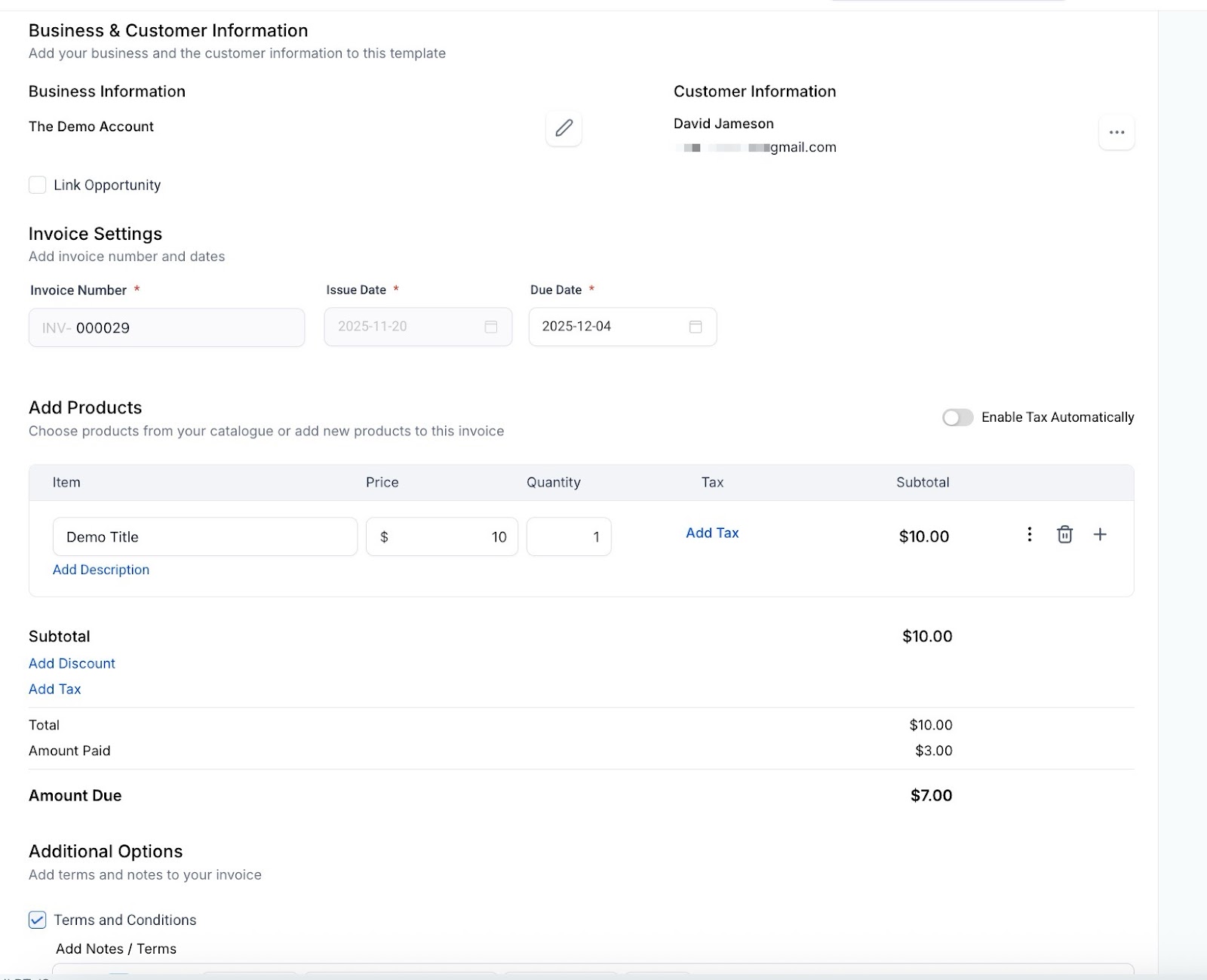
6. Editing Partially Paid Invoices:
Pro Tips:
FAQ/Use Cases:
Question: Can I enable partial payments for recurring invoices?
Answer: Yes, the partial payments feature is available for both one-time and recurring invoices.
Question: What happens if a customer tries to pay less than the minimum percentage?
Answer: The system will not accept payments below the specified minimum percentage. The customer must enter an amount that meets or exceeds this threshold.
Question: How can I inform my customers about the partial payment option?
Answer: Include information about the partial payment option in your invoice template or a separate communication to your customers. Clearly explain how they can make a partial payment and the benefits of doing so.
Question: Can I edit a partially paid invoice after it’s been sent?
Answer: Yes, you can edit a partially paid invoice. You can update details such as the invoice due date, name, terms, notes, payment schedules, and even add or remove products. Simply open the partially paid invoice, click the ‘Edit’ option for the relevant section, make the necessary changes, and save. The updates will reflect immediately.
Question: How do partial payments impact accounting and reports?
Answer: Each partial payment is recorded as a separate transaction, allowing accurate tracking of revenue, outstanding balances, and payment history.
Question: How do I determine the smallest amount a customer is allowed to pay on an invoice?**
**Answer: You can control this by setting a minimum percentage in your payment settings. This percentage represents the smallest fraction of the total invoice amount that the system will accept as a partial payment.
Question: If a customer makes a partial payment, does the “Due Date” automatically extend?
Answer: No. The due date remains the same for the remaining balance unless you manually edit the invoice to extend it. This keeps the pressure on for the full amount while still allowing you to collect a deposit or installment.