¶ Capturing Initials in Documents & Contracts
Capturing Initials in Documents & Contracts
In legal documents and contracts, capturing initials is an essential step to confirm authenticity and ensure both parties are aware of and agree to the terms. This guide walks you through why it’s important, the different ways to gather initials, and best practices for doing so, while also highlighting how modern technology can make the process smoother and more reliable.
¶ Importance of Capturing Initials
- Verification of Agreement: Initials on documents confirm that the party has read and agreed to the terms and conditions outlined in each section of the document. This step is essential for preventing misunderstandings and disputes.
- Enhanced Security: By requiring initials on every page or significant section, it becomes more challenging for any party to claim ignorance or dispute the content later. This practice significantly enhances the security and integrity of the document.
- Legal Validity: Capturing initials and other digital signatures ensures the document complies with legal standards. This includes capturing IP addresses and other fingerprint information, which are crucial for validating digital signatures.
¶ Key Features and Benefits
- Fillable Element - Initials: This feature allows signers to add their initials on every page of a multi-page PDF, ensuring they have reviewed the entire document.
- Drag and Drop Functionality: Document editors can now easily drag and drop the initial element from the side tab and assign it to the intended recipients.
- Flexible Initials Input: Signers can click on the initials field and either type or draw their initials, providing flexibility and convenience.
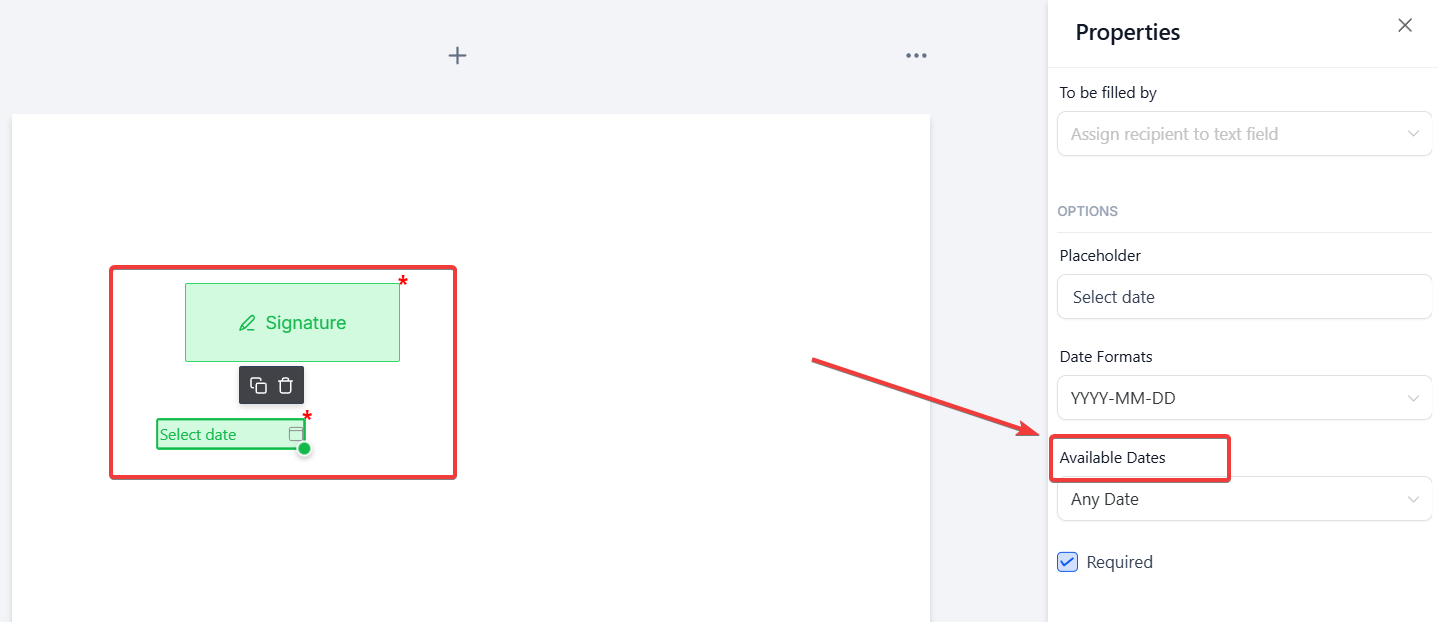
- Support for Today’s Date & Signer Name Toggle: Users can limit the date selection to the current date and toggle the display of the signer’s name on the signature field. For instance, in scenarios where legal documents require the signer to confirm the date of signing explicitly, this feature ensures the date field defaults to the day of signing. Additionally, users can control whether the signer’s name appears above the signature in the final PDF, maintaining a cleaner and more customized document layout.
¶ How to Use:
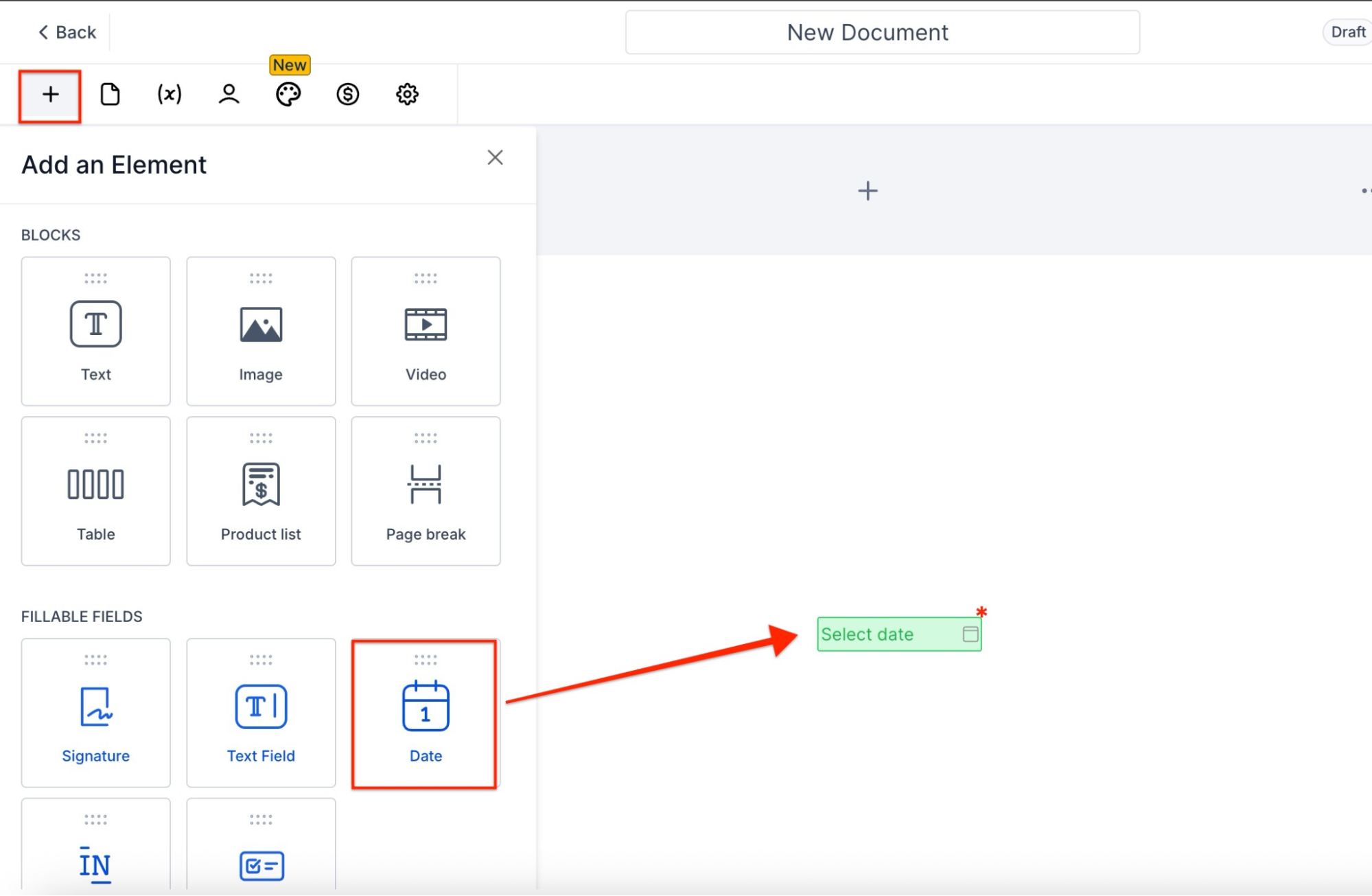
Add Today’s Date:
- Insert a date field element.
- Go to available dates and select “Today’s date” as the option.
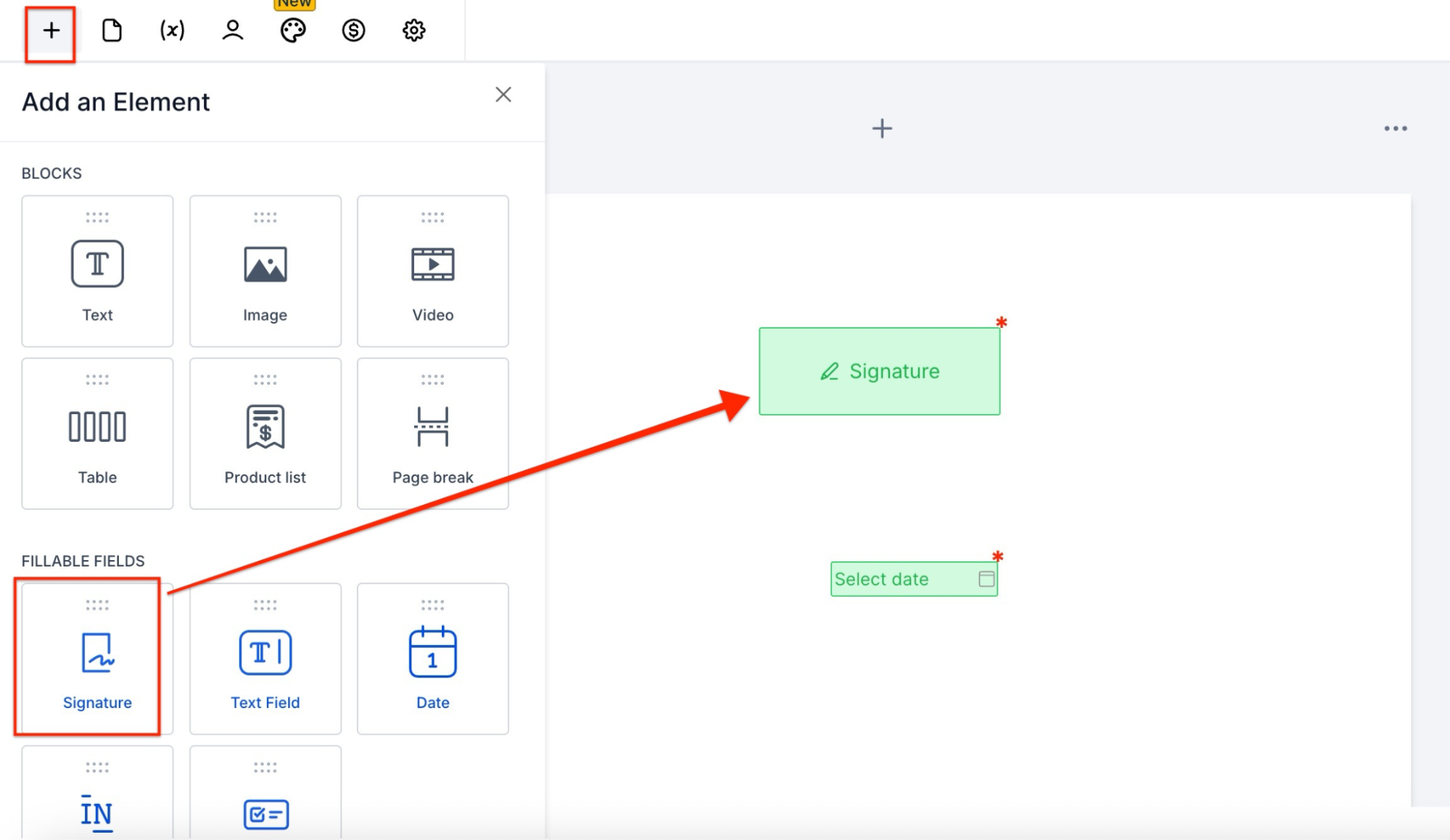
Toggle Signer Name:
- Add a signature field.
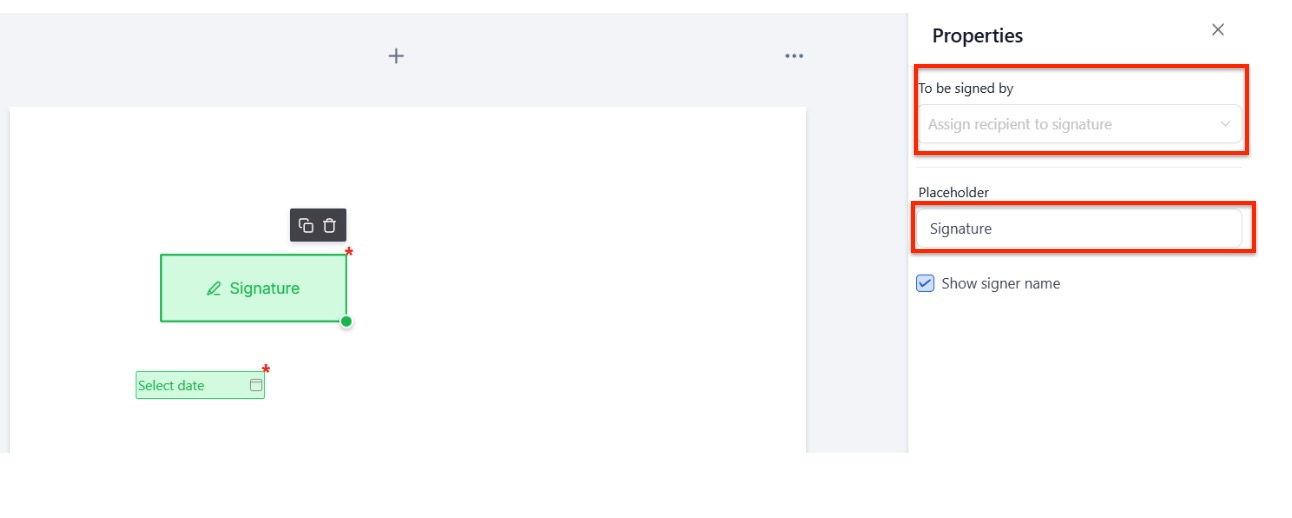
- Assign a signer.
- Enable or disable the checkbox in properties to show or hide the signer’s name.
¶ How to Use the Initials Feature
¶ For Document Editors
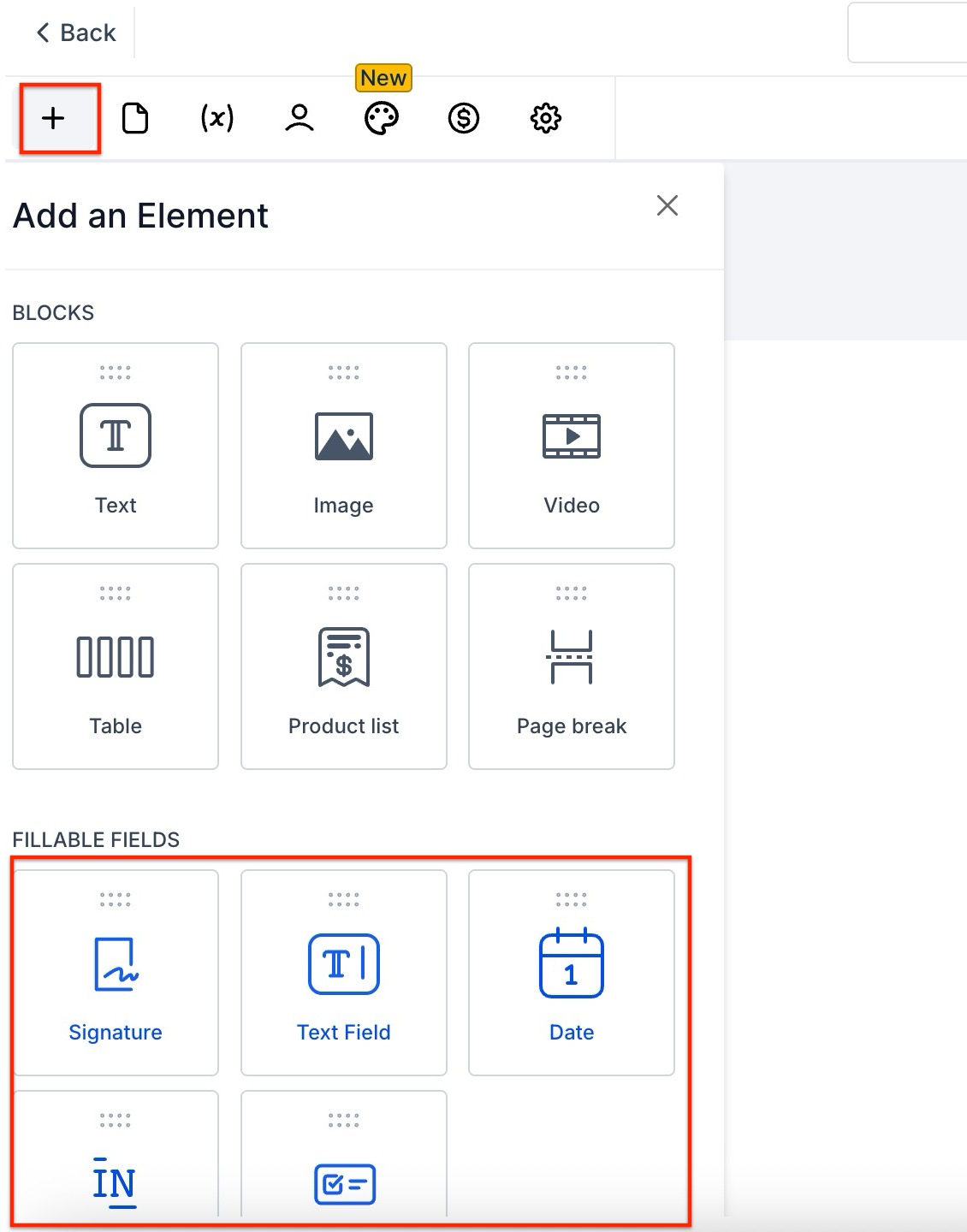
- Access the Editor: Open the document editor interface to add fillable elements to your document.
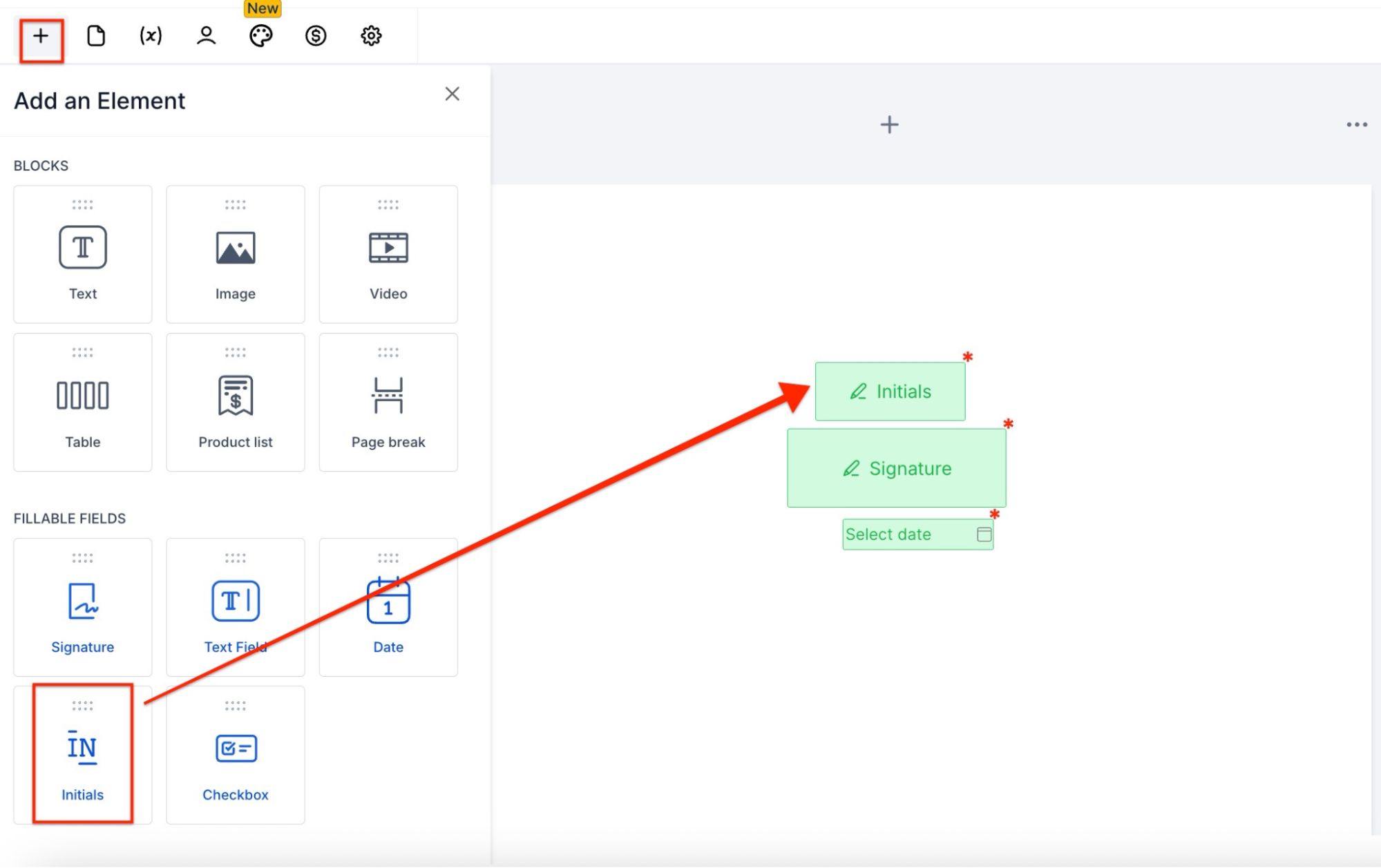
- Drag and Drop Initials: From the side tab, drag the initials element and drop it onto the desired location within the document.
- Assign Recipients: Assign the initials field to the recipients who need to initial the document. This ensures that each recipient acknowledges the relevant sections of the document.
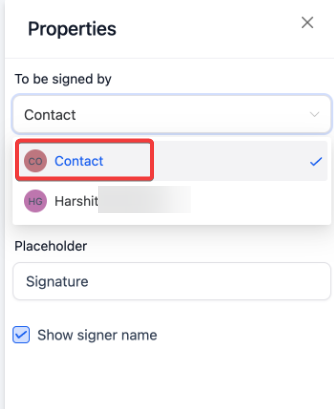
- Assigned to Contact by Default: Fillable fields are automatically assigned to a Contact when creating a template. This simplifies the process for first-time users and ensures the contact in the workflow is dynamically assigned to the fillable field, streamlining template usage.
¶ For Document Signers
- Locate Initials Field: Find the designated initials field while reviewing the document.
2. Input Initials: Click on the initials field. You can use the pre-filled text or edit your initials by typing or drawing them.
3. Confirm and Accept: After entering your initials, click the accept button to confirm your acknowledgment of that document section.
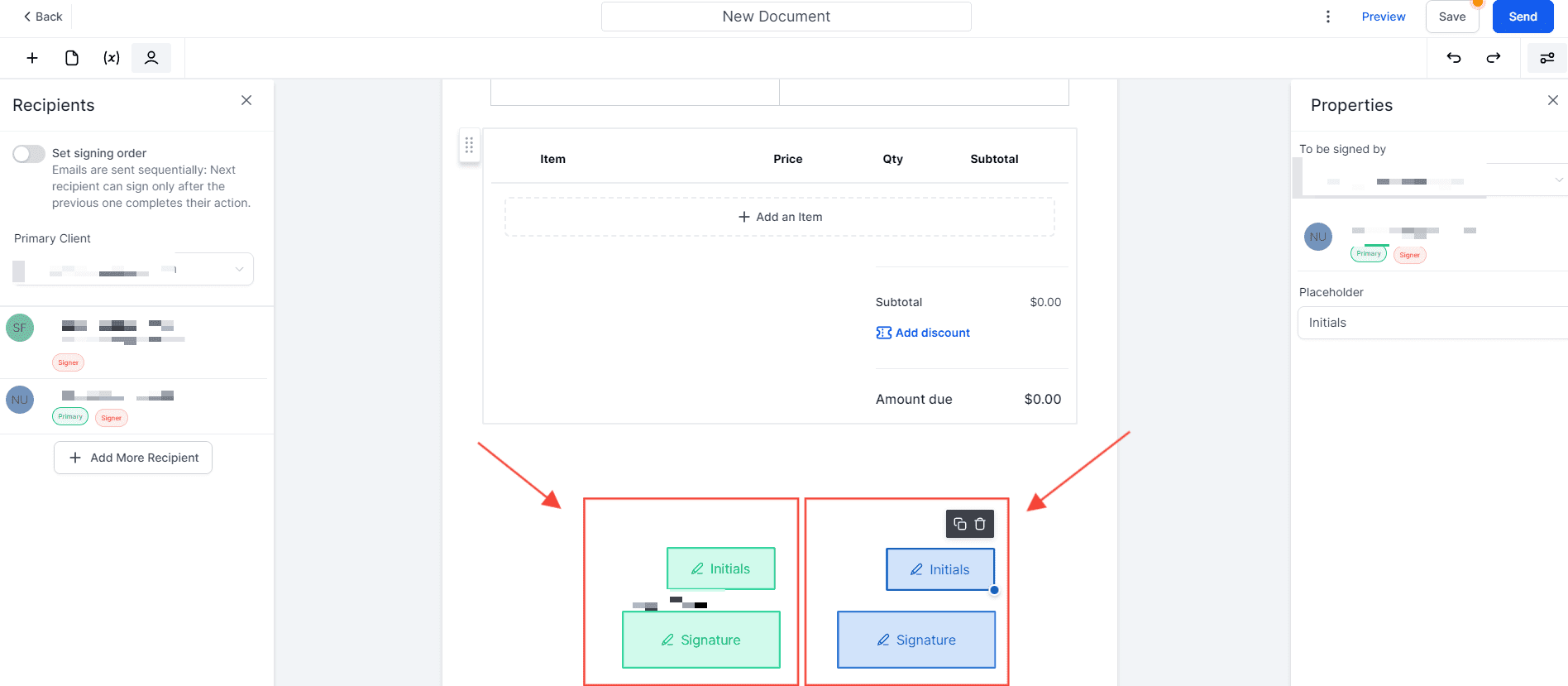
Document Editor Initials and Document Signers Initials
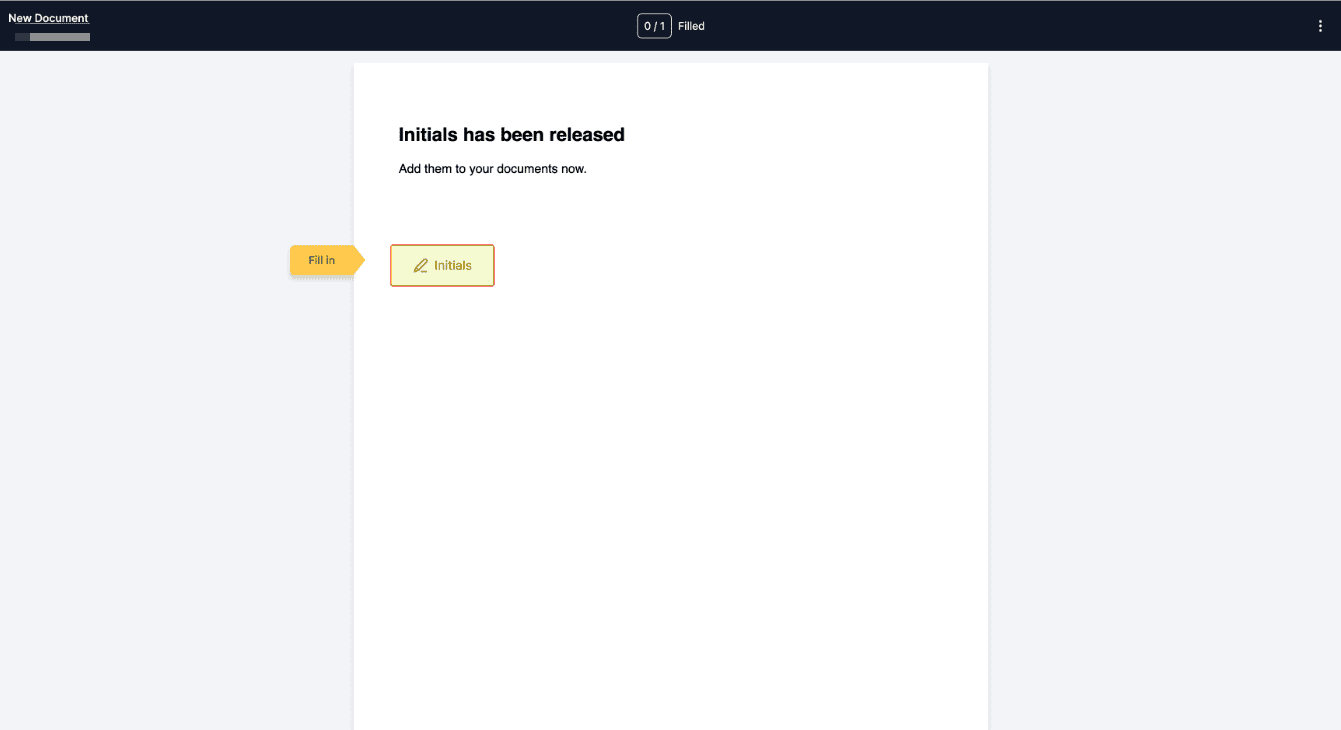
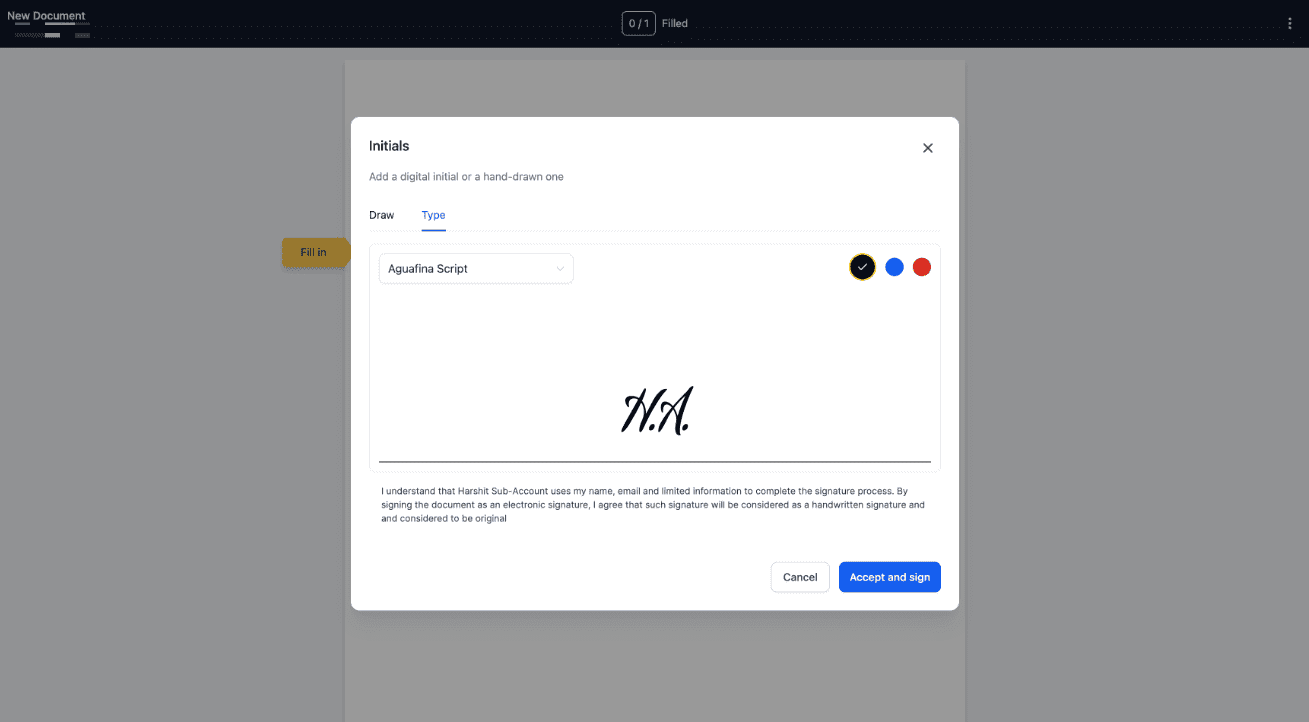
Once the document is sent to the parties, the initials and signatures will be captured.
¶ Best Practices for Capturing Initials
- Consistent Placement: Ensure that Initials fields are consistently placed throughout the document, particularly on every page or in critical sections that require explicit acknowledgment.
- Clear Instructions: Provide clear instructions to the signers on how to input their initials. This can include a brief guide within the document or a separate instructional sheet.
- Verification and Review: Before finalizing the document, review it to ensure all Initials fields are correctly placed and assigned to the appropriate recipients.
¶ FAQs
Question: Why is capturing initials on documents important?
Answer: Capturing initials verifies that the signer has reviewed and agreed to the specific sections of the document. It enhances security and ensures legal validity, making it more challenging for parties to dispute the content later.
Question: Can I add initials on every page of a multi-page PDF?
Answer: Yes, using the fillable initials feature, you can place initials on every page of a document. This ensures the signer has reviewed the entire document.
Question: How can signers input their initials in a document?
Answer: Signers can either type or draw their initials by clicking on the initials field within the document. The process is flexible, allowing signers to choose the input method that works best for them.
Question: What is the “Today’s Date” and “Signer Name” toggle used for?
Answer: The “Today’s Date” field restricts the date selection to the current date, ensuring that the document is signed on the intended day. The “Signer Name” toggle allows document editors to control whether the signer’s name appears above the signature for a cleaner document layout.
Question: Can I assign initials to specific recipients in a document?
Answer: Yes, Initials fields can be assigned to specific recipients to ensure they are the ones who acknowledge and initial the relevant sections of the document. This feature is essential for ensuring each party is responsible for specific areas of the contract.
Question: How can I ensure proper placement and completion of Initials fields in a document?
Answer: To ensure accuracy, consistently place Initials fields throughout the document and provide clear instructions for signers. Verify the placement and assignment of these fields before finalizing the document.
Question: How do I assign initials to a contact when creating a document template?
Answer: When creating a document template, initials fields are automatically assigned to a contact by default. This helps streamline the process by ensuring that the contact in the workflow is dynamically assigned to the appropriate fillable field, making it easier for first-time users to create and assign initials fields.
Question: What happens if I create a template for the first time; do I have to manually assign the initials field to a contact?
Answer: No. When you create a template, fillable fields like initials are automatically assigned to a Contact by default. This dynamic assignment streamlines the workflow for first-time users and ensures the field is correctly linked to the contact in your process.
Question: What technical data is captured along with initials to ensure the document is legally valid?
Answer: To comply with legal standards and validate digital signatures, the system captures the signer’s IP address and other digital fingerprint information. This data is crucial for confirming the integrity and authenticity of the signed document.