¶ How To Use Time Delay In The Funnel and Website Builder
How To Use Time Delay In The Funnel and Website Builder
You may want to delay the appearance of certain elements in your funnels or website. This can be done using the Countdown timer, or time delay feature, within the builder.
¶ Navigation
¶ Step 1: Hiding initial visibility.
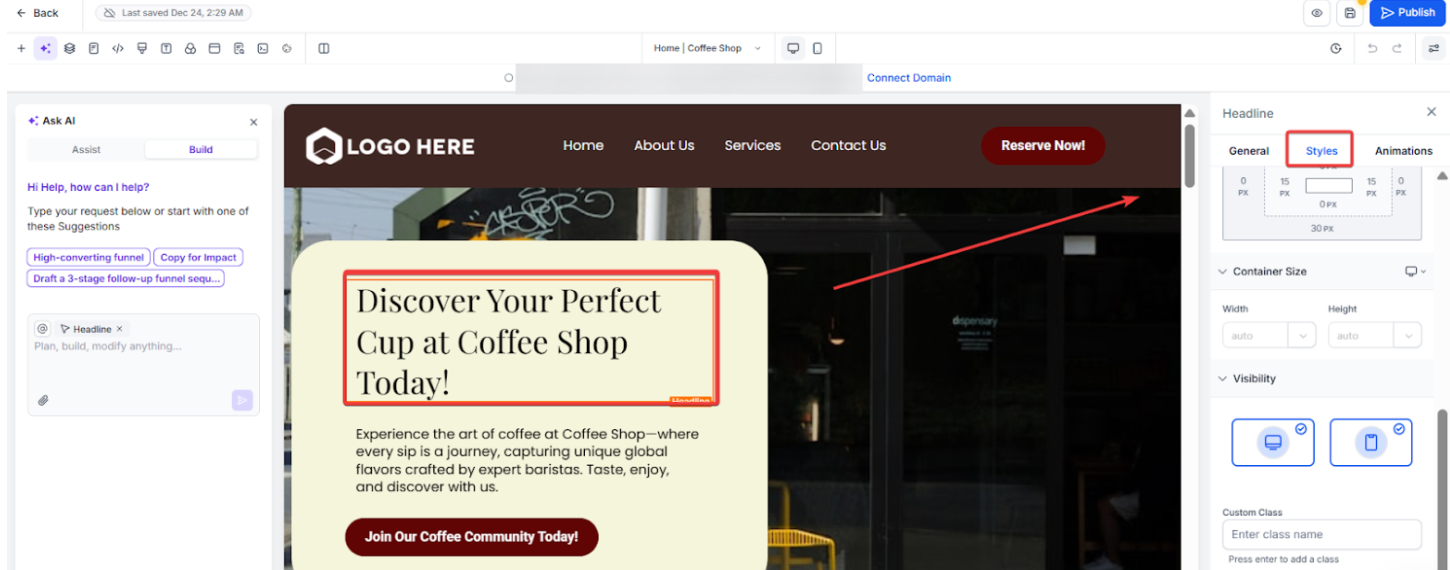
- To have something pop up after a time delay, you’ll need to hide the visibility first.
- Select the element you wish to hide.
- Under the settings on the right-hand side, go to Advanced Settings.
- Under Visibility, uncheck both desktop and mobile.
¶ Step 2: Add your time-delayed elements to the corresponding timer you’ve set up.
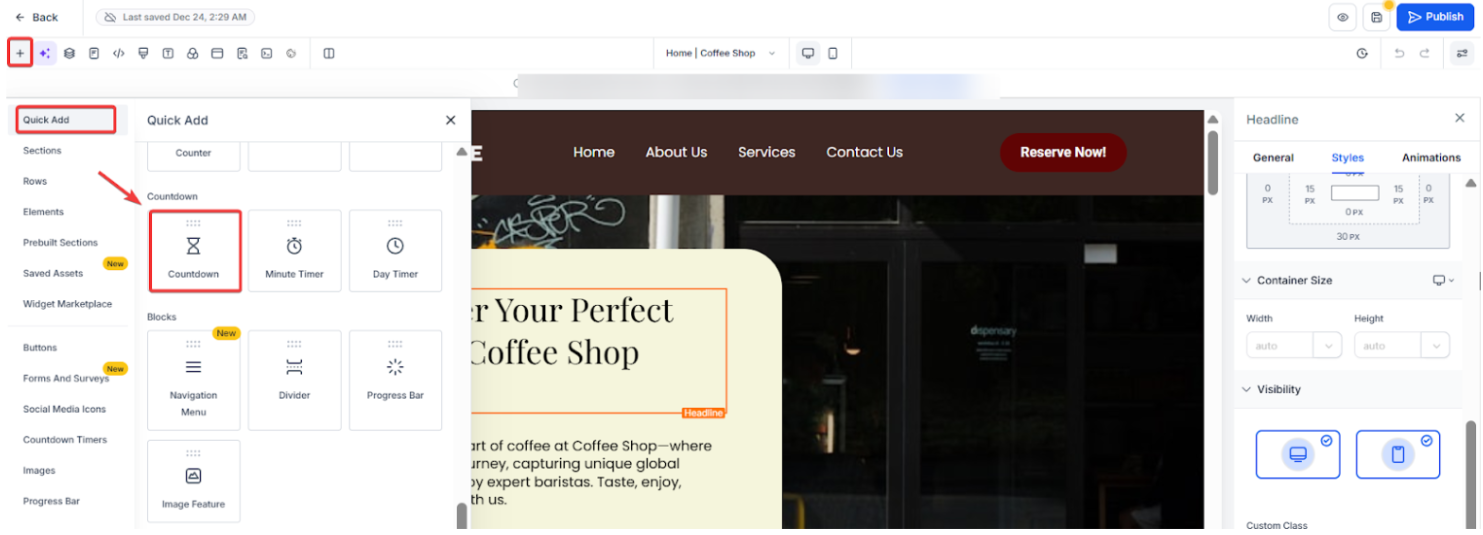
- In the top left menu, select Elements > Add Element > Countdown. From the three options within Countdown, choose “Minute Timer”. This will appear in the top center of the page.
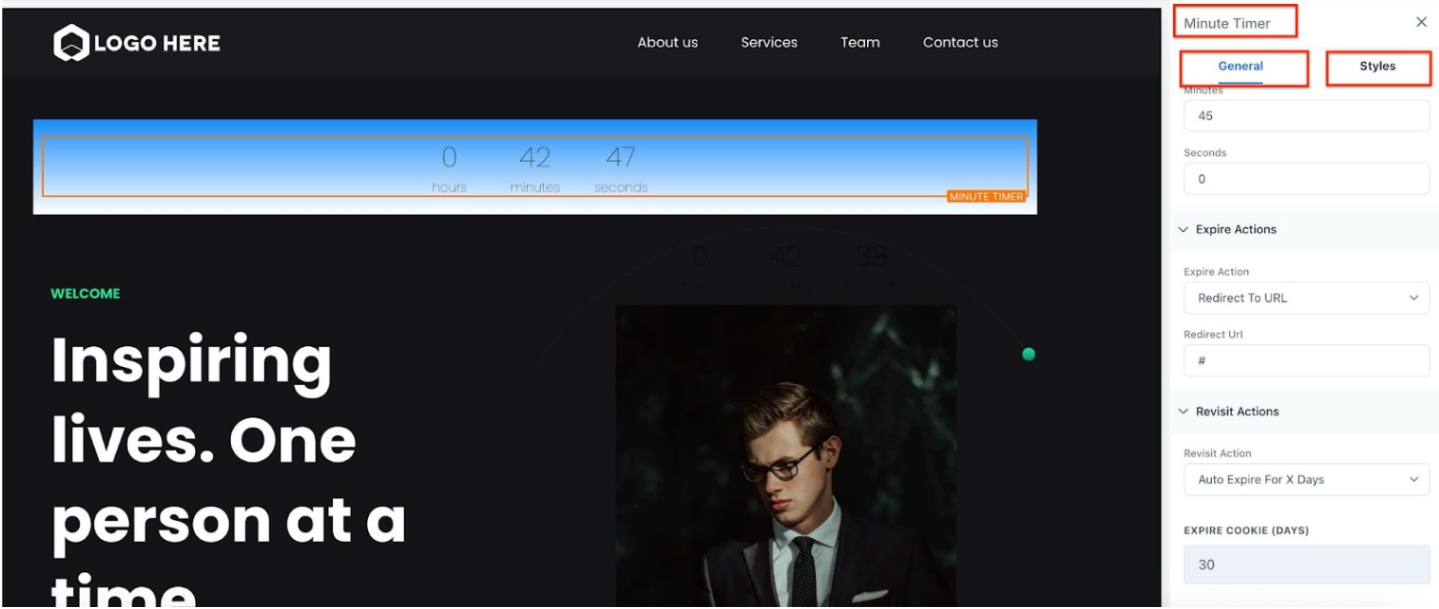
- On the Minute Timer Settings (right hand side) navigate to Minute Settings, then update the hour, minute, or second field for the length of the timer you wish to use.
- NOTE _: If you accidentally hid something you didn’t want to hide, you can find it by going to Elements > Manage > click the eyeball icon to unhide (or re-hide) an element. _
- Scroll down to Expire Actions > Choose “Show & Hide Element” from the dropdown.
- Click Show Elements and check the box for the elements you want to show with the timer feature.
- Click Save to confirm these changes.
¶ Step 3: Hiding the Timer
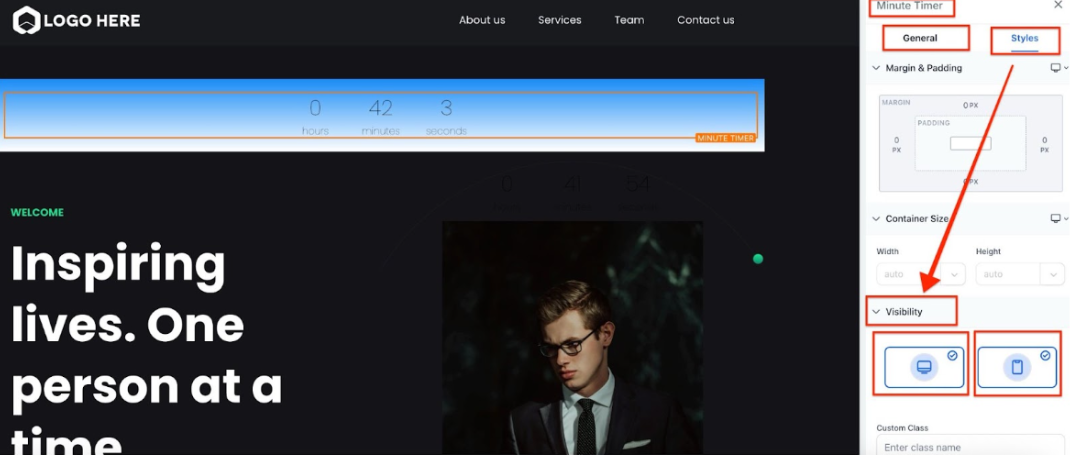
- If you don’t want the timer to actually display on the page, click it.
- On the left under “Minute Timer Settings” navigate to “Advanced”
- Then uncheck both desktop and mobile
- Save.
- Now the timer will work invisibly.
¶ FAQs
Question: What should I do if I accidentally hide an element I didn’t want to hide?**
**Answer: If you accidentally hide an element, you can unhide it by:
- Going to Elements > Manage.
- Clicking the eyeball icon next to the hidden element to toggle its visibility.
Question: What’s the difference between a countdown timer and a time delay feature?**
**Answer: In this context, they function similarly. The countdown timer serves as a time delay feature, controlling when hidden elements appear based on the duration you set.
Question: Can I use different timers for different elements on the same page?**
**Answer: Yes, you can set up multiple timers for various elements. Each timer can control different elements’ visibility based on when you want them to appear.
Question: What happens when the timer expires?**
**Answer: When the timer expires, the elements you selected under the Expire Actions will appear. You can choose to show, hide, or toggle visibility for any element linked to that timer.
Question: Can I preview how the timer and delayed elements will work?**
**Answer: Yes, after setting up your timer and visibility options, you can preview the page within the builder to see how the elements will appear after the delay.
Question: Do I have to use a countdown timer, or are there other options for delaying elements?**
**Answer: While the countdown timer is a simple and effective method, you can also use other time-based triggers or automation tools, depending on your platform, to achieve similar delayed visibility effects.
Question: Can I make an element disappear after a certain amount of time?
Answer: Yes. In the Expire Actions dropdown, you can choose “Show & Hide Element.” This allows you to select which elements should become visible and which should be hidden once the timer reaches zero.
Question: Does the timer restart if the visitor refreshes the page?
Answer: By default, a “Minute Timer” starts fresh when the page is loaded. This means if a user refreshes the browser, the delay will begin again from the start. For persistent delays that “remember” a visitor across different sessions, you would typically use a “Product Countdown” or “Evergreen” timer.