The ability to showcase client testimonials is essential for building trust and credibility with potential customers. With the Testimonial element in your page builder, you can display feedback in a way that is both professional and aligned with your brand. In this article, we will guide you through the process of setting up and customizing the Testimonial section to best suit your needs.
How to Use the Testimonial Element
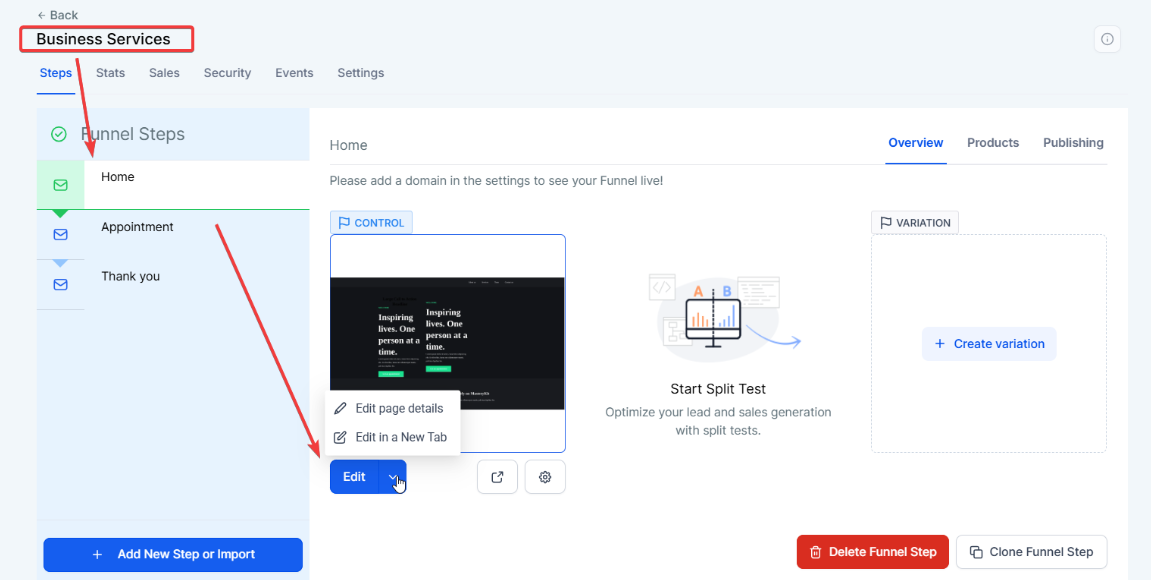
1. Access the Page Builder:
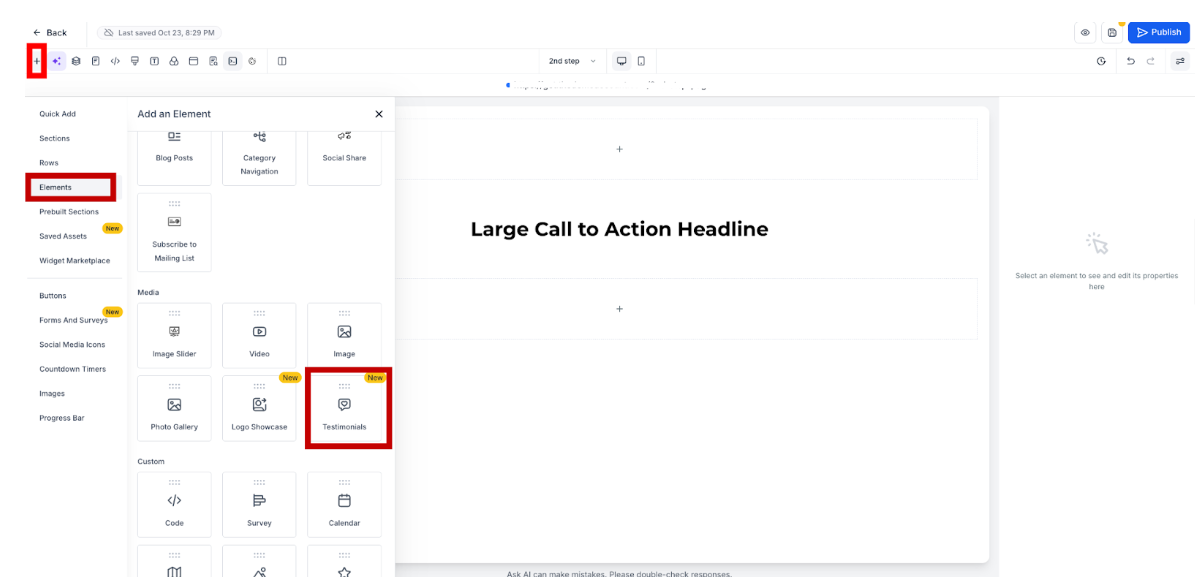
2. Add the Testimonial Element:
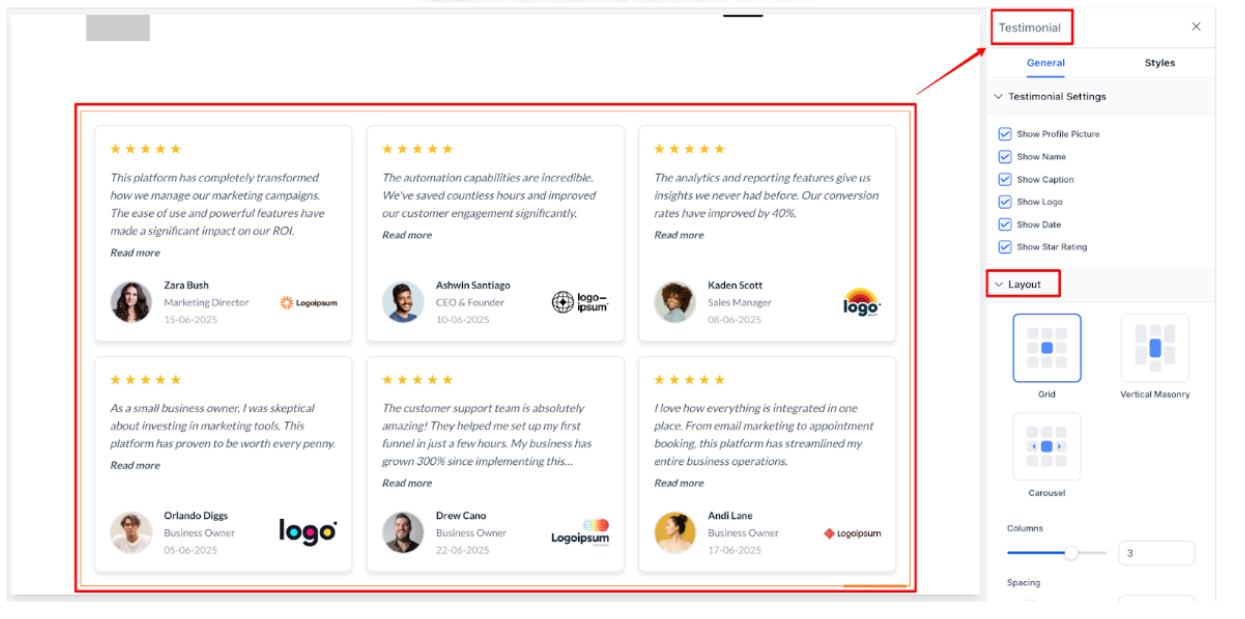
3. Select the Layout:
4. Customize Design:
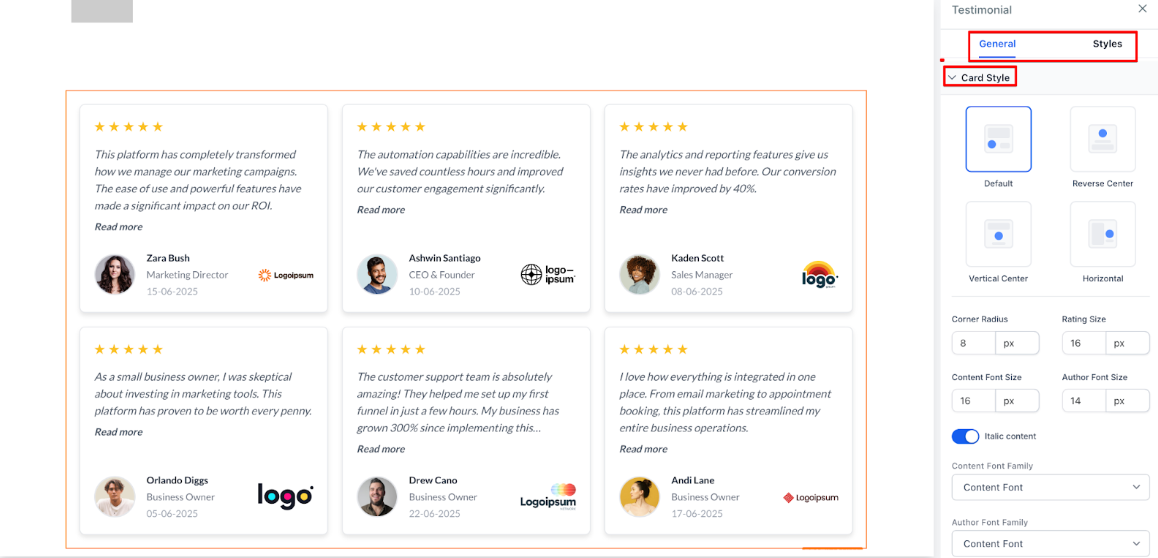
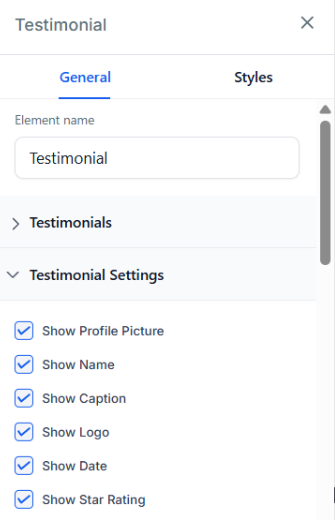
5. Configure Display Options:
6. Preview & Save:
Question: Can I use different styles for different testimonials?**
**Answer: Yes, you can choose a different style for each testimonial section, allowing flexibility in your design.
Question: How many testimonials can I display per page?**
**Answer: The number of testimonials you can display depends on your layout and the space available on the page.
Question: Can I change the order of testimonials?**
**Answer: Yes, you can reorder testimonials within the section by dragging them to your desired position.
Question: Is it possible to add videos as part of the testimonial?**
**Answer: Currently, you can add text and images, but video integration may require a custom solution.
Question: Can I use this on all pages?**
**Answer: Yes, the Testimonial element can be used on any funnel or website page that supports the page builder.
Question: What visual elements can I choose to show or hide for each testimonial?
Answer: You have full control over optional elements; you can choose whether to display profile photos, names, company logos, dates, and star ratings to customize the look of each testimonial.
Question: What is the ideal image size for the testimonial profile photos?
Answer: For the best results, use a square image (e.g., 200x200px). The builder will automatically crop the photo into a circle or rounded square depending on the style you choose, so ensure the person’s face is centered in the image.
Question: What are the three different layout options available for displaying my testimonials?**
**Answer: You can choose between Grid, Stacked, or Slider views. This allows you to adjust how the content is presented based on the amount of feedback you have and the available space on your page.