¶ Image AI in Funnels, Websites, and the Media Storage Tab
Image AI in Funnels, Websites, and the Media Storage Tab
You can make use of the Content AI - Image integration in Funnels, Websites, and the Media Storage Tab. With this feature, you can easily generate high-quality, personalized images using AI technology to enhance the visual appeal and effectiveness of your websites and funnels.
¶ How to Use:
Content AI- Image can be integrated in two ways:
¶ Generate a personalized image directly in the site builder:
- Go to Sites > Funnels and select the specific funnel
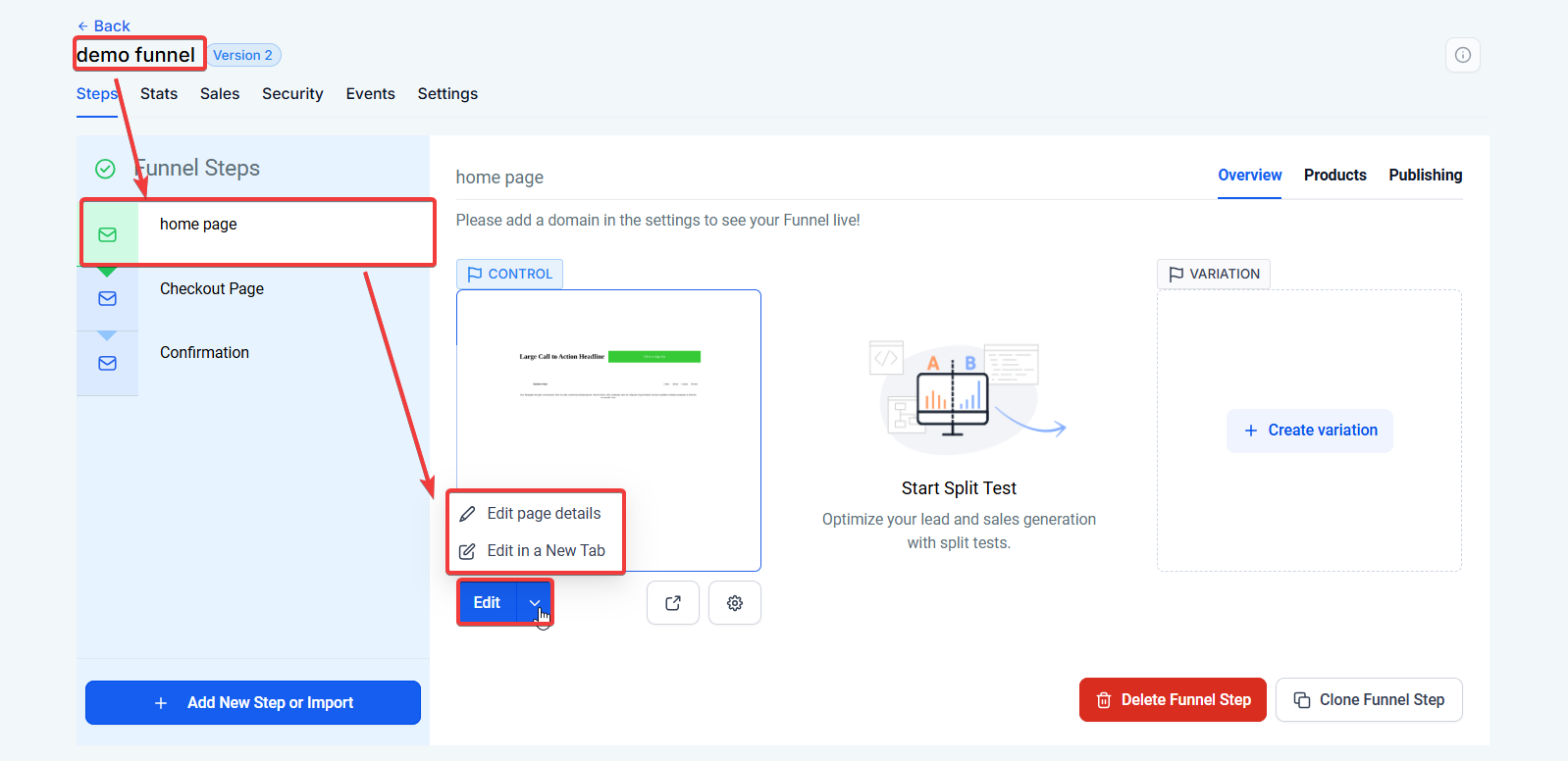
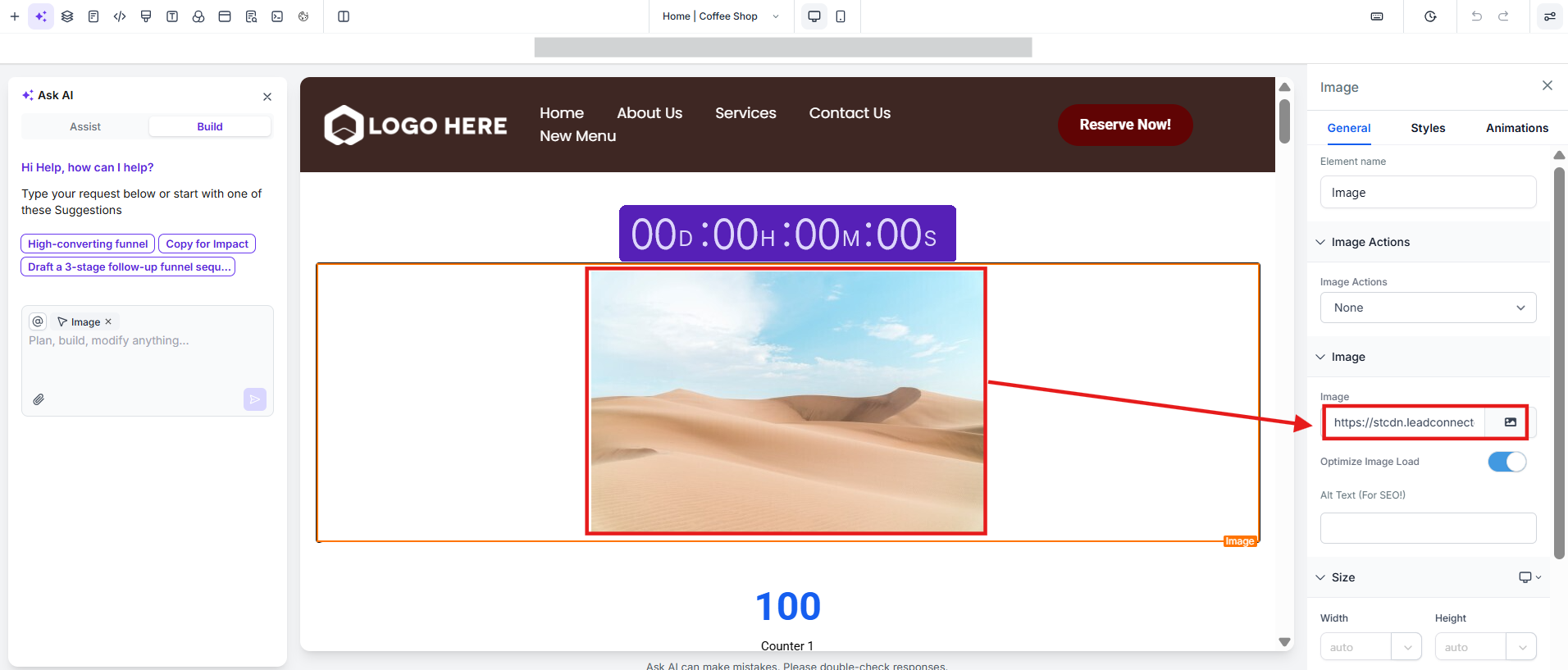
- In the builder, drag and drop an image element.
- When choosing an image, a new pop-up will take you to the media storage tab where you will have two options: “Upload” and click on the AI icon to create using AI.
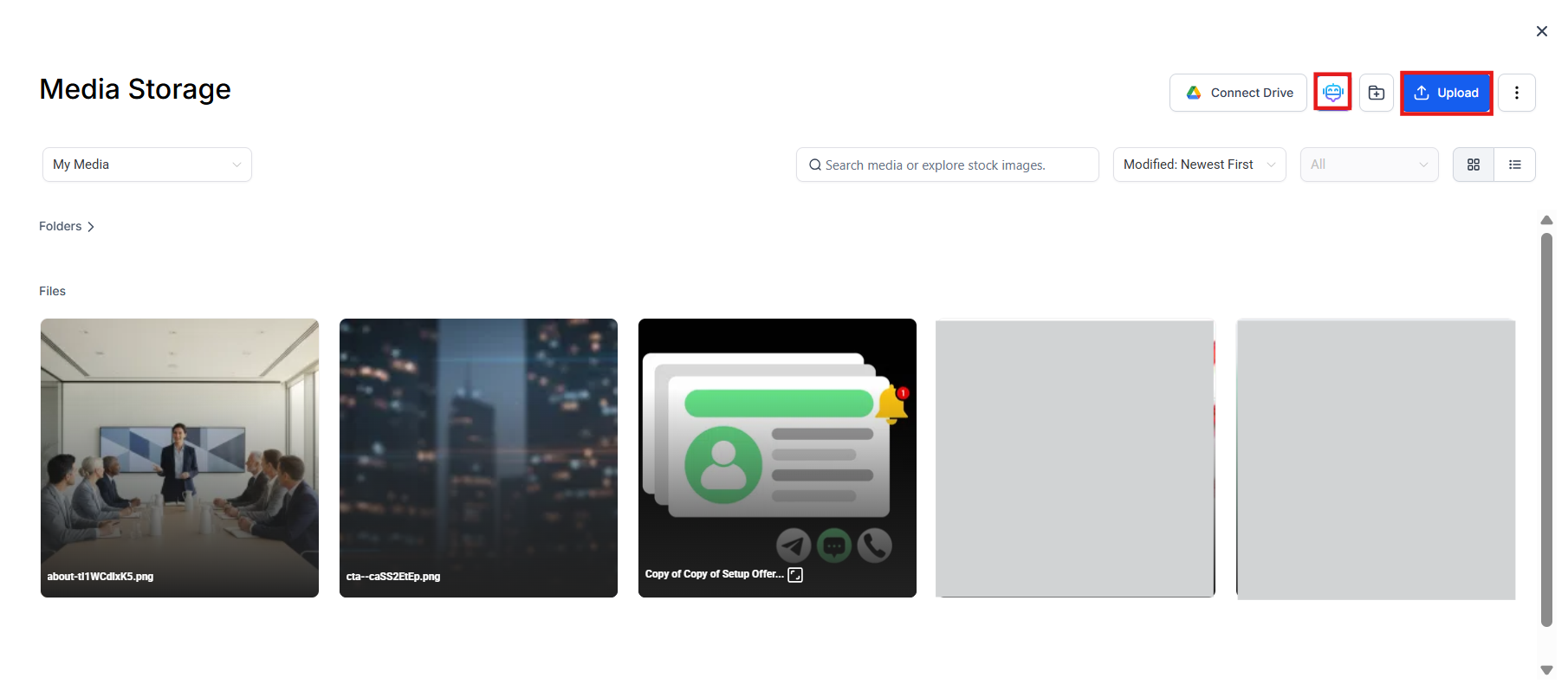
- Click on the AI icon to create an Image using AI and choose the style to edit or customize as per your needs.
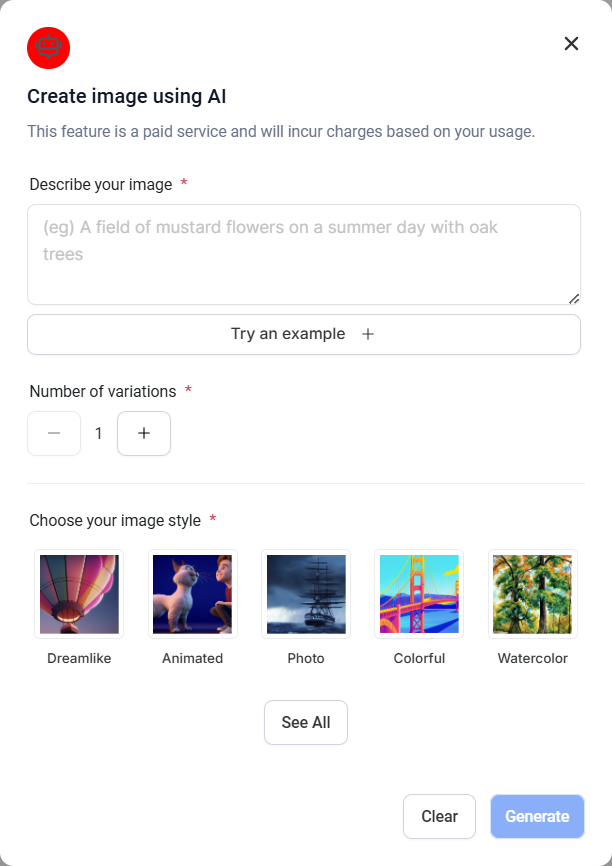
- The AI will generate a unique and personalized image, and the image will automatically get stored in the “Content AI” folder within the Media Library.
¶ Generate a personalized image directly in the Media Storage Tab:
- Go to the Media Storage Tab
- Click on the AI icon to create an image using AI and then choose a template to customize.
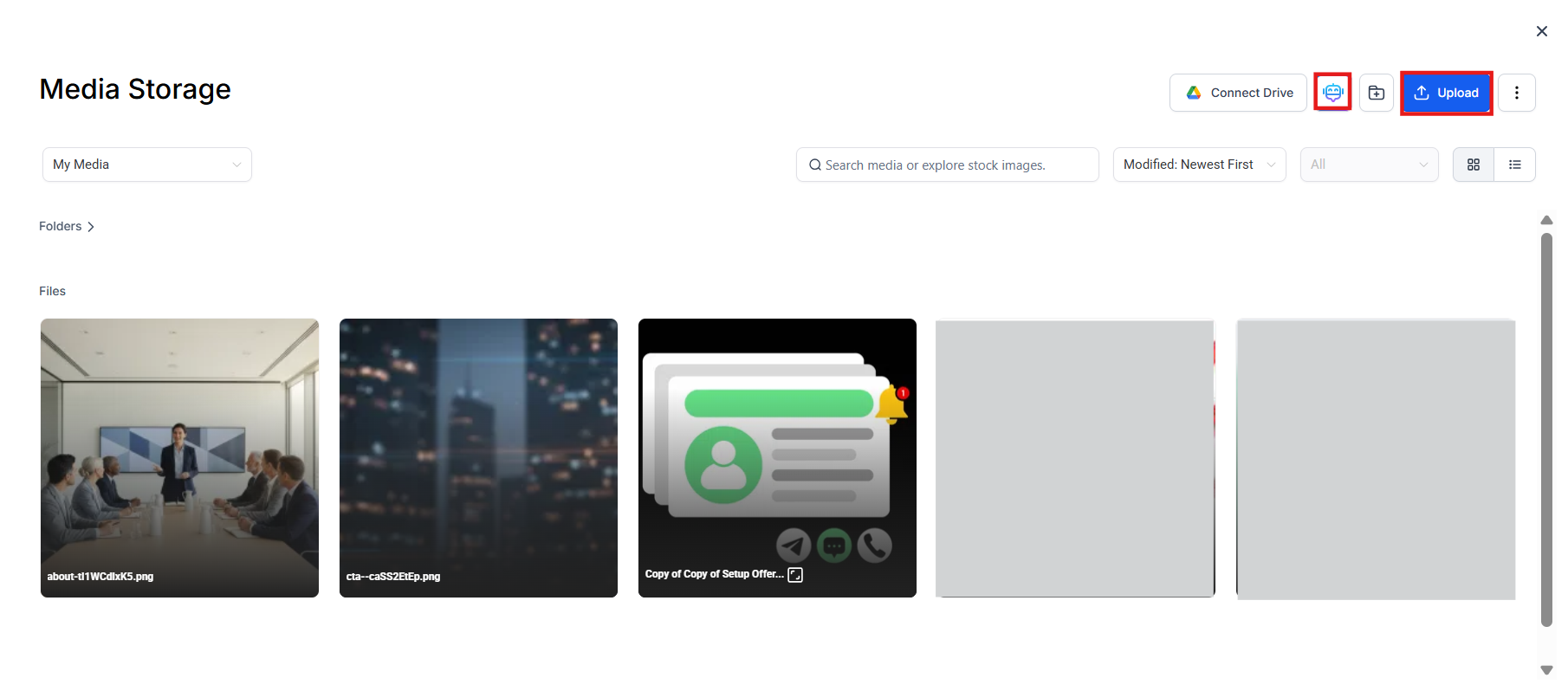
- The AI will generate a unique and personalized image, and the image will automatically get stored in the “Content AI” folder within this Tab.
Please Note: This feature is only available for the Image element.
¶ Image Action within the Image feature element
The Image Action feature provides more functionality for images within the funnel and website builder, offering users versatile options for utilizing Image Actions across various elements and improving the overall user experience.
In addition to the existing options of ‘open popup’ and ‘go to website URL,’ the following actions can now be performed with Image Actions:
- Hide Elements
- Show Elements
- Scroll to Element
- Navigate to Step
- Proceed to the Next Step
- Make a Call
- Send an SMS
- Email Address
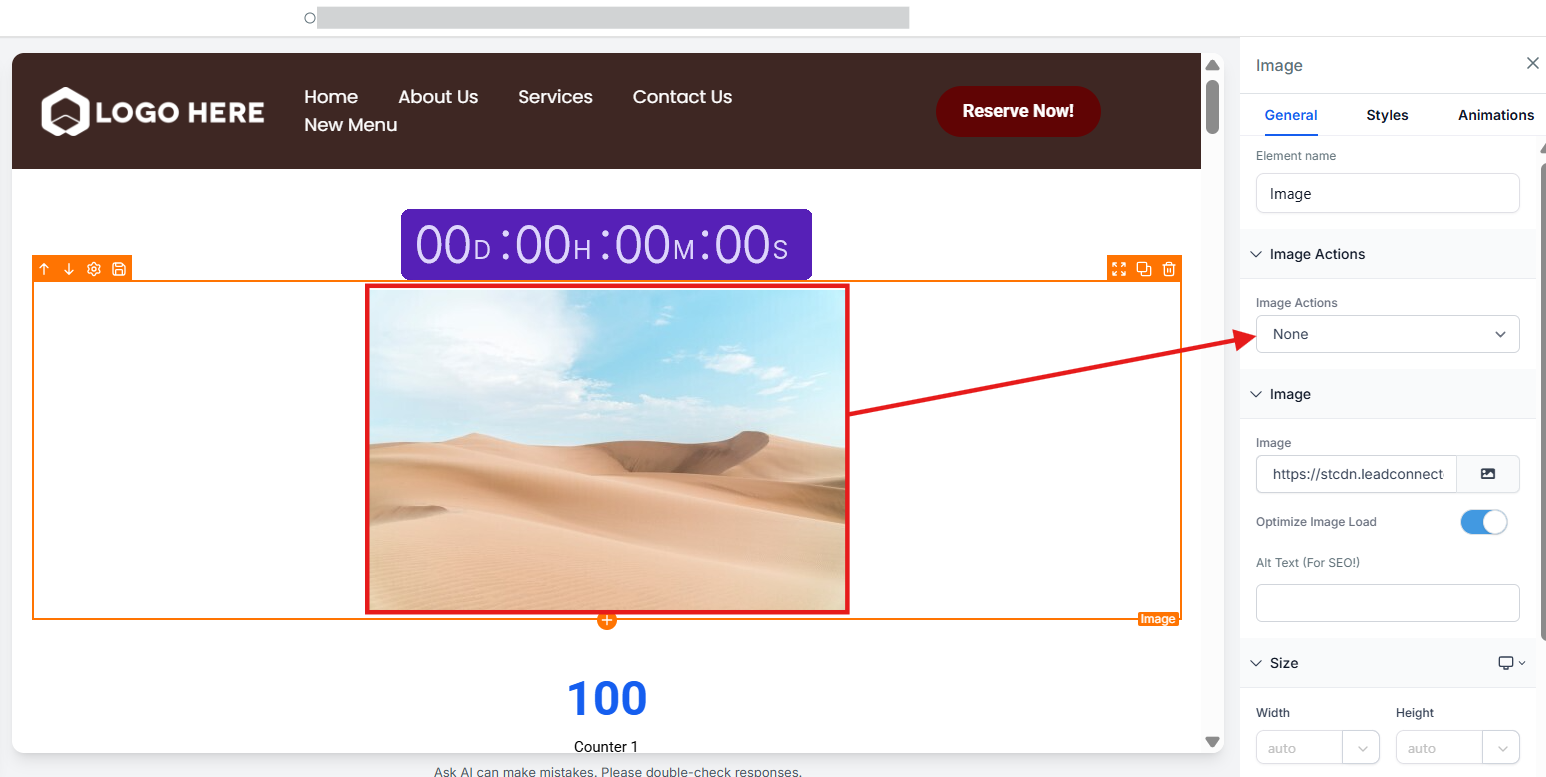
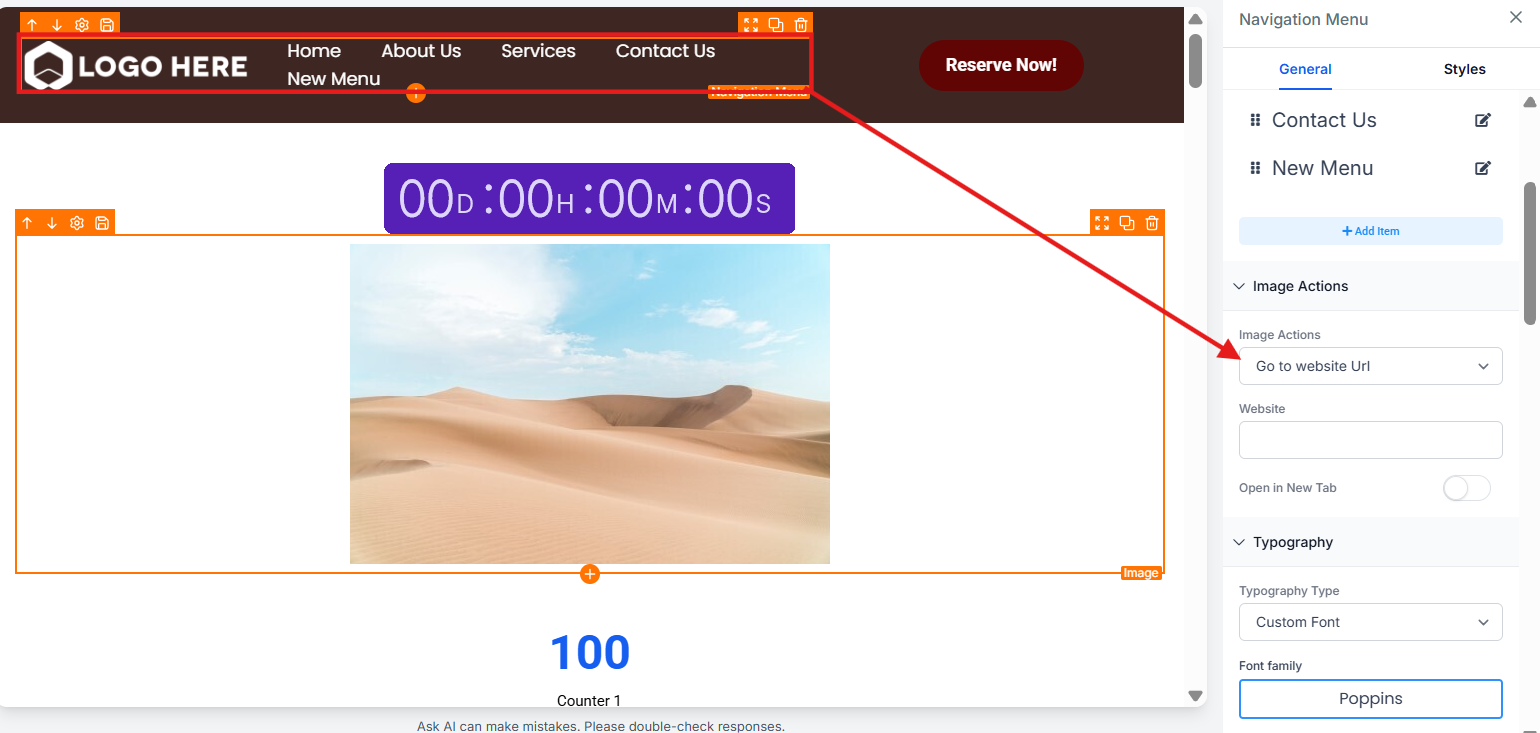
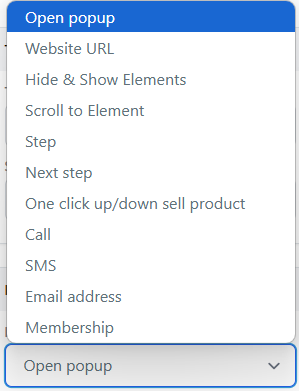
These enhanced Image Actions apply to the following elements:
- Image
- Image Feature
- Navigation Menu
Note: Images selected from third-party providers like Unsplash or Pixabay are automatically copied to your servers, ensuring they remain visible even if the original source is deleted.
¶ FAQ:
Question: Can I use Content AI - Image for all elements in the site builder?**
**Answer: No, the Content AI - Image feature is only available for the Image element. Other elements do not support this functionality.
Question: Where are the AI-generated images stored?**
**Answer: All images generated using the Content AI feature are automatically saved in the “Content AI” folder within the Media Library for easy access and organization.
Question: Can I customize the AI-generated images after they are created?**
**Answer: Yes, you can customize the AI-generated images by selecting a template or editing the style during the creation process in either the Media Storage Tab or the site builder.
Question: What additional actions can I perform with the Image Action feature?**
**Answer: In addition to ‘open popup’ and ‘go to website URL,’ you can now perform actions like hiding or showing elements, scrolling to an element, navigating to a step, proceeding to the next step, making a call, sending an SMS, or opening an email address.
Question: Are Image Actions applicable to all elements?**
**Answer: No, the enhanced Image Actions are specifically applicable to the Image, Image Feature, and Navigation Menu elements.
Question: Is there a way to organize all AI-generated images?**
**Answer: Yes. All AI-generated images are stored in the Content AI folder within the Media Library, making it easy to find and manage your images.
Question: Can I use AI to generate videos or GIFs?
Answer: Currently, the Content AI feature in the Site Builder is dedicated to static Image elements. For video needs, you can upload your own files or use the integrated background video features available in Section and Row settings.