¶ How to Add an FAQ to Your Funnel or Website
Managing FAQs effectively on your funnel or website is crucial for providing your visitors with quick and relevant answers. This guide will walk you through the steps to add an FAQ section to your funnel or website, helping to enhance the user experience.
¶ What’s New?
You can either use a simple text block to display your questions and answers or take advantage of FAQ-style elements for a more interactive approach. This flexibility allows you to enhance the design and user engagement with minimal effort.
¶ How It Works: Step-by-Step Guide
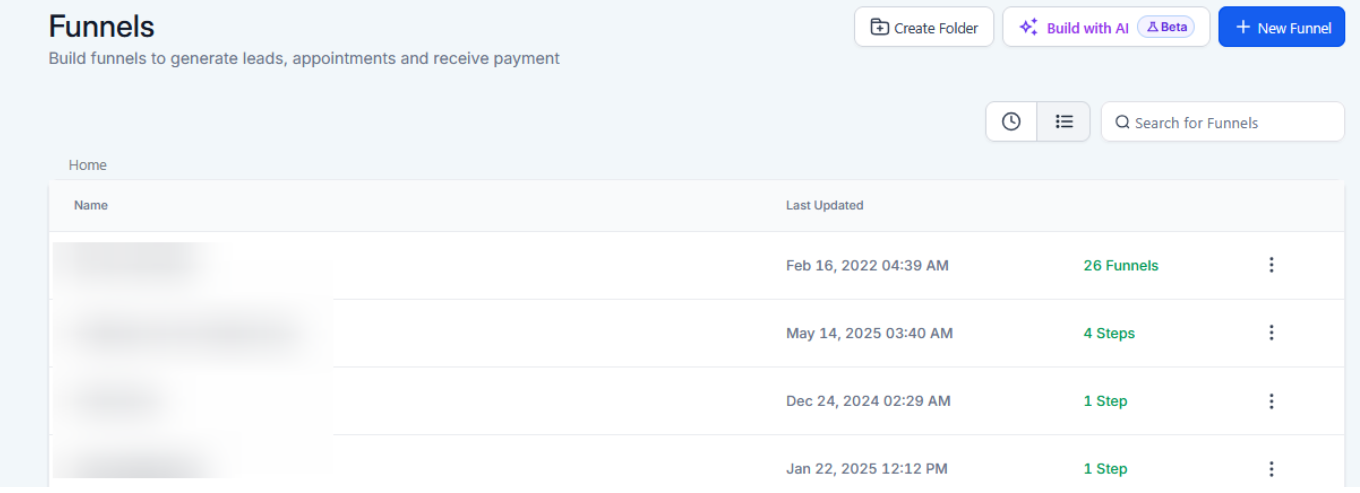
1- Access the Funnel or Website Builder To get started, open the left navigation panel and navigate to the Sites section.
- From here, select Funnels or Websites and choose the funnel or website where you want to add the FAQ. For this guide lets pick funnels.
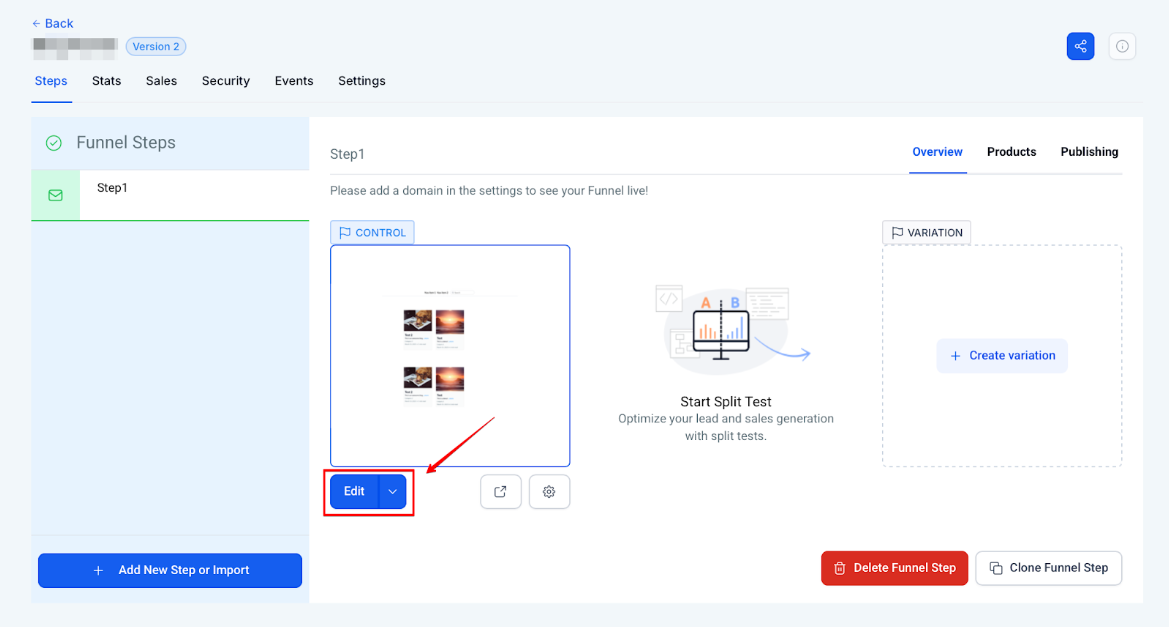
- Once Selected the funnel, click on the “Edit” button.
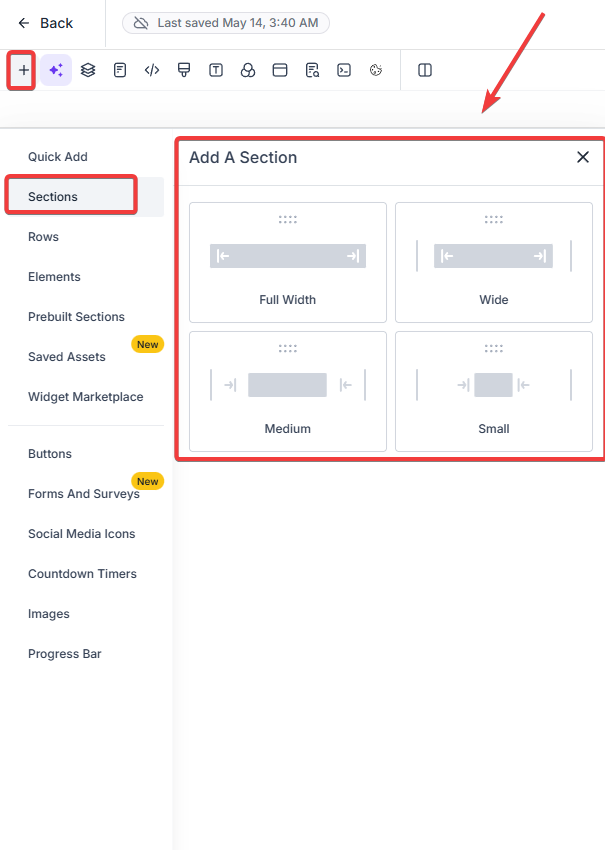
2- Add a New Section Click on the + Add Section button to create a new section in your funnel or website. This is where you’ll place your FAQ. Drag and drop the desired section to the suitable location.
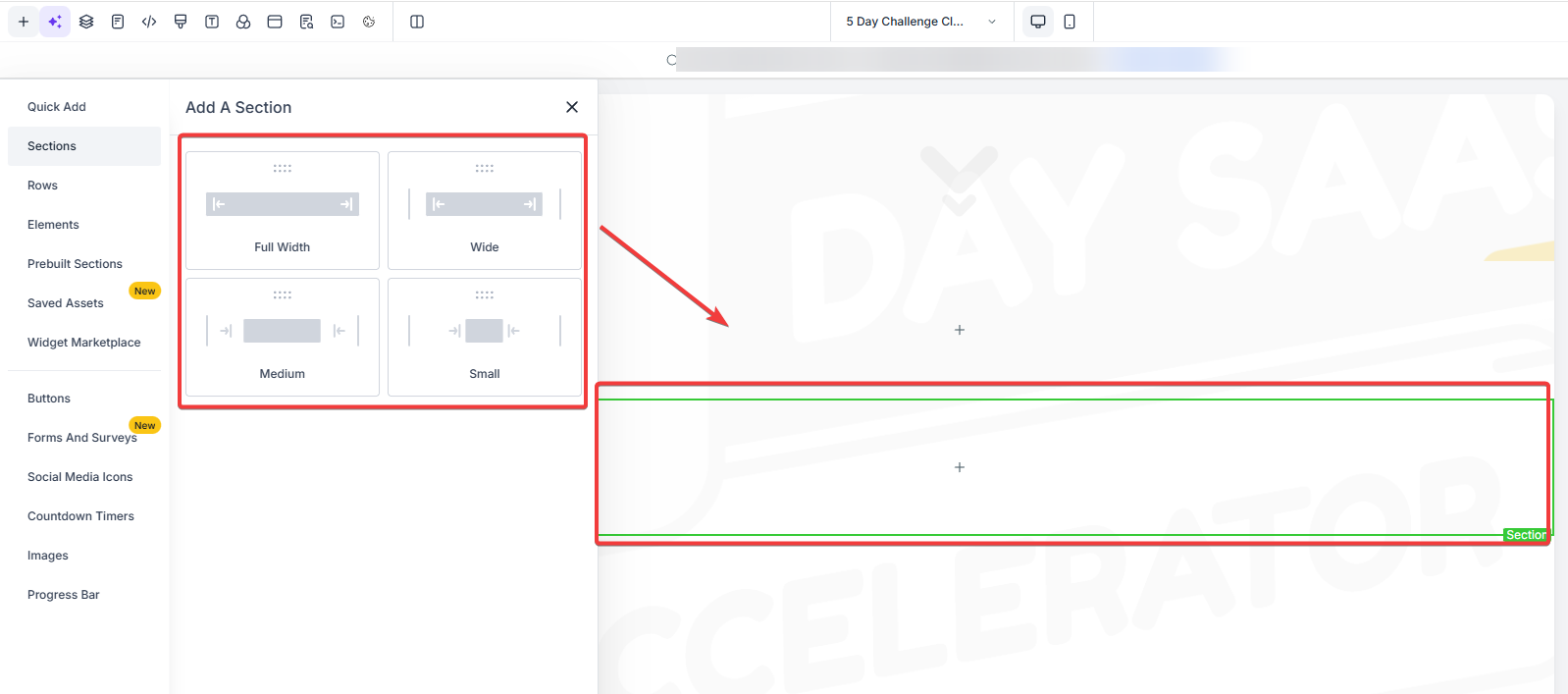
- Add a New Row Click on rows & drag and drop the desired row into the section.
3- Choose the FAQ Layout You have two main options for your FAQ layout:
- Text Element : If you want to create a simple FAQ list, use the Text element. In this element, you can manually enter each question and its corresponding answer.
- FAQ Element : If you prefer a more compact and interactive FAQ, use the FAQ element. This will allow visitors to expand and collapse each question for a cleaner design.
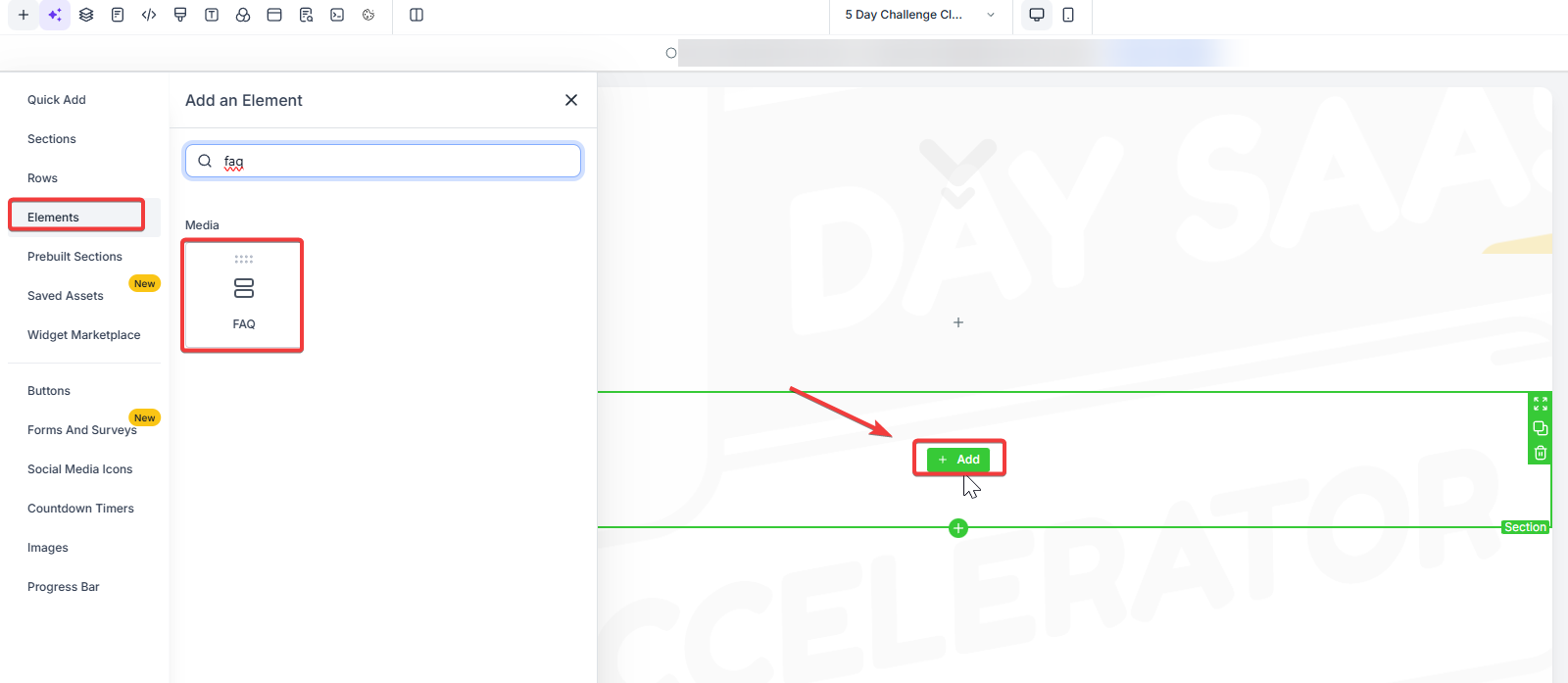
4- Customize the FAQ Content**
**
- For a Text Element : Simply write each question and its answer. You can format the text using bold headings for questions and regular text for answers.
- For an FAQ Element : Click on the FAQ, and in the settings, add each FAQ as a separate item. Enter the question in the title field and the answer in the content field.
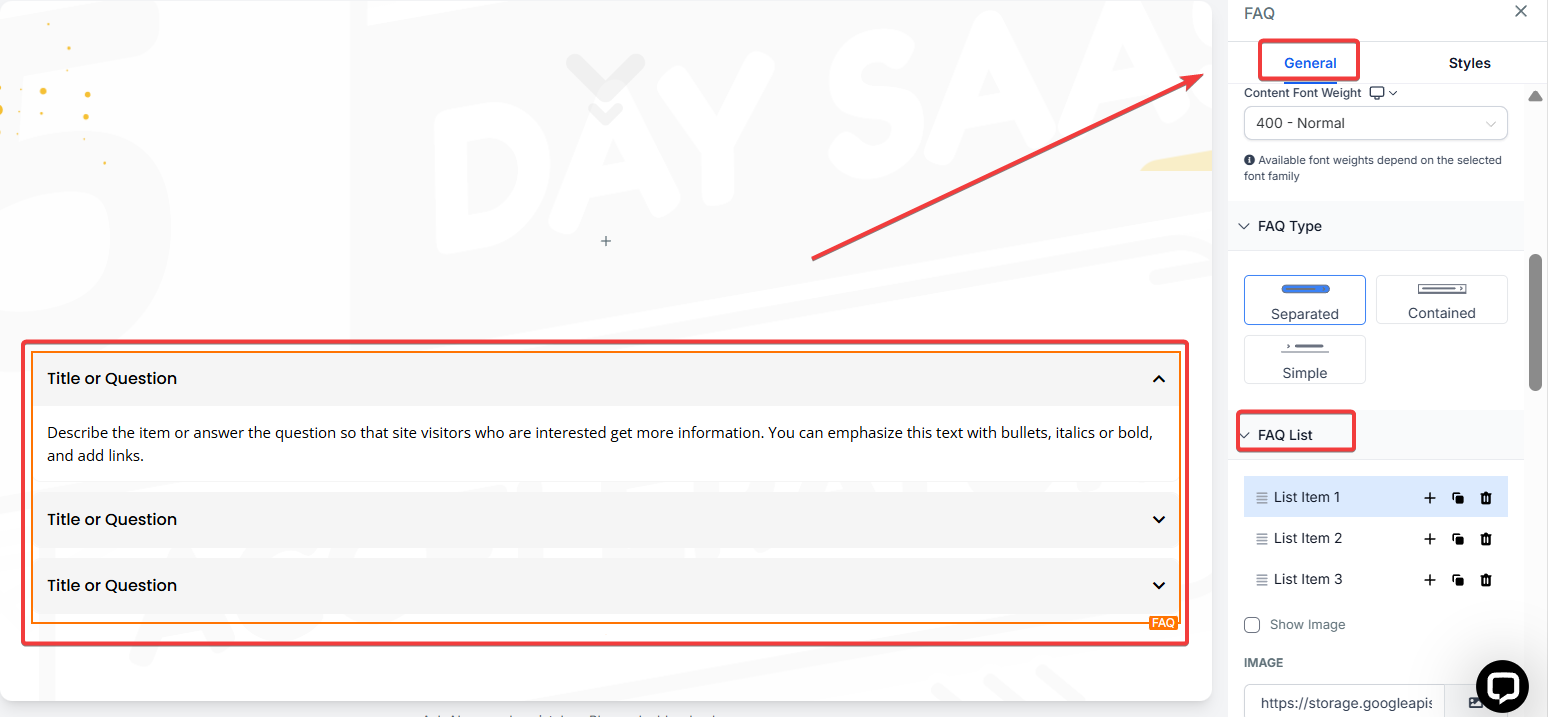
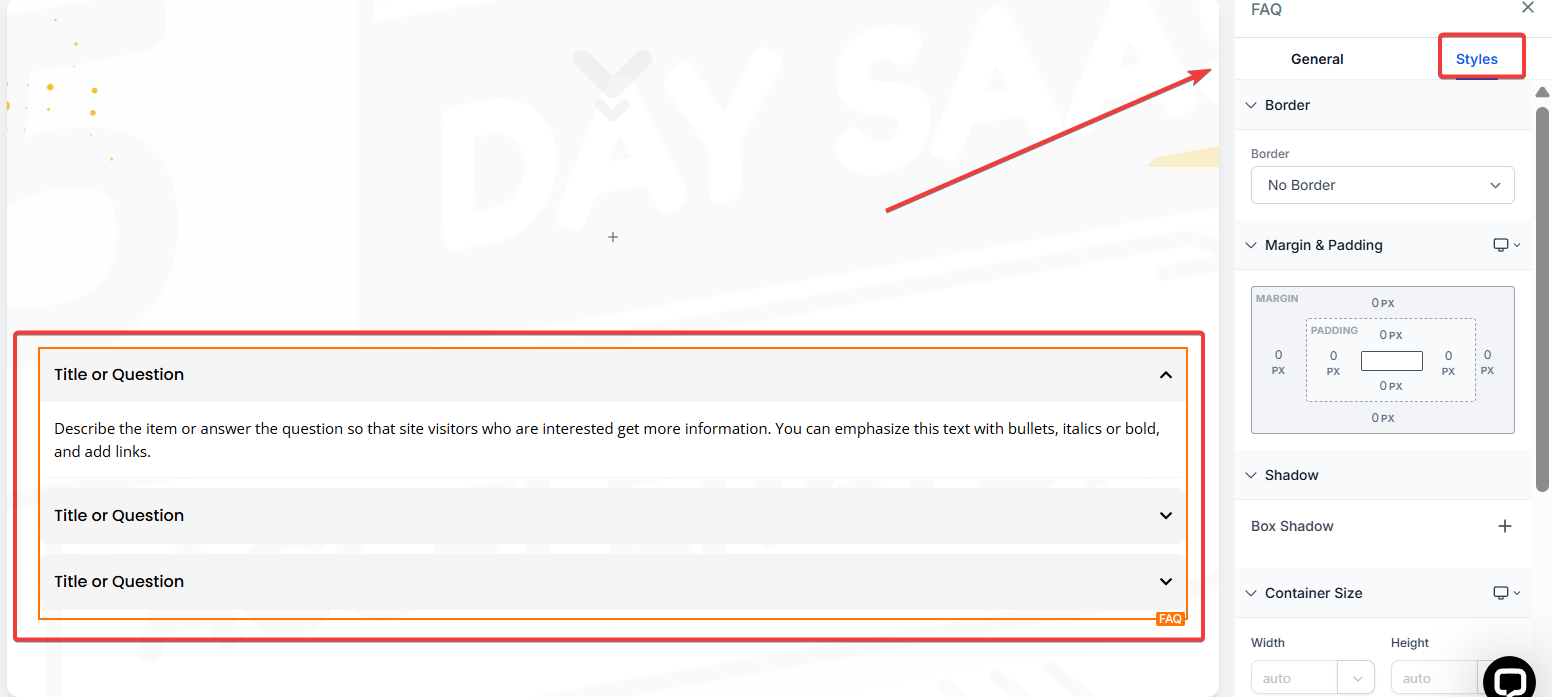
5- Style the FAQ Section Use the available design tools to adjust the look of the FAQ section. You can modify fonts, colors, and spacing to match the overall style of your funnel or website.
6- Save and Preview After you’ve added and styled the FAQ section, make sure to click Save and preview your
page to ensure it looks great and functions as intended.
¶ Why It Matters
Adding an FAQ section in your funnel or website provides the following benefits:
- Improved User Experience : Visitors can quickly find answers to their questions, enhancing their overall experience.
- Reduced Support Requests : By answering common questions upfront, you can reduce the number of support inquiries.
- Increased Conversion : A well-organized FAQ can help guide potential customers through the sales process by addressing concerns.
¶ FAQ
Question: Can I create an FAQ with custom styles?**
**Answer: Yes, you can customize the design of the FAQ to match your funnel’s theme using the design tools available in the builder.
Question: How do I add multiple questions in the FAQ Element?**
**Answer: Simply click to add a new item in the FAQ and input your question in the title and the answer in the content.
Question: Can I add links or images in the FAQ?**
**Answer: Yes, you can add text links or images within the FAQ content for further information or clarity.
Question: How do I ensure my FAQ section is mobile-friendly?**
**Answer: When editing the FAQ section, use the preview feature to check how it appears on mobile. Ensure the text and accordion elements are responsive and easy to navigate on smaller screens.
Question: Can I add videos to the FAQ answers?**
**Answer: Yes, you can add videos to the answers by embedding them within the text or accordion content.
Question: What is the difference between using a Text Element and an FAQ Element for my questions?
Answer: A Text Element allows you to manually write out a simple list of questions and answers, while the FAQ Element provides an interactive, compact design where visitors can expand and collapse each question.
Question: Can I change the fonts and colors of the FAQ to match my brand?
Answer: Absolutely. LeadMagicX provides design tools within the builder that allow you to modify fonts, colors, and spacing so the FAQ section feels like a seamless part of your overall website style.