How to Add A Facebook Pixel to a Funnel
If you are using a Facebook Pixel to track events for your ads, you will want to add the Pixel code to your funnel and funnel steps. Seamlessly send tracking events data to Facebook using the Facebook Pixel and Conversion API. This will provide enhanced tracking capabilities to optimize your marketing efforts and improve your business insights.
Key Features
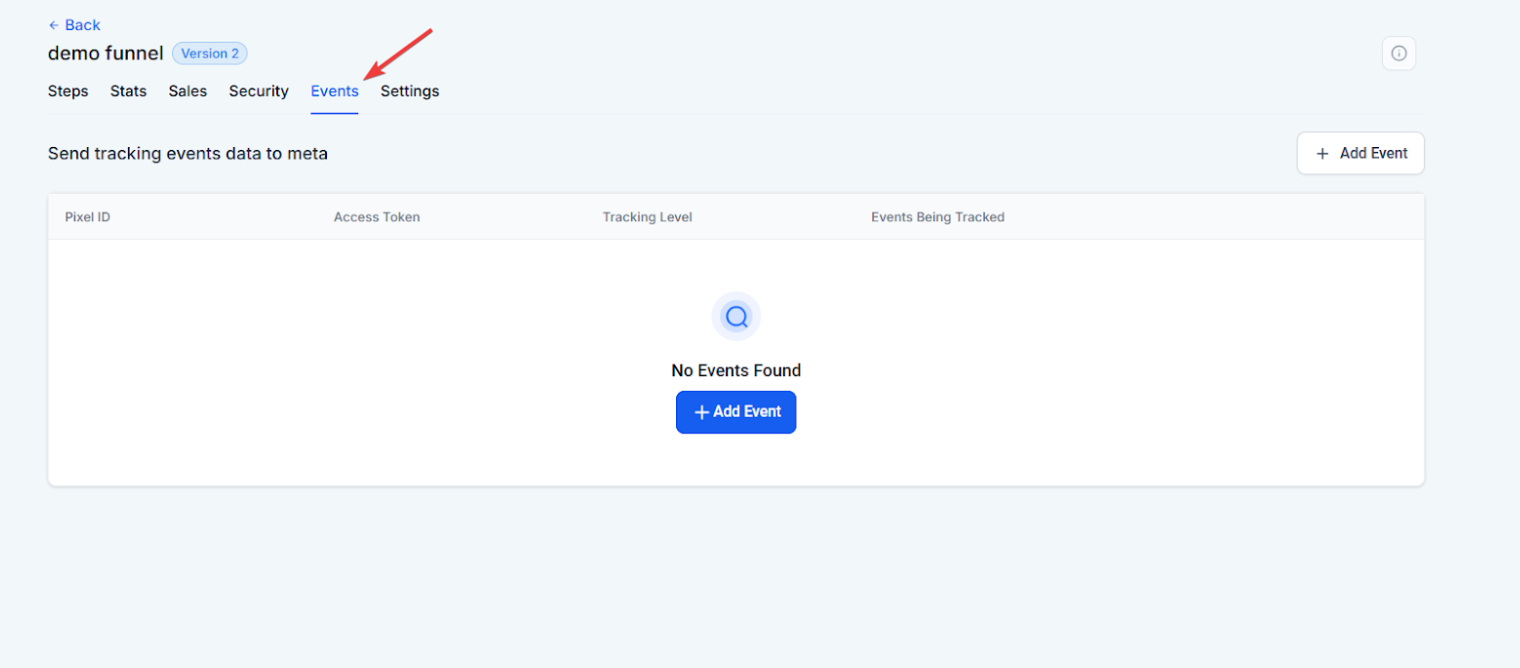
3. Click ‘Add event’ and enter your Pixel ID, you can find the instructions to find and add.
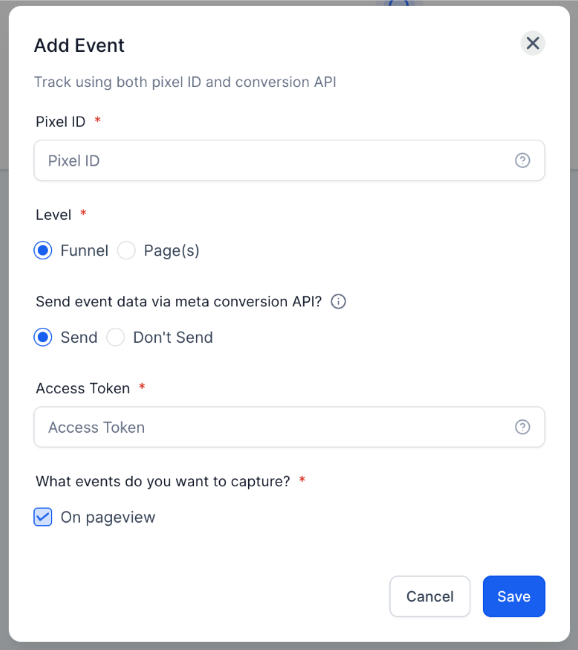
4. Choose Tracking Level: whether you want to track events at the funnel level or on specific pages.
5. Enable Conversion API: If you wish to send data using the Conversion API, select this option and enter your access token.
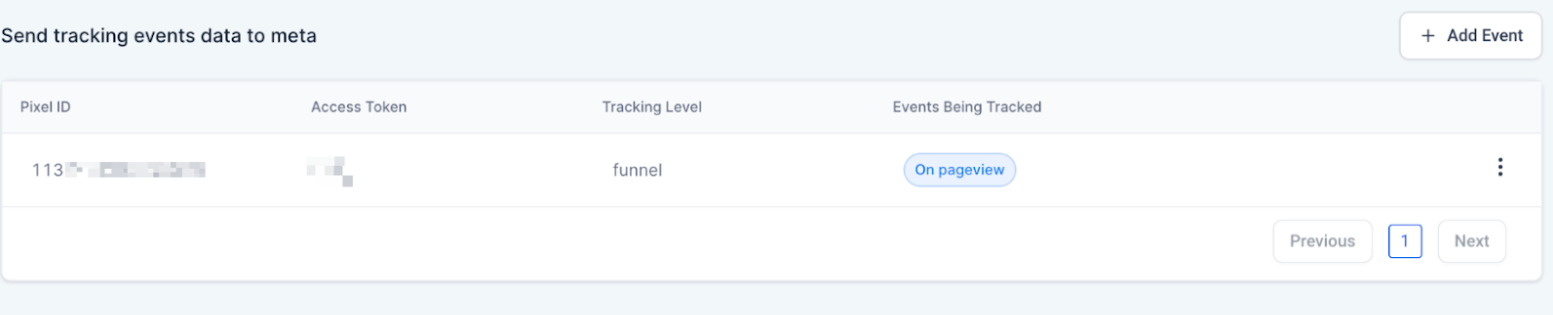
6. Add and configure multiple Pixel IDs as needed and view them in the summary table for easy management.
Benefits:
This feature will give you more control and flexibility over event tracking. By integrating with Facebook Pixel and Conversion API, you can:
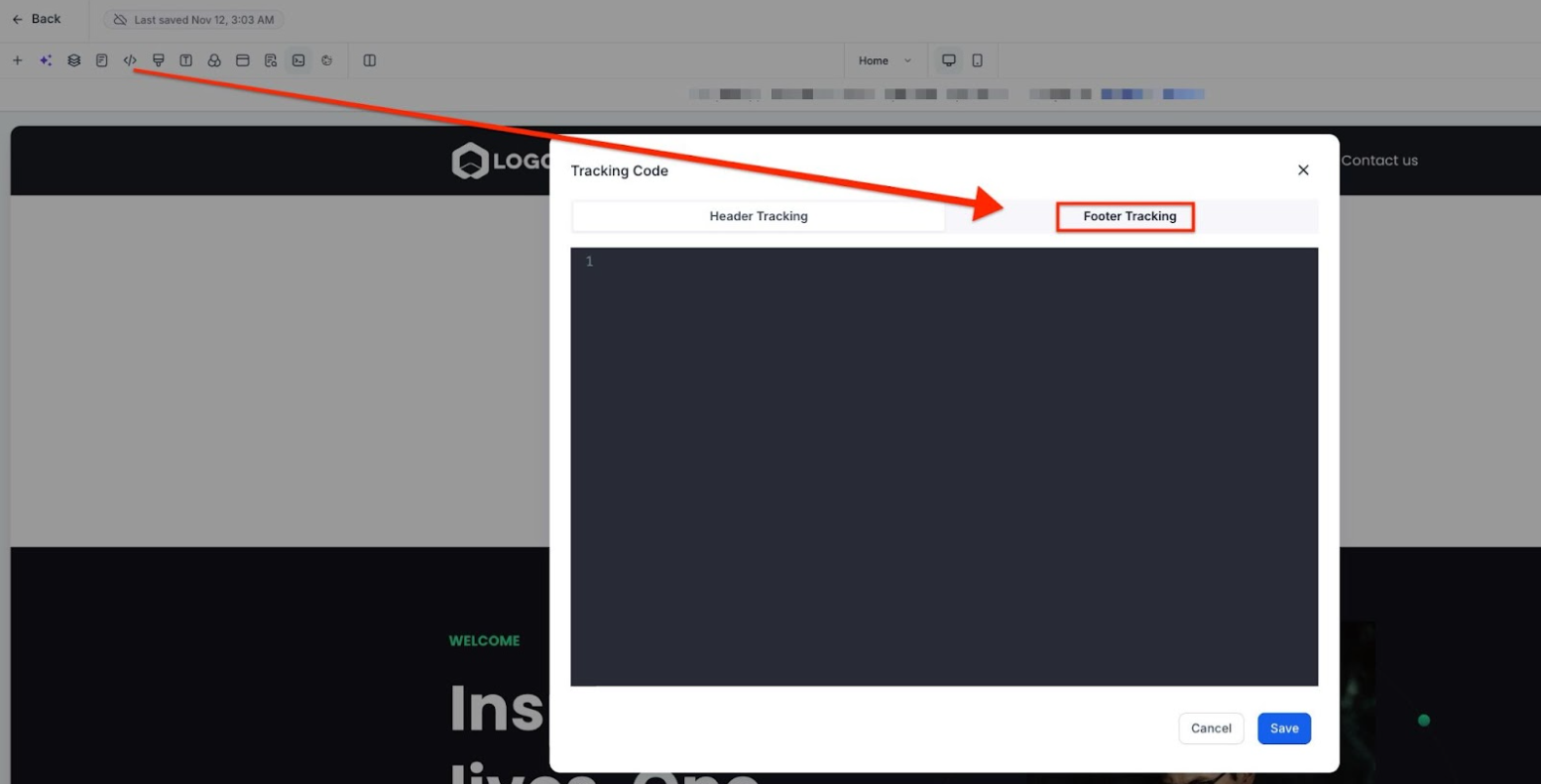
https://developers.facebook.com/docs/facebook-pixel/reference#standard-events
Question: What is the Facebook Pixel?**
**Answer: The Facebook Pixel is a piece of code that you can place on your website or funnel to track visitors’ actions. This enables you to measure the effectiveness of your ads by understanding how users interact with your website and track conversions.
Question: Do I need a Facebook business account to use the Pixel?**
**Answer: Yes, you need to have a Facebook business account to access the Pixel ID and configure the event tracking. You also need to ensure that the Pixel is set up correctly on Facebook Business Manager.
Question: Can I track multiple events on a single funnel page?**
**Answer: Yes, you can track multiple events on the same funnel or website page. For example, you can track “Lead” events when a form is submitted and “Purchase” events when a transaction is completed, all from the same page.
Question: How do I use the Facebook Conversion API with the Pixel?**
**Answer: To use the Facebook Conversion API, you must enter your access token in the tracking settings. This allows you to send event data from your server directly to Facebook, bypassing issues with browser ad blockers and improving data accuracy.
Question: What should I do if the Pixel or Conversion API is not tracking correctly?**
**Answer: Check that the Pixel ID and access token are entered correctly, ensure the code is placed in the correct funnel step, and verify that there are no conflicts with other scripts. Use testing tools to confirm data is being received.
Question: Why am I seeing duplicate events on Facebook?
Answer: This can happen if you have manually pasted the base code into the header AND used the built-in Pixel Integration tool. Ensure you are only using one method to avoid over-reporting your data.
Question: What is the difference between Funnel-level and Page-specific tracking?
Answer: Funnel-level tracking monitors events across the entire customer journey within that specific funnel. Page-specific tracking allows you to isolate and track events only on certain pages, which is useful if you want to trigger unique pixels for specific products or landing pages.