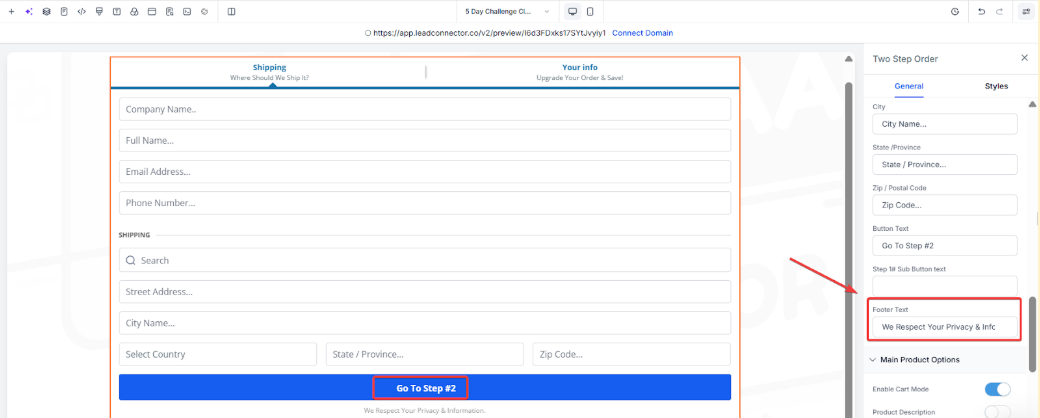
Cart Mode allows people to purchase multiple products through an order form.
How To Set Up Cart Mode:
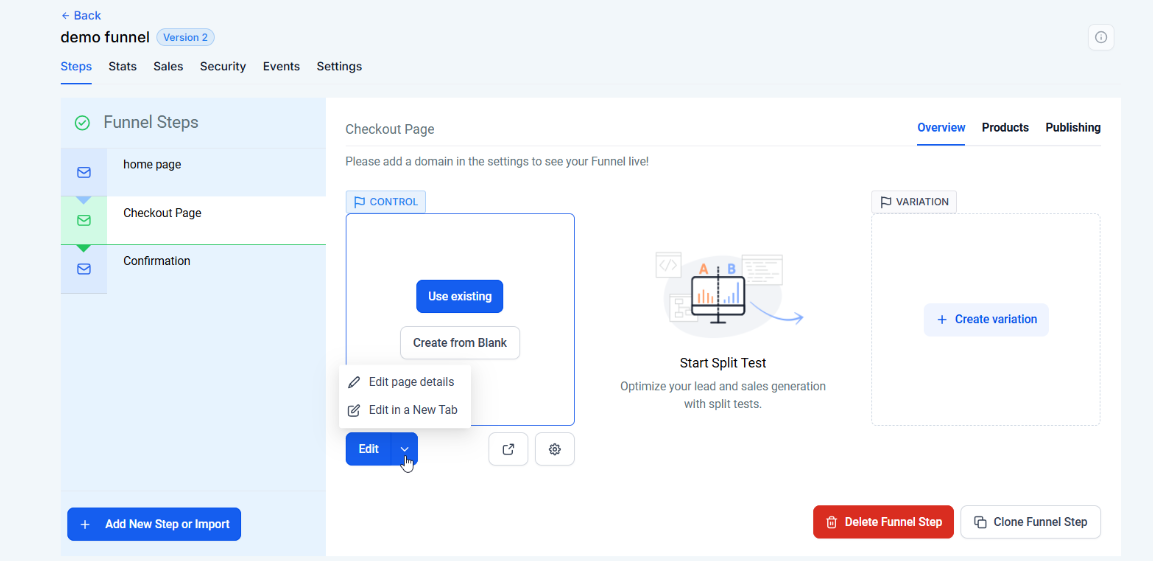
Step One: Navigate to your Funnel or Site
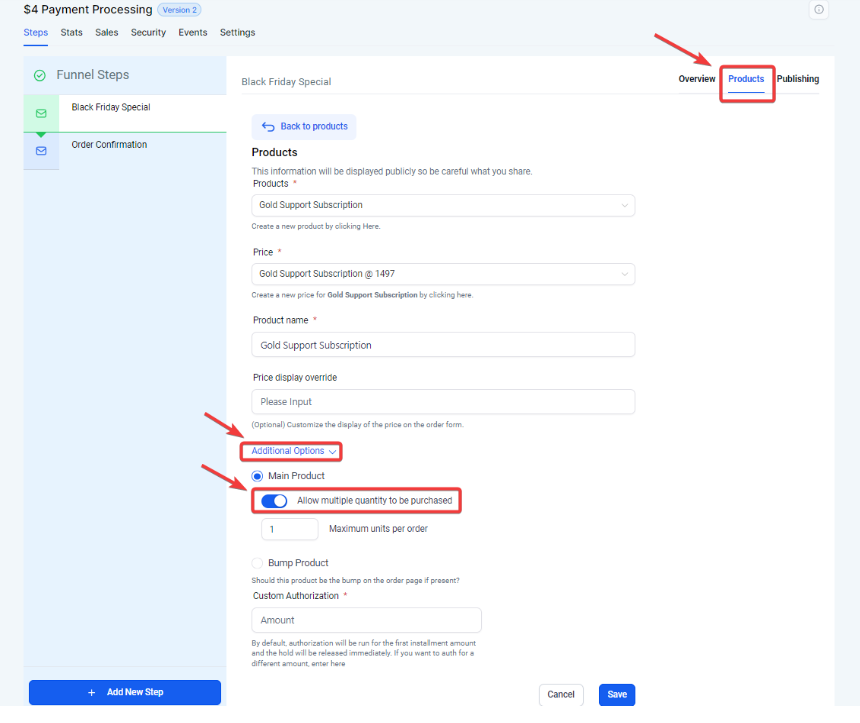
Step 2: Limit how many of a product someone can order:
Note: Maximum quantity per order can be set between 1-999 in the funnel product page.
Question: How do I enable Cart Mode in my order form?**
**Answer: To enable Cart Mode, navigate to your funnel step where the checkout form is located. Click on the one-step or two-step order form element, then toggle on the “Enable Cart Mode” option in the editing sidebar. This will allow customers to purchase multiple products through a single order form.
Question: Can I set a limit on the number of items a customer can purchase?**
**Answer: Yes, you can set a purchase limit for each product. Go to the Funnel Overview, select “Products,” choose the product you want to limit, and enable the “Allow multiple quantities to be purchased” option. You can set a maximum quantity per order between 1 and 999.
Question: Can I sell multiple quantities of bump products?**
**Answer: No, selling multiple quantities of bump products is not currently supported.
Question: Does PayPal support multiple quantities?**
**Answer: PayPal supports multiple quantities for single-payment items and allows a single quantity for recurring payment items. However, it does not support multiple quantities for recurring payments.
Question: What is the maximum number of units a customer can buy for a single product?
Answer: You can set a customizable quantity limit for each product ranging from 1 to 999 directly within the funnel product settings.
Question: How are shipping costs calculated in Cart Mode?
Answer: Shipping is usually applied as a flat fee at the product level. If you are selling multiple quantities of heavy items, it is recommended to factor your average shipping into the product price or use a weighted average, as the cart does not yet dynamically calculate shipping based on quantity/weight.
Question: What happens if I toggle off “Enable Cart Mode” after a customer has already added items to their cart?
Answer: The form will revert to a single-selection layout. To ensure a smooth user experience, it is best to finalize your Cart Mode settings before sending live traffic to the funnel.