How Card Authorization Works:
Using the Card Authorization feature is a great way to help safeguard your business.
By using the Card Authorization, a card will be authorized to check that the funds are available at the time the card information is submitted, even if the total amount isn’t charged right then.
When using this feature you need to make sure you are using a recurring product type.
For example:
Card Authorization is one great way you can help protect your business, by knowing that funds are available in the purchaser’s account. Follow these steps to set it up for your products:
Note: The card authorization charge will be shown separately in your payment provider (e.g. Stripe). This charge is instantly refunded to the customer, as it is just a test authorization charge.
How To Set Up A Custom Card Authorization Amount:
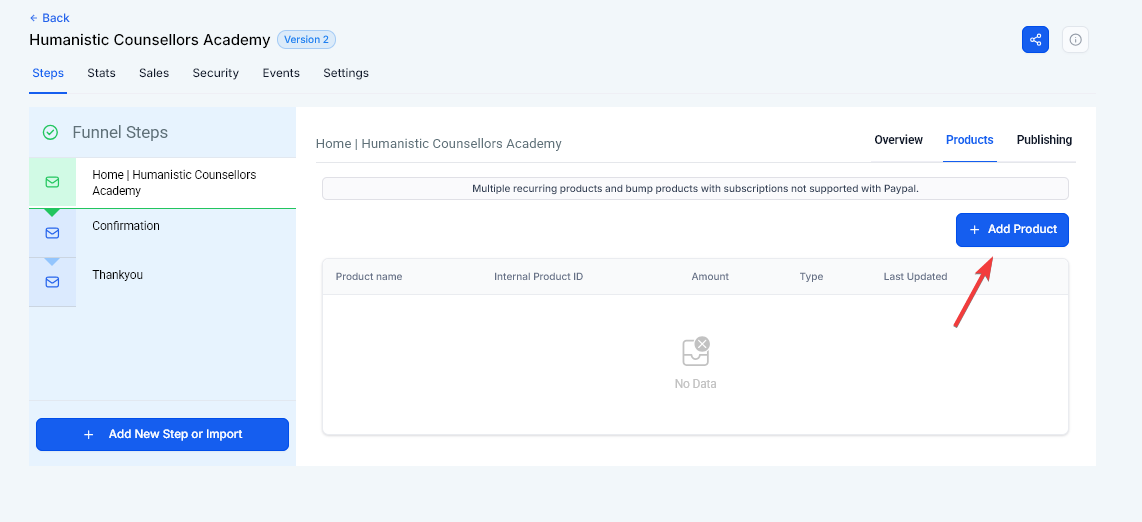 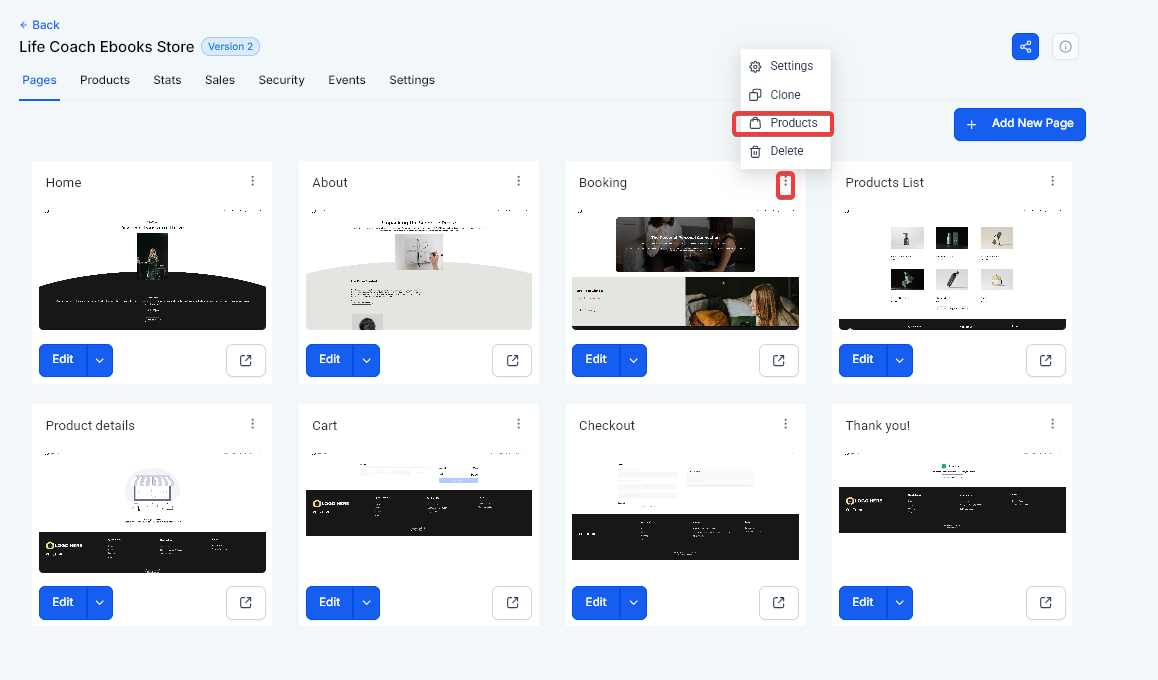
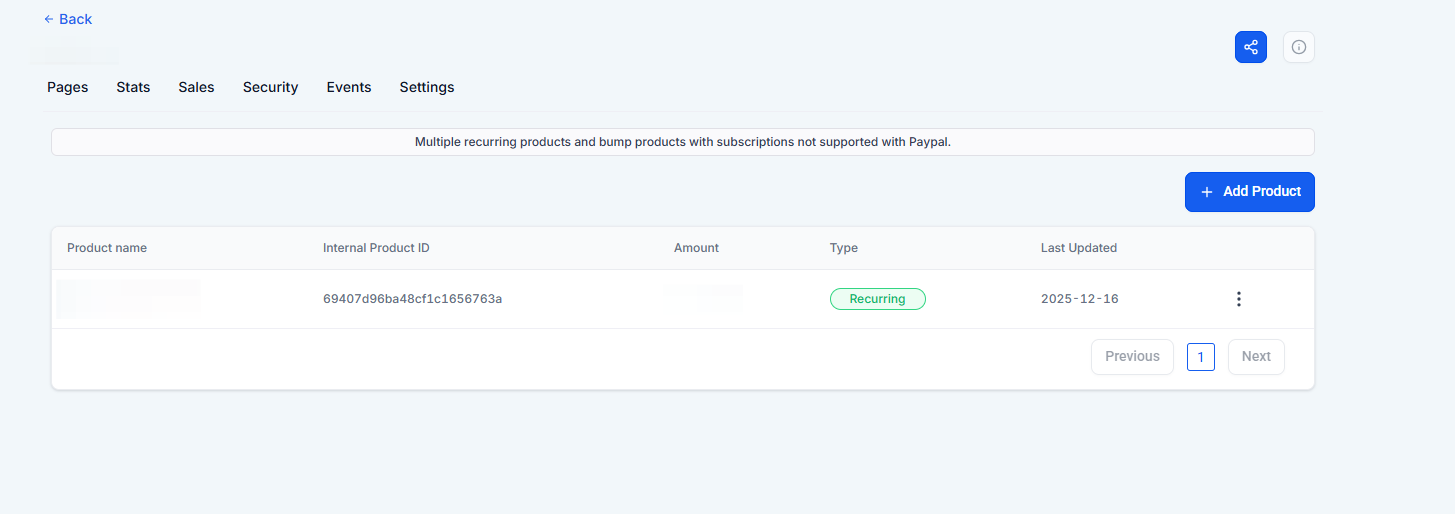
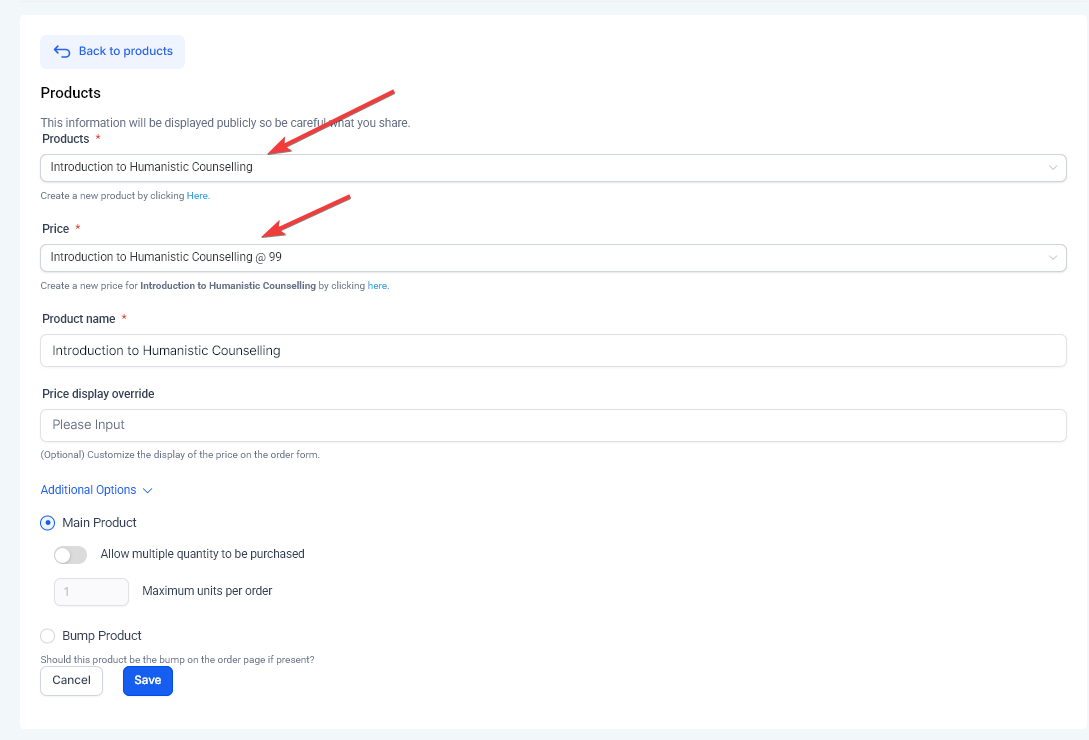
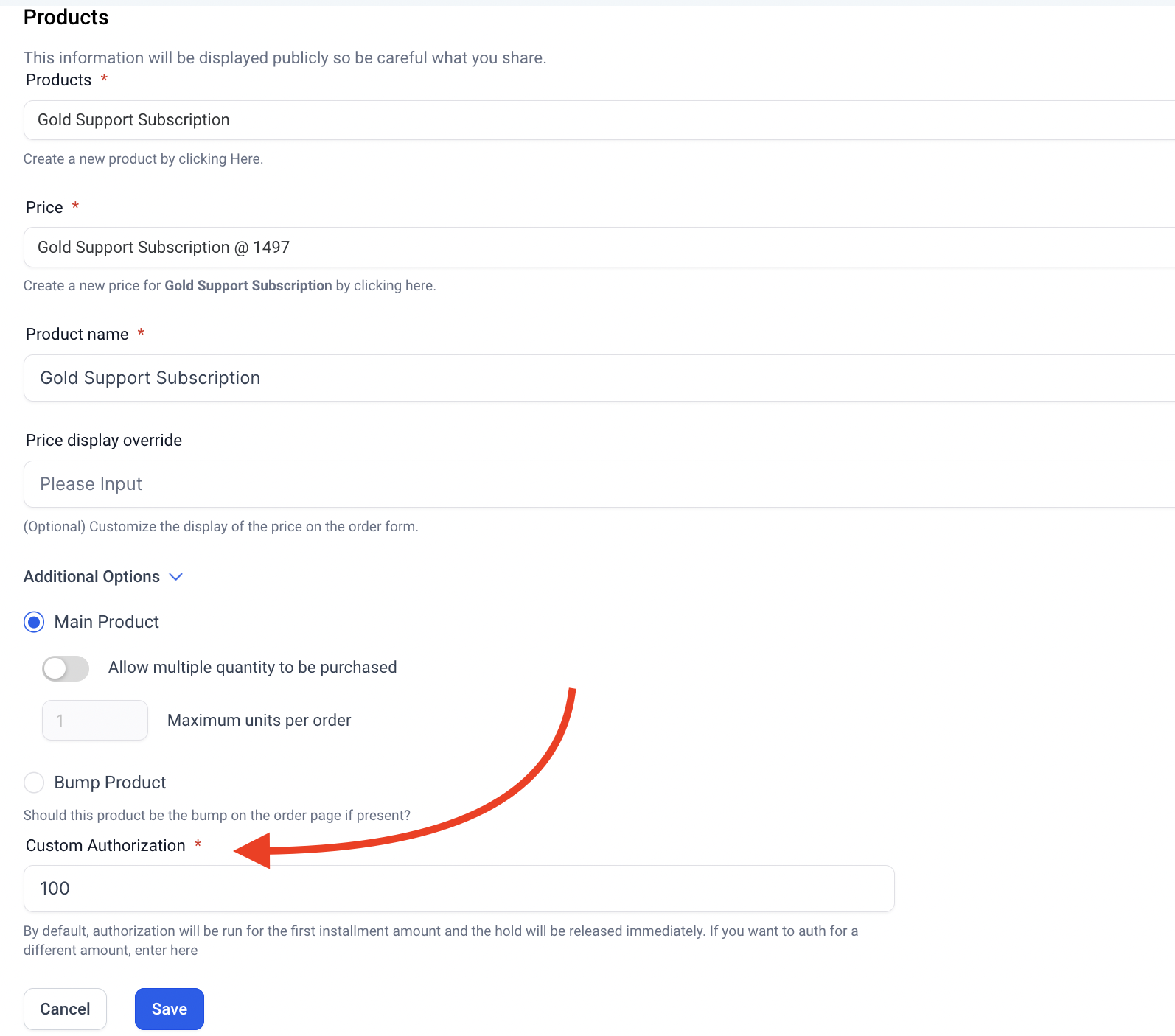
Note: To use the custom authorization feature requires the use of a recurring price type.
Pro Tips for Using Card Authorization:
FAQ
Question: Is Card Authorization the same as charging my customer?****
Answer: No, Card Authorization is a temporary check to ensure funds are available in the customer’s account. It does not result in a charge; the amount is authorized but not collected until the actual billing date.
Question: Do I need to set up Card Authorization for all my products?****
Answer: No, Card Authorization is optional and typically used for recurring products or services with a trial period. It’s only necessary if you want to ensure that funds are available before granting access to your product or service.
Question: How long does it take for the authorization charge to be refunded?****
Answer: The authorization charge is usually refunded instantly to the customer’s account. It’s a temporary authorization and does not result in an actual charge. Check with your payment provider for specific timing details.
Question: What is the difference between Card Authorization and a charge on my customer’s account?****
Answer: Card Authorization is not the same as charging the customer. It’s a temporary check to ensure that the funds are available in the customer’s account, but the amount is not actually collected until the billing date. This is clarified in the description when it mentions that “the card will be authorized to check that the funds are available at the time the card information is submitted, even if the total amount isn’t charged right then.”
Question: Can I change the authorization amount after a product is live?**
Answer:** Yes. You can edit the product in the Products tab of your funnel at any time. However, the new authorization amount will only apply to new customers signing up after the change; it will not retroactively check existing subscribers.
Question: What happens if the authorization fails?
Answer: If the system cannot verify the required funds, the transaction is declined immediately. The customer will see an error message at checkout, and access to the product, trial, or subscription will not be granted. This prevents “ghost” sign-ups where the user has no intention or ability to pay.