¶ How To Activate The One-Click Purchase In Your Funnel Step
How to Activate the One-Click Purchase in Your Funnel Step
One-time offers (OTOs) or Upsell Offers are great to put after your normal 2-step Order Form Page. This means the customer has already purchased your main offer, and you want to offer them an upsell product. The great thing about the one-click option is that since you already have their credit card, this is just an extra add-on and only takes one click.
In this article, you will learn how to add your upsell.
¶ Step 1: Creating the Upsell Funnel Step
- Navigate to Sites - Funnels
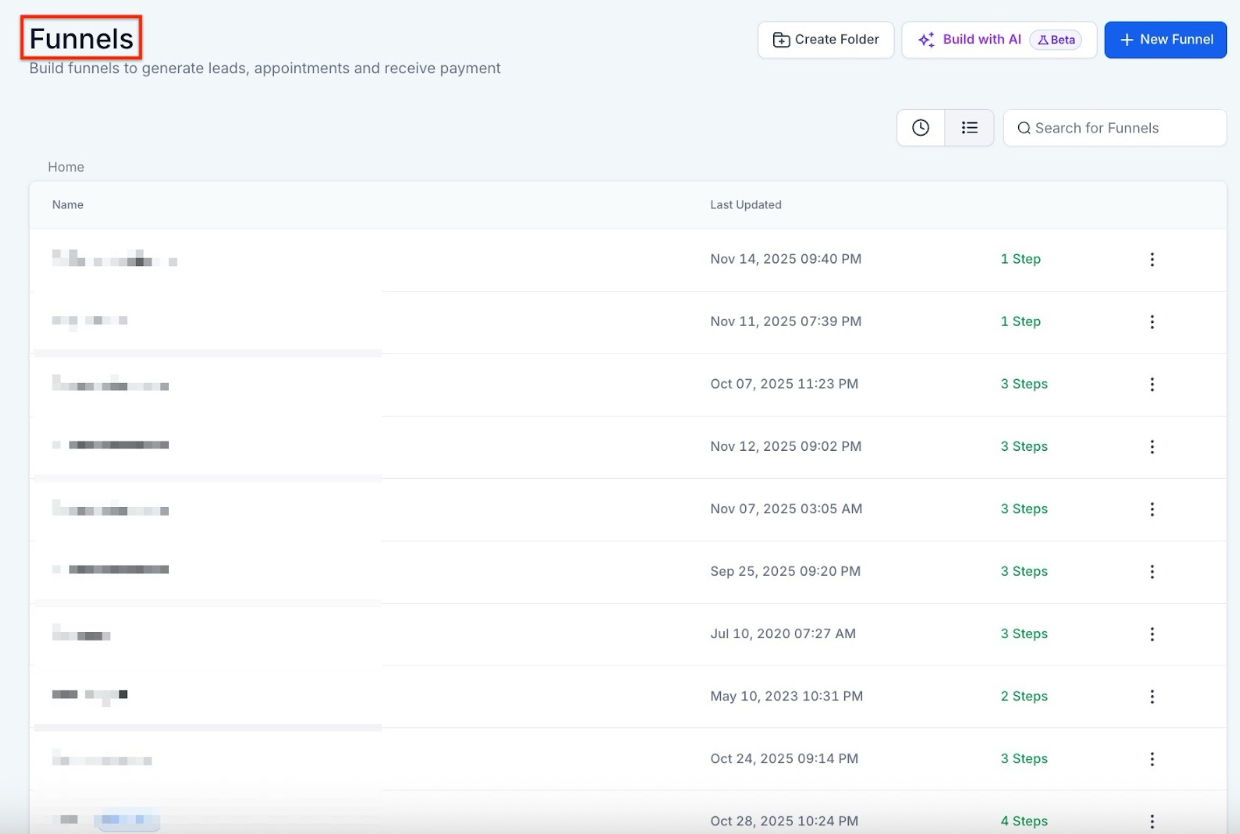
- Select the Funnel you wish to update
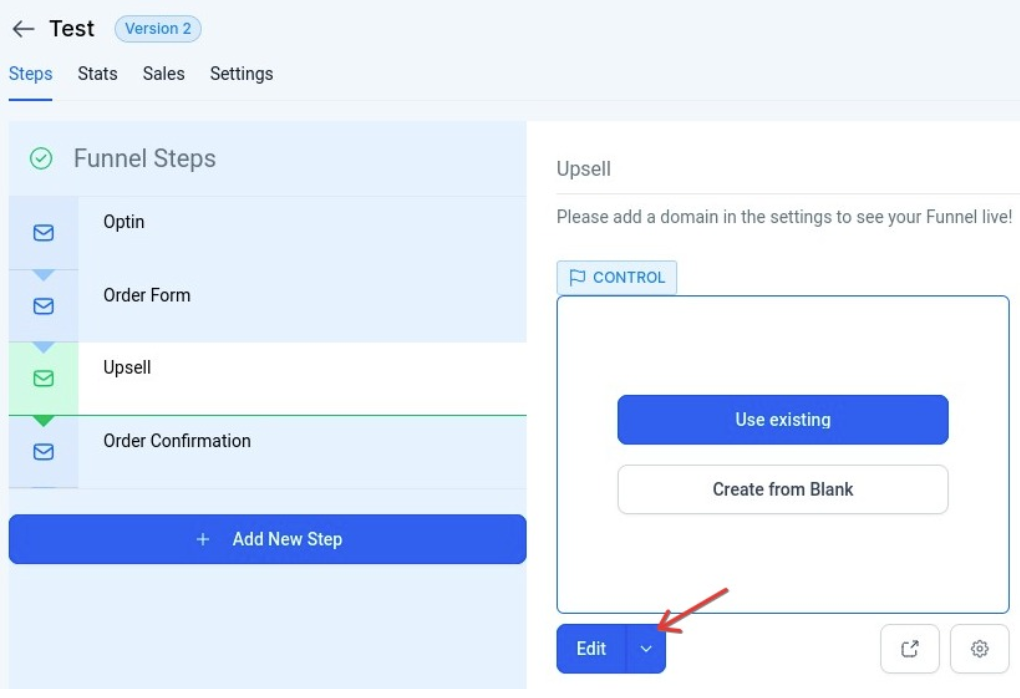
- Choose or Create the Step Where You Want the Upsell to be.
- NOTE****: It must be after the Order Form funnel step.
- Click Edit Page to access the page editor
- Edit your page as needed explaining your product or service
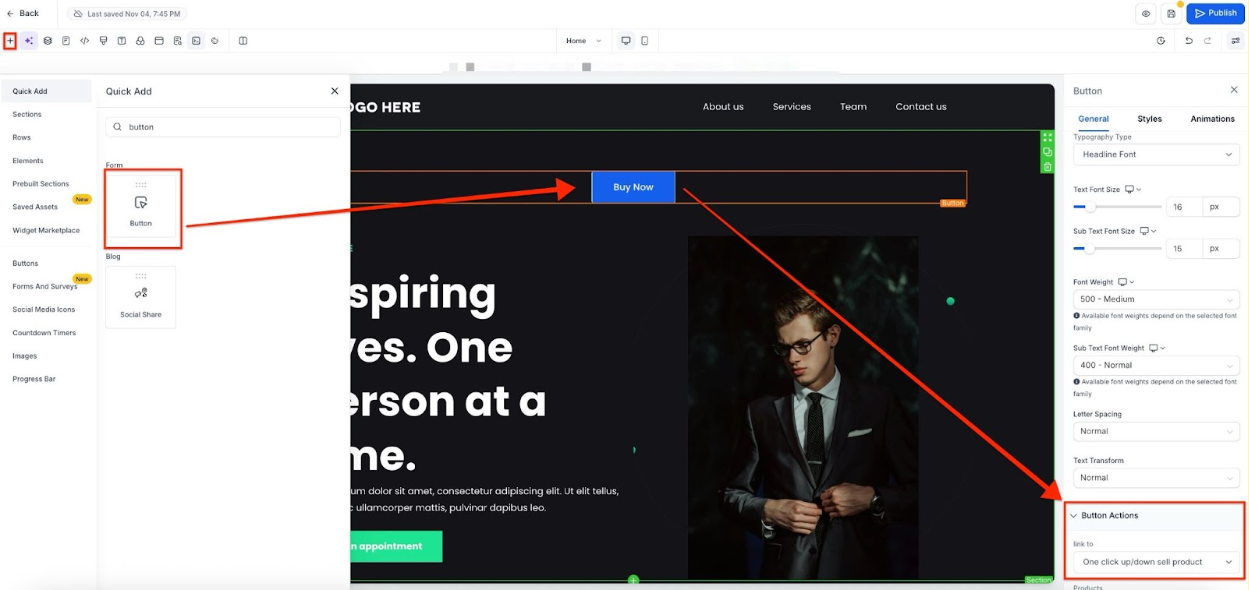
- Add a button to make the call to action
- Click on the button and the right side menu, select from the redirect options, and select the option One Click Up/Down Sell Product.
¶ Step 2: Connecting With Your Product
- Below the upsell redirect option, you will see a field to select the product.
- Choose your product and select your Sale Action (once the sale has been made, where will your customer go)

- Save to confirm your changes.
Note: You need to have the product added to the funnel step first, to be able to select it from the options.
¶ Step 3: Test your Funnel
To ensure your sales funnel operates correctly, you can test it before publishing it. Check the article “How to Test Payments in a Funnel or Website ” for more information.
- Go back to the funnel settings.
- Toggle off the Payment Mode to use test mode and save.

- Once you are done testing, turn live mode on and save.
Note: We also recommend testing in live mode with a real credit card. This will give you a real glimpse of what your customers will go through. It’s possible, you will have a payment authorization, especially for subscription services, to ensure funds will be available for future charges.
**Additional Note: **
- Add an Order Confirmation funnel step after the Upsell funnel step. Inside the confirmation step, add the Order Confirmation element. This way, your customers will see the confirmation of their payment and a summary of what they have paid for.


¶ Pro Tips
- Optimize Your Offer : Make your upsell offer relevant and valuable to increase the likelihood of additional purchases. For example, if you are selling a subscription service, offer a related one-time product at a discount.
- Design for Mobile : Ensure your funnel steps, especially the upsell offer, are optimized for mobile devices to capture customers on all platforms.
- Monitor Performance : Regularly review the performance of your funnel and upsell offers. Adjust your strategy based on conversion rates and customer feedback.
¶ FAQs
Question: Can I set up multiple upsell offers in the same funnel?
Answer: Yes, you can create multiple upsell steps within your funnel. Each upsell can be configured to appear after different initial purchase steps.
Question: What is the maximum number of upsell steps I can have?
Answer: The number of upsell steps can vary depending on the platform you are using. Generally, you can add several upsell steps, but it’s essential to keep the customer experience in mind.
Question: Can I offer different types of products in the upsell step?
Answer: Yes, you can offer various types of products or services in the upsell step, including digital products, physical goods, or additional services.
Question: How can I track the performance of my upsell offers?
Answer: Most platforms provide analytics tools to track the performance of your funnel and upsell offers. Monitor metrics such as conversion rates, average order value, and upsell uptake.
Question: What if my upsell offer is not displaying correctly?
Answer: Ensure that the upsell button is correctly linked to the product and that all settings are configured properly. If issues persist, consult the support resources or community forums for troubleshooting assistance.
Question: How do I track the performance of my upsell offers?
Answer: Use analytics tools provided by your platform to monitor metrics such as upsell conversion rates, average order value, and the overall success of each upsell step.
Question: Why isn’t my product appearing in the dropdown menu in the page editor?**
**Answer: You must first add the product to that specific Funnel Step. Exit the page editor, go to the Products tab for that funnel step, and attach the product there. Once attached, it will appear as an option inside the page builder’s button settings.
Question: What happens if the customer’s card is declined on the Upsell?
Answer: If the OTO charge fails, the original purchase still stands. The customer is typically redirected to the “Sale Action” you defined (like a Downsell page or the Order Confirmation page). They do not lose access to the first product just because the second one failed.