¶ GDPR Compliance with Custom Checkbox Consent in Forms
GDPR Compliance with Custom Checkbox Consent in Forms
The Custom Checkbox element in Form Builder will allow visitors to confirm their consent to receive information from your/your client’s business. This is useful for visitors in countries that require additional consent for GDPR compliance.
¶ Step 1: Create a Custom Field Inside the Form Builder
- Head to Sites >Forms > Builder > + Add Form.
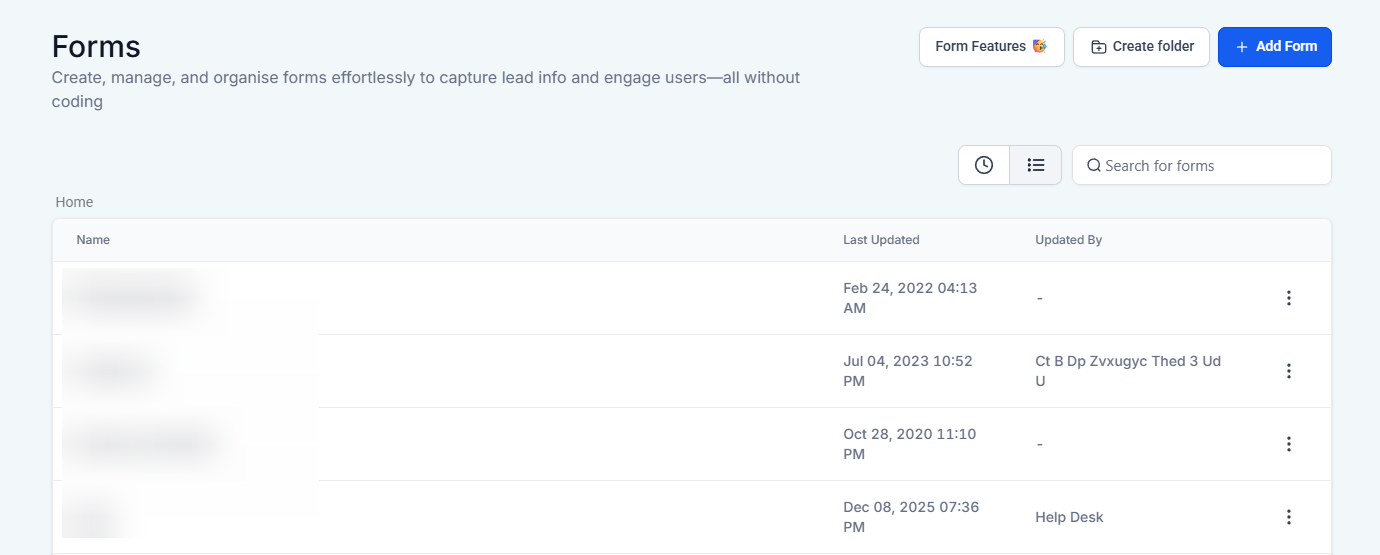
- Within the Form Builder, Click on the + icon on the top left corner to move to Custom Fields, and click on + Add to add a custom/object field.
.jpg)
- A window will appear. Select **“Checkbox” **
.png)
- Give the field a name, such as “GDPR Compliance Checkbox.”
- The placeholder field will be the content that will appear on the form. This is your GDPR Compliance Statement.
Disclaimer: The placeholder content in this image is NOT AN OFFICIAL GDPR COMPLIANCE STATEMENT This was only used as an example.
.png)
¶ Step 2: Making The Checkbox Field Required
- Drag and drop the GDPR checkbox custom field to the form.
- Click on the field to open the settings window on the right-hand side. Locate the Required box and check it.
- By clicking on the box, a checkmark will appear, stating that the GDPR Checkbox field in the form is a required action for the form to be submitted.
.jpg)
¶ Step 3: Creating a GDPR Workflow
- Navigate to the workflow panel, click “Create a new workflow” at the top right, and select “Start From Scratch.”
.jpg)
¶ Step 4: Setting up the workflow Trigger
- Click on “Add New Workflow Trigger”
- A menu will appear, scroll down till you see “Form Submitted.” or use the search bar to locate it.
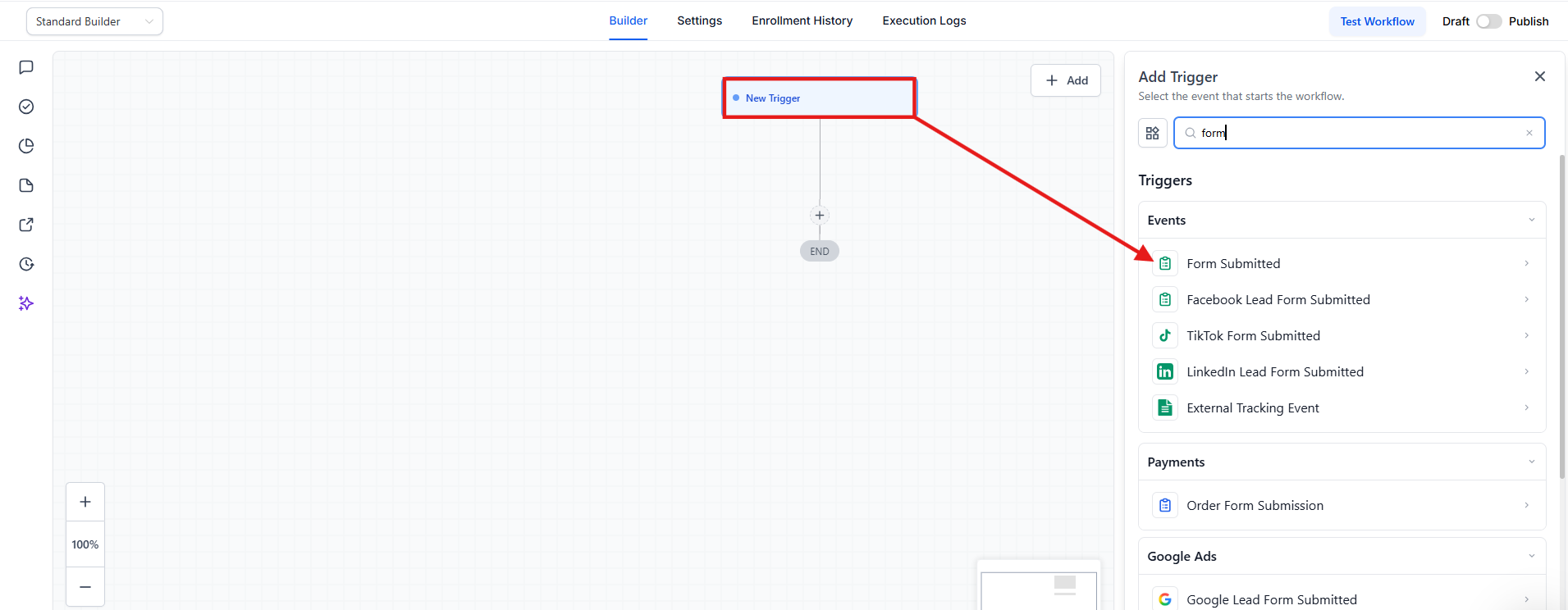
- Choose the GDPR form and add the GDPR checkbox custom field.
- Save the Trigger.
.jpg)
¶ Step 5: Add your Workflow Action
-
Click on the**+** sign to open up the actions menu.
-
Select “If / Else”
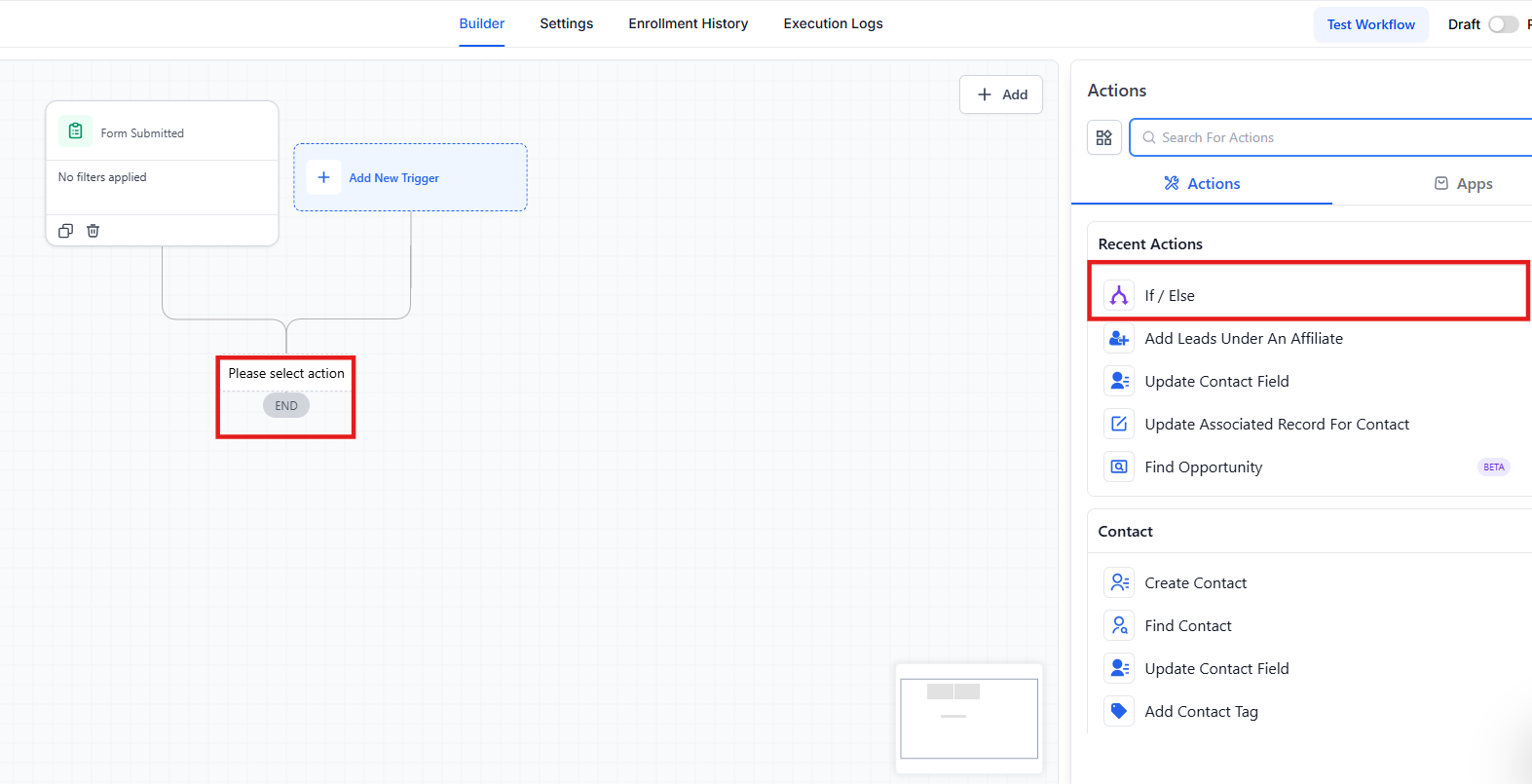
- Inside Segments on the left in “Select,” click on Contact Details and scroll down to Custom fields, where you will see your GDPR checkbox custom field.
.jpg)
- Next over, in “Select Operator” , click on “Includes” , and another field will open for you to choose the value. Hit Save on the bottom right.
.jpg)
¶ Step 6: Setting up your Yes / No paths
-
Under the Yes path, click on the + sign to open the actions.
-
Under the “Contact” section, select Add Contact Tag.
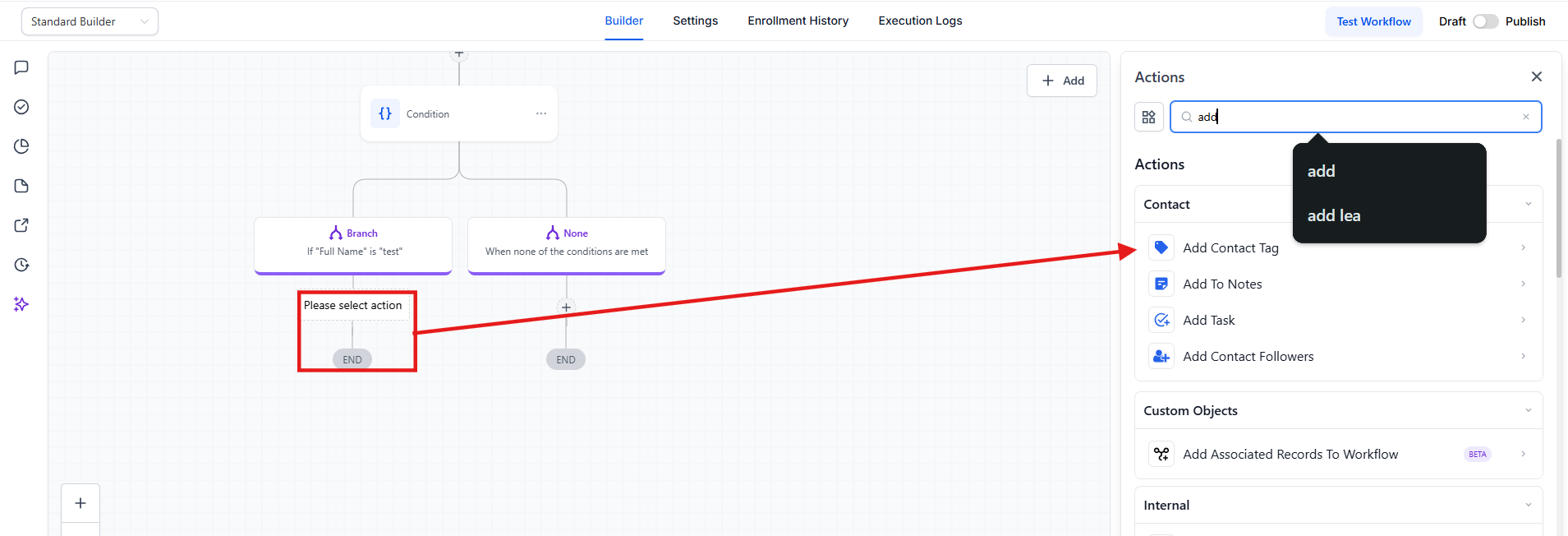
- Once you click on “Select a Tag,” your tags will pop up**.** If you do not already have a tag made, you can enter the name of the tag, click on the Add New Tag button, and create it right then and there.
.jpg)
-
Hit Save on the bottom right.
-
For the no path, you will follow the same steps. The only difference will be that the tag name will be non-compliant
.jpg)
¶ Step 7: Setting up your SmartLists
-
Hop over toContacts / Smartlists
-
On, you will see Advanced Filters.
.jpg)
- Locate the “ Tag” filter. In the “tag is” menu, click on compliant.
.jpg) .jpg)
- To Save this smart list, hit the**“Save as Smart List”** button at the bottom so you can quickly view all contacts who are compliant.
.jpg)
- You can repeat the same process to create the smart list with contacts that Do Not Comply.
Pro Tips
- Ensure Clear Consent Statements: Make sure the placeholder content for the GDPR Compliance Checkbox clearly communicates what the visitor is consenting to. This will help in achieving transparency and meeting GDPR requirements.
- Regularly Review Compliance: Regularly review your GDPR compliance procedures and update the consent statements as necessary to ensure ongoing adherence to regulations.
- Test Your Workflow: Before going live, thoroughly test your workflow to confirm that the tags and smart lists are being assigned correctly based on the checkbox selections.
- Keep Smart Lists Updated: Periodically check and update your smart lists to ensure they accurately reflect the compliance status of your contacts. This helps in maintaining accurate records for GDPR purposes.
- Tag Management: Create and manage tags carefully. Ensure that tag names are clear and descriptive to avoid confusion when reviewing compliance statuses.
FAQs
Question: What should be included in the GDPR Compliance Checkbox statement?
Answer: The statement should clearly inform visitors about what they are consenting to, such as receiving marketing communications or data processing. It should be concise and understandable.
Question: Can I use the same checkbox for multiple forms?****
Answer: Yes, you can use the same GDPR Compliance Checkbox across different forms to ensure consistency in obtaining consent.
Question: What if a visitor does not check the GDPR Compliance Checkbox?****
Answer: If the checkbox is set as required, the form cannot be submitted without checking it. You can set up workflows to handle non-compliant submissions, such as redirecting to a page informing them of the requirement.
Question: How do I verify that my workflow is working correctly?****
Answer: Test the workflow by submitting forms with different checkbox states to ensure that the correct tags are applied and smart lists are updated as expected.
Question: Can I customize the tag names for compliance?****
Answer: Yes, you can create and customize tag names to suit your needs, such as “GDPR Compliant” or “Non-Compliant,” to accurately categorize your contacts based on their consent status.
Question: Can I use a “Switch” or a “Radio Button” instead of a Checkbox?**
Answer:** While you can use other fields, a Checkbox is the standard for consent because it requires an active “check” from the user. Radio buttons or dropdowns can sometimes be pre-selected, which does not count as “active consent” under many privacy laws.