With Outlook 2-way sync, you can use your personal Outlook account with LeadMagicX to send and receive emails.
Please Note: You would need to send an email to a contact from LeadMagicX to initiate the sync between both platforms. The first outbound email needs to be initiated from LeadMagicX to establish the sync
All subsequent messages in the email thread (initiated from LeadMagicX) will be in sync. Outbound emails sent from your email will start reflecting in LeadMagicX and vice versa.
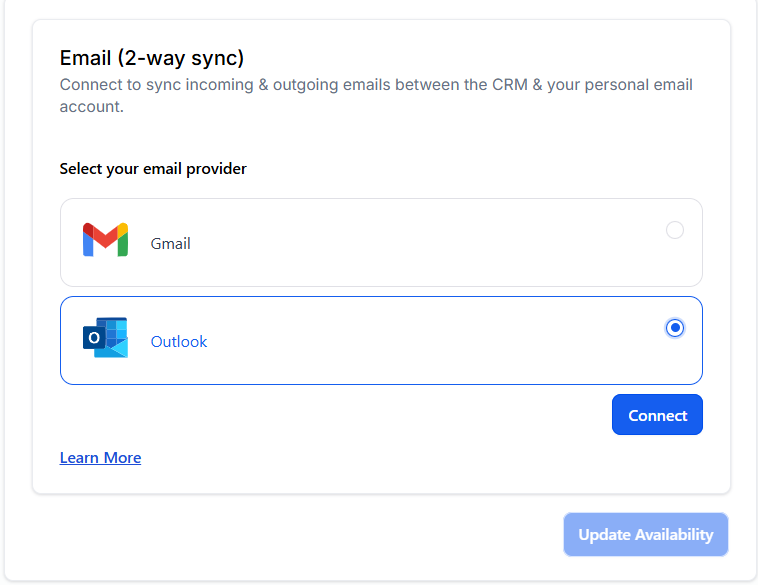
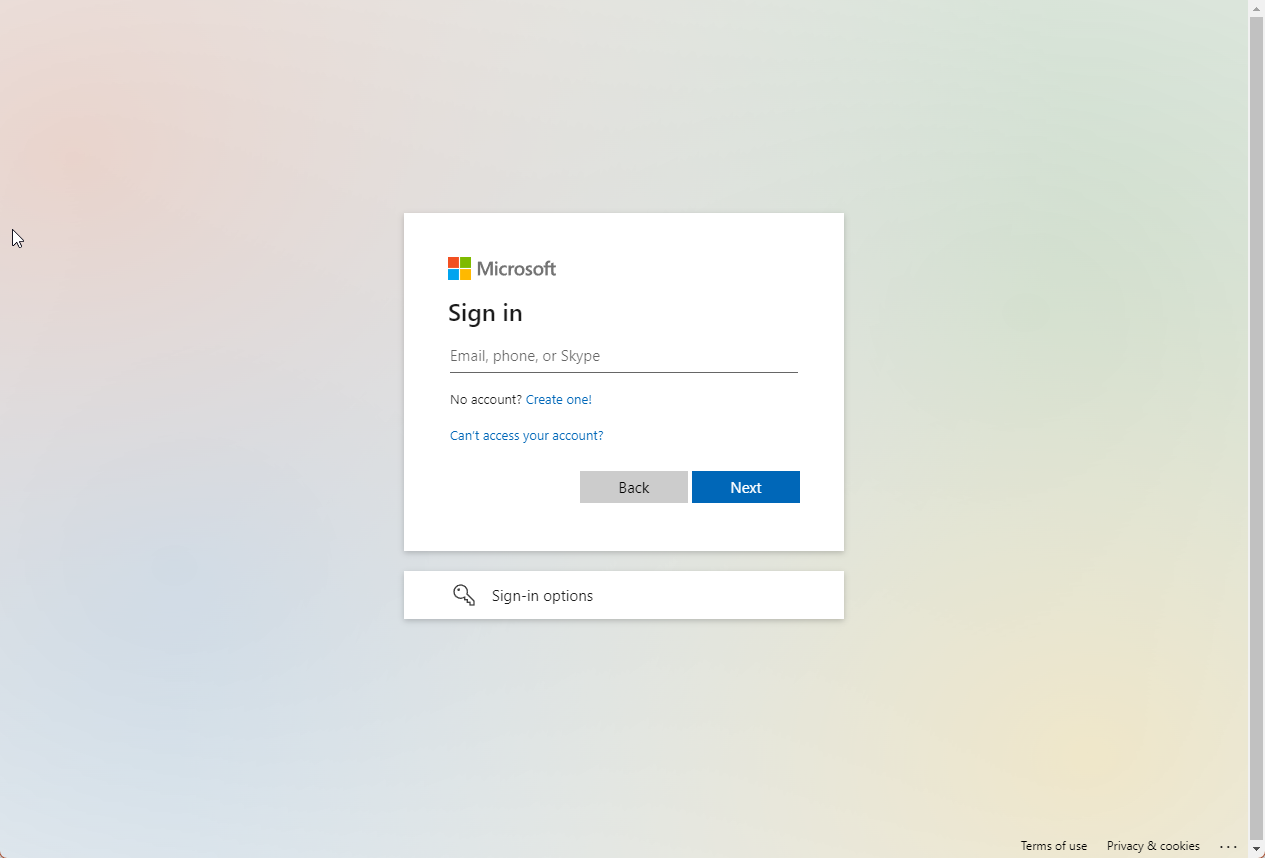 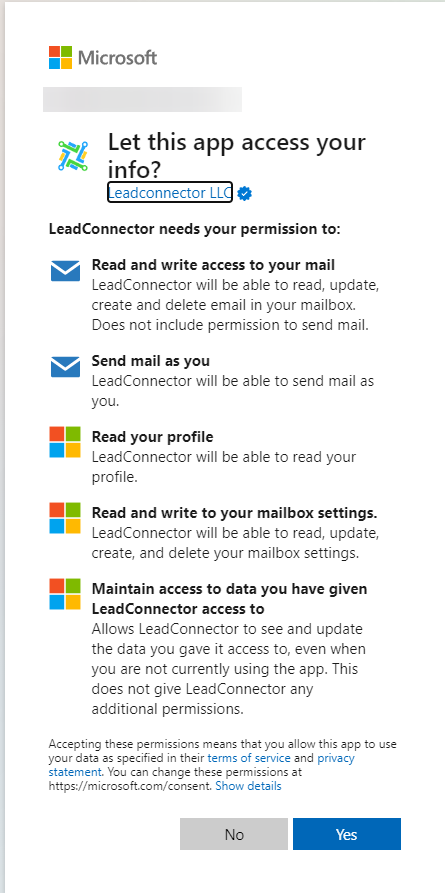
Update Email: This helps users change their connected email ID to another one without disconnecting the previous connection.
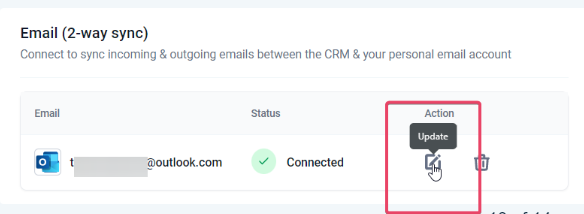
Outlook 2-way sync is a user-level provider.
How the sender domain mapping works for different types of emails:
Individual Email: On connecting a personal email account (Outlook), the Outlook email ID will be considered as the sending domain for the emails sent by the user for individual emails.
Bulk Email: If the user enters their email ID (after setting up the two-way sync) under the “From Field,” the user’s email ID will be considered the sender domain for the bulk emails. If the field is blank, the account level provider will be considered the sending domain.
Bulk Email: If the user enters an email ID different from their Outlook email, it will consider the account-level provider as the sender domain.
Workflow & Automation: Emails will continue to go from account-level providers.
****Please Note:_ An email thread initiated from your email will not sync with LeadMagicX._
Email Sync for Outlook :
Emails will now sync differently with your LeadMagicX account when connecting your personal Outlook email ID for 2-way sync. Previously, all emails with contacts would automatically sync to LeadMagicX, including those involving system users who are also LeadMagicX contacts, which could result in personal emails being visible to admins and users with contact access. Now, emails will only sync if they involve contacts who are not system users, ensuring better privacy and more relevant data synchronization.
This enhances privacy by ensuring that personal emails between system users do not sync to LeadMagicX, maintaining the confidentiality of internal communications.
To use this email sync feature, simply connect your personal Outlook email to LeadMagicX with 2-way sync. Emails will now only sync if they include at least one contact who is not a system user. Ensure your email settings are updated to take advantage of this improved functionality.
Please Note:If the sync is disconnected, the subsequent messages in the thread will stop syncing. This will also stop syncing new outbound emails sent from LeadMagicX.
Please Note:Attachments of up to 3 MB size work across this sync; any attachments larger than this size will cause the message to not sync over.
Congratulations! You can now use your personal Outlook email account within LeadMagicX for sending and receiving emails.
Logging Attachments from New Emails:
Logging Attachments from Reply Emails:
Recording Attachments from Sent Emails:
Question: What happens if the two-way sync is disconnected?**
**Answer: I f the sync is disconnected, subsequent messages in the thread will stop syncing, and new outbound emails sent from LeadMagicX will no longer sync with Outlook.
Question: Can I use a different email ID for bulk emails after setting up a two-way sync?**
**Answer: Yes, if you enter a different email ID in the “From Field” for bulk emails, the account-level provider will be considered the sending domain.
Question: Are there limitations for email attachments with two-way sync?**
**Answer: Yes, attachments up to 25MB are supported for incoming and outgoing emails. Attachments exceeding this size will not sync to LeadMagicX.
Question: Will personal emails between system users sync with LeadMagicX?**
**Answer: No, emails will only sync if they include at least one contact who is not a system user, ensuring better privacy and avoiding irrelevant synchronization.
Question: What happens if an email thread is initiated from my email (Outlook)?**
**Answer: If the email thread is initiated from your Outlook email (rather than from LeadMagicX), the thread will not sync with LeadMagicX. Only email threads initiated from LeadMagicX will continue to sync with Outlook.
Question: How can I update my connected Outlook email ID after setting up the two-way sync?**
Answer:** You can update your connected email ID by navigating to Settings > Profile > Email (2-way sync). Then, select the “Update Email” option, which allows you to change your connected email address without disconnecting the previous connection.**
Question: What is the very first step I must take to establish the sync between LeadMagicX and my Outlook account?****
Answer:** To initiate the sync, you must send the first outbound email to a contact from within LeadMagicX. Email threads initiated from your external Outlook inbox will not sync with the platform.
Question: What happens if I send a 30MB file from Outlook?
Answer: The maximum sync limit is 25MB , the email text will likely sync, but the attachment will be excluded. For large files, we recommend using a “Shareable Link” (Google Drive, OneDrive, or Dropbox) inside the email body instead of a direct attachment.
Question: I sent an email with a 10MB file from my Outlook inbox; will it show up in the platform?
Answer: Yes. While the limit was previously lower, the system now supports logging attachments up to 25MB for both new emails and replies, as well as those sent directly from your external inbox.