¶ Contact Engagement Score
The Contact Engagement Score is an essential metric that enables businesses to effectively track, prioritize, and engage with leads based on their level of interaction. By assigning scores to actions such as email opens, form submissions, and purchases, this metric helps businesses identify high-score leads that are ready for conversion while also nurturing low-score leads to improve engagement. In this article, we will guide you through the process of setting up engagement scoring and show you where to view these scores within LeadMagicX.
Where to Find Contact Engagement Scores
Users can easily access contact engagement scores in various areas of the platform, allowing them to quickly assess a contact’s level of interaction. Here are the two main locations where you can view these scores:
Contacts Section
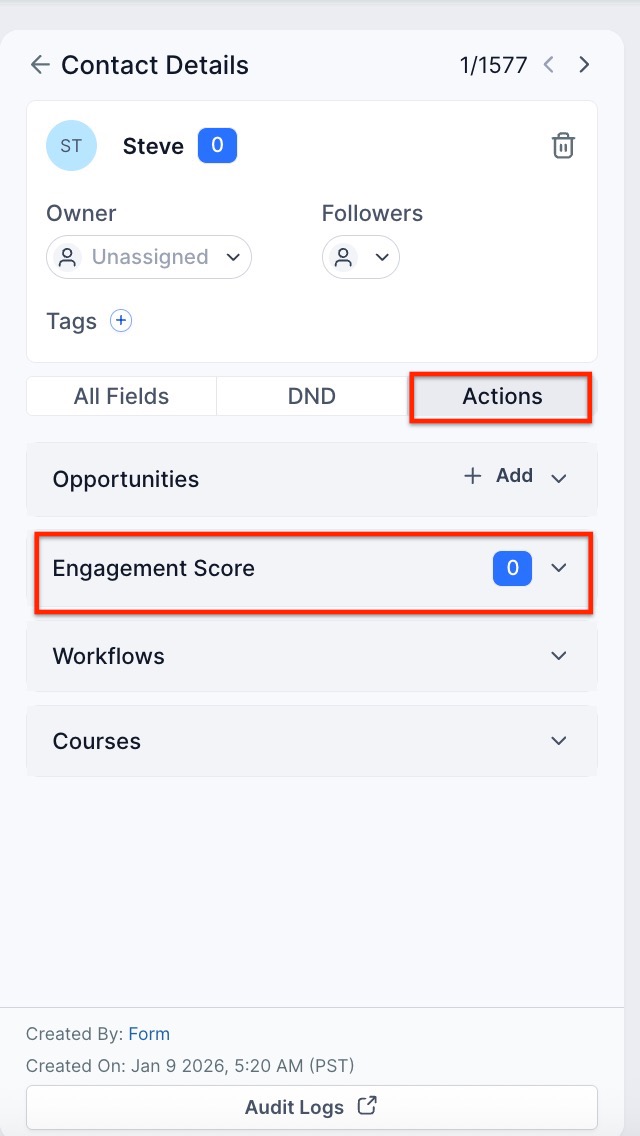
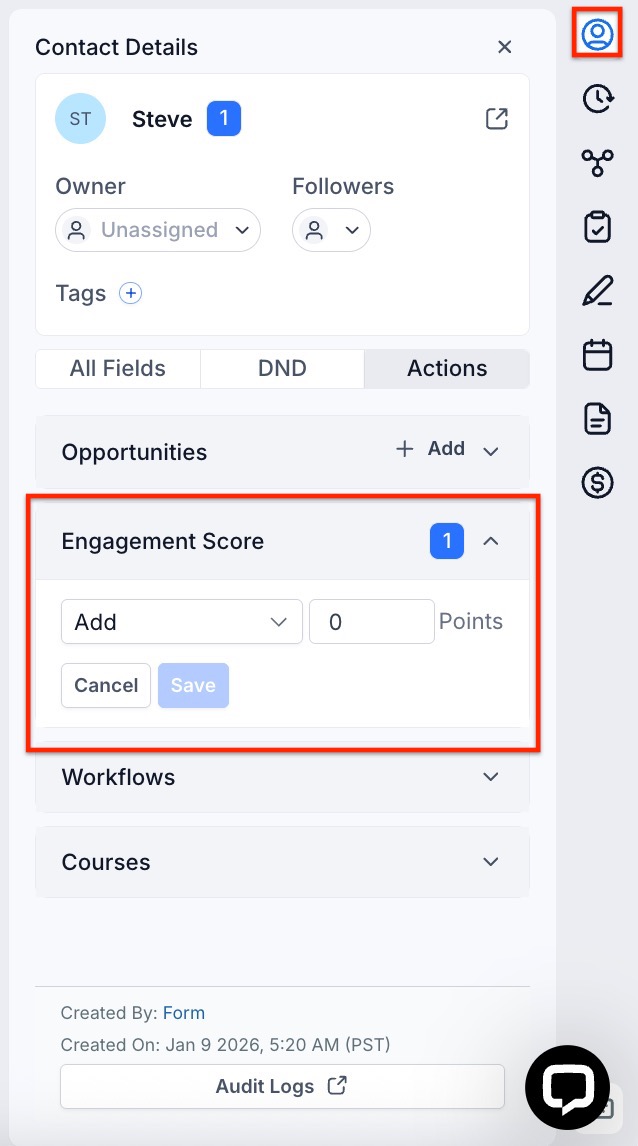
Within an individual contact’s profile in the Contacts section, simply scroll down to locate the “Contact Engagement Score” dropdown, where you’ll find this score along with other contact details.
Conversations Section
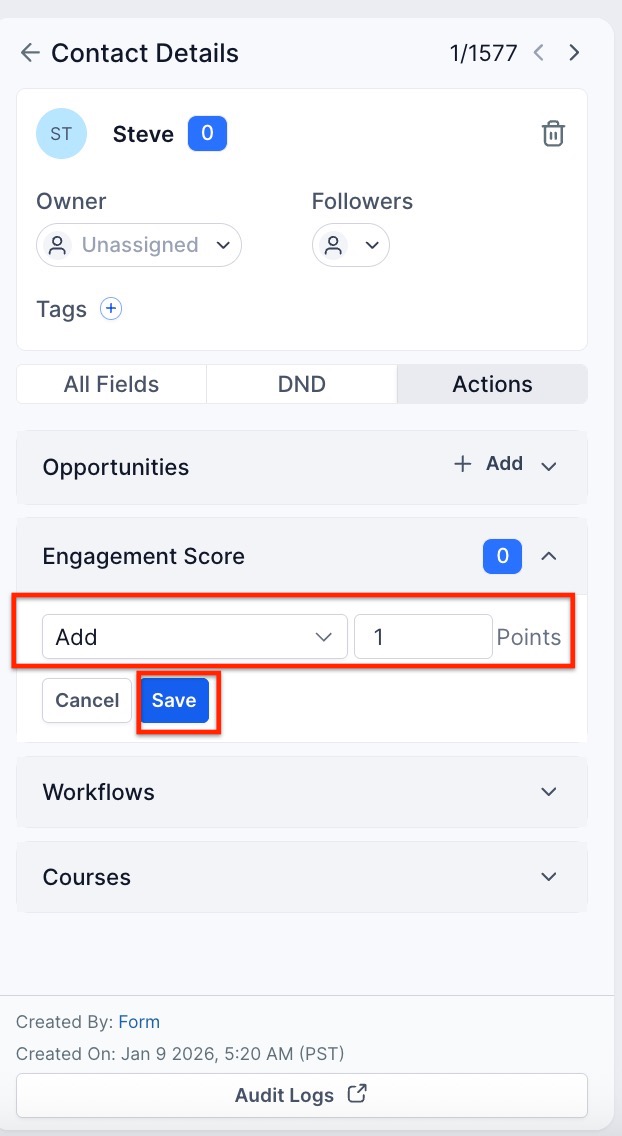
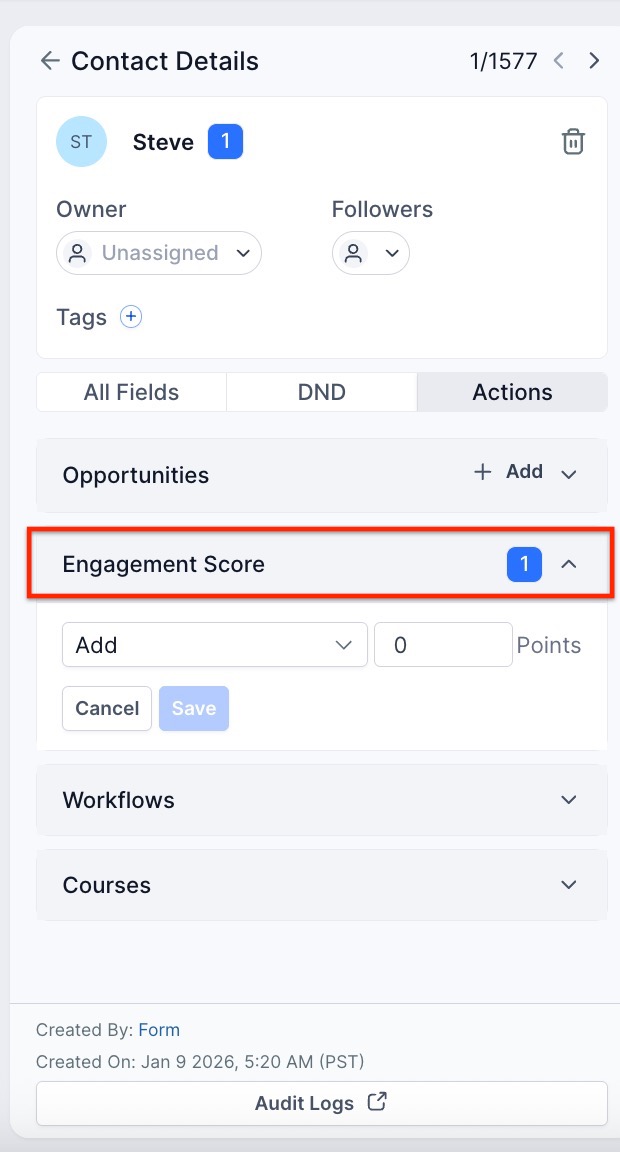
In the Conversations section, the engagement score of the contact you’re currently communicating with is visible. As shown in the screenshot, you can view and edit the score through the “Contact Engagement Score” dropdown located on the right-hand side.
¶ Measuring Contact Interaction
- Purpose : This feature helps you measure how much a contact interacts with your business, providing insight into their level of interest.
- Benefit : Understanding interaction levels allows your business to prioritize communication and nurture leads effectively.
¶ Calculating Scores
- Interactions to Track :
- Email opens
- Calendar appointments
- Form submissions
- Other relevant interactions
- Scoring System :
- Each interaction has a specific score based on its significance.
- Scores can add or subtract points depending on the type of interaction.
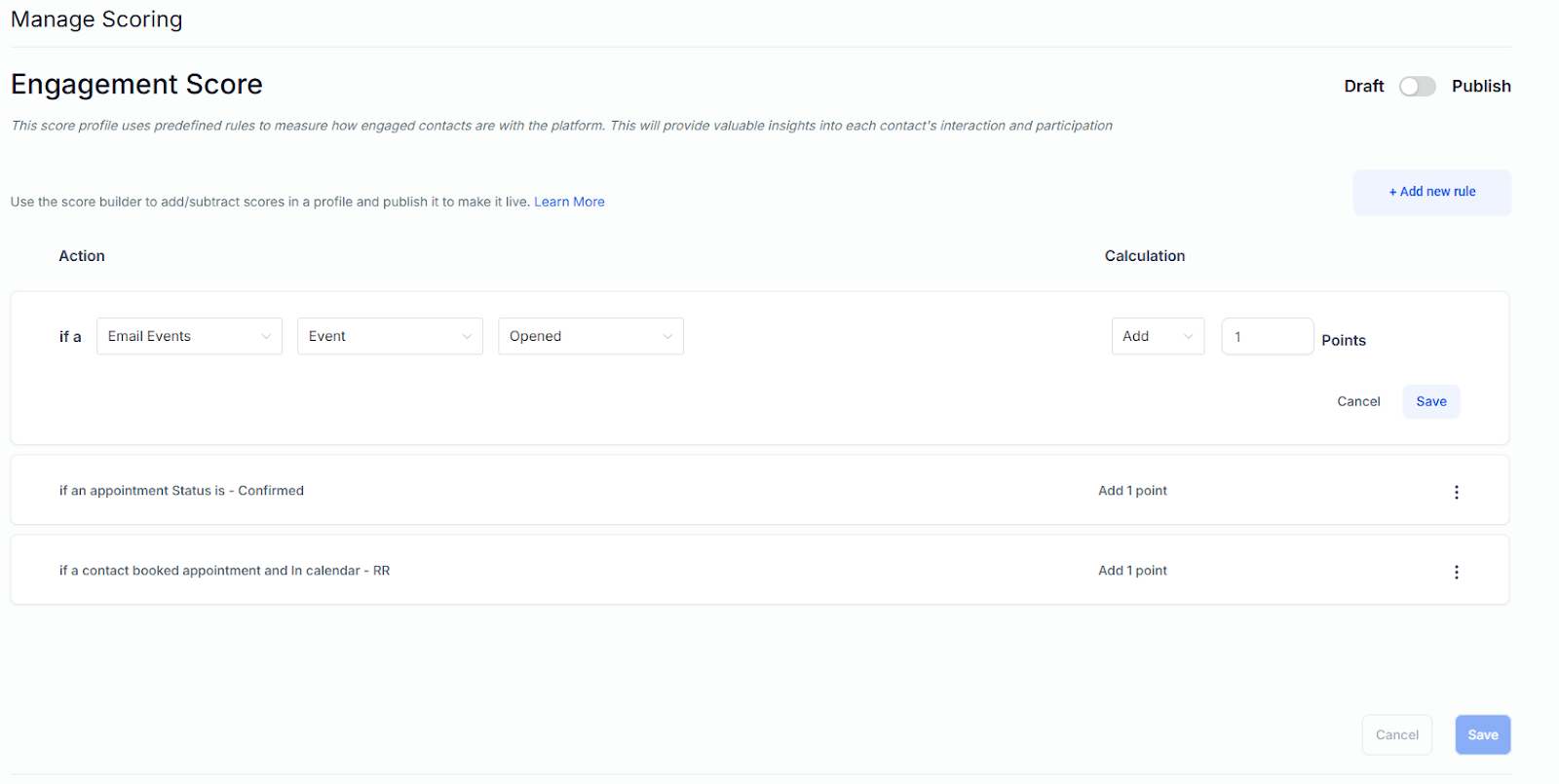
¶ Step 1: Edit the Score
- Navigate to Settings
- Click on Managing Scoring
- Add the name and description of your score profiles.
¶ Step 2: Add your rules
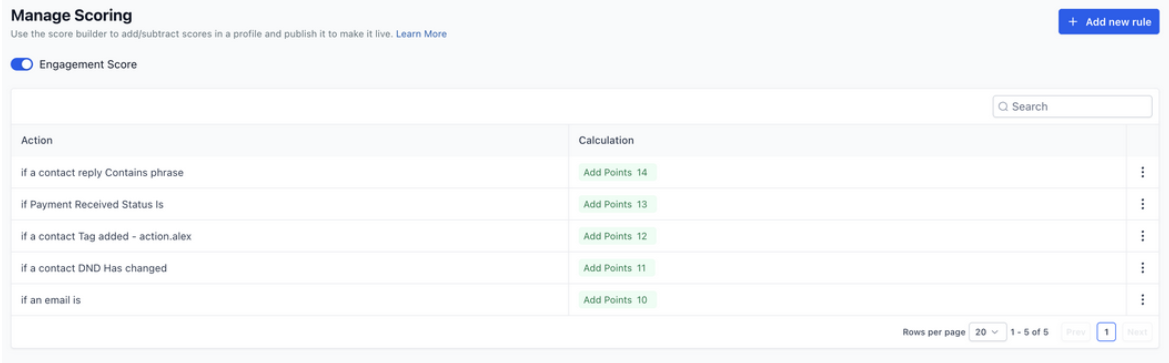
- Add your rules by clicking on Add New Rule or edit the ones you have by clicking on the 3 dots.
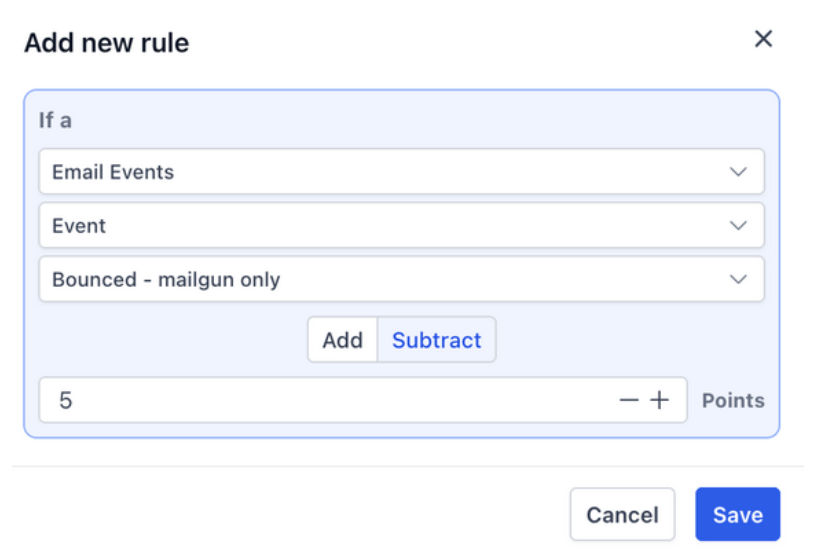
- Rule Customization : The system allows you to edit and fine-tune your scoring rules as needed
- Add or Subtract Points: You have full control over the scoring rules. Using the score builder, you can create rules to add or subtract points based on specific criteria, such as engagement, behavior, or any other relevant factors.
- Saving Changes : Once any new rule is added or an old rule is edited, the changes need to be saved to the score profile
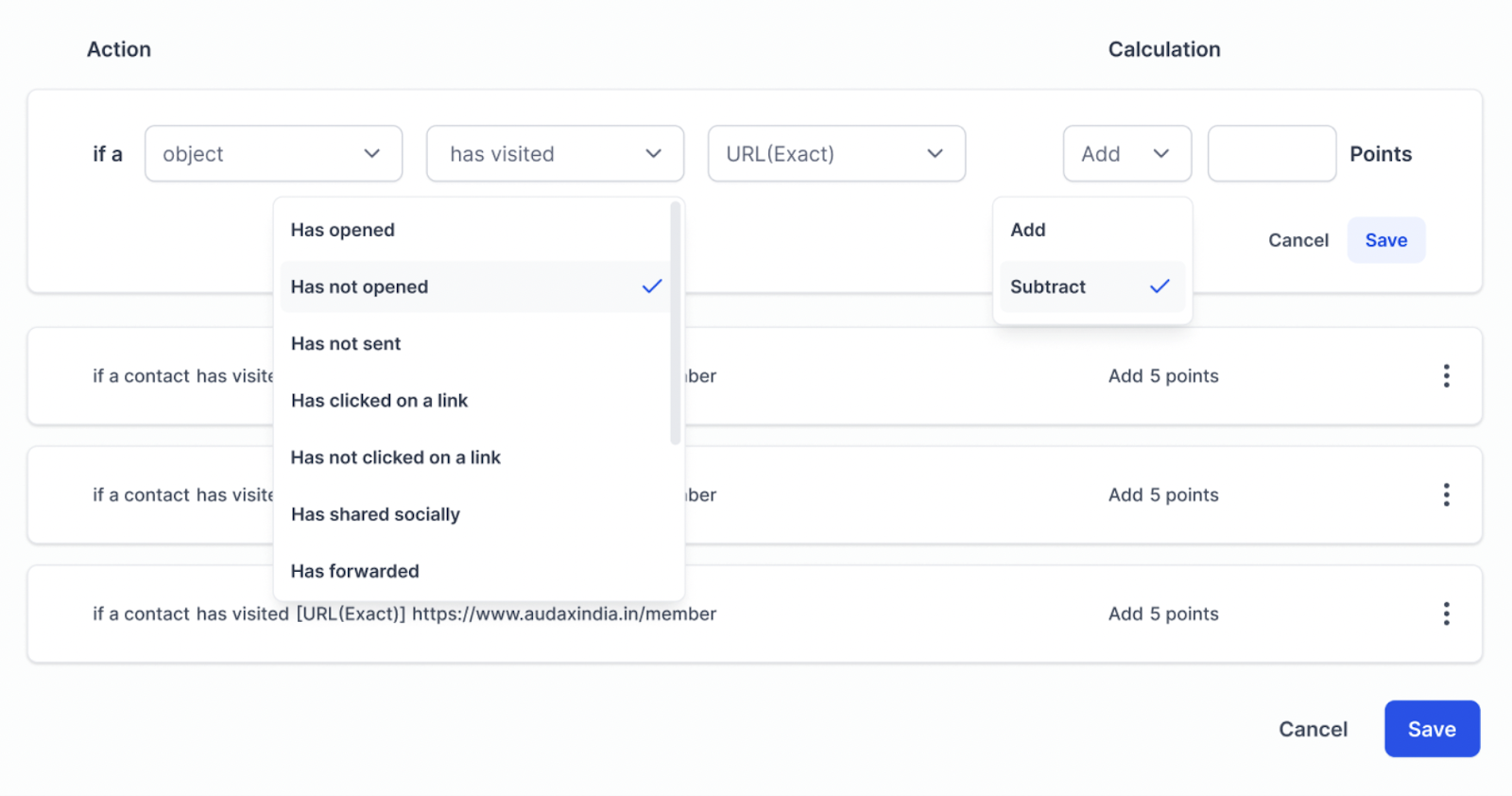
- Example : A successful payment will add points, but a contact who enabled all DND channels will subtract points.
- Once the profile is published, the score will be reflected in all the contacts
¶ Step 3: Sorting and Filtering
- Go to your Conversations tab on the right panel. Here you can see and update the score.
- On the Contact tab, you can filter by Engagement Score and create a smart list.
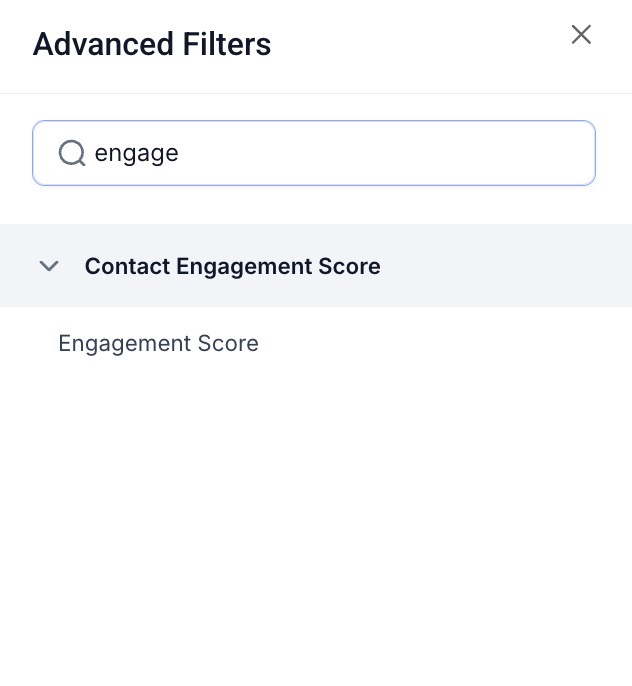
Note: The engagement score is only visible if you have published the score profile under Settings > Manage Scoring.

¶ ****
**FAQs **
Question: What is engagement scoring and why is it important?**
**Answer: Engagement scoring measures how much a contact interacts with your business, providing insights into their level of interest. This helps you prioritize communication with leads and better nurture them based on their engagement level.
Question: How do I calculate engagement scores?**
**Answer: To calculate scores, and track various interactions such as email opens, calendar appointments, form submissions, and more. Each interaction has a specific score based on its significance, which can either add or subtract points.
Question: Can we use the Contact Engagement Score in workflows?
Answer: Yes, you can use the Contact Engagement Score in workflows. By integrating this score into your workflows, you can create automated processes that respond based on the level of engagement a contact has achieved.
Question: Can I apply different engagement score rules to different contact segments or lists?**
**Answer: While engagement scoring applies globally to all contacts, it cannot be customized directly within the Manage Score section. However, you can use smart lists, tags, or custom fields to segment contacts and set up engagement-based workflows that trigger different actions based on specific criteria.
Question: Does the engagement score automatically decrease over time if a contact stops interacting?**
**Answer: No, the engagement score does not automatically decay over time. If you want to decrease scores for inactive contacts, you’ll need to create an automation workflow with timed triggers to subtract points when a contact hasn’t interacted within a certain period (e.g., no email opens or replies for 60 days).
Question: Can I assign different weightings to the same action based on different conditions?**
**Answer: At present, the Manage Score section does not support condition-based weightings for the same action. However, you can set up multiple rules for similar actions with different triggers. For example, you could assign +5 points for clicking a regular email link and +10 points for clicking a high-priority promotional link using different triggers.
Question: Can I track historical engagement score changes to see how a contact’s engagement evolves over time?**
**Answer: Currently, there is no built-in feature to track historical engagement score changes. However, you can work around this by logging score changes in a custom field or using an automation workflow to capture score snapshots at regular intervals. This approach will help you track engagement trends and analyze how a contact’s level of interaction develops over time.
Question: Can engagement scores be used to filter or sort contacts?**
**Answer: Yes. In the Contacts tab, you can filter or sort contacts by engagement score and create smart lists to segment leads based on their interaction level.
Question: Why am I unable to see the engagement score on my contacts’ profiles?
Answer: The engagement score will only be visible once you have successfully published your score profile. You can do this by navigating to Settings > Manage Scoring and ensuring the profile is set to published.
Question: Can I subtract points for negative behaviors?
Answer: Yes. The scoring system allows for both addition and subtraction. For example, you can add points for a successful payment but create a rule to subtract points if a contact enables “Do Not Disturb” (DND) for all channels.