¶ Additional Phone Numbers per Contact
Managing contact information in the digital age requires accommodating the reality that individuals often have multiple phone numbers, each serving a different purpose. Recognizing this need, LeadMagicX provides the feature to add and manage multiple phone numbers for a single contact. This guide offers a detailed walkthrough of this existing feature and its functionalities.
¶ Step-by-Step Guide on Using Multiple Phone Numbers for Contacts
¶ Adding Multiple Phone Numbers:
- Navigate to the ‘Contacts’ tab.
- Create a new contact or choose an existing one. You can add multiple phone numbers for both new contacts and by editing existing ones.
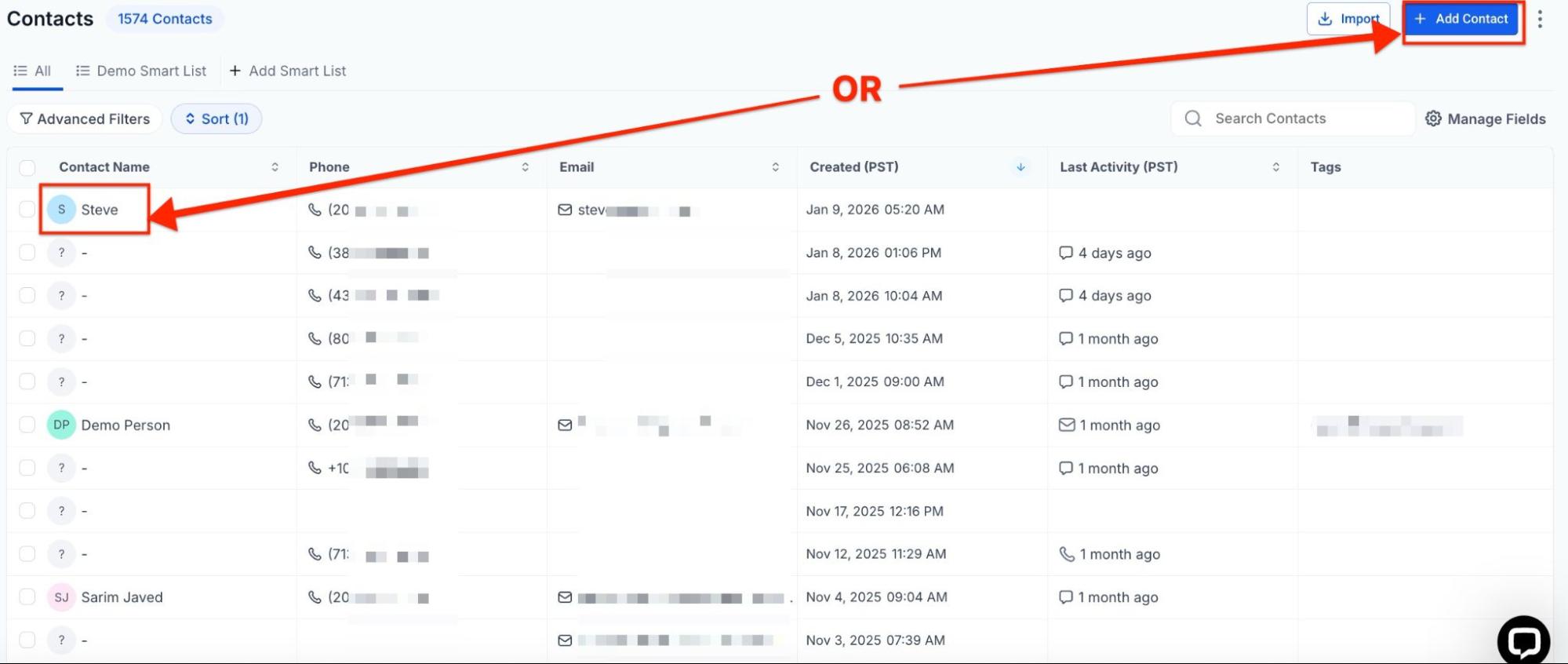
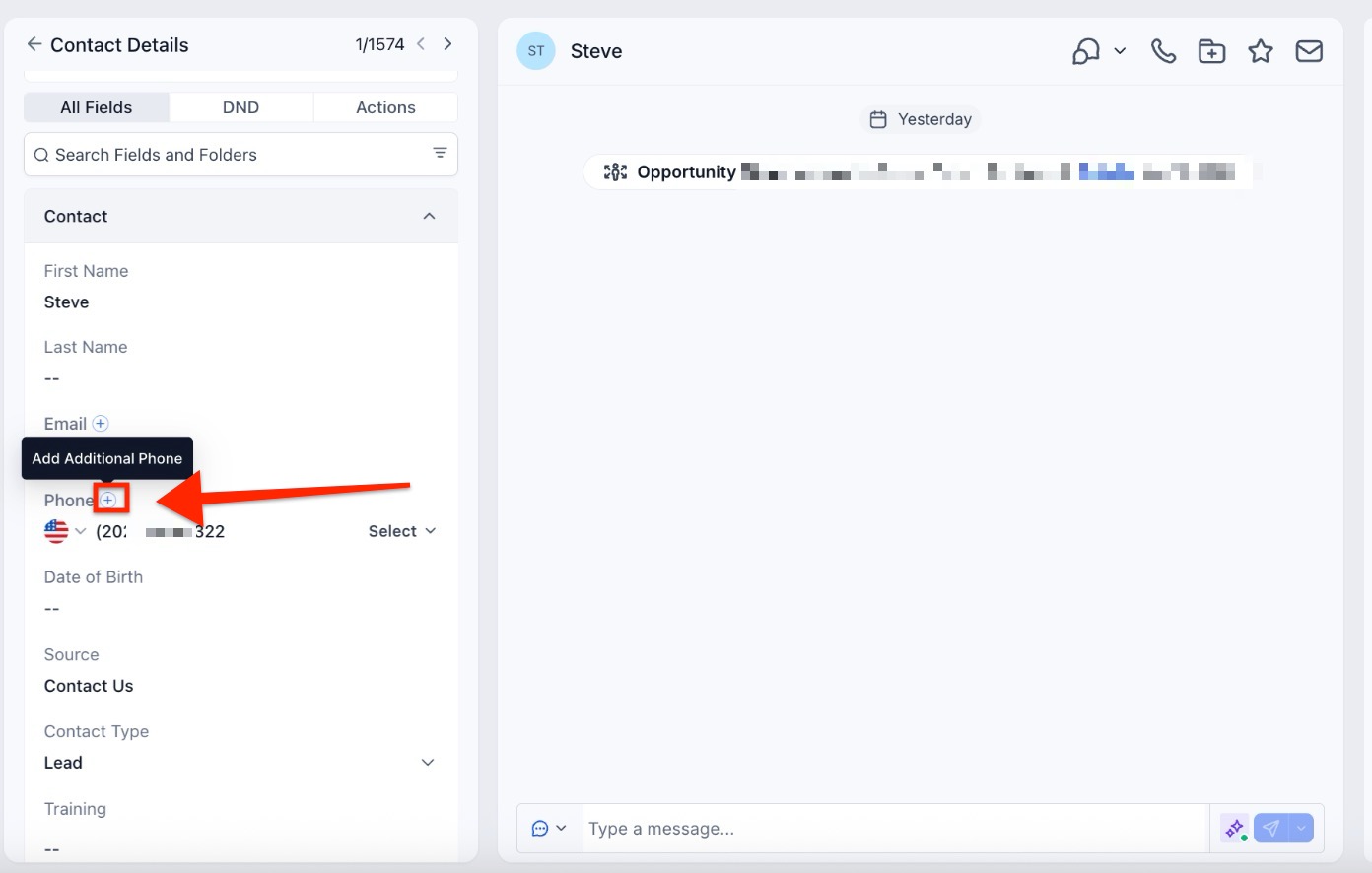
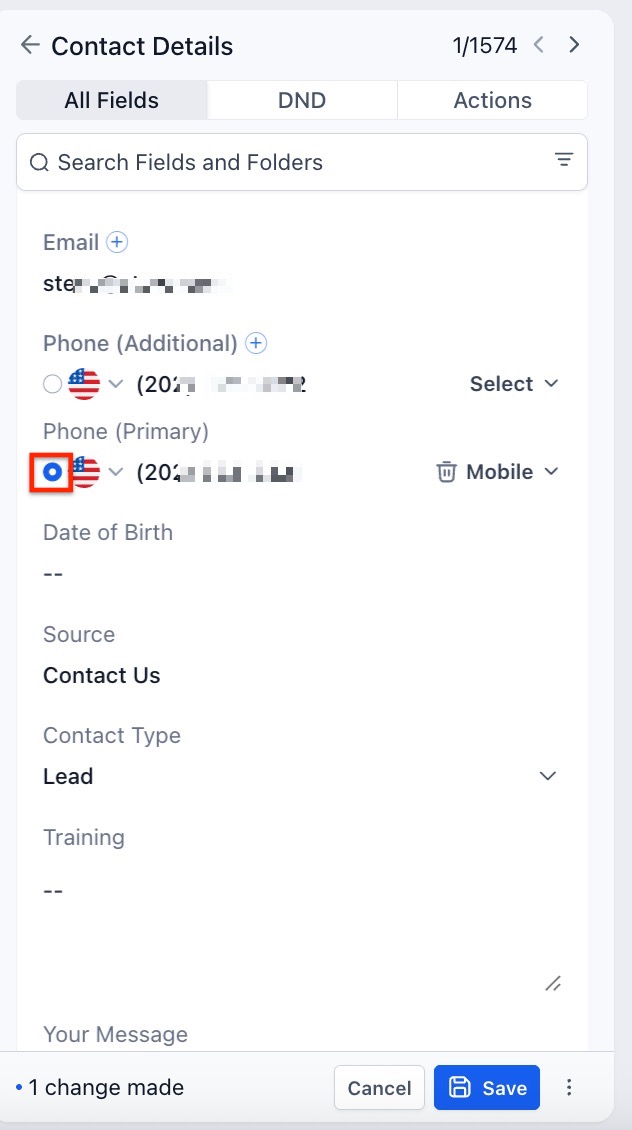
- You will see the ‘+’ button beside ‘Phone’, click that to add an additional phone number.
Please Note:
You can do this up to 11 times per contact. Including the original primary number.
- An option right below the existing phone number will appear to add an additional phone number…
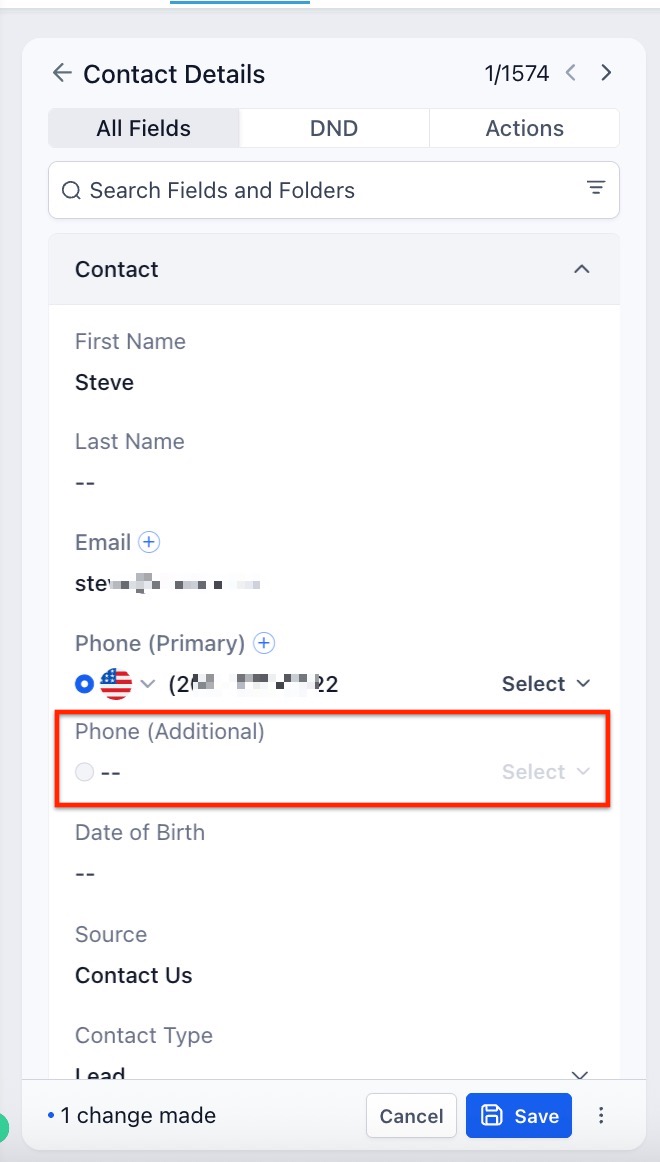
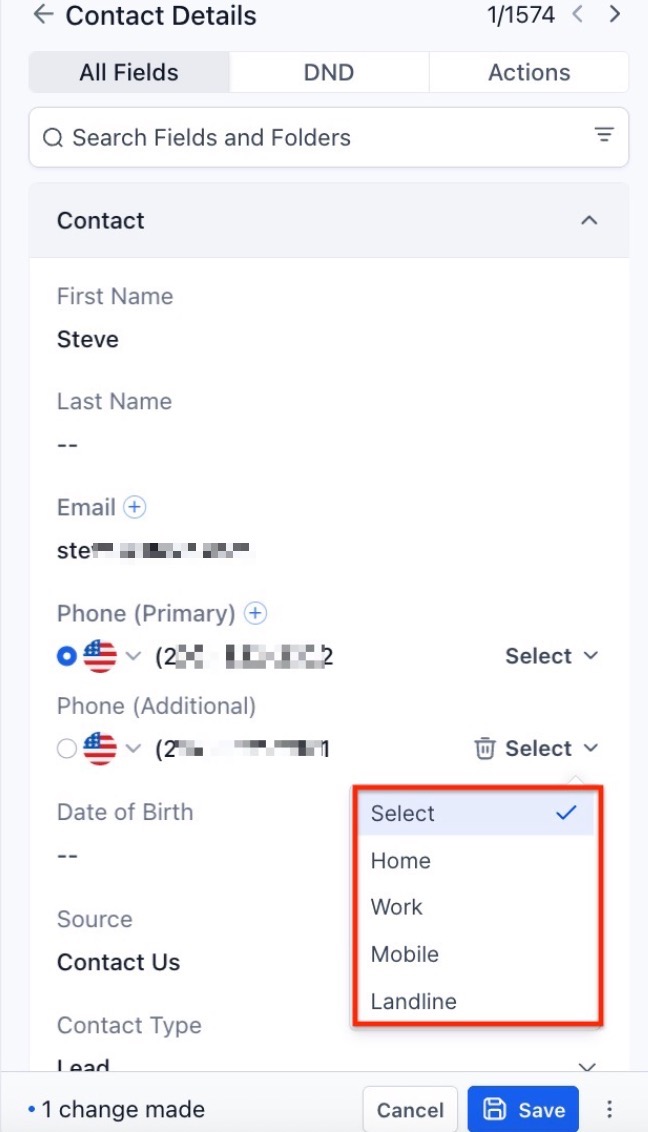
- Use the dropdown menu to select from the available labels: Home, Landline, Mobile, and Work. Note that each label can be selected only once per contact.
- After adding, select the number you wish to mark as primary by clicking on the radio button next to it.
¶ Benefits of Multiple Phone Numbers for Contacts
- Flexibility in Managing Contact Information: Users can add up to 11 phone numbers for a single contact, ensuring that all necessary numbers are captured.
- Convenient Management and Editing: The contact details page has been designed for easy and streamlined management and editing of phone numbers.
- Consistency in Communication: By designating a primary phone number, users can ensure that they’re always reaching out to the most appropriate or preferred number.
- Easy Identification with Labels: Labels such as Home, Landline, Mobile, or Work allow users to quickly identify the type of each phone number.
¶ Usage Cases:
Streamlined Customer Service: A business could use this feature to reach its customers more effectively. The service representative can try another if a customer cannot be reached on one number. This flexibility can lead to faster resolution times, higher customer satisfaction, and improved customer retention rates.
Effective Sales Process: In sales, time is of the essence. Sales representatives can quickly try another if a lead is not responding to one number. This feature could help reduce the lead response time and increase the likelihood of converting leads into customers.
Enhanced Marketing Campaigns: Businesses running multichannel marketing campaigns could use different phone numbers to reach customers based on their preferences or past responses. This can help improve campaign success rates and deliver personalized customer experiences.
Reliable Vendor Management: Companies often deal with vendors who have multiple contact points. Storing and categorizing these within the vendor contact can improve communication efficiency and ensure seamless operations.

¶ FAQs
Question: What happens if I don’t designate a primary phone number?**
**Answer: In such cases, the first phone number you entered will be treated as the primary contact number.
Question: Can I call on any of the additional phone numbers?**
**Answer: Yes, you can call on any additional phone number.
Question: Will the additional phone numbers sync with my other devices where I have mobile apps installed?**
**Answer: Yes, as long as your devices are connected to the internet, the additional phone numbers will sync across all your devices.
Question: Can I change the labels once they’re set?**
**Answer: Yes, you can edit the labels anytime you want from the contact details page.
Question: How do I select the primary number?**
**Answer: On the contact details page, click the radio button next to the number you wish to set as primary.
Question: Is there a limit to how many times I can change the “Primary” number? Answer: No. You can update the primary designation as often as needed. This is particularly useful if a customer informs you they will be traveling and prefer to be reached on their “Mobile” label instead of their “Work” label for a short period.
Question: Is there a maximum limit to how many phone numbers I can store for one contact?
Answer: Yes. You can store a total of 11 phone numbers per contact, which includes the original primary number and 10 additional entries.