Google Booking Redirect, also known as Google Organic Booking, is a feature that allows customers to book services directly from a business’s Google My Business (GMB) listing. This process eliminates the need for third-party booking platforms or paid advertisements, offering a streamlined and direct booking experience via Google search and Google Maps listings. It’s particularly beneficial for local businesses looking to attract and convert customers through an accessible and seamless booking process.
Booking Redirect is a feature enabling customers to find and book services directly from a business’s GMB listing. When a business enables this functionality, it allows potential customers to book appointments or services straight from the Google search results page or the business’s Google Maps listing.
**Notes: **
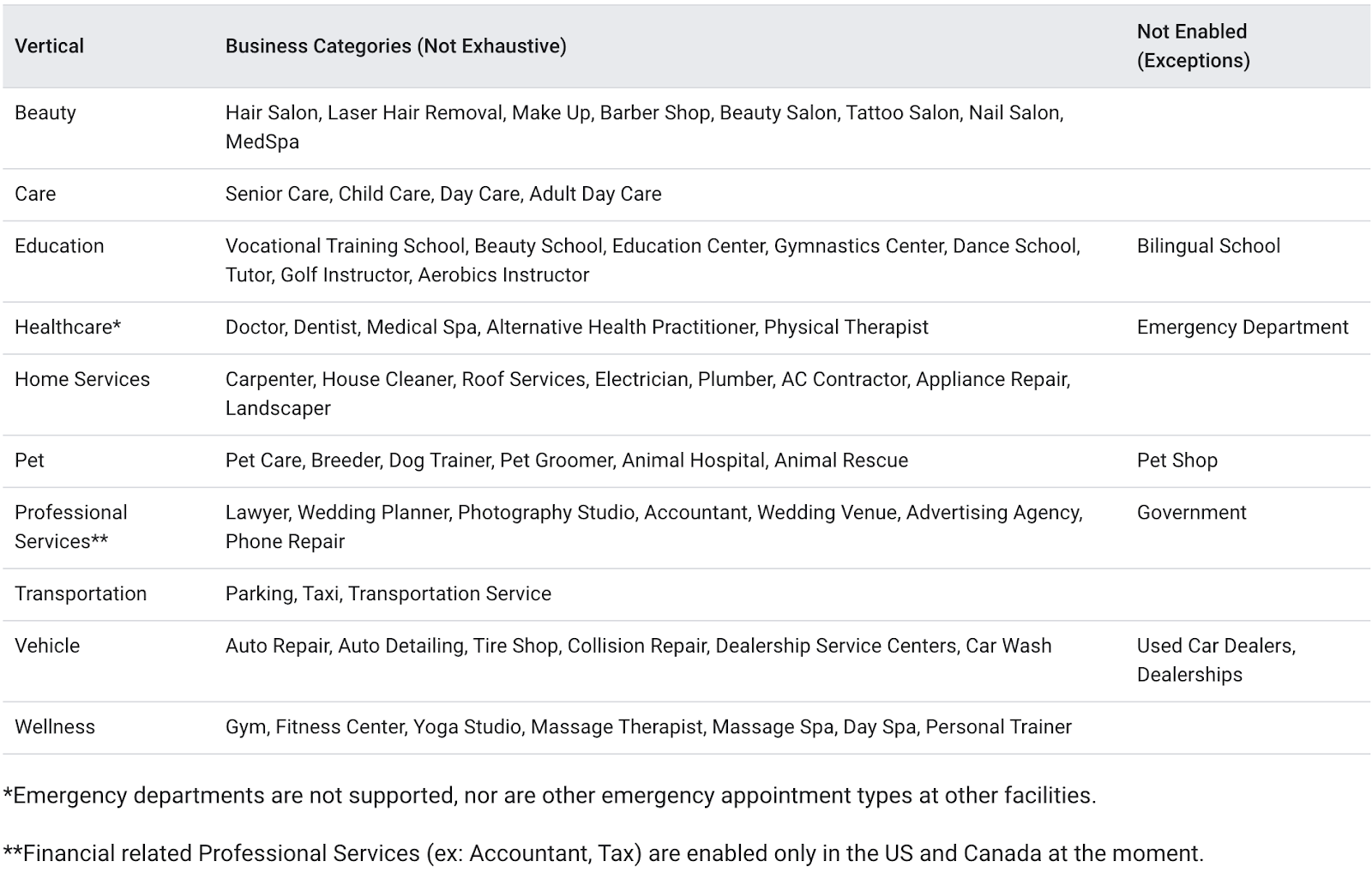
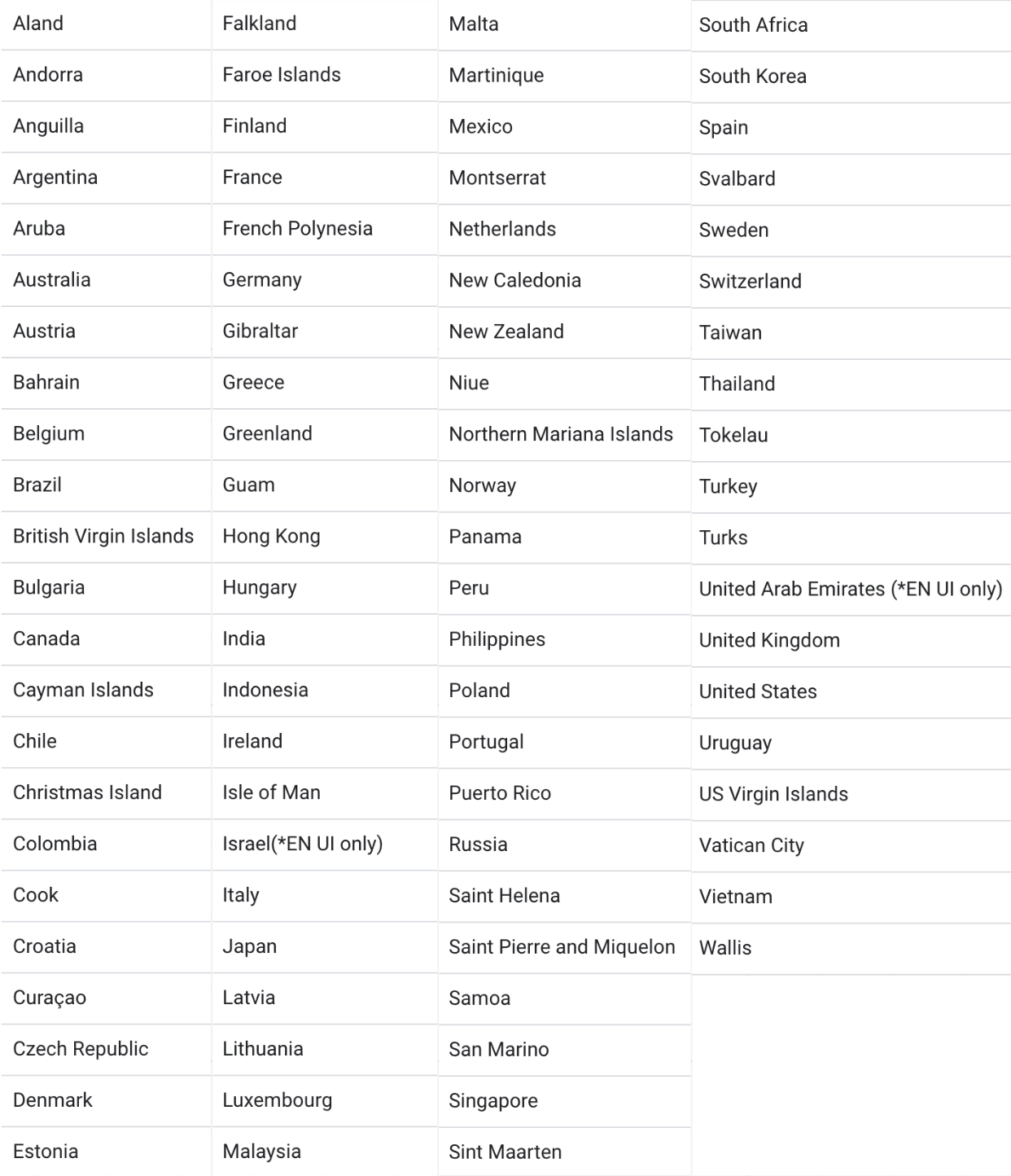
This feature can be used by users who have businesses in the following countries:
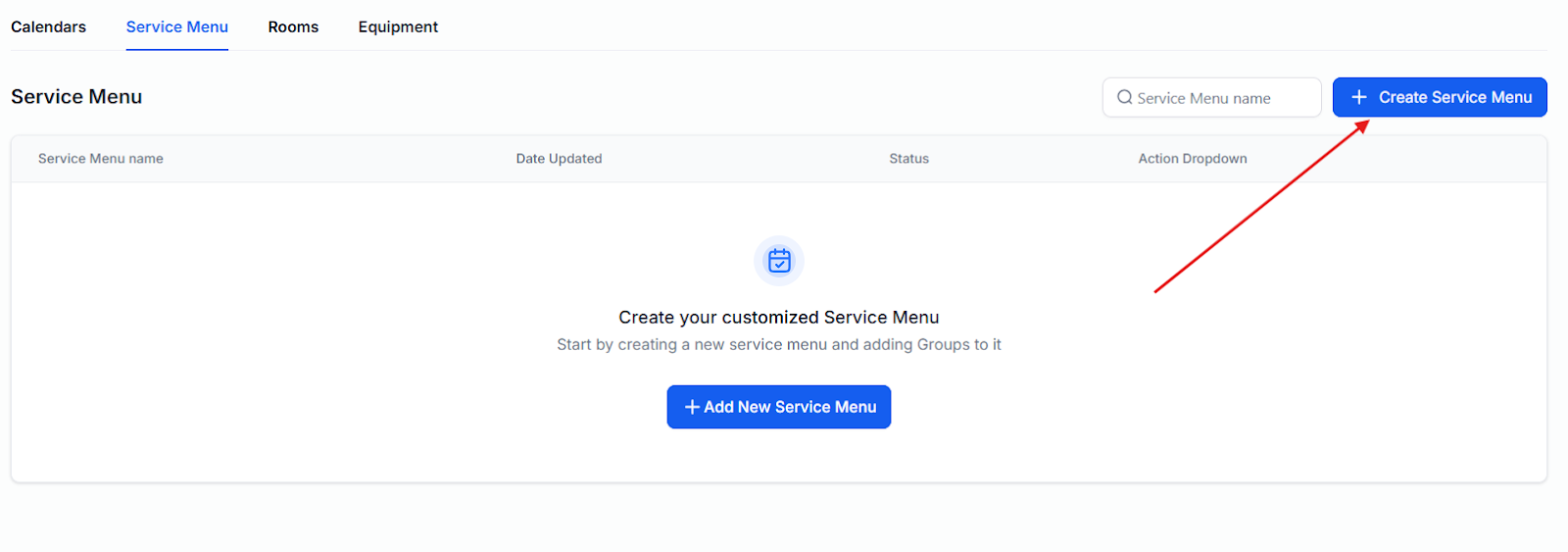
Note: You can learn more about this by reading the article called, “How to Create a Service Calendar”.
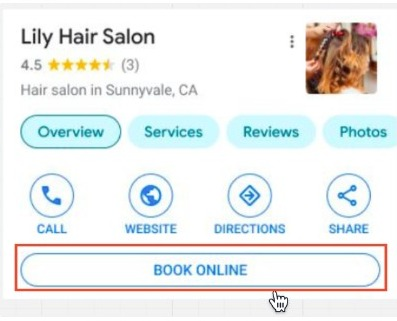
Note: To add the booking link, sign into your Google Business Profile, select ‘Booking’, scroll to ‘Add a link’, paste your Booking Page link, and click Save.
* Use any calendar you have created, which will show up under the services tab on Google.
Tips for Success:
Disabling Google Organic Booking directly from the Calendar Settings allows businesses to prevent their services from being discoverable and bookable through their Google My Business listing by simply toggling off the integration. This is particularly beneficial for businesses that prefer to manage bookings exclusively through their own platforms.
How to Use:**
**To disable Google Organic Booking, navigate to Calendar Settings and select the Connections tab. Locate the Google Organic Booking section and toggle the switch to disable the integration.
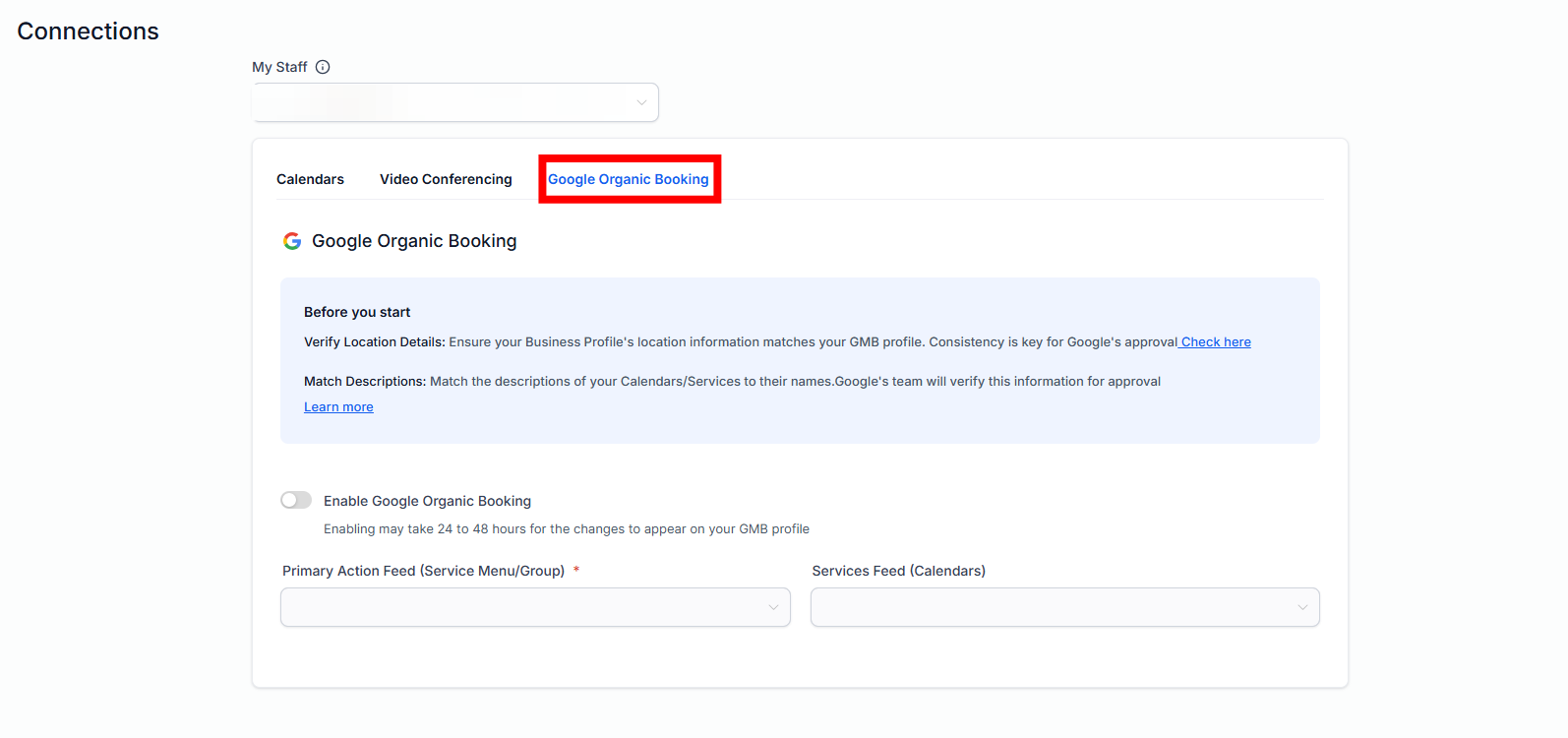
Note: Once disabled, no feed will be uploaded to Google, meaning customers won’t have the option to book services directly from the business’s Google listing.
Question: What is Google Booking Redirect and how does it benefit my business?****
Answer: Google Booking Redirect, also known as Google Organic Booking, allows customers to book services directly from your Google My Business listing, streamlining the booking process and increasing the chances of converting potential customers without the need for third-party platforms.
Question: How do I add a booking link to my Google My Business listing?****
Answer: To add a booking link, sign into your Google Business Profile, go to ‘Booking’, scroll to ‘Add a link’, paste your Booking Page link, and click Save. This link will appear as the ‘Book Online’ button on your GMB listing.
Question: What should I consider when setting up my Service Menu or Calendars for Google Booking?****
Answer: Ensure that your service descriptions are clear and concise, matching the names of your calendars/services. Accurate descriptions are crucial for Google’s validation process and for making your services easily understandable to customers.
Question: How long does it take for my services to be verified and displayed on Google?****
Answer: It usually takes 1-2 weeks for your feeds and profiles to be verified and displayed on Google after they are first set up.
Question: Can I disable Google Organic Booking if I prefer to manage bookings through another platform?****
Answer: Yes, you can disable Google Organic Booking in the Calendar Settings by toggling off the integration. This will prevent your services from being bookable directly through your Google My Business listing.
Question: Are there any limitations to Google Organic Booking?**
Answer:** Yes. It only works for verified GMB profiles in supported regions, and individual events or offerings must be properly described to be validated by Google.
Question: Google says my link is “Invalid” or “Under Review.” What should I do? **
Answer:** This is common during the first 7–14 days. First, ensure the link starts with https://. Second, make sure the landing page is published and active. If the page is in “Draft” mode or the domain is not properly connected, Google’s bots will flag the link as invalid.
Question: If a customer books via Google, does it automatically show up in my LeadMagicX?
Answer: Yes. Because the “Book” button simply redirects the user to your LeadMagicX calendar, the appointment is processed exactly like a booking on your website. All automations, confirmation emails, and lead assignments will trigger instantly.