¶ Add Featured Posts in Blog
Adding a featured post to your blog allows you to strategically highlight key content that can drive engagement and improve your content marketing efforts. This article will guide you through the process of adding a featured post to your blog, explain its benefits, and provide tips to make the most out of this feature.
¶ Key Features and Benefits
- Highlight Important Content : Featured posts ensure that your most important posts, such as announcements, cornerstone content, or popular articles, are always visible to readers.
- Drive More Engagement : By keeping high-performing or cornerstone posts at the top of your blog, you can increase visibility and interaction with these articles.
- Improve SEO & Read Time: Frequent visits to a featured post can contribute to better search engine rankings and improve user retention.
- Promote Evergreen Content : Featured posts keep your timeless or frequently referenced content easily accessible, ensuring long-term engagement.
¶ How to Add a Featured Post to Your Blog
1. Navigate to the Blog Section :
- Go to Sites > Blogs within your LeadMagicX account.
- Find the list of your existing blogs and select the one you want to edit.

2. Access Blog Editing View :
- Click on the blog name to open the editing interface.
- In the editing view, look for the option to edit the blog site.

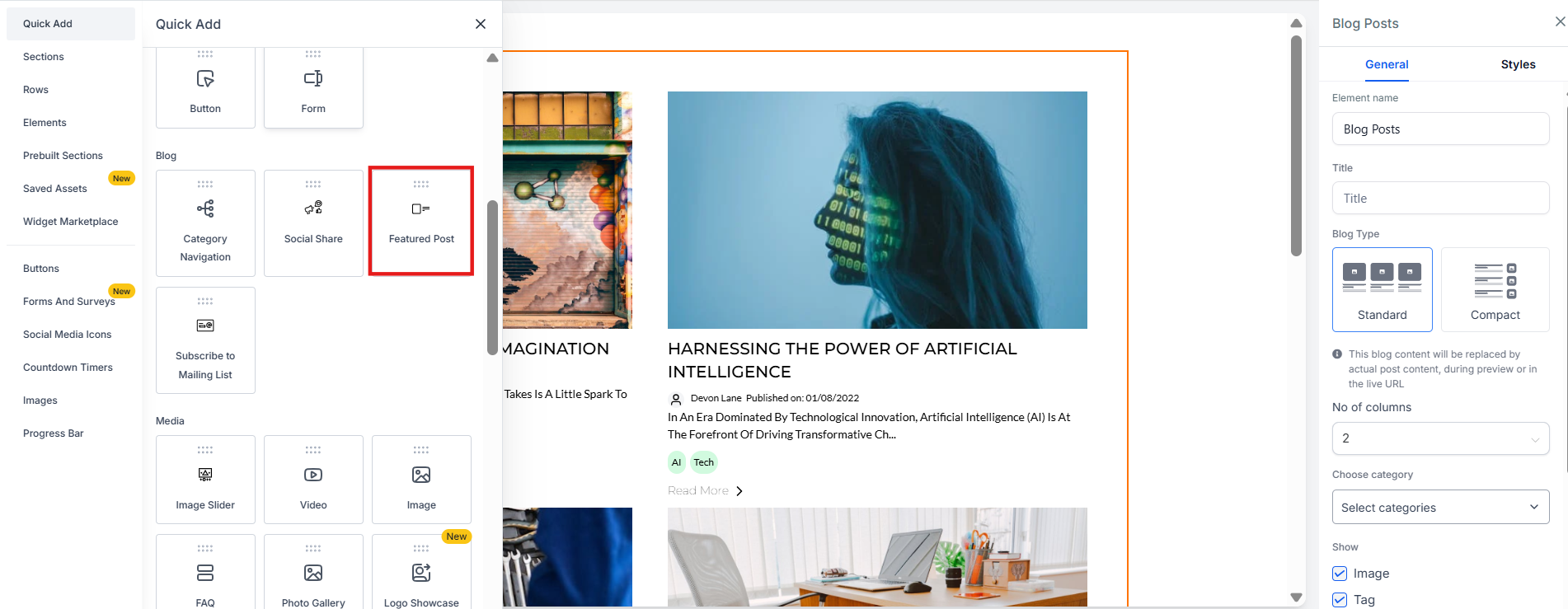
3. Add the Featured Post Element :
- In the editing section, add the Featured Post element to the blog.
- This will allow you to select which post to feature.
4. Select the Featured Post :
- Choose the specific blog post you want to feature from the available list.
- You can feature an important post that fits your strategic goals.
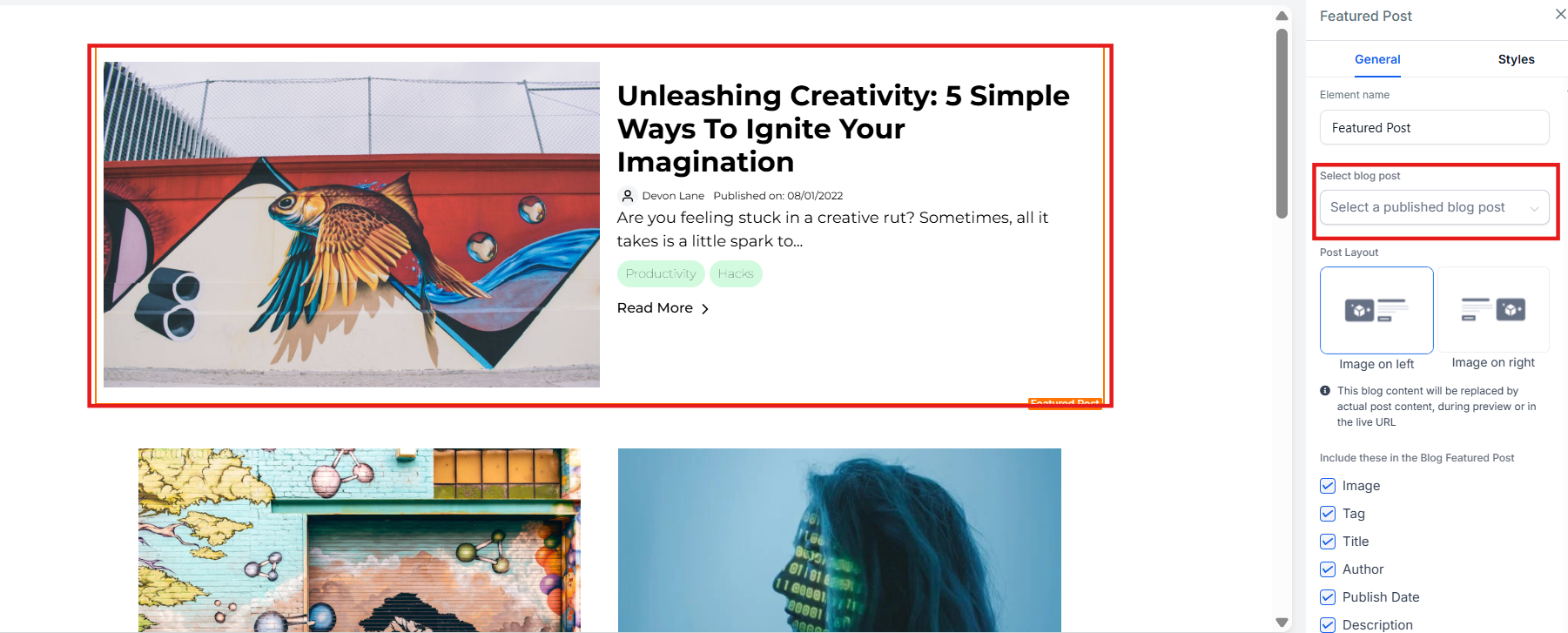
5. Choose the Layout and Display Options :
- Select the layout and customize what you want to display in the featured post section (e.g., title, image, excerpt).
6. Publish the Blog Site :
- Once your featured post is set up, publish the blog site to make the changes live.
¶ Pro Tips
- Focus on Evergreen Content : Use featured posts for timeless content that continues to bring value over time, ensuring it stays accessible to new visitors.
- Regularly Update Featured Posts : Refresh your featured posts to align with current campaigns or new popular content to keep your blog dynamic.
- Monitor Engagement : Track the performance of your featured posts to understand how they are impacting user interaction and adjust your strategy accordingly.
¶ ****
¶ FAQs
Question: What is the purpose of a featured post?****
Answer: A featured post highlights important content, keeping it visible to readers and driving more engagement, which can also improve SEO and user retention.
Question: How do I choose which post to feature?****
Answer: Select a post that aligns with your strategic goals, such as announcements, popular articles, or evergreen content that provides ongoing value.
Question: Can I have multiple featured posts?****
Answer: Typically, a single featured post is displayed, but some systems may allow you to rotate or display multiple posts in a featured section.
Question: Will featuring a post improve its SEO?****
Answer: Yes, by keeping a post visible and frequently visited, it can contribute to better search engine rankings over time.
Question: Can I customize the layout of the featured post?****
Answer: Yes, you can select the layout and display options for your featured post to match the design and style of your blog.
Question: What types of posts work best as featured posts?**
Answer:** Evergreen content, high-performing posts, product announcements, or cornerstone articles that continue to bring value over time are ideal for featuring
Question: What specific elements of the post can I customize for the featured display?
Answer: You have the ability to customize the layout and choose whether to display specific details such as the post title, the featured image, or a short excerpt.
Question: What is the final step I must take to make my featured post visible to the public?
Answer: Once you have selected your post and customized the layout, you must publish the blog site. This ensures that the changes move from the editing interface to the live version of your blog.